
Handy 0.10 now transcribes audio files, and the offline dictation tool is nearly finished
Summary
Version 0.10 adds transcription of existing recordings and automatic language detection across every model, while dictation still pastes straight into the focused field with the audio never leaving the machine. The author says the feature set is now roughly complete and the work turns to stability.
Recommend- Name
- Handy
- Version
- 0.10
- Pricing
- Free
- Open source
- Open source
- Operating system
- WindowsmacOSLinux
- Website
- https://handy.computer/
- Updated
- 2026-11-06 23:00
Speaking runs about three times faster than typing. Handy does one thing: it turns what you say into text inside whichever field the cursor already sits in.
It is a free, open source desktop speech to text tool that runs entirely on the machine. On 2 November 2026 it moved to 0.10, and the release note is unusually blunt: after this version the feature set is roughly complete, so the work from here is fixing problems and settling stability rather than piling on more. For a tool that can already be used every day, that sentence carries more weight than any feature list.
Three blocks filled in by 0.10
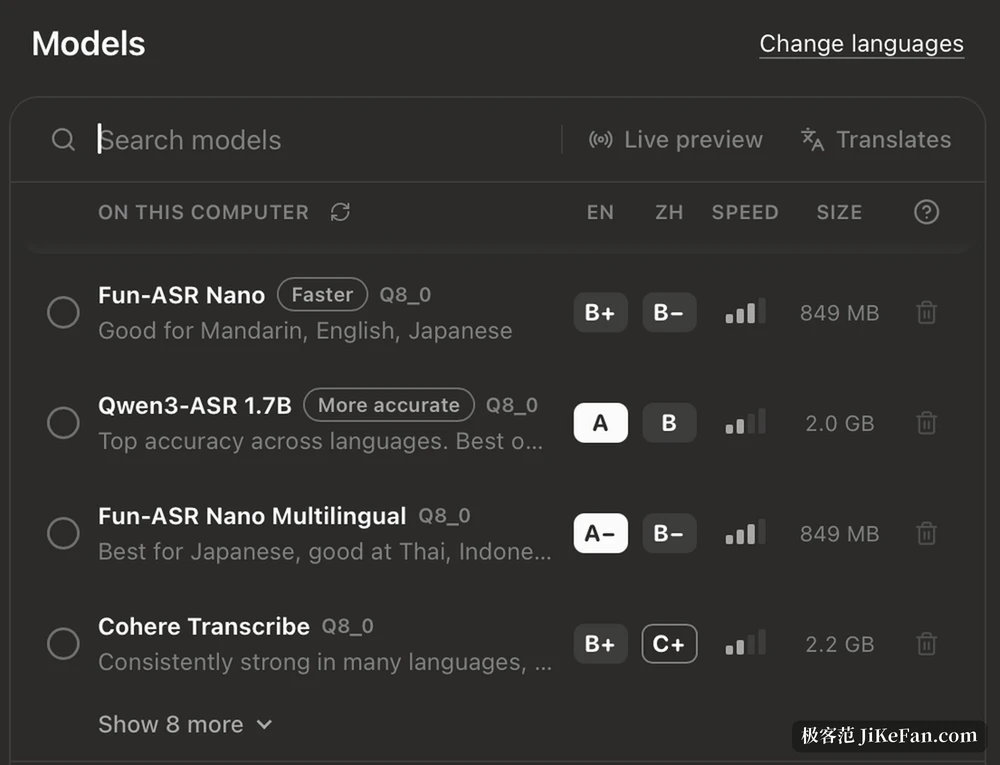
The first is transcription of audio files. Until now the tool was built around dictating live: speak into the microphone and the words appear. Recordings that already exist can now be dropped in and transcribed, and the result also lands in the history. The second is automatic language detection, covering every transcription model the tool supports, so the language no longer has to be chosen by hand each time. The third concerns feel: a new onboarding flow, and the start of a redesigned interface.
The change list also holds quieter items that matter more in daily use. The transcription backend now sits in its own worker process, and long audio is split at the points where voice activity is detected. Custom words are passed through the vocabulary interface of the transcription engine, which steadies the handling of proper nouns, names and technical terms. Custom post processing services gained the new message format. A paste path that blocked the main thread was fixed. Together those are the real weight behind the phrase nearly finished.
How it feels to use
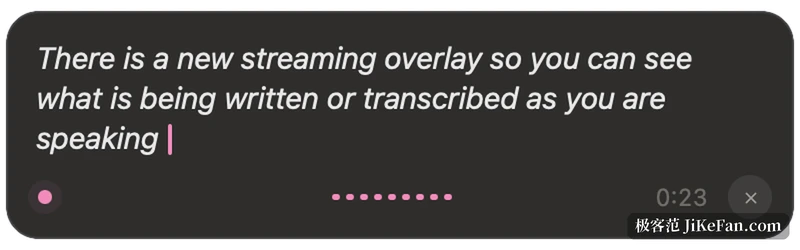
The interaction is deliberately restrained. Put the cursor into any field that accepts typing, press the shortcut and start talking, press again to stop, or hold the key and release it to finish. The default combination is Ctrl plus space, a second combination with post processing sits on Ctrl plus Shift plus space, and Escape cancels. The text does not appear in a window waiting to be copied; it is pasted straight into whichever application has focus, whether that is a browser, an editor or a chat box.
Before transcription runs, a voice activity pass strips the silent stretches and hands only real speech to the model. That detail decides whether the tool is usable: pauses, thinking and a sip of water do not turn into rows of blanks. The whole chain is local inference, and according to the project and its privacy statement ordinary transcription sends neither audio nor text to the maintainers; the network is used for update checks, model downloads and the optional post processing.
The model question
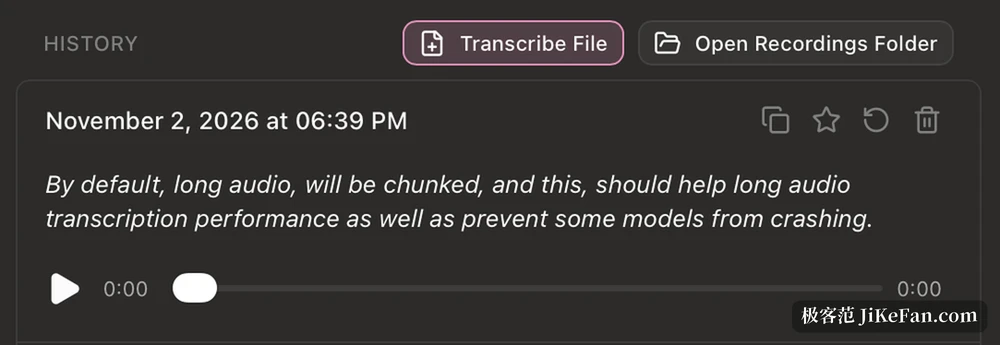
The local models are where the real weight sits. The documentation has long recommended two routes, Whisper and Parakeet. The first comes in Small, Medium, Turbo and Large steps, covers a wide range of languages and can use a graphics card, at the cost of size, from a few hundred megabytes to about one and a half gigabytes. The second is tuned for the processor, runs quickly and brings its own language detection, which suits machines without a separate graphics card. Since 0.10 the model catalogue is supplied by a separate model package, so the picker shows more than those two lines, models aimed at Chinese and Japanese included, and the interface states the performance tier per language, the speed and the size, even whether a model already sits locally or still has to be downloaded.
Choosing therefore works like reading a menu. Look at which tier your everyday language reaches, then whether size and speed are acceptable, and only then act. For someone with a single ordinary laptop, the small and fast entry is usually the more practical starting point.
The technical base is Tauri: the settings interface uses React with TypeScript, while system integration, audio handling and inference live on the Rust side. The project is under the MIT licence, the repository was created in February 2025, and it is maintained by the developer together with the community. The author once wrote something worth quoting: the aim is not the strongest dictation tool, but the one easiest to fork. That positioning keeps the code structure from becoming a maze, so someone who wants to change something does not get lost at the door.
What is still rough
Wayland support on Linux has always been the weak spot: writing into a text field needs an outside tool to help, and the repository documentation says so. The paste path occasionally carries old clipboard content, and the reliable paste mode still wears an experimental label. The two function key shortcuts on macOS only work with the vendor's own keyboard. Model sizes are not small either, so anyone short of disk space has to clear room first.
One expectation is worth flattening. Local inference runs at the speed of the machine, so text does not appear at the click of a button. It suits short sentences, dumping ideas quickly, and situations where hands cannot type for long stretches. Anyone wanting several hours of meeting audio transcribed in one pass, word for word, will still have to proofread the result.
What Handy is worth has little to do with its recognition rate. It turns speech to text from a cloud service into a small local tool: no account, no subscription, no recording leaving the house. The price is owning a computer that can carry the model.