
EasyClaw 1.3.124 Hands-On: The Agent Moves Onto the Desktop and Answers in Group Chat
Summary
EasyClaw 1.3.124 adds tiered member permissions on the hosted database, checkpoints and release tags for enterprise app development, and lets an agent run local automation. The dedicated assistant also gains full capability inside group chats.
Recommend- Name
- EasyClaw
- Version
- 1.3.124
- Open source
- Proprietary
- Operating system
- WindowsmacOS
- Website
- https://easyclaw.com/
- Updated
- 2026-11-06 23:00
Desktop AI assistants have been drifting in one direction for two years: no longer just answering questions, but actually clicking, opening files and running processes. EasyClaw pushes further along that line than most, and the 1.3.124 release on 4 November fills in a good deal of team collaboration and permission handling, while making the agent more usable inside chat tools.
What changed in 1.3.124
The most substantial change is in the hosted database: members can be authorised at different levels, and attachments get their own management. It sounds like an enterprise feature, but on an agent product it means something else, namely that when several agents cooperate, the data each role may see and change gets bounded, instead of everyone sharing one key. The same release lets agents read and write to the SMB space and move files, so shared directories on the local network fall inside the agent working range.
Enterprise app development gains checkpoints, an undo for AI actions and release version tags. While building an automation, breaking one step and rolling back beats rebuilding from scratch. The change most people will notice, though, is that the dedicated assistant now works with full capability in private and group chats on Feishu and similar tools, rather than arriving with half its functions missing because the entry point changed.
Handing local automation to the agent
The groundwork planted in build 123 deserves more attention. From that release, an agent can run and manage local automation tasks and can be triggered from a group chat: say one line in the group and the flow starts on the desktop. Local app development now reuses components alongside those recorded tasks, which puts two abilities into one execution chain, recording a fixed sequence of actions and letting a model decide the next step.
That combination answers a real problem. Pure scripted automation snaps the moment an interface is redesigned, and a pure conversation model never reaches the desktop. Join the two and the judgement goes to the model while the mechanical repetition goes to the recorded actions, which holds up far better in practice.
Four entries, each with its own job
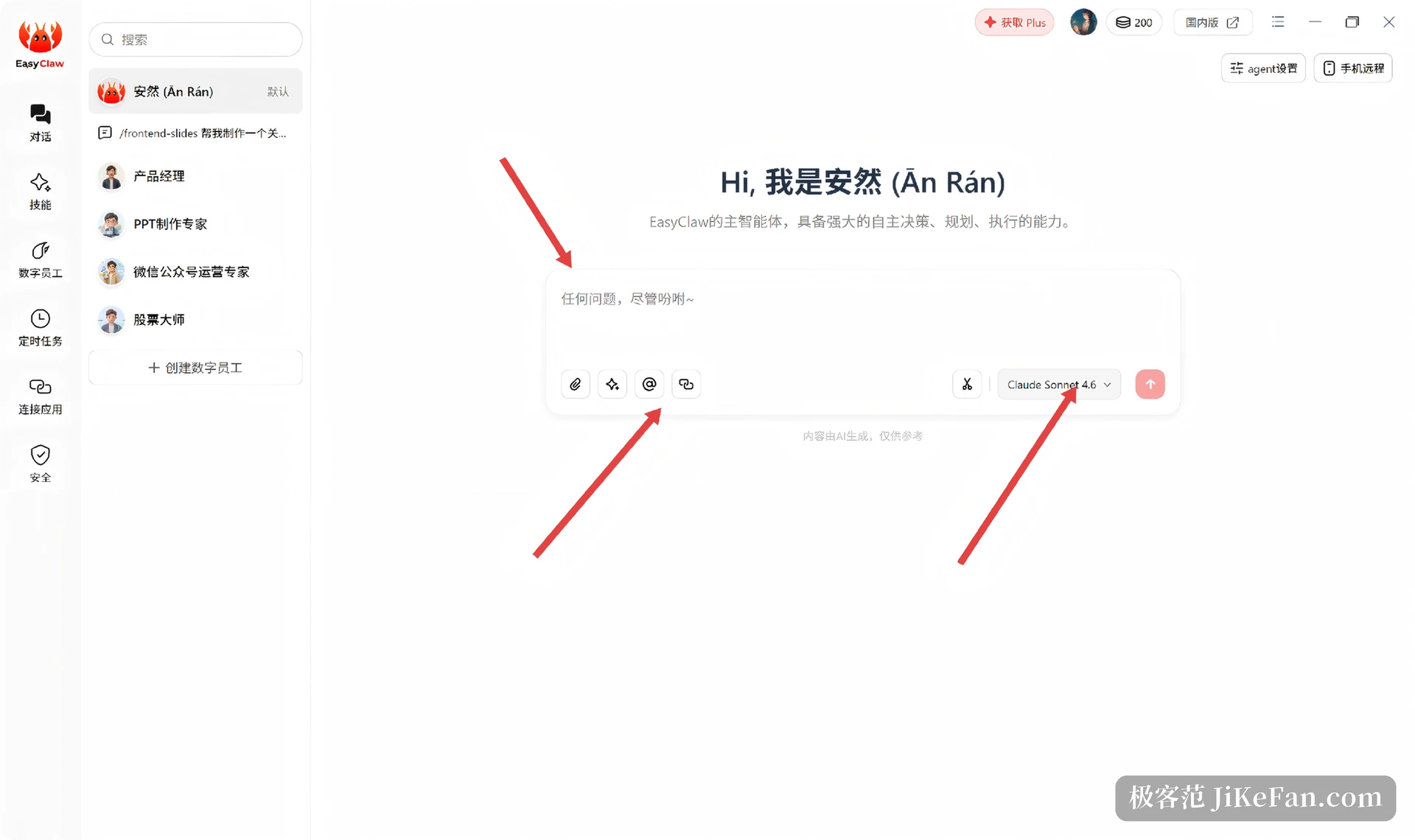
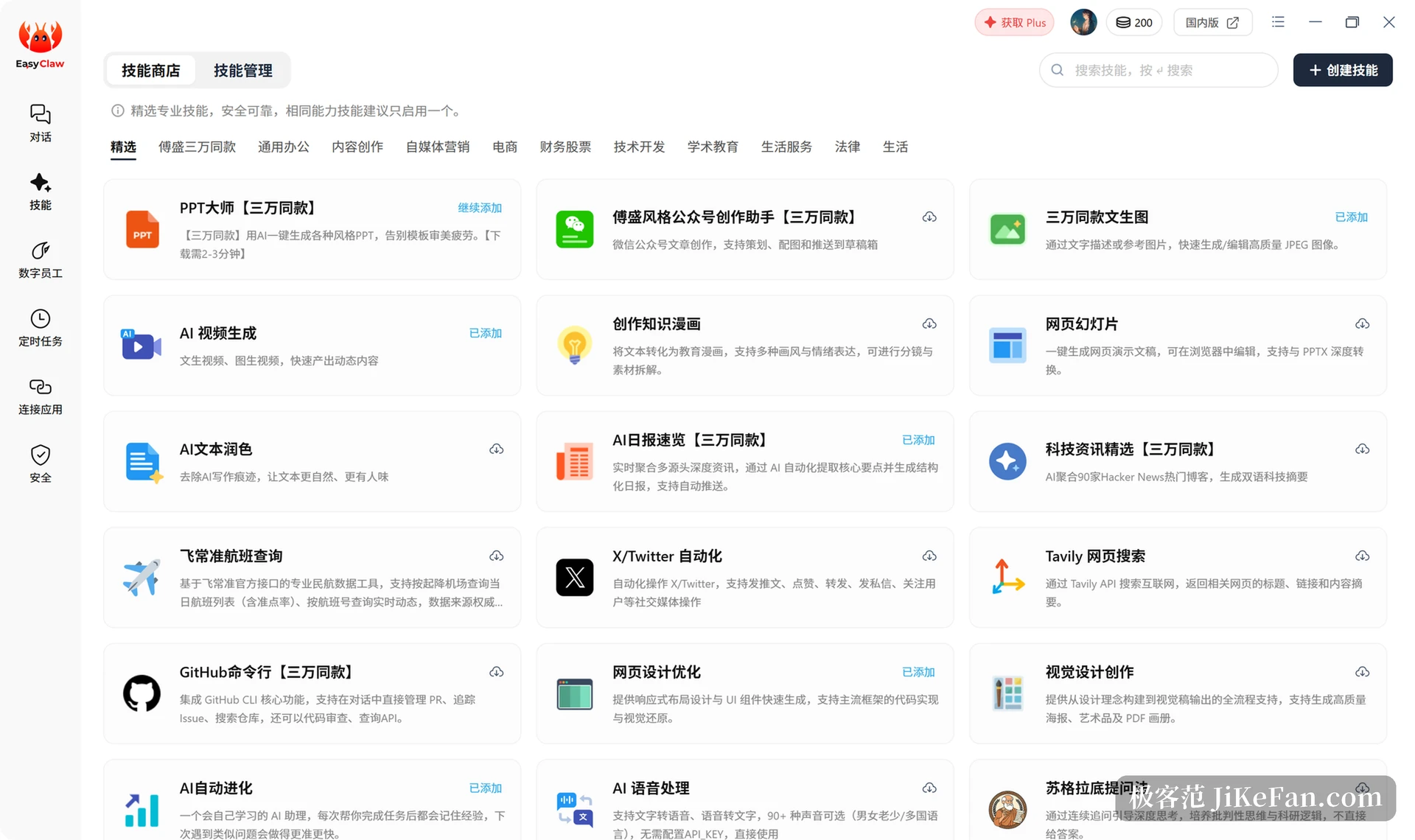
The interface splits into four blocks. Chat is the main workspace: natural language issues the task, the model can be switched in the top right corner, and attachments and voice input are both supported. The skill store is a shelf of ready made abilities arranged by category, among them content creation, self media marketing, ecommerce, finance and stocks, technical development, and academic teaching. Skills like a presentation builder, a daily AI briefing, a command line helper for repositories and speech processing install in one press, and new ones can be created and shared.
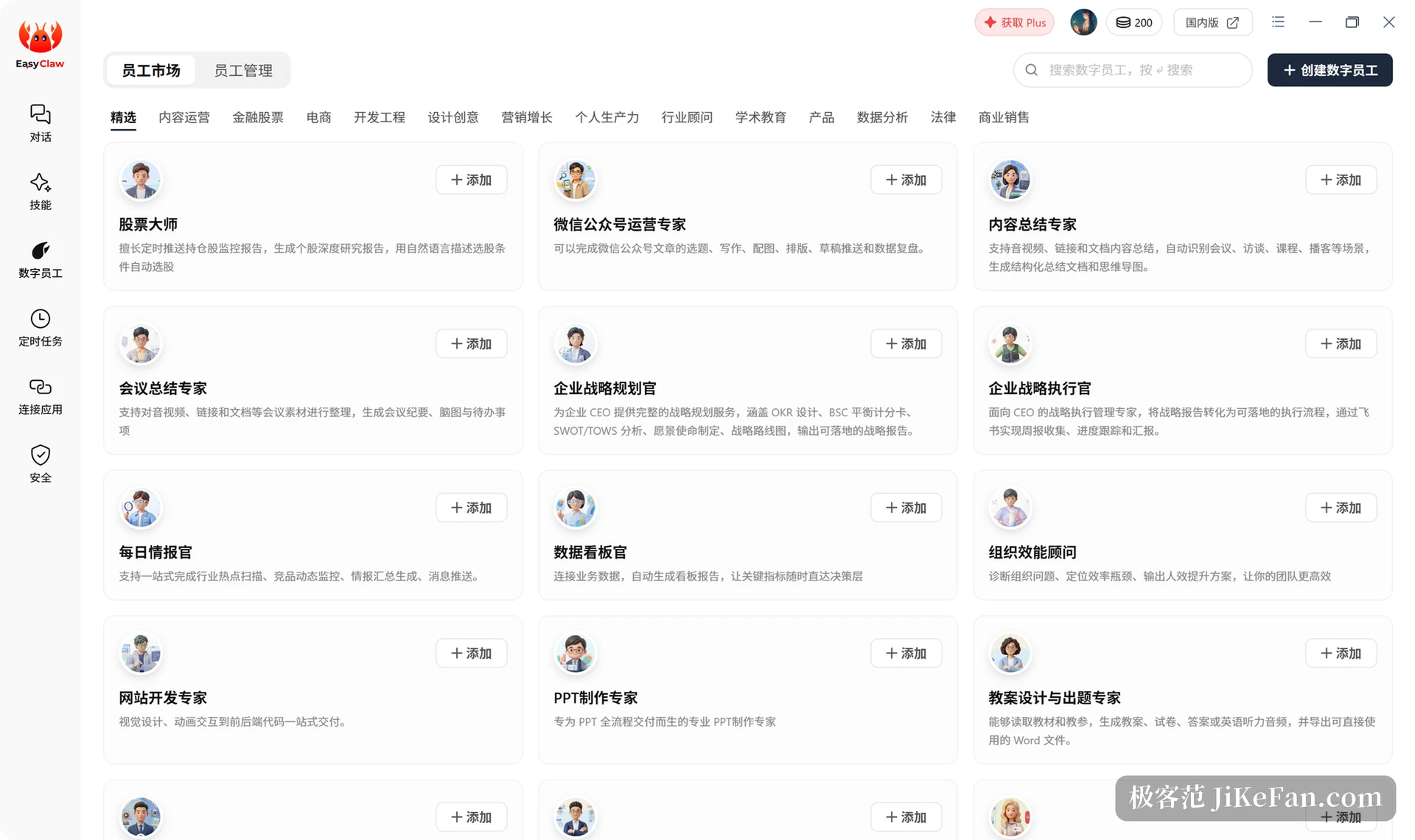
Digital employees are another layer of abstraction. Each one is a separate agent with a role definition, so a stock specialist, a social account operator, a meeting summariser and a corporate strategy planner each carry their own combination of skills, added to a list with one button. Scheduled tasks then string them into a calendar: set a frequency, keep the client running, and the work proceeds in the background whether or not anyone sits at the machine. The account area shows remaining credits, and usage is counted per operation.
Ordering from a chat tool
Remote control is handled with some care. The connection screen accepts several channels at once, with WeChat, Feishu, WeCom, DingTalk, Telegram, Slack and Discord all supported, and Feishu offering the most complete experience. Once connected, one instruction from a phone runs on the desktop and the result is pushed back into the same conversation.
One detail is worth knowing in advance: conversation context stays independent per channel. To make a conclusion hold everywhere, write it into the memory file on purpose, otherwise the agent may not recall it when the same question arrives through a different door.
Local execution and requirements
Execution happens in a local sandbox, covering local file reads and writes, terminal commands, system level actions and browser driving, which means older software without an open API can still be operated. The stated requirements are Windows 10 or newer and macOS 12.0 or newer. Beyond the desktop build there is a cloud edition offering a dedicated host that stays online 24 hours a day, aimed at teams that would rather not maintain a machine themselves.
Credits and pricing
The product runs on credits: a free allowance each day, top ups on demand once that is spent, and a monthly subscription as an option. Exact allowances and prices move with version and region, so the checkout page is the authority, and no stale numbers are repeated here. For occasional use the free allowance usually covers a few complete flows; for daily work a subscription works out better.
Turning an agent into desktop software in the end means handing it the same operating rights a person has. Most of what 1.3.124 changes sits in permissions and collaboration, the less visible corners, and those are exactly what decides whether the thing stays in use over the long run.