
PAGENOTE 1.5.6: Turn Off the Highlight Menu, and Notes Stay on Your Machine
Summary
PAGENOTE 1.5.6 makes the selection menu switchable and lets its offset be adjusted, so it stops covering the text. Pages and PDF files can both be highlighted, annotated and captured, with nine colours and ten brushes, and notes stay in the local browser.
Recommend- Name
- PAGENOTE
- Version
- 1.5.6
- Open source
- Proprietary
- Operating system
- Web
- Website
- https://pagenote.cn/
- Updated
- 2026-11-06 23:00
Reading on the web, the hard part was never getting through the material. It is finding it again afterwards. You highlighted a line, you wrote a note, and the next day that judgement is nowhere unless you page back through the browsing history. PAGENOTE exists for exactly that: highlights, annotations and screenshots stay inside the original page, so opening the same address later shows the marks where you left them.
1.5.6 deals with the menu blocking the text
The tool went through an interface revision in March, replacing a small colour wheel with a more modern floating menu. The functions grew, and so did the side effect: the menu floats beside the selection, covering a line or two in a long read, and colliding with other selection tools when both are installed. Version 1.5.6, out on 2 November, turns back to fix that. Settings can switch the highlight menu off entirely, and an offset option moves it relative to the selection so it leans towards one side.
Turning the menu off does not mean giving up shortcuts. With text selected you can still start a mark from the keyboard, or call the same actions from the browser context menu, and neither costs any screen space. For anyone reading a dozen documents a day, that change is worth more than a pile of new features.

Colour and stroke build a private reading language
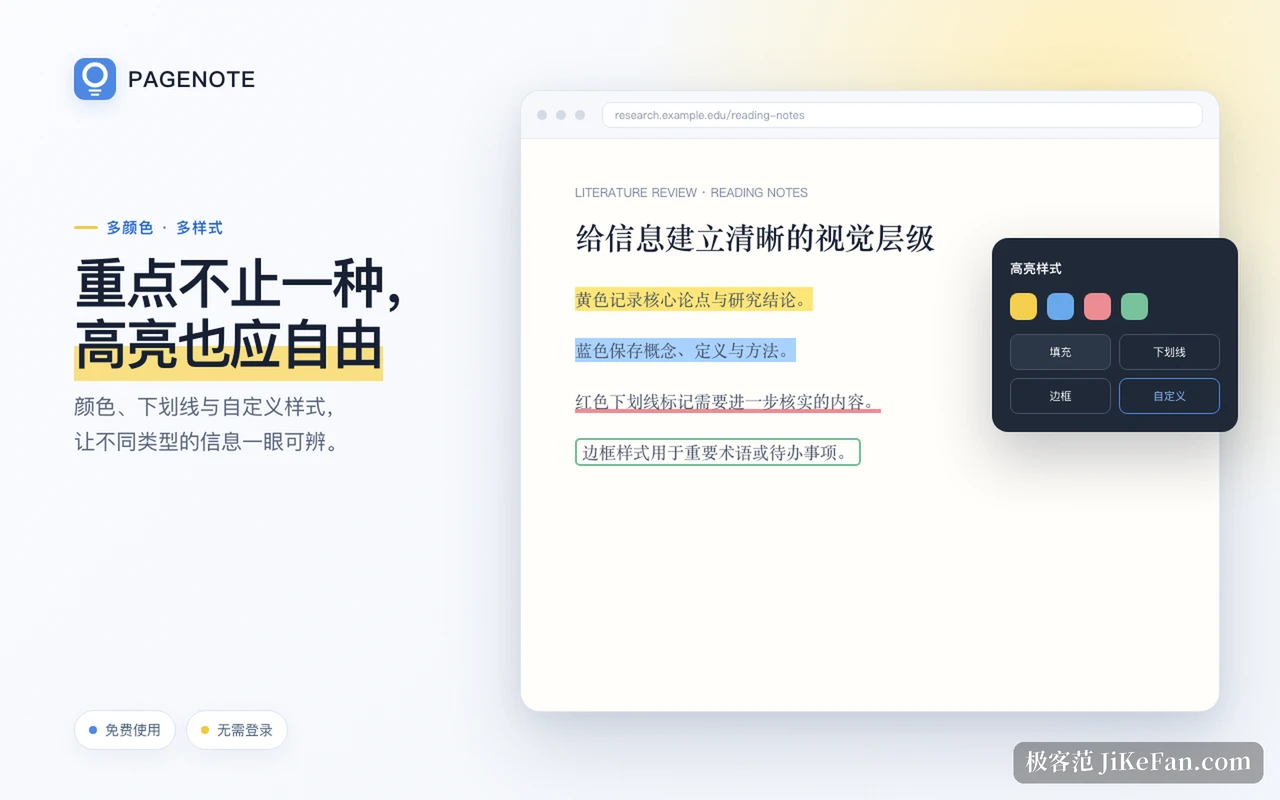
The highlighting itself is detailed. Nine preset colours can all be changed, and the brush has ten forms: background highlight, marker, freehand circle, dashed outline, several underline styles, text recolouring and strikethrough. None of that is decoration. It lets different kinds of content be told apart at a glance: yellow for core conclusions, blue for concepts and definitions, a red underline for anything still to verify, a boxed outline for open tasks. Colours and styles can be bound to keys as well, number keys for colour, symbol keys for brush, long press to trigger and double tap to mark immediately.
Beyond text, images and PDF files take annotations
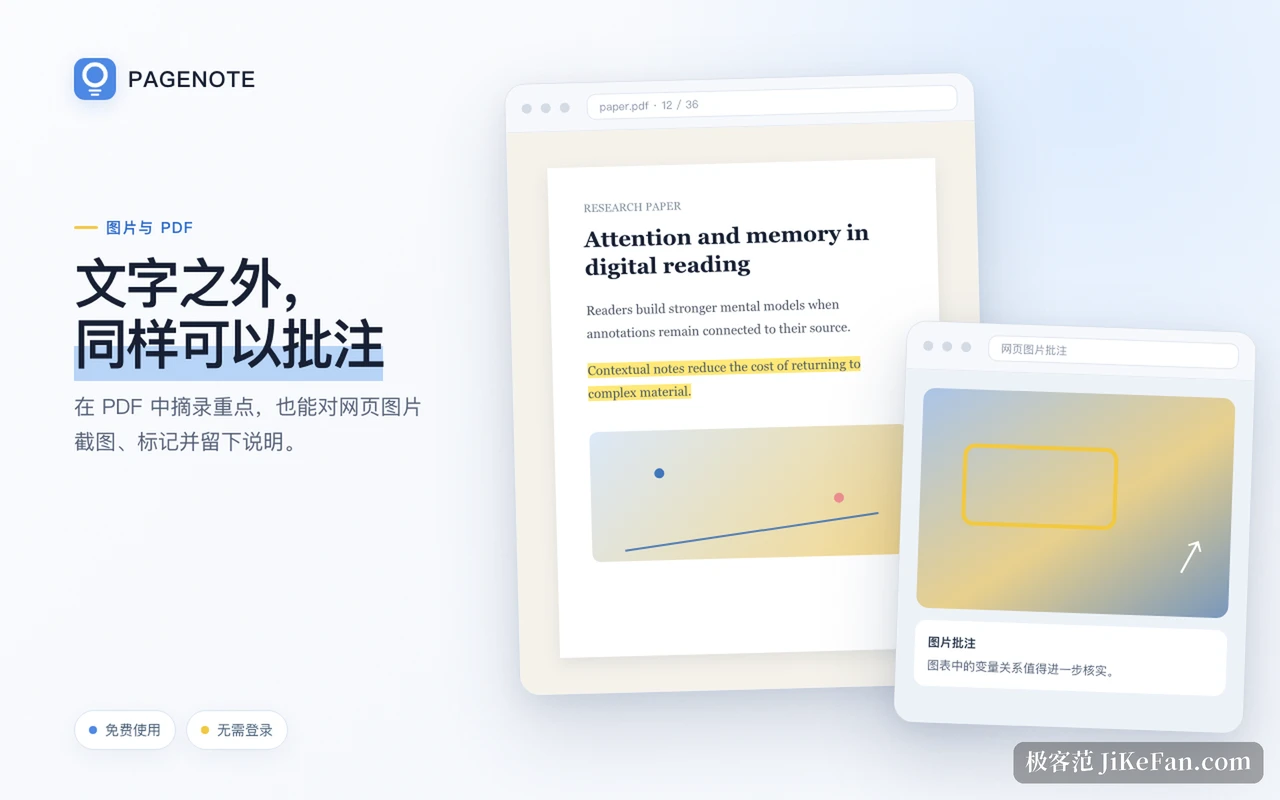
Images inside a page can be selected, boxed and marked with a written note just like text. A PDF needs a text layer before it can be highlighted, and a scan needs selectable text first. That matters for people reading papers and reports, because the relation between two variables in a chart, or the qualifier attached to a conclusion, can be circled in place instead of being pulled apart into another program and checked again.
Data stays local
The default is local first: no account needed to start, and highlights, annotations and screenshots sit in the current browser by default, so notes keep working with the network down. For anyone handling internal or confidential material that is a form of insurance, since the content never leaves the machine.
The price is that data travels with the browser, so clearing the browsing data or removing the extension without a backup loses it. The tool offers exits: the dashboard exports by condition, imports material back and manages tags in more detail, while important pages can be saved as offline HTML so that a rewritten or dead original still opens locally. The releases between 1.4.5 and 1.4.10 mostly filled in that data path, joining remembering with carrying away.
Who it fits
It serves people whose main reading surface is the web. Students working through course material and papers, researchers sorting sources that disagree with each other, writers collecting material and quotations, product and operations people comparing competitor pages: all of that shares one trait, in that the value is not in having read something but in being able to trace why a judgement was made at the time. Tags, colours, source page and annotation sit together, so the context is complete when you look back.
Conversely, if what you need is long form writing, block references and a knowledge graph, this tool does not go that way. It only leaves traces where reading happens, and hands the organising to whatever comes next.
It currently supports Chrome, Edge and Firefox. The basic functions are free and need no sign in, with fuller material management and sync under a subscription. 1.5.6 is a small release, but it removes friction that shows up every day, the kind of update you only notice once it is in place.