
Notesnook 3.4.12 encrypts by default and leaves the key with you
Summary
Notesnook 3.4.12 makes end to end encryption the default: a note is encrypted before it leaves the device and the key stays with the writer. Client and sync server are both open source, and the free tier caps neither note count nor signed in devices.
Recommend- Name
- Notesnook
- Version
- 3.4.12
- Open source
- Open source
- Operating system
- WindowsmacOSLinuxAndroidiOS
- Website
- https://notesnook.com/
- Updated
- 2026-11-06 23:00
Encryption happens before the note leaves the device
A cloud notebook usually works like this: you write, the client uploads, the server keeps it, and it comes back down when you ask. Encryption is an option, and on many products it is off unless you turn it on. Notesnook changes the order. A note is encrypted before it leaves the device, the server receives ciphertext, and the key stays with the writer. The vendor puts it plainly: data is encrypted on your device before it departs, and nobody but you can read what travels.
That difference decides what the provider can see. If the key never passes through the server, then taking the stored data wholesale, or being ordered to hand it over, yields bytes that cannot be decrypted. For someone keeping a diary, recording consultations or storing work drafts, this matters far more than the length of the feature list, because the value of that content is precisely that it stays unpublished.
It is not only the client that is open
The usual challenge to a privacy product is how anyone can know the claim is true. Notesnook answers by laying the code out: desktop, mobile, the web clipper, the import tooling and the sync server the notes pass through are all published and can be deployed by anyone. That means two things. Someone interested can read the encryption implementation, and someone uneasy about the official server can run their own and point the client at it.
The bar here is higher than it looks. Plenty of comparable open source promises stop at the client while the server stays closed, which leaves users trusting the vendor just the same. Opening the sync server as well swaps trust for something that can be checked.
The editor is not one text box
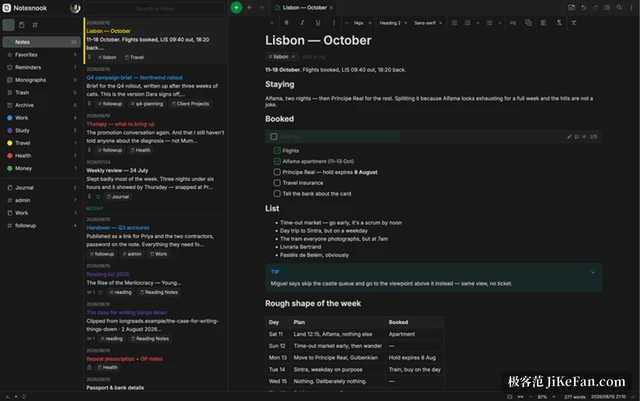
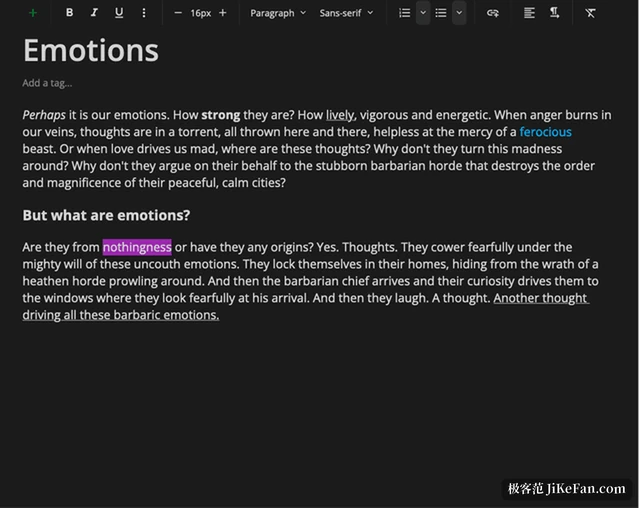
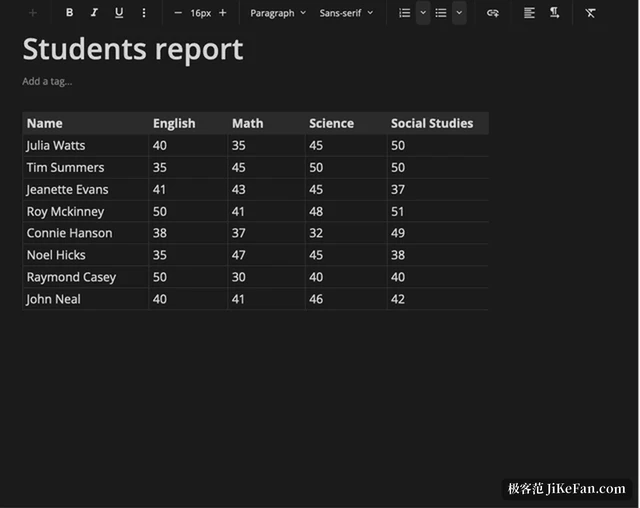
Encrypting content often costs editing comfort, and Notesnook has put visible effort into that side. A note can hold tables, task lists, code blocks, maths formulas, outlines and attachments, and it accepts Markdown input alongside a rich text toolbar, so a chapter of a thesis and a shopping list share one interface. The vendor positions it as good enough for a thesis chapter and fast enough for a shopping list.
Organisation runs along several axes at once: notebooks give the hierarchy, tags cut across it, and bidirectional links tie related notes together, so opening a note shows what it points at and what points back, and an idea from six months ago is not lost for want of finding it. A web clipper stores an article body and its images into a note, filters out popups and tracking scripts on the way, and leaves the result for offline reading.
Designs that are easy to miss
The application carries its own lock. Opening it takes a fingerprint, a PIN or a password, so handing the phone over hands over only the phone while the notes stay locked. Notes that are especially sensitive can sit inside a vault protected by a second password, so unlocking the app is not the same as opening them.
Reminders fire locally, with notifications issued by your own device rather than the vendor server, which is not how everything works; the gain is that what you are planning does not leak either. There is also an inbox endpoint: hand a key to Zapier, IFTTT or your own script and an outside service can drop notes into the account, encrypted on the way in just the same. A single note can be published as a standalone page, with a password on it if needed, while everything else stays private.
3.4.12 fixes the corners only regulars reach
The desktop build 3.4.12 shipped on 2 November. No large features came with it; the fixes are all problems that only surface after long use. In lists and reminders, three were handled together: items appearing under the wrong group heading, monthly reminders spilling into the following month, and upcoming reminders computing their time by inconsistent rules. On the search side, invalid queries were being accepted, short words failed inside boolean queries, and the string and HTML helpers had edge cases; a locked session also stopped unlocking itself unexpectedly after a title change.
Two attachment and backup fixes deserve more attention: the lock check on attachments had never actually fired, and attachments that were re-encrypted during a backup restore were not uploaded again. Both belong to the class that behaves fine until it costs data. The web build also gained a crash fix caused by an infinite re-render. The Android line moved to 3.4.13 on its own schedule.
How far the free tier goes
The free tier has no trial countdown and asks for no card: notes are unlimited, signed in devices are unlimited, and encryption is on by default. What the paid tiers unlock is storage and advanced capability, and for most individuals the free tier already covers daily notes, to dos, a diary and an archive of material.
The trade-offs are clear as well. Self hosting the sync server takes a bit of hands on work that ordinary users will not attempt; a plain text first editing experience may not suit someone used to a heavy layout tool; and making encryption the default means a lost password is essentially unrecoverable, since the vendor cannot help once the key is gone. Turn it around and those same trade-offs are the reason to try it: content private by default, code you can read for yourself, and no subscription holding the door shut.