
Start11 v3 Preview Turns the Start Menu Into a Working Panel With App Groups
Summary
The v3 preview of Start11 puts more than twenty interactive widgets inside the Start menu, adds Alt drag grouping on the taskbar with pinnable workspaces, and lets a layout be shared. A preview priced at 8 dollars against 10 later, covering 5 devices.
Recommend- Name
- Start11
- Version
- 3
- Pricing
- Paid
- Open source
- Proprietary
- Operating system
- Windows
- Updated
- 2026-11-06 23:00
Since Windows 11 pushed the Start menu into the centre, that entry point offers fewer things to adjust than earlier generations did. Start11 has long been the tool that hands control of this surface back, and on 4 November it shipped a v3 preview that shifts the pitch from restoring the old look towards turning the menu into a daily panel.
Widgets live inside the Start menu
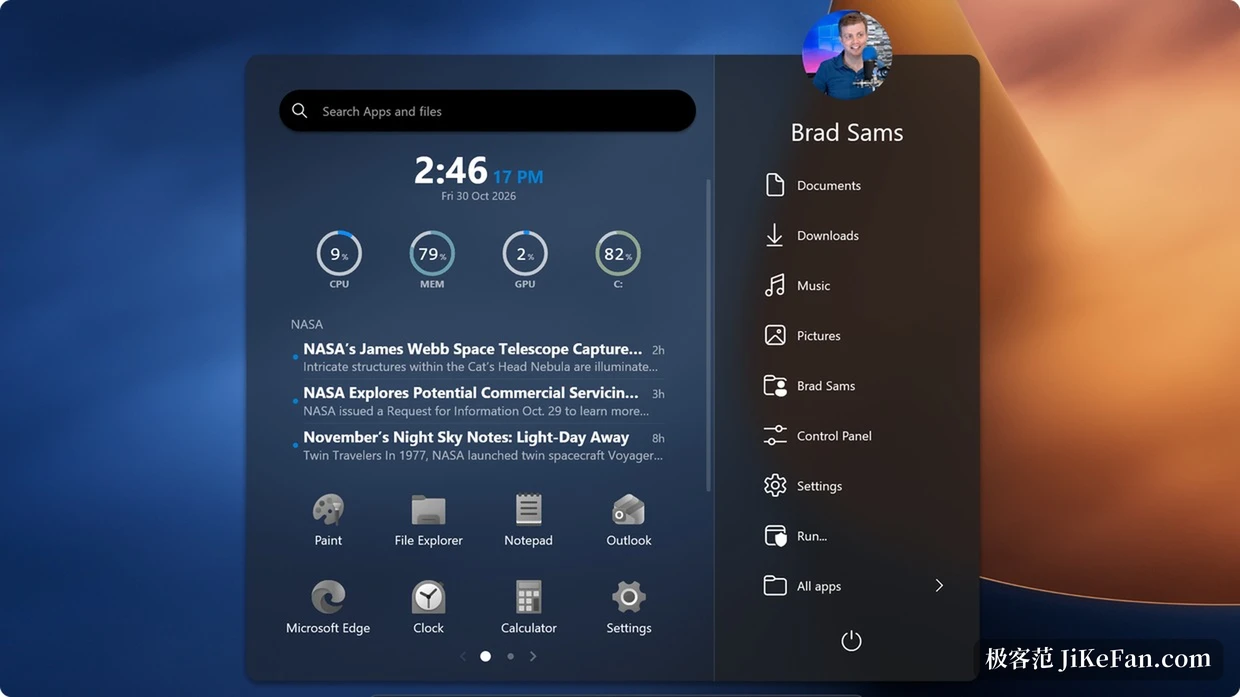
The clearest change in v3 is that interactive widgets can now sit inside the Start menu. The developer counts more than twenty of them, among them calendar, clock, sticky notes, reminders, mail and recent files, alongside system monitors for processor, memory, graphics card load and free disk space, plus a news feed that scrolls. Checking all of that used to mean opening the calendar, the task manager and the file manager one after another. Now they sit side by side on one page and a glance settles the question.
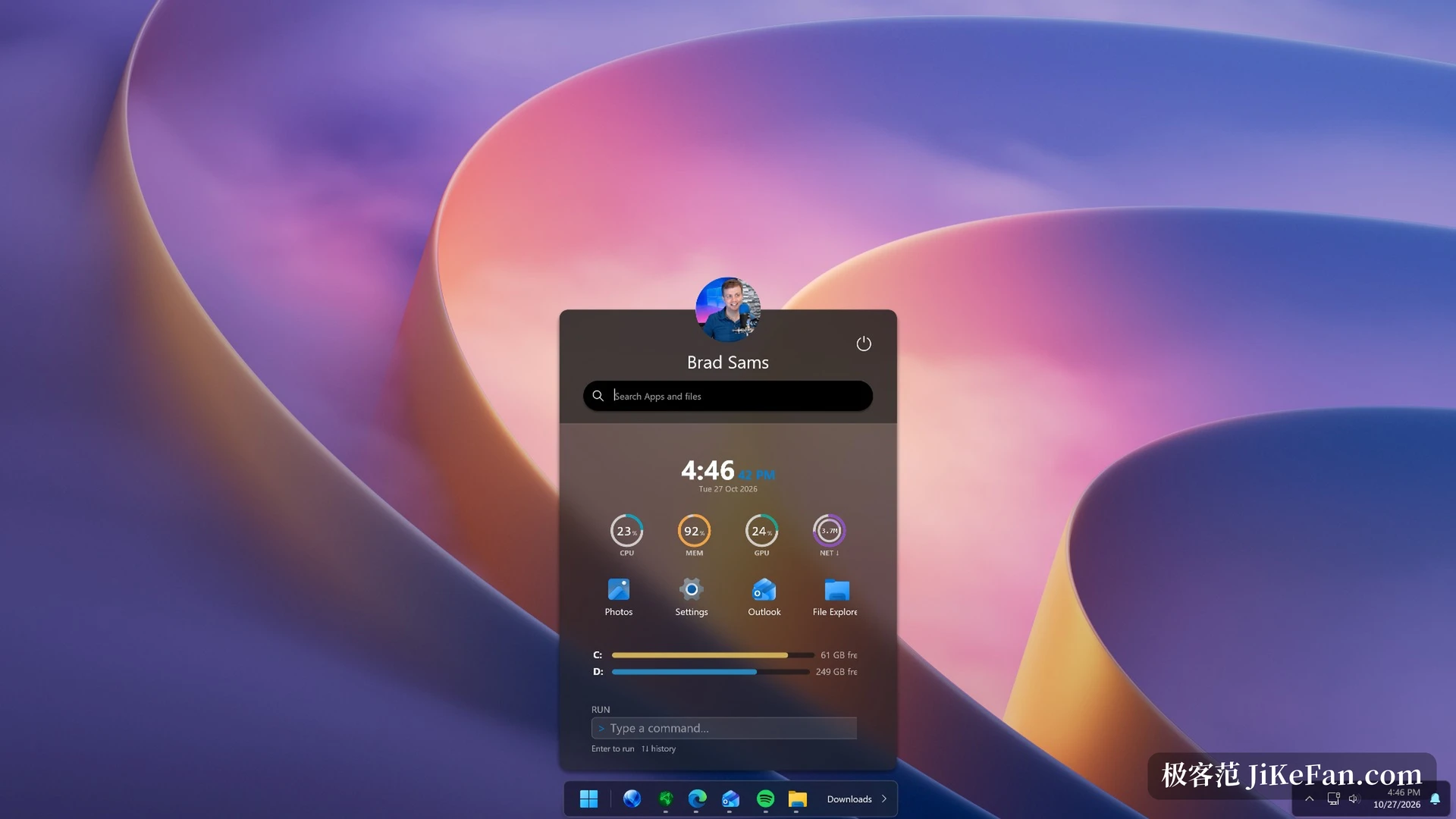
The arrangement suits people who read status before they read anything else. Sit down in the morning and the first meeting is visible without opening a calendar, the machine load is visible without calling up the task manager, and yesterday's unfinished draft can be pulled from recent files on the way past. Density rises without the page turning into clutter, because widgets can be reordered, the ones you never touch removed, and a handful of favourites kept.
The taskbar gets cut into segments
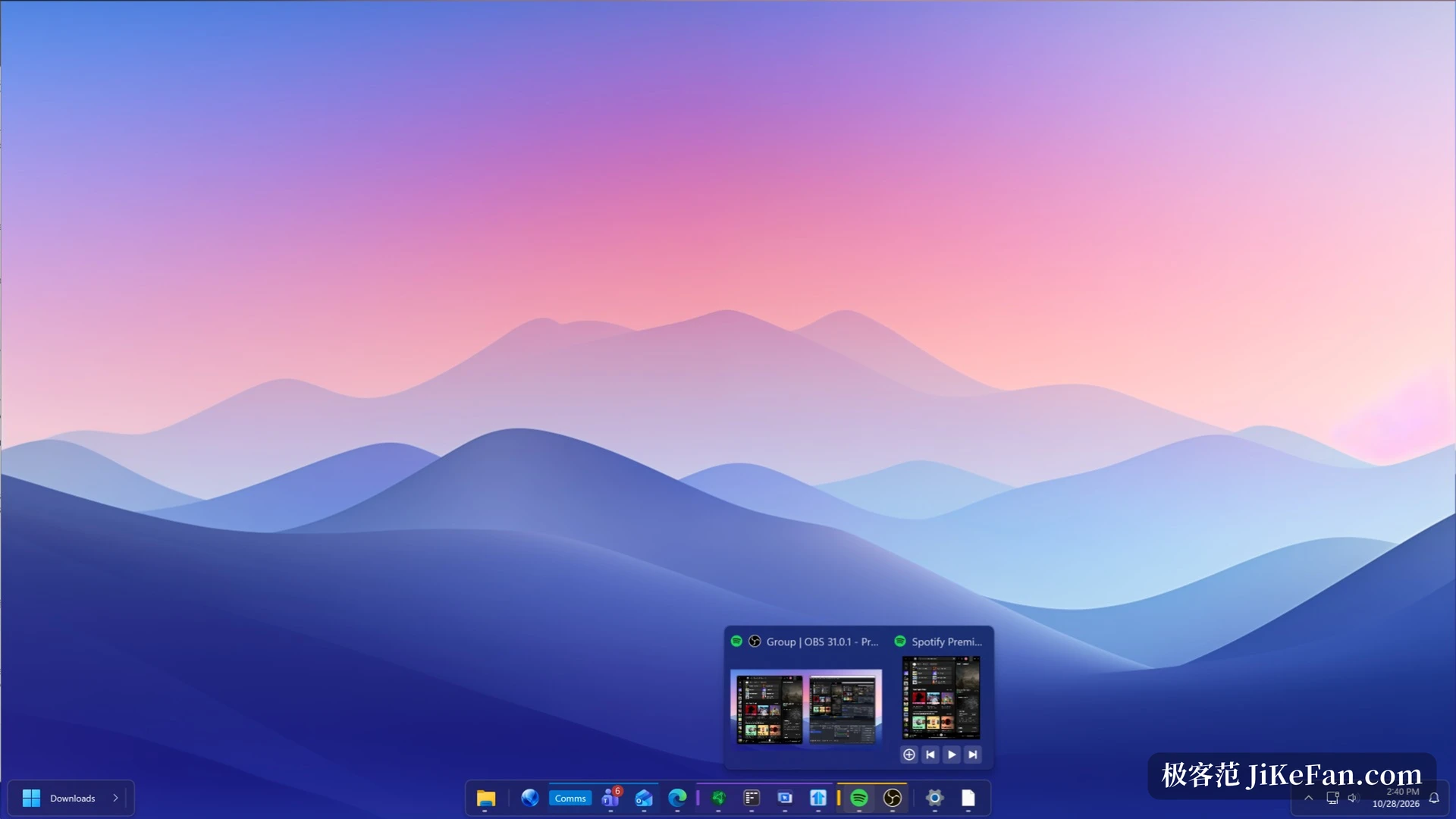
The second change lands on the taskbar. A new layer called Islands splits the bar into several rounded blocks, with icons gathered in the middle or pushed left as you prefer, so it reads more like a short floating strip than a band running across the bottom of the screen. Nothing is subtracted from the existing feature set, the visual grouping is simply made explicit, and the wider the display the more obvious that becomes.
The practical part is grouping. Hold Alt, drag one taskbar icon onto another, and the two join a group. That group can then be pinned as a workspace, and a single click launches everything inside it. The editor, browser and screenshot tool used for writing go together, video work gets a group of its own, and switching context no longer means opening each program by hand. With the new separators and toolbars, the bar can be divided into clean zones by purpose.
Recently closed programs get a door
v3 adds a button on the taskbar that collects recently closed programs, collapsed windows and taskbar utilities. The annoyance of closing a window by accident and then hunting through the Start menu drops to a single click. It earns its place when many windows are open and room is tight, and programs pushed into the overflow area can be retrieved from the same spot.
Sharing a layout
Sharing the Start menu is the other new idea in v3. A layout you tuned can be handed to someone else, and community designs can be browsed inside the app, with the gallery reported to hold over a thousand designs for the start button. Setting up a machine for a colleague or a family member becomes far less tedious than describing every toggle out loud.
Search and display details
On the search side, frequently used items move ahead of the results, and a file name index can be connected so local files are matched more precisely. Used alongside the built in browser, open tabs also appear in results. Menu styles remain plentiful, with colour, transparency, corner radius and icon size adjustable one at a time, and the taskbar position, size and blur each keep a switch of their own. The interface ships in nine languages, simplified Chinese among them.
Price and release status
Start11 v3 currently sits in a release preview phase. The price during this period is 8 dollars against a regular 10 dollars, and it is also covered by the larger suite subscription. One licence activates 5 devices at the same time, and the system requirement is Windows 10 or Windows 11. As a preview it is already usable day to day, with further small releases still to adjust things.
Pushing information and frequent actions into the Start menu has been a shared direction for desktop tools in recent years. The answer from Start11 v3 is fairly direct: the menu need not be a list of software, it can be a panel that shows status and starts work in one press.