
fnOS: Turning a Spare PC Into a Home Server You Actually Own
Summary
fnOS is a free, open-source private cloud system built for hardware you already own. A dual-core machine with four gigabytes of memory and a disk becomes a home server with shared folders, automatic photo backup, a media library and container support.
Recommend- Name
- fnOS
- Version
- 20250628
- Pricing
- Free
- Open source
- Open source
- Website
- https://fnnas.com/
- Updated
- 2026-10-06 23:18
A network disk is not a product, it is a machine that keeps running
What a person actually buys when buying a network storage box is rarely the storage. It is the promise that a small computer will stay switched on, unattended, for years, and that a folder on it will still be there next month. fnOS takes the other road to the same place. Rather than a box, it is an operating system installed on hardware already in the house: an old desktop, a laptop whose screen has died, a mini PC left over from a project that ended. Each of those is a dual-core machine with some memory and room for a disk, which is most of what a home server needs.
The word free deserves to be read carefully here. Free means the system costs nothing and its source is open, not that the whole arrangement costs nothing. A network disk is a disk, a machine to hold it and electricity, in roughly that order of expense. What the software removes is the licence and the lock-in: the hardware belongs to its owner, the data sits on a disk in the same room, and the system can be replaced without asking anybody for permission.
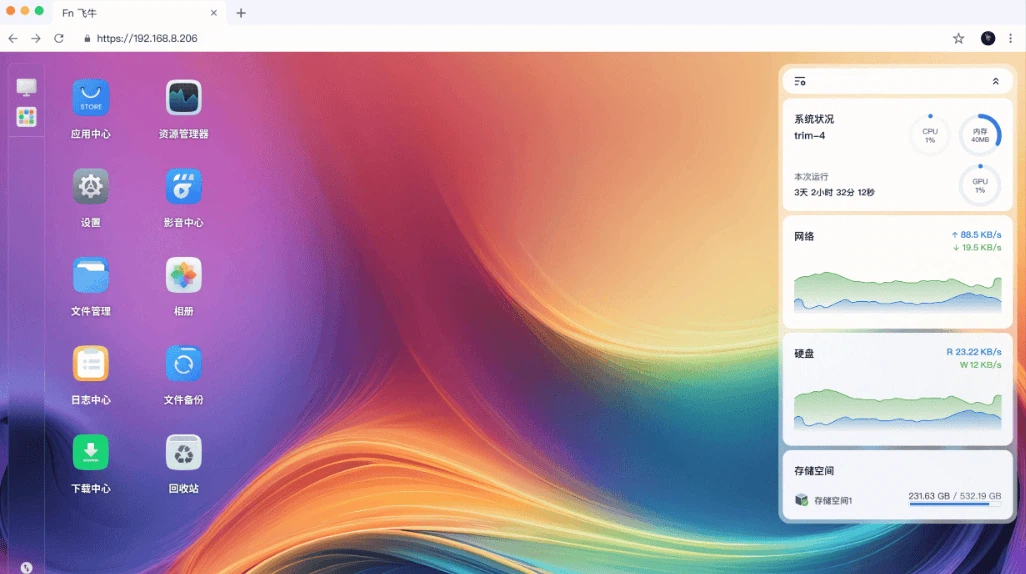
The entry ticket is a dual-core machine and one evening
The published requirement is modest: a dual-core processor, four gigabytes of memory and a disk worth keeping. Installation starts from a USB stick, after which the machine boots into the new system by itself instead of into whatever it ran before. The system is developed in depth on top of a mature Linux distribution and is built for mainstream x86 hardware, so the usual obstacles of a self-built server - a network chip the installer cannot see, a storage controller it does not recognise - stay the exception rather than the rule. For somebody who has never set up a server, the honest description is one evening of work, most of it spent waiting for a disk to finish being prepared.
One piece of advice is worth more than the rest of the installation guide. Keep the system on one disk and the data on another. A server that keeps its operating system and its files in the same place works perfectly until the day the disk fails, at which point the machine is a brick with a lifetime of photographs inside it. Two disks turn that failure into an inconvenience.
What the machine does once it is running
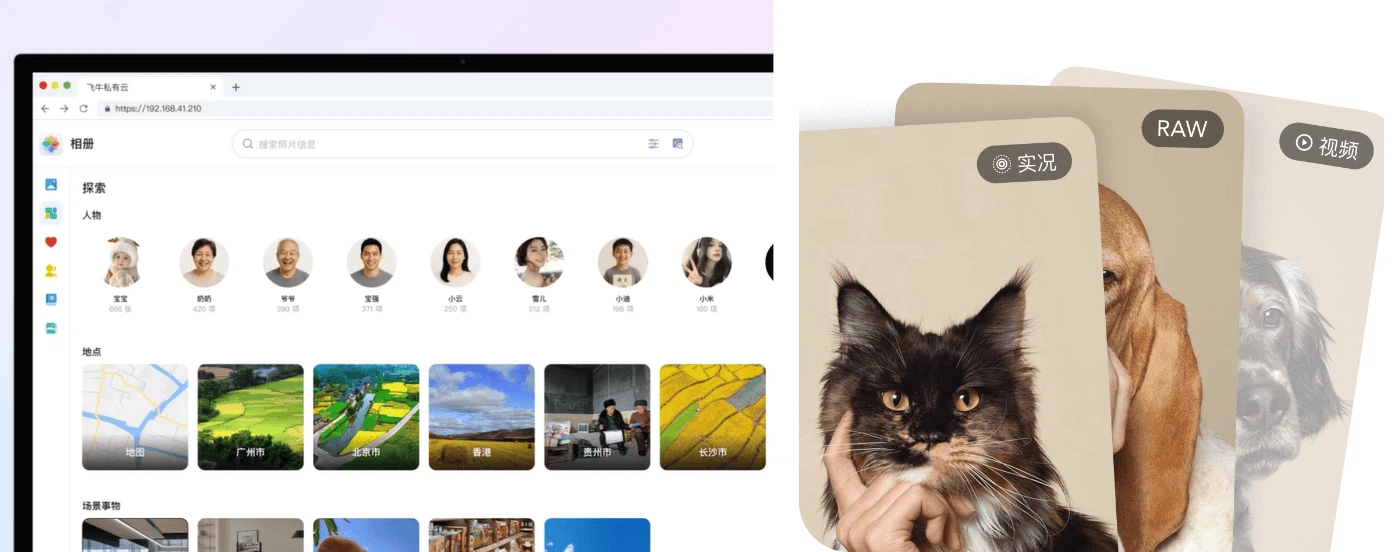
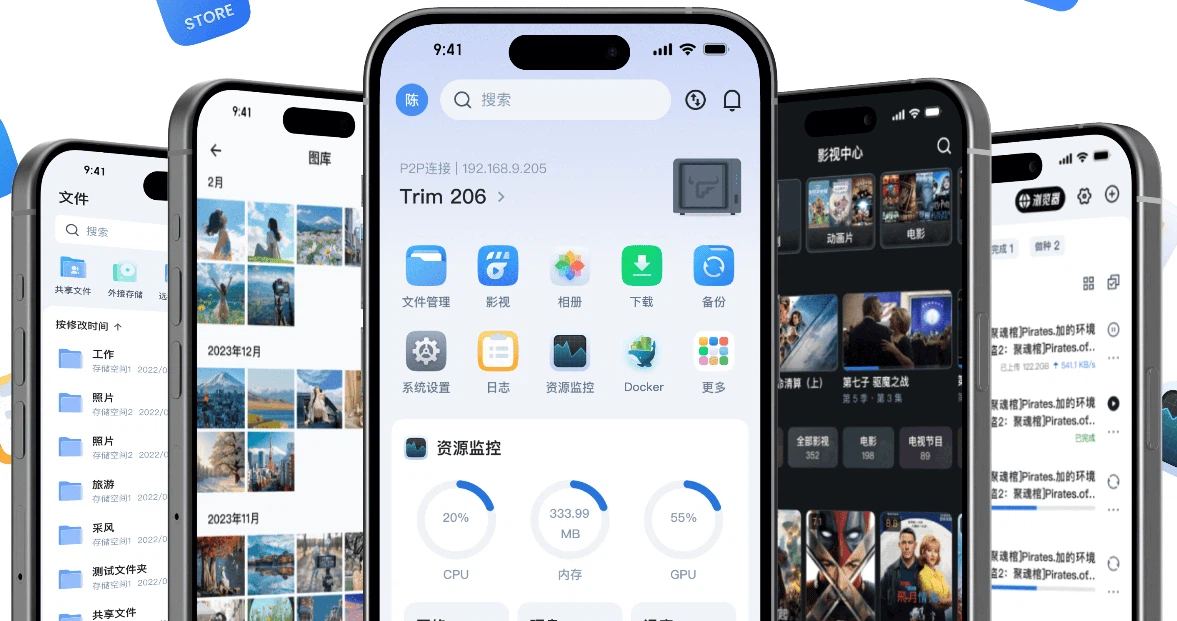
Four groups of function carry the product. The first is sharing: folders published over several common protocols, so that a desktop, a phone, a television and a media player all see the same directory without any of them knowing what the others are. Protocol support is unglamorous work and it is also the whole point of a network disk, because a share that only one kind of client can open is not a share.
The second is backup, and specifically the incremental kind. Photographs and video recorded on a phone are copied over the local network, and only what has changed since the last run is sent. For a household this is the single most valuable thing the machine does. Cloud storage on a subscription is a rental of somebody else's disk; a box in the corner of the room is the same data under a different arrangement of ownership, and the difference only becomes obvious the year the subscription is not renewed.
The third is the media library. The system reads the films and series placed on it, looks up their details on its own and builds a poster wall, then streams to several kinds of player at once, including high resolution material. The scraping is the part that users notice, because it converts a folder of files with unreadable names into something a family can browse.
The fourth is containers, with a friendly management interface and support for compose style definitions. This is the part that decides whether the machine stays a storage box or becomes a small server: an automation dashboard, a home automation backend, a note service, a download queue, a photograph manager. A NAS with containers is a computer again; a NAS without them is a disk with a web page.
Reaching the machine from outside the house
Home networks do not normally accept connections from the internet, which is why remote access is the point where most self-hosted setups fail. The system offers three routes, and they differ in who carries the traffic and who can see it.
The first route is direct: a dynamic domain name service keeps a public address pointed at the house, and the client connects straight to the machine. It is the fastest option and the one that keeps data entirely inside the household, but it depends on an internet provider that hands out a reachable address, which many no longer do.
The second route is the built-in relay, which solves the problem of an unreachable network by forwarding traffic through a server outside. It works everywhere and requires nothing from the user, and the cost is that the traffic passes through somebody else's machine, with the bandwidth that arrangement implies. The third route is a third-party tunnelling client, which is the usual answer for people who need more speed than a relay gives and cannot get a public address. Choosing between the three is a question about tolerance for a middleman, not about features.
Security, updates and the electricity bill
The security set is the one a home server needs and rarely has: a firewall, a media service for the local network, encryption of stored data and two-factor authentication for accounts that can reach it from outside. The update cadence matters as much as the feature list, because a server exposed to the internet is only as safe as its last patch, and the release notes for recent versions have added firewall and media serving rather than cosmetic changes.
Electricity is the part nobody models before buying. A machine with a mechanical disk left running all year draws a modest but constant amount of power, and the annual cost lands in the range of a cheap subscription rather than in the range of a utility bill problem. That number is the real comparison against cloud storage, and it is also the argument for using a low-power machine rather than the old gaming desktop in the corner: the difference between the two is paid every month.
Who this is for
The pitch is not that this system is better than a commercial network disk. A commercial box arrives configured, supported and quiet, and for many households that is the right answer. The pitch is that a large number of people already own a machine capable of doing the job, and that the barrier between owning it and using it has become an evening of installation rather than a purchase.
That is also the honest limit. A self-built server is a small piece of infrastructure, and infrastructure needs an owner who will notice when a disk is filling up, when a backup has stopped running, and when a certificate has expired. The system lowers the price of entry and the cost of the licence; it does not remove the attention. For the household that is willing to give that attention, the reward is a private cloud that answers to nobody, running on hardware that would otherwise have been thrown away.