
EaseUS Data Recovery Wizard 20.8: 2 GB of recovery, free
Summary
EaseUS Data Recovery Wizard is at version 20.8, and the free edition recovers up to 2 GB. It covers deleted files, formatting, lost partitions and RAW drive errors, while the PRO edition lifts the limit entirely.
Recommend- Name
- EaseUS Data Recovery Wizard
- Version
- 20.8
- Open source
- Proprietary
- Operating system
- WindowsmacOS
- Website
- https://www.easeus.com/
- Updated
- 2026-10-06 16:01
The value of a recovery tool tends to show up in the most panicked few minutes of the job, when the questions are whether the file is still there, whether it is worth rescuing, and whether the machine has to go to a workshop. EaseUS Data Recovery Wizard is at version 20.8, the free edition comes with a stated allowance of 2 GB, and full recovery is left to the PRO edition.
Free edition against PRO
The line between the two is clean. The free edition recovers up to 2 GB of data, and the vendor positions it as the try-before-you-buy way in. PRO is entirely unlimited, and the file types it covers run through data, pictures, documents and video. Beyond that there is a tier aimed at businesses and service providers, meant for situations where several licences have to be managed together. The vendor quotes a success rate of 99.7% and backs it with a 30-day money back guarantee.
Where it applies
The site names a handful of common situations: deleted files, the aftermath of formatting, lost partitions, and a drive reporting a RAW error. These share one property, in that hope survives as long as nothing new has been written to the original location. That is also why the advice on the download page is so specific: once the data is found to be gone, install the software on a different disk rather than back onto the disk with the problem.
Which devices and formats
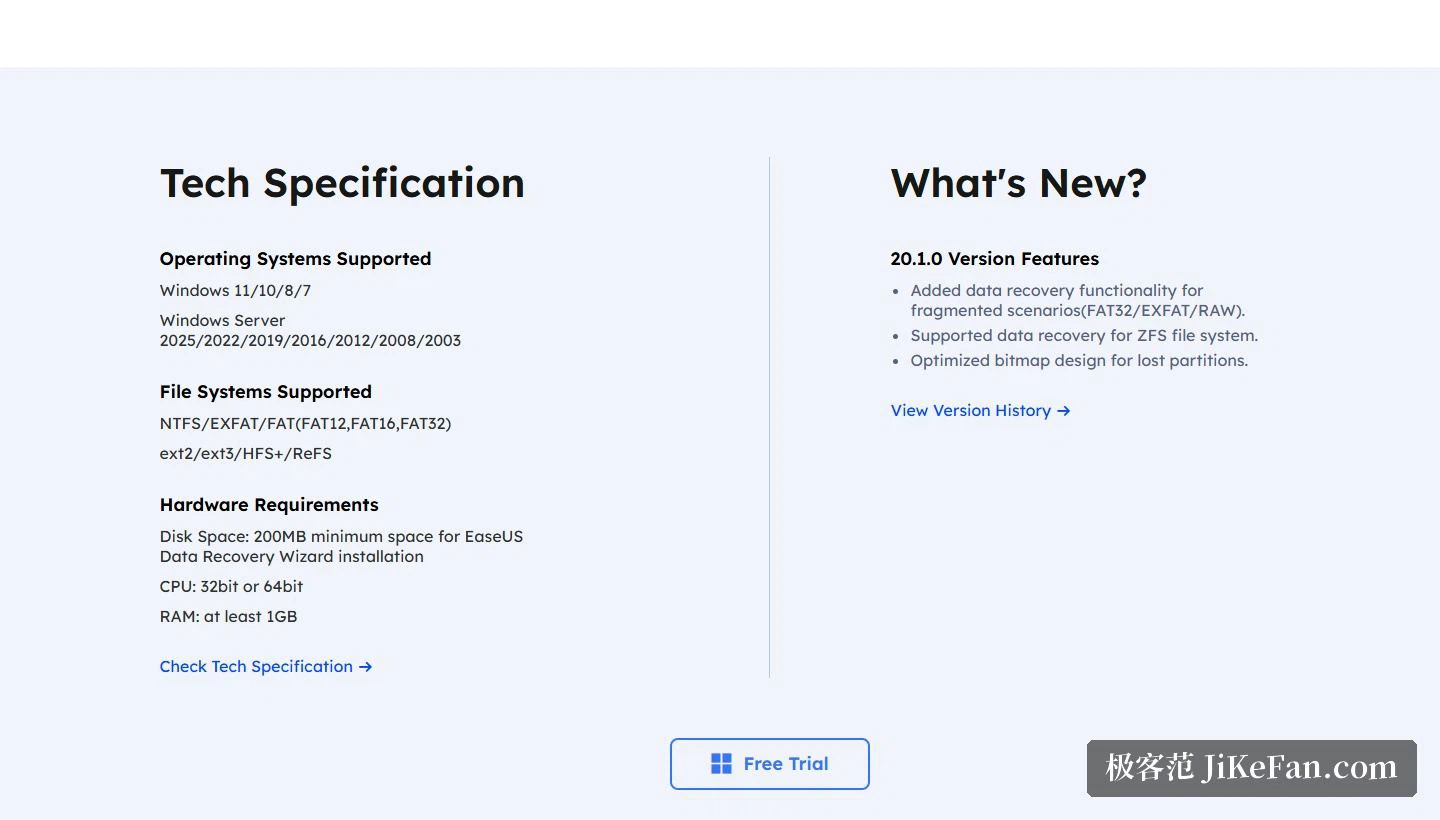
The media covered by PRO runs through hard disks, solid state drives, flash drives, RAID arrays and NAS storage. On file systems, the technical specifications list NTFS, exFAT and the FAT family, meaning FAT12, FAT16 and FAT32; the release notes add that recovery has been extended to fragmented situations on FAT32, exFAT and RAW, and that support for the ZFS file system has been added. The system requirements are relaxed: Windows 11, Windows 10, Windows 8 and Windows 7 are supported, installation needs 200 MB of disk space, and at least 1GB of memory.
Two details inside the process
Scanning and recovery are non-destructive, and the program skips bad sectors on its own so that existing data is not damaged further. For anyone still hesitating about whether to act, that is the key point: scan first, preview, and only run the recovery once the target files are confirmed as recoverable. On file types, the common families of photographs, documents and video are all inside the stated range.
How much there is to learn
The site carries a complete recovery guide that breaks the workflow into choosing a location, scanning, previewing and recovering, and the preview step is the one hammered on repeatedly: scanned files can be looked at one by one, and only after the contents are confirmed does it make sense to decide what to recover. The product is positioned as fast to scan with live preview, which in essence moves the judgement as far forward as possible, so that the user can see the result before committing to the recovery itself. For businesses and teams that manage several machines, a separate enterprise edition focuses on managing multiple licences.
Two platforms, and the vendor behind it
The tool ships in both a Windows and a Mac version, and the site routes downloads between the two platforms. The company behind it was founded in 2004 and has stayed on three product lines, namely data recovery, partition management and backup. For tools that deal in data, that seniority is a form of endorsement in itself: the more complete the line-up, the likelier it is that a specific situation has a matching tool.
What the free 2 GB is really for is to turn a guess into a fact. Before paying anything, the user can learn whether the file survived, how much of it survived, and how much of the total would actually come back. Most recovery decisions are made on that information, and the tool that supplies it before asking for money is being honest about what it is selling.
Whether data comes back depends half on the tool and half on how quickly the writing stopped. The moment a file is found to be gone, stop, and put nothing further onto that disk. Run the scan on the free allowance first and see whether the target file is still there, since 2 GB is plenty to settle that question.