
restic review: encryption, deduplication and a restore you can actually test
Summary
Three properties that most copy-and-paste backups lack: data is encrypted before it leaves the machine, snapshots store only what changed, and the archive can be checked whenever you like.
Recommend- Name
- restic
- Version
- 0.19.1
- Pricing
- Free
- Open source
- Open source
- Operating system
- WindowsmacOSLinuxBSD
- Website
- https://restic.net/
- Updated
- 2026-10-08 20:48
Three faults in the usual approach
Most people's backup strategy is a copy of a folder onto an external disk, refreshed whenever they remember. It fails in three specific ways. It is not encrypted, so a stolen disk is a stolen archive. It is not incremental, so a large folder is recopied in full every time, which makes people stop doing it. And it is not verifiable, so nobody knows whether the copy is intact until the day they need it, which is the worst possible moment to discover corruption.
restic addresses all three as defaults rather than options. Data is encrypted on the client before it is sent anywhere, so every destination holds ciphertext. Snapshots record only what changed since the last one, with deduplication at the block level, so a hundred daily snapshots of a large folder consume little more than the changes. And the repository carries checksums that can be verified on demand, which turns "I think my backup is fine" into a statement you can test.
One binary, every backend
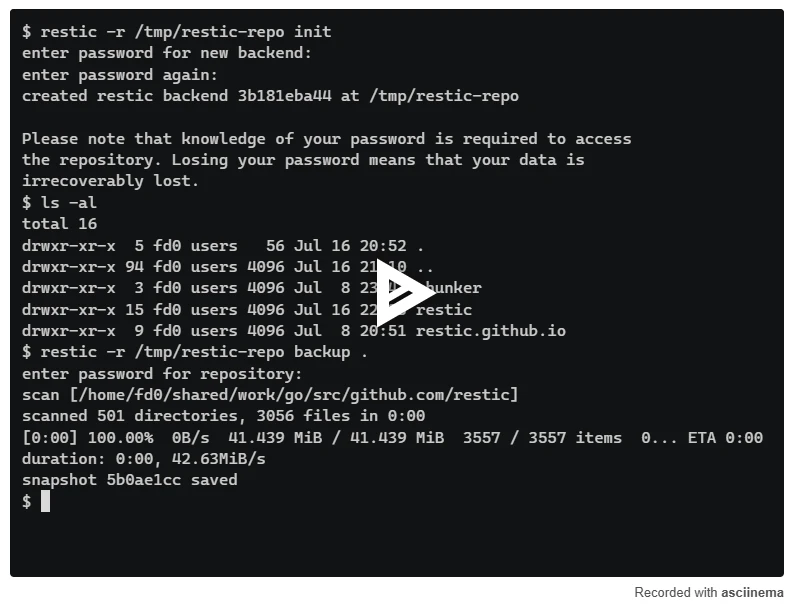
The design decision that makes it practical is the uniform repository abstraction. A local folder, a network share, a cloud object store and a remote server through a secure shell are all described the same way, so switching destinations is a matter of changing one path rather than migrating a format. The binary is self-contained and cross platform, which matters for the case that actually breaks most backup plans: the machine you are restoring to is not the machine you backed up from.
The command set is small enough to learn in an evening: initialise a repository, take a snapshot, list snapshots, check integrity, apply a retention policy, restore. Retention is expressed as rules rather than a schedule, so "keep the last seven daily, four weekly and twelve monthly" is a single command, and pruning removes the blocks that no snapshot references, which keeps the repository from growing without bound.
What it asks, and what it refuses
The cost is that it is a command line tool with a password, and both need care. If the repository password is lost, the data is gone, because that is what encryption means; keeping the password in the same place as the repository defeats the purpose in a way that is easy to do accidentally. Scheduling is your job too, whether through a system timer or a line in a script, and so is monitoring, because a backup job that has been silently failing for three weeks is worse than no backup at all.
It also refuses to be a sync tool. There is no continuous mirroring and no conflict resolution, because those are different problems with different failure modes. Using it as a sync tool is the most common way to be disappointed by it, and the documentation says so plainly, which is a courtesy.
Encryption, deduplication and verifiability should not be premium features. They are the minimum standard for calling something a backup, and a tool that makes them the default is doing the tedious part of the argument for you.
A setup worth copying. Put the repository on storage that is not the machine you back up, and keep a second copy of the repository elsewhere if the data matters. Write the password on paper and store it physically, because a password manager inside the machine you are restoring is a joke with a bad punchline. Schedule the job, log its output, and check the log. And once a quarter, restore a folder to a temporary location and open a file: an untested backup is a document, not a safeguard.