
Driver Easy takes the searching out of driver updates
Summary
Reinstalling a system is easy until the network adapter has no driver. Driver Easy scans the machine, matches versions from vendor servers, backs up before updating, and can export a driver set for a machine that has no connection yet.
Recommend- Name
- Driver Easy
- Version
- 20260922
- Pricing
- Paid
- Open source
- Proprietary
- Operating system
- Windows
- Website
- https://www.drivereasy.com/
- Updated
- 2026-10-06 21:12
Should drivers be handed to a tool at all
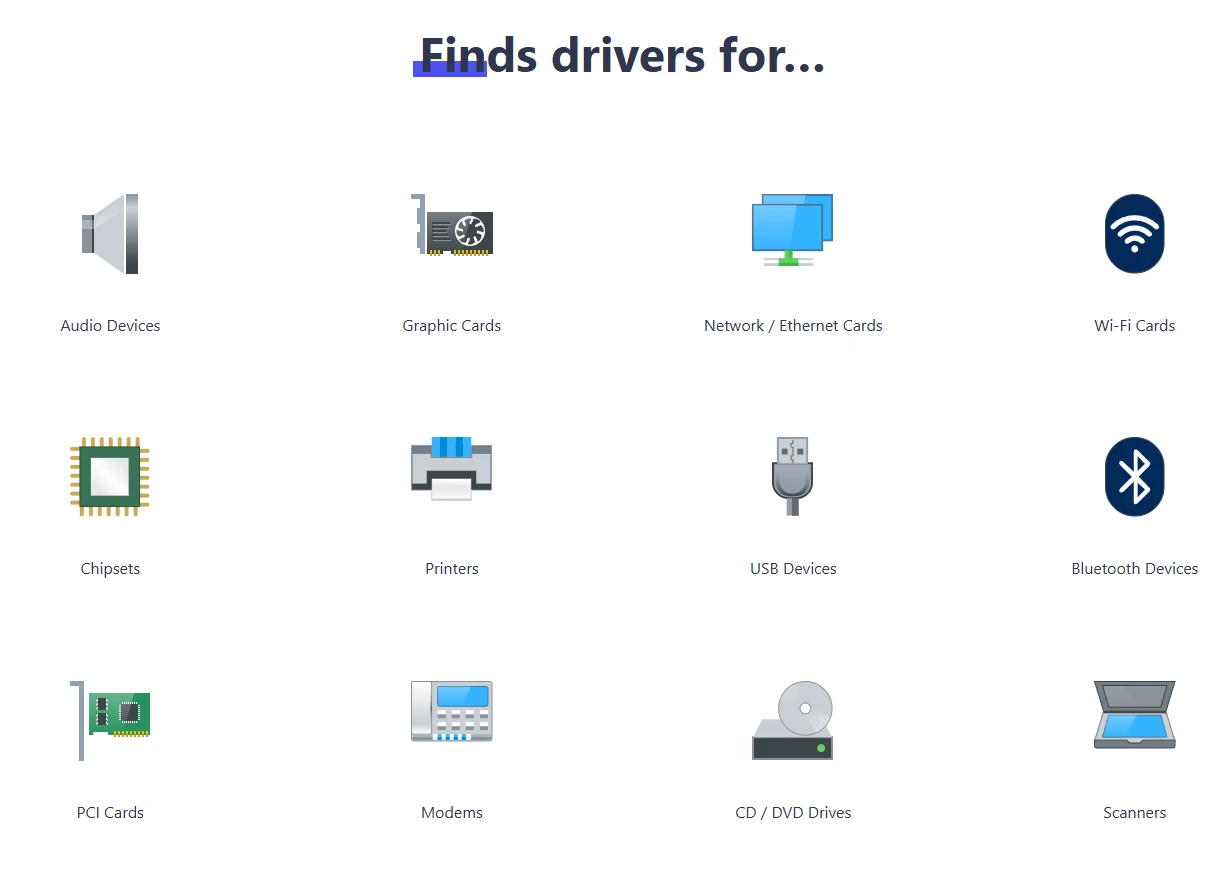
The exhausting part of reinstalling a system is not the applications, it is the drivers. The graphics card, the sound chip, the network adapter and the chipset each keep their own site, each with a download page that may or may not still serve the right build for the hardware sitting in this particular machine. The usual outcome is a search by device identifier, followed by trusting a link from a forum thread posted years ago. Multiply that by four or five components and an afternoon is gone.
Driver Easy turns that queue into a list. One scan inspects the whole machine, missing and out-of-date entries appear together, and updating is a click per item or one for the batch. Every package comes from the hardware vendor own servers rather than from a mirror of uncertain parentage, which is the part worth checking before trusting any tool of this kind. A list you can read, with a source you can name, is a much better starting position than a search box.
Then there is the problem every reinstall eventually meets: no driver for the network adapter, therefore no network, therefore no way to download the driver that would fix it. The tool anticipates that deadlock. Run the scan on a machine that still has a connection, export the network package, carry it across on removable media, and connectivity comes back first. Everything else can wait until after.
Licensing, stated plainly
The licence model deserves to be said out loud rather than discovered at the end of a week. Since 2024 there is no perpetual free edition; what remains is a 7 day trial with the features unlocked, after which continued use means a subscription. That single sentence also clarifies who the product is actually for. Somebody who reinstalls a system once a year is better served by the update mechanism already inside the operating system, while somebody maintaining a room full of machines is exactly the customer a subscription is priced for.
IT maintenance, build services and refurbishing second-hand equipment are the natural habitats. In each of them the work is not one machine but a batch: scan several, compare the lists, keep a known-good driver set on hand, and roll back the one machine that misbehaves after an update instead of rebuilding it from scratch.
One caution worth keeping in mind: a driver update is not an improvement by default. Most of them fix a defect that affects a narrow set of configurations, and a machine where everything already works gains little from replacing a component that behaves. The sensible policy is to update when something is wrong, when a new device needs support, or when a security advisory names the component, rather than chasing every version number the list offers. A scan is a diagnosis before it is a task list.
That is what makes the backup layer the load-bearing part of the product rather than a footnote. Automatic backup plus a restore in one click turns a risky operation into a reversible one, and reversibility is the only reason an automated tool is acceptable on a machine somebody depends on. Without it the scan would be interesting and the update button would stay untouched.
The value proposition is unusually concrete: driver maintenance goes from searching for half an hour and hoping, to scanning once and clicking. Time is a cost too, and the point of a tool is to take that cost off the invoice.
The backstop matters as much as the scanning. Old drivers are backed up automatically before a replacement goes in, and a single click restores them, so a bad update costs minutes rather than an evening. Without that, nobody sensible would let an automated tool touch a working machine.
Practical advice splits by situation. Home users should lean on the updates the system already handles and reach for a scan when a device actually misbehaves, which turns a vague symptom into a specific list. Anyone looking after several machines will find the subscription pays for itself quickly, if only in the hours not spent hunting vendor pages. The software is Windows only, downloads from the official site, and the trial is long enough for a real evaluation: run one scan, read the list, and decide from that.