
Doubao Work: it takes over the keyboard, runs scheduled jobs and actually does the office work
Summary
Give it a goal and it breaks it into steps, calls the tools it needs and drives the job to the end, leaving the finished files where you asked. It reads and writes local files, opens pages and fills forms, hands long jobs to a remote machine, and runs on a schedule when nobody is watching.
Recommend- Name
- Doubao Work
- Version
- 2.28.10
- Open source
- Proprietary
- Operating system
- WindowsmacOS
- Website
- https://www.doubao.com/work
- Updated
- 2026-10-06 04:19
On the twenty-fifth of August a large internet company split the productivity side of its assistant into a separate product, and the difference from a chat assistant is immediate. Ask the conversational version for a weekly report and you get a block of text that you still have to copy into a document, lay out and save. Here the doing is on its side; you state the requirement and inspect the result.

It really does operate your computer
This is the most visible difference. Once permission is granted it can read, create and modify local files, open web pages by itself, fill in information and carry an operation across several pages. Hand it a job — take this quarter's sales data off the desktop, build a table, run a pivot analysis and produce the material for a briefing — and it finds the files, reads the data, builds the sheet and puts the result back on the desktop.
By default the work happens on a virtual desktop, visible the whole time, and you can pause or take over at any moment, so a person and the machine can work in parallel. The first time it touches local files an authorisation dialog appears, and nothing happens until you agree. The sensible habit at that point is to grant only the folders it needs rather than the whole disk.
Scheduled jobs and a remote machine, so nobody waits
Office work has a lot of things that can only be done at a particular time. A scheduled job runs analysis, reports and summaries at a preset hour: set Friday afternoon for the industry digest, and the briefing is there when you get back to your desk. Anything that needs a long run can be handed to a remote machine, which costs nothing on your own hardware and keeps going after your computer is switched off. Away from the office, the computer can be driven from a phone — dispatch the work on the way and read the result on arrival.
Connected to the company workspace, it stops asking you for background
Signing in with a corporate collaboration account lets it draw, within the permissions it was given, on the chat logs, documents, meeting notes and calendars already accumulated inside the company. The value is that nobody has to feed it context by hand: ask for a recent operations analysis and it goes looking for the relevant group chats, data sheets and past documents, reconstructing a period properly instead of waiting for you to upload files one at a time. Output flows back into the same workspace with the original permissions intact, so colleagues can keep editing and discussing.
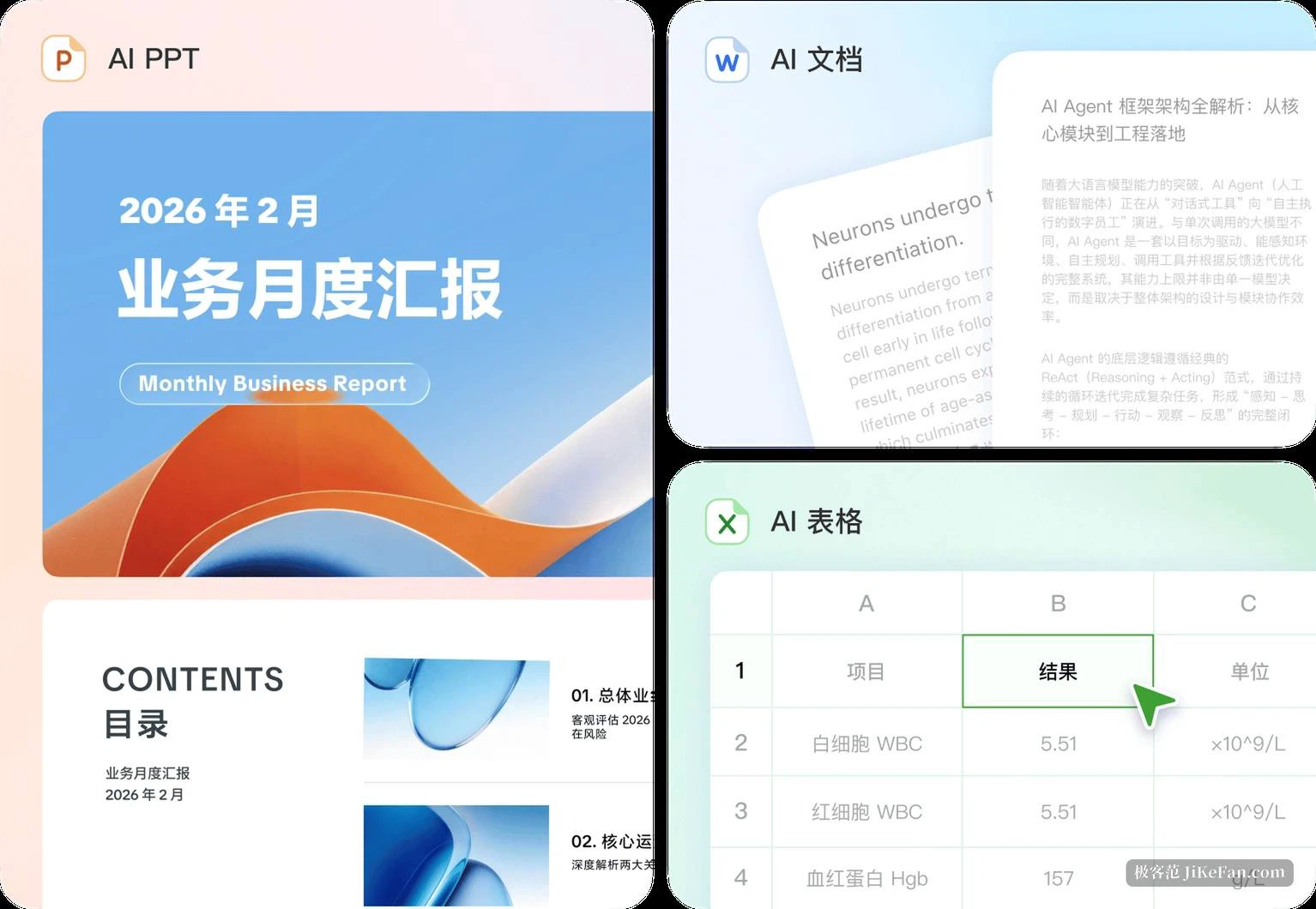
What it hands over is not only text
The range of finished work is wider than expected: documents, sheets and presentations as routine, but also images, posters, comics, video storyboards and finished video, and even web pages and light applications. The visual side is handled by the team's own image and video models.
Revision does not mean regenerating everything. In a produced document, sheet, deck or page you can select any region and give an instruction for that region alone; it updates the file and shows the result. That is considerably less trouble than describing the whole requirement again for another version, and it burns far fewer credits.
Skills, connectors and a small team of agents
At launch more than two hundred skills and connectors were on offer, covering finance, law, content creation, office writing and commerce, and a recurring set of steps with its own delivery standards can be saved as a custom skill and reused. Connectors handle outward communication: once authorised they reach external office tools to fetch information and carry out tasks. When a job is complex enough, several specialised agents can be formed into a small team with divided responsibilities — data, research and design each taking a part of a research report, for instance.
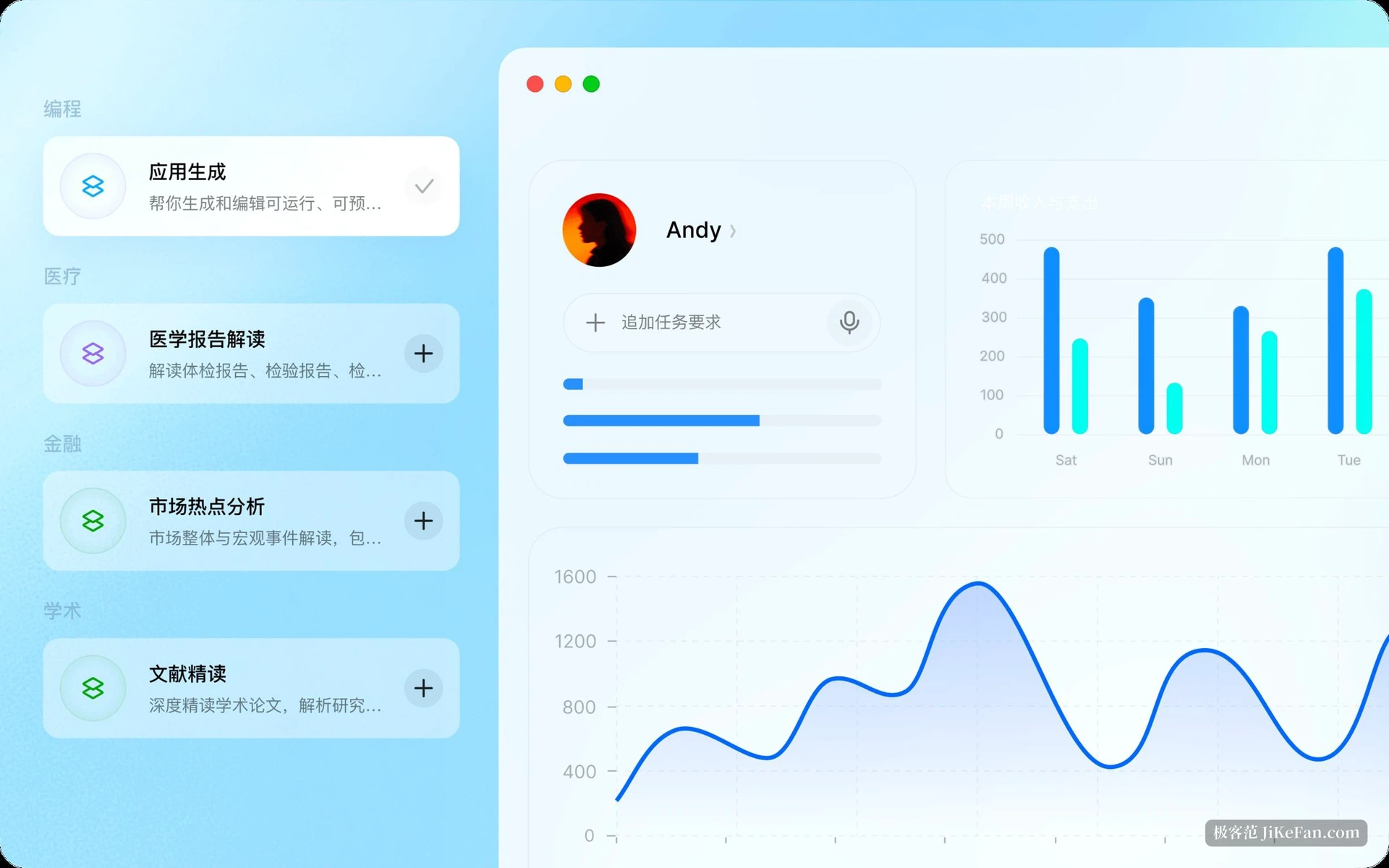
The threshold, and what it costs
There are clients for Windows and macOS, and a corporate collaboration account can be used to join an organisation's workspace. Pricing is a free tier plus subscription: the free tier copes with everyday questions and basic document work, and above it sit three levels whose allowance is five, twenty and fifty times the free one. From the launch date, downloading, signing in or upgrading came with thirty days of subscription rights at no charge.
One piece of field experience is worth knowing in advance: the more specific the instruction, the closer the output comes to usable. Multi-table joins and data reconciliation still need a human pass before delivery. Treating it as a tireless writer of first drafts is safer than treating it as output exempt from checking. What it shortens is not the few seconds of generation but the stretch afterwards, when somebody still had to carry the result from one place to another.