
Docker Desktop review: the desk sized data centre
Version 20260922
Summary
Docker Desktop puts a container runtime, a command line and a graphical panel on the desktop, adds single node Kubernetes and one command Compose stacks, and stays free for individuals, education and small teams.
Recommend- Name
- Docker Desktop
- Version
- 20260922
- Pricing
- Free
- Open source
- Proprietary
- Operating system
- WindowsmacOSLinux
- Updated
- 2026-10-06 19:47
The end of it works on my machine
Inconsistent environments are the oldest pain in collaborative development. The service runs on the laptop, fails on the test machine, and after an afternoon of digging the cause turns out to be a dependency version that nobody wrote down. Containers answer this by packaging an application together with everything it needs into a standardised image, so the artefact that runs on one machine is the same artefact that runs on the next.
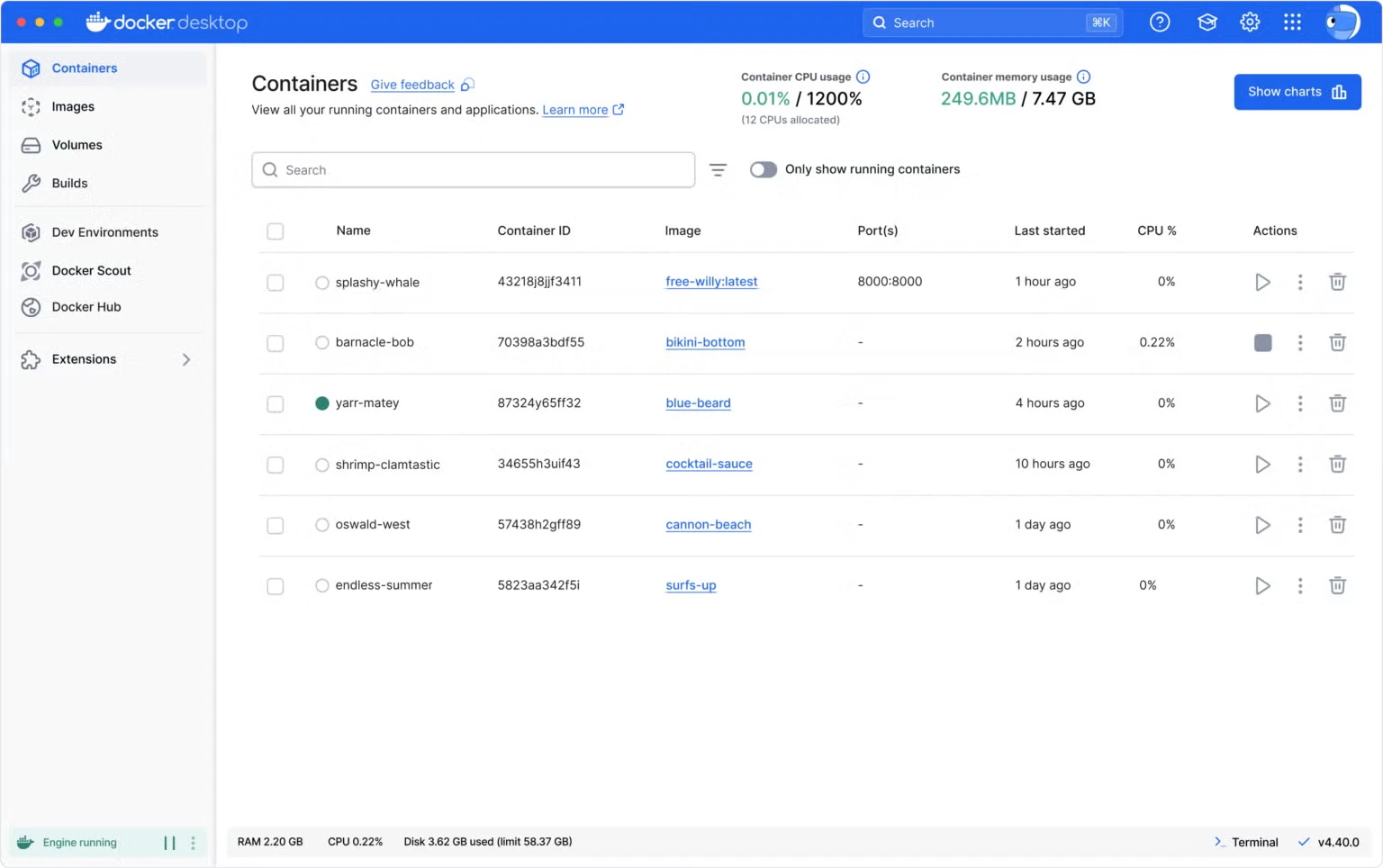
Docker Desktop puts that capability on an ordinary desk. Once it is installed the runtime is ready, the command line works, and a graphical panel shows the state of images, containers and volumes at a glance. Starting a service, reading its logs, opening a shell inside it: a few clicks rather than a memorised sequence of commands, which matters most on the day you are debugging rather than building.
Not just packaging, but a local machine room
The value goes well beyond running a container. A single node Kubernetes cluster is built in, so orchestration practice and local verification do not require assembling a cluster first. A Compose file starts a whole multi container application with one command: database, cache and backend ready together, in the right order, on the right network. Volumes persist container data on the local disk, and port mappings are configured visually instead of in a remembered syntax.
The extension ecosystem adds the utilities that would otherwise be a bookmark folder of scripts: disk cleanup, log inspection, and other small tools installed as plugins. For a developer learning cloud native technology this is the cheapest sandbox available, because destruction is free. Break it, delete the container, start again, and the host machine is untouched.
Three words carry most of the model, and they are worth separating because they explain every other feature. An image is the packaged application and its dependencies, frozen and identifiable. A container is a running instance of that image, with its own isolated view of the system. A volume is storage that outlives the container, so a database can be deleted and recreated without losing the data inside it. Once those three are clear, the panel stops being a list of things and becomes a map of what is actually on the machine.
The Compose file is where the daily benefit concentrates. A modern service is rarely one process: there is an application, a database, often a cache and a queue, and each of them has its own configuration and its own start order. Describing them in one file and starting the set together is the difference between a repeatable development environment and a ritual that only one person on the team remembers how to perform.
What changes is a developer sense of ground. The environment becomes code, the dependencies become an image, and ten commands rebuild the whole system on any machine. What gets delivered is not only the code but a reproducible environment.
Licensing, resources, and the honest limits
The licensing needs to be stated clearly, because it changed. Personal use, educational settings and small businesses, roughly under ten employees, are free. Larger organisations need a paid subscription. That has been the position since the change in 2021, and companies should check their own size rather than assume.
Resources are the other practical consideration. The memory overhead of a container runtime is not small, and the settings let you cap it, which is worth doing on a laptop that also has an editor and a browser competing for the same memory. On Windows the feature relies on virtualisation, so an older machine needs that enabled before anything works.
It is also worth saying what this is not. It is a development tool, not a production platform: nobody sensible runs a live service on a laptop runtime with a memory cap. The thing it produces, the image, is what travels onward into a registry and a cluster, and that division of labour is the point. The desk builds and tests, the cluster runs, and the artefact is identical in both places, which is the entire promise compressed into one sentence.
None of that changes the conclusion. As the de facto standard for local container development, this remains the first door most people open when they walk into the cloud native era, and the fact that the door is free for individuals is a large part of why.