
Directory Opus 13.25: a dual pane file manager that replaces Explorer
Summary
Directory Opus 13.25 is a Windows file manager from an Australian software house, built around a full Explorer Replacement mode. The trial runs 30 days, 60 after registration.
Recommend- Name
- Directory Opus
- Version
- 13.25
- Pricing
- Paid
- Open source
- Proprietary
- Operating system
- Windows
- Website
- https://www.gpsoft.com.au/
- Updated
- 2026-10-06 20:15
People have been complaining about the built-in file manager for roughly two decades, and Directory Opus takes the blunt route: replace it rather than improve it. The program comes from an Australian software house, with the copyright credited to two individual developers, and the vendor states the goal plainly. What it offers is a complete Explorer Replacement mode that takes over day-to-day file work wholesale instead of being one more slightly nicer file manager.
Version and system requirements
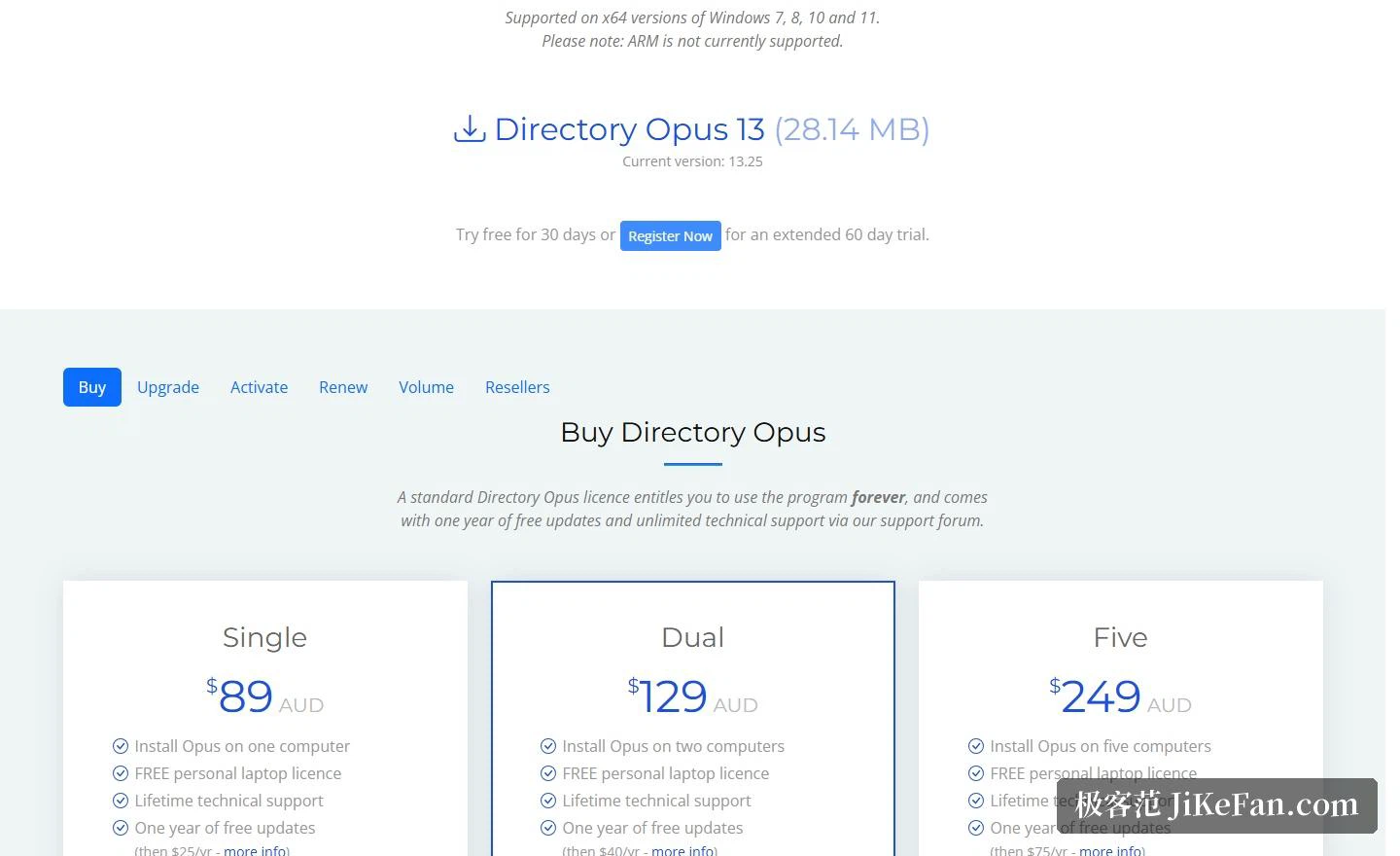
The download block on the official site lists version 13.25 with an installer of 28.14 MB, and it keeps an entry for the previous release so existing users have somewhere to roll back to. On the system side the requirement is the x64 edition of Windows 7, 8, 10 or 11. The vendor also points out on its own initiative that ARM machines are not supported yet, which matters if you have just moved to an ARM laptop. Right below the download block sits the trial link: 30 days free, extendable to 60 once you register.
The core idea: take Explorer's place
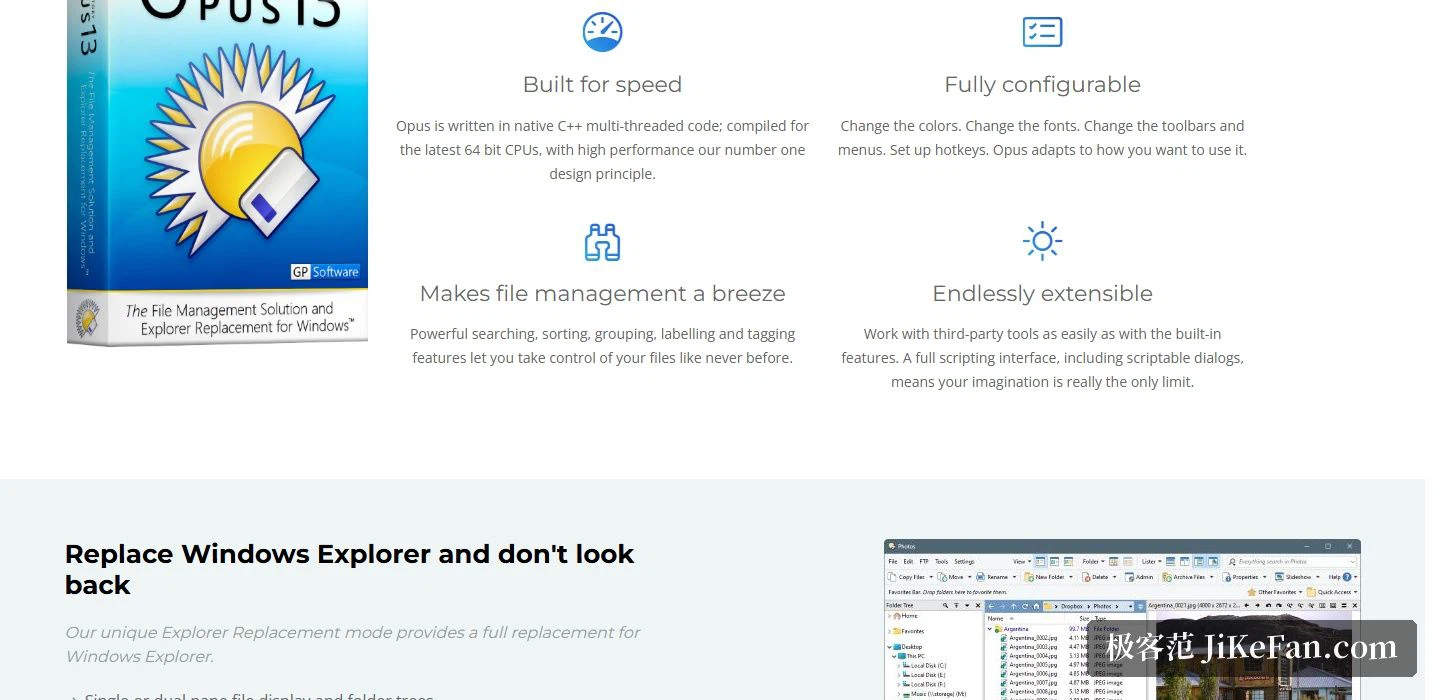
The official chapter heading is literally Replace Windows Explorer and don't look back, and the feature list follows that line. Single-pane and dual-pane file display, a matching folder tree, a multi-tab interface, plus an integrated viewer, metadata editor and tool panel. Synchronisation and duplicate-file search are built in, and searching can be handed off to an indexed search engine, either the one that ships with the system or a third-party indexer. On a machine holding a very large number of files, that difference in retrieval speed is plainly visible.
Interface and configurability
The vendor sums up configurability as not needing to let a programmer make the decisions for you. More than 600 colour and font settings are adjustable. Toolbars and menus can be edited or extended, keyboard shortcuts can be scoped to the program alone or made global, and a floating toolbar can double as an application launcher. Dark mode, light mode and custom themes are all among the options. For extensibility there is a full scripting interface, scriptable dialogs included, so commands and the interface itself can be shaped to taste.
Everyday file work
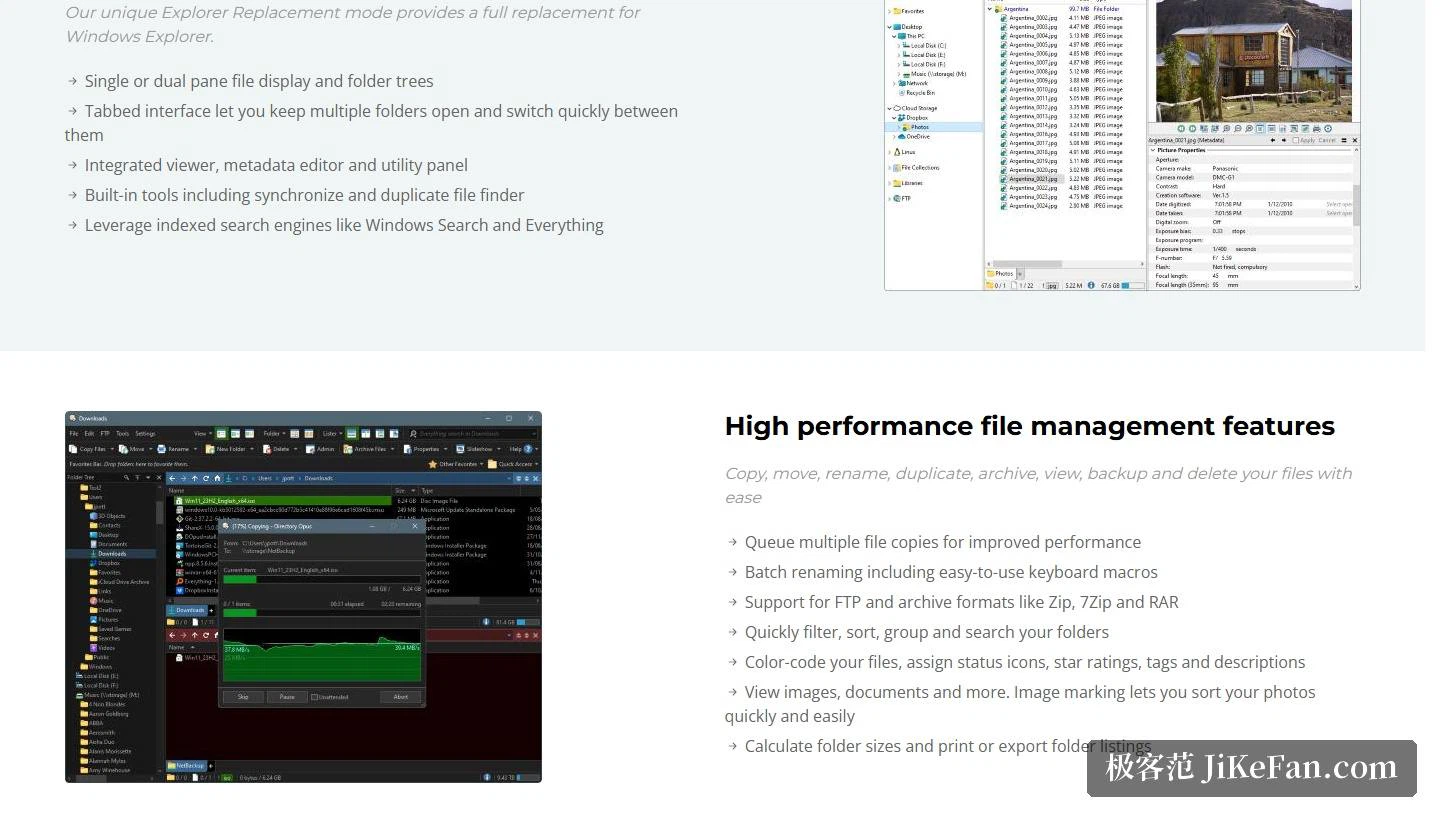
The file operations are covered fairly thoroughly: copy, move, rename, archive, view, back up and delete. Several copy jobs can be queued to raise throughput. Batch renaming accepts low-effort forms such as keyboard macros. Archives cover Zip, 7Zip and RAR, and FTP is supported as well. On the management side you can filter, sort, group and search folders, colour files, attach status icons, star ratings, tags and descriptions, calculate folder sizes, and print or export the resulting lists. Images and documents preview directly, the image marking feature suits culling large batches of photos, and image conversion plus metadata editing are built in as well.
Licensing and the trial
The trial is generous: 30 days free, and 60 days once registered. Licences come in three tiers by number of installations, priced in Australian dollars: 89 for a single machine, 129 for two, 249 for five. The licence itself is perpetual and includes one year of updates plus lifetime technical support through the official forum. Once that year of updates ends you renew annually, at 25 Australian dollars per year for a single machine. Every licence also carries a personal laptop licence on top, so one purchase legally covers two machines.
What stands out about Directory Opus is the shape of the pricing and the length of the trial: pay once and keep using it, 30 days to try, 60 after registering, long enough to run a full month of real work through it. If a large part of your day goes into panes, tabs and batch operations the value shows up quickly; if you only tidy files now and then, the built-in file manager is still enough.