
AutoGen in 2026: a layered multi-agent framework that stopped adding features
Summary
Four layers split by depth — a no-code studio, a conversational layer, an event-driven core and an extension pack. The framework is in maintenance mode, so the honest question is whether to start on it or only keep running it.
Recommend- Name
- AutoGen
- Version
- v0.7.5
- Pricing
- Free
- Open source
- Open source
- Operating system
- WebLinuxmacOSWindows
- Updated
- 2026-10-06 06:48
This is one of the older projects in the multi-agent wave, built inside a large software vendor's research arm, and among the first to put a simple idea on stage: a group of agents talking to each other until the job is done. Its present state comes with a condition that has to be stated before anything else — the project is in maintenance mode, accepts no new features, and is run by the community now. So this review splits in two: what it is and how it works, then whether it is still the right choice.
Four pieces, split by depth
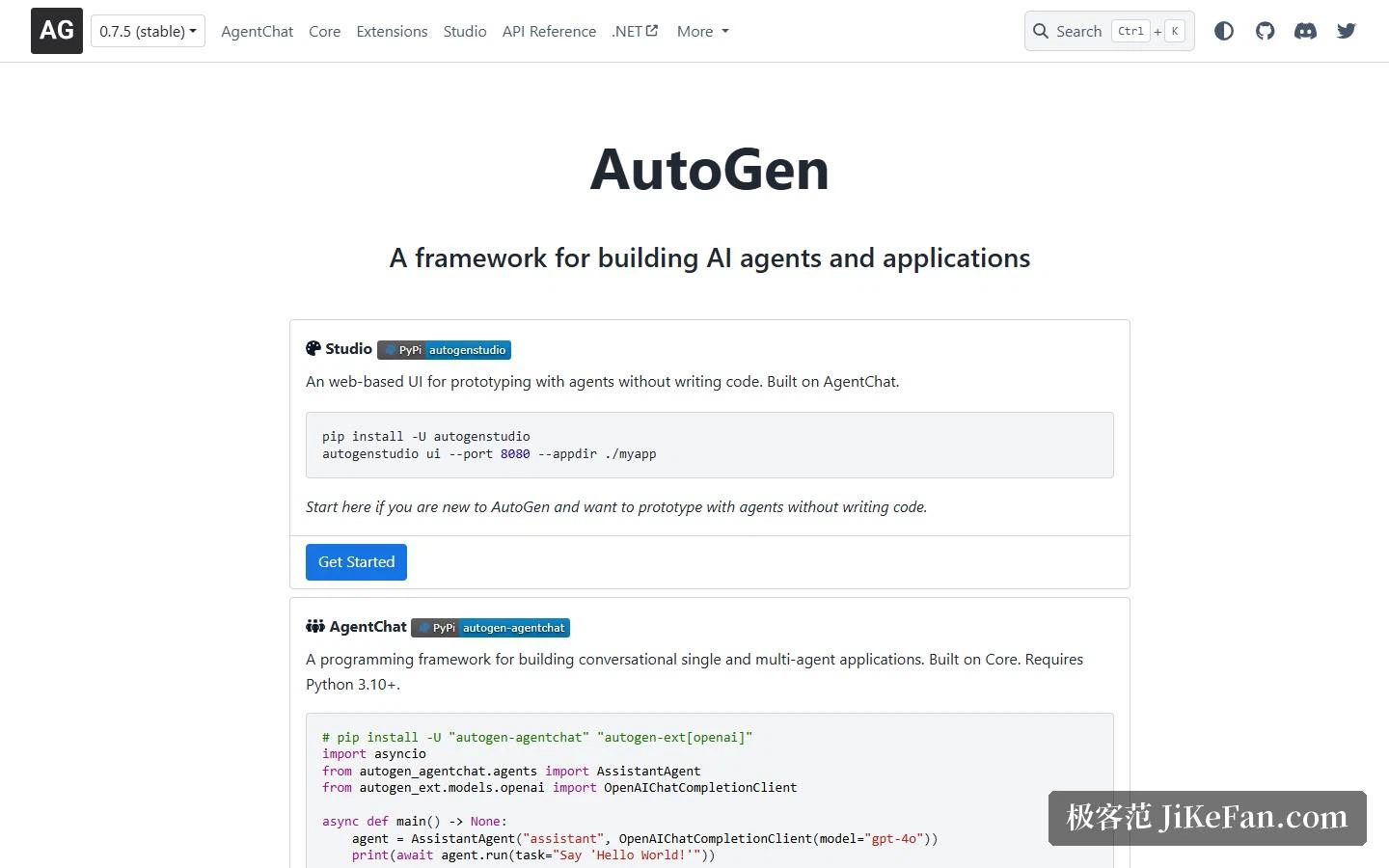
The documentation cuts the project into four parts, each with its own entry point. The studio is a web interface where an agent prototype comes together without code: one package, one command, a port and a working directory. It sits on top of the conversational layer, is positioned as the first stop for newcomers, and is flagged as good for testing an idea rather than for production. The conversational layer is the one you write against, aimed at single-agent and multi-agent applications built around dialogue, requiring Python 3.10 or newer, with samples running to a dozen lines — create an assistant agent, hand it a model client, run a task, print what comes back. The core sits lower and is an event-driven programming framework, aimed at deterministic workflows inside business processes, at research on multi-agent collaboration, and at distributed agents spanning languages. Extensions bring the outside world in: components for model-context-protocol servers, agents for assistant interfaces, an executor that runs model-generated code inside a container, and a runtime for distributed agents.
From a conversation to a group chat
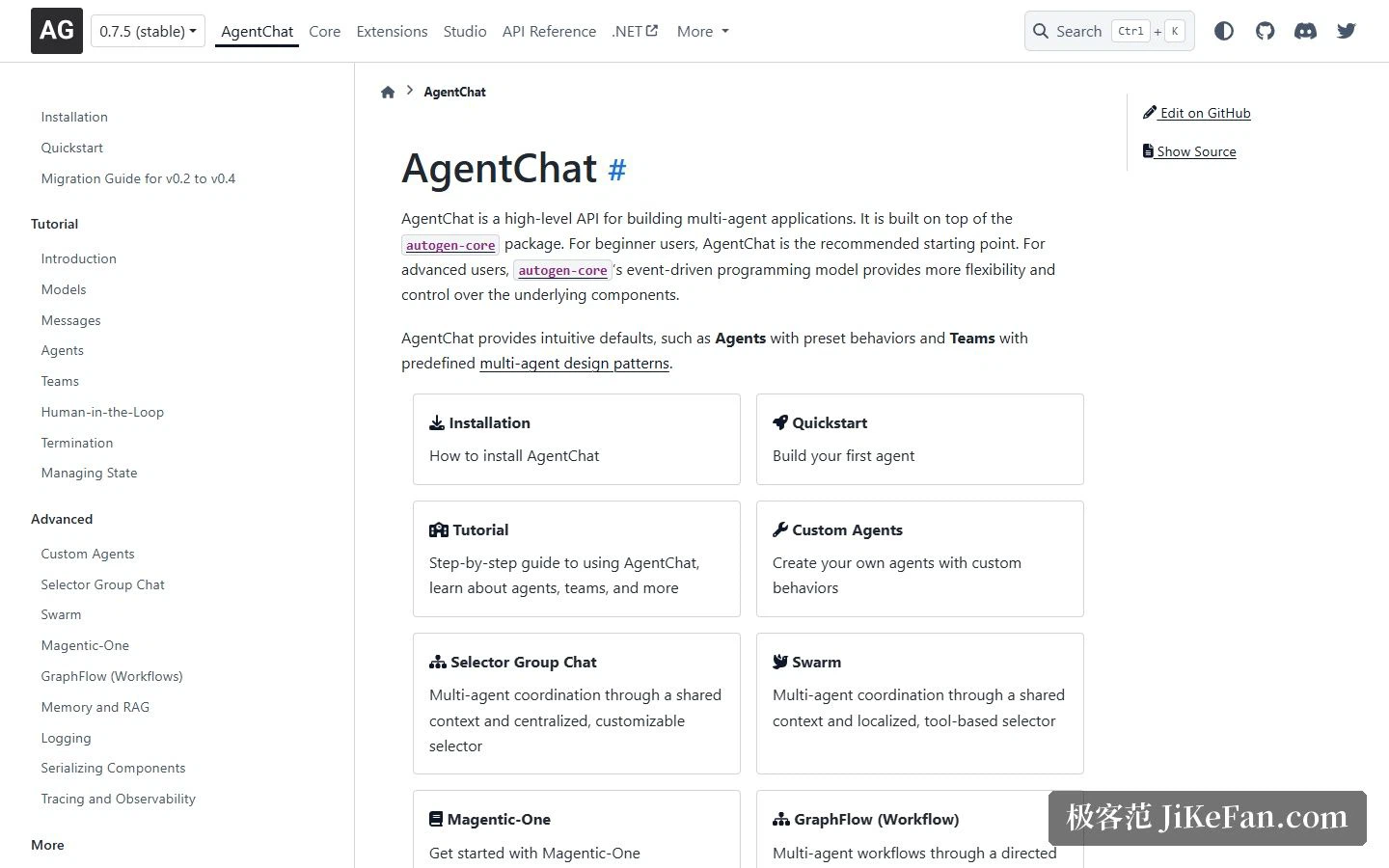
The documentation's spine runs model, message, agent, team, human involvement, termination conditions, state management — and that order is itself a statement. It assumes the work will run for a while, which is why termination and state get their own chapters instead of an appendix. One level up, the orchestration patterns offer real choices. A selector group chat uses one central, customisable selector to decide who speaks next, coordinating through a shared context. A swarm pushes that decision downward, using local tool selectors so agents hand off directly to each other. A graph workflow organises the multi-agent flow as a directed graph, which suits cases with clear boundaries. Around them sit the engineering furniture — memory and retrieval augmentation, logging, component serialisation, tracing and observability — plus an official example team assembled from the conversational layer and the extensions, designed for combined work such as browsing, running code and handling files. If speed matters, start in the studio and sketch a prototype; if detail matters, drop to the core and write the event loop yourself.
Maintenance mode matters more than the feature list
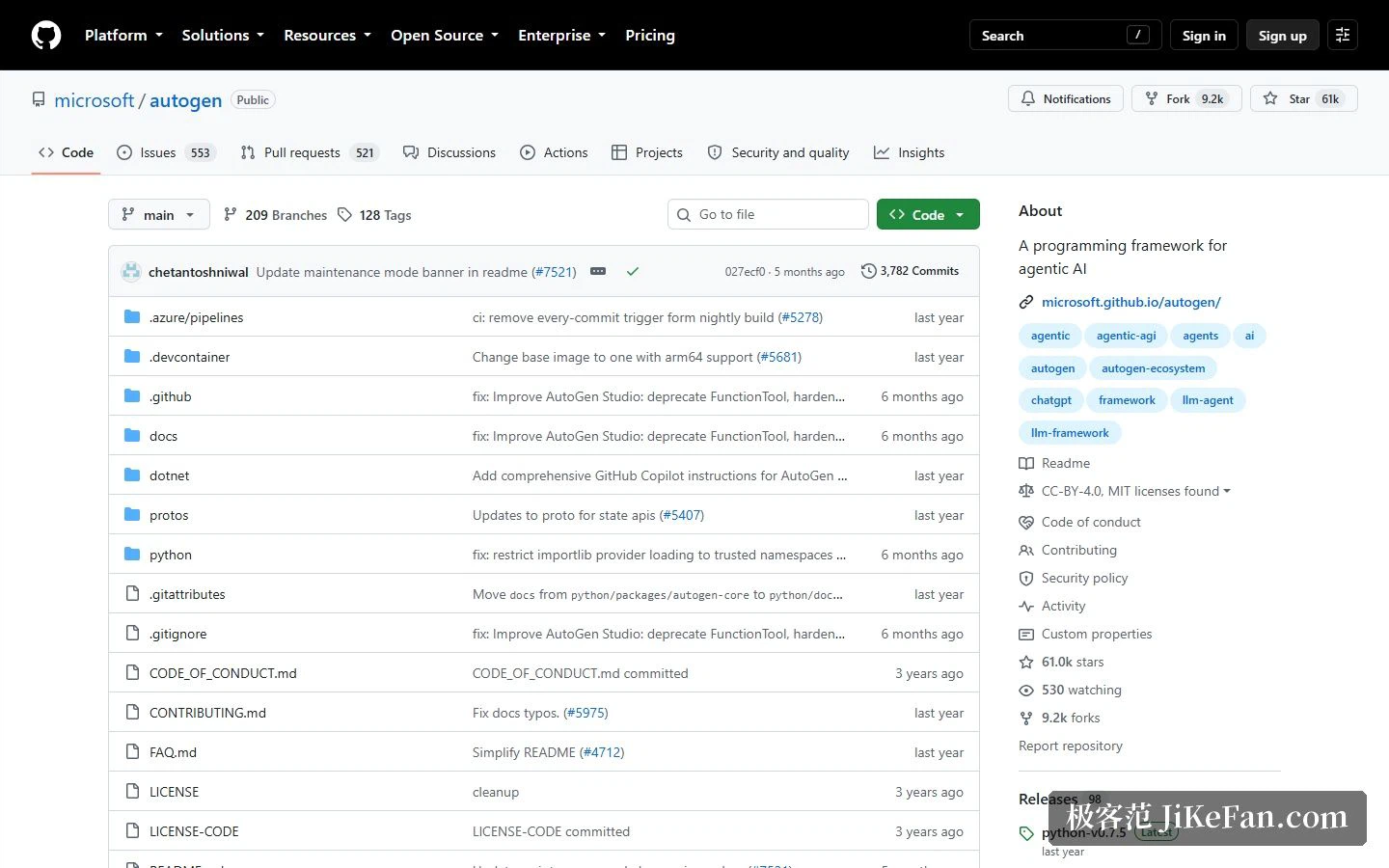
The notice at the top of the repository is blunt: the project is in maintenance mode, receives no new features or enhancements, and is community-run; new users should begin with the designated successor, and existing users have a migration guide. The same notice explains that the successor is the enterprise-grade replacement, already available in a production-ready version with stable interfaces and a long-term support commitment, covering everything from a single assistant to a cluster of agents, with enterprise multi-agent orchestration, several model providers, and interoperability across runtimes through the two emerging agent protocols. The contribution guide has narrowed to match: only defect fixes, security patches and documentation improvements are accepted, and feature work is directed at the successor.
The three-layer structure itself remains clear. The core handles message passing, event-driven agents and both local and distributed runtimes, in Python and in C#. The conversational layer offers a simpler but opinionated interface over that core, covering the familiar shapes of two-agent dialogue and group chat. Extensions supply model clients and code execution. The companion tooling is the no-code studio and a benchmark suite. Licensing runs on two tracks: code under the MIT licence, documentation under a Creative Commons attribution licence. Repository figures read about 61k stars, 9.2k forks, 98 releases and 556 contributors, used by 4.3K projects, written mostly in Python with C# and TypeScript alongside.
Who should still use it
Three groups remain well served. Teams with existing projects, where code runs and models are tuned: under maintenance mode, defect and security patches continue, so migration can be scheduled at your own pace instead of being forced by a new release. Developers studying how multi-agent collaboration is structured: the three patterns each make a clear trade-off, and with the benchmark suite beside them they are good material for controlled comparison, with documentation and examples left in place. And anyone who just wants to test an idea quickly, since the studio is drag-and-drop after installation and far less work than building orchestration from zero.
Two situations should go straight to the successor. New production systems, especially where a long-term support commitment is required — the framework has said plainly that it will add nothing further, and a new architecture placed on a frozen framework can only rely on the community afterwards. And teams that need enterprise orchestration, switching between model providers, and interoperability across runtimes, all of which the vendor has explicitly placed in the successor. Put simply, what is left here is a usable existing asset and good teaching material, not a starting point aimed at the future.
When choosing a framework, the feature list is only the ticket in. The real divide is whether you are still inside its support window three years from now.