
Cryptomator: encrypt files on your own machine before the cloud ever sees them
Summary
Cryptomator is an open-source tool that encrypts files in a local vault with AES-256 before they sync, so a cloud provider only ever stores unreadable data.
Recommend- Name
- Cryptomator
- Version
- 1.19.3
- Pricing
- Free
- Open source
- Open source
- Operating system
- WindowsmacOSLinuxAndroidiOS
- Website
- https://cryptomator.org/
- Updated
- 2026-10-06 08:49
Can anyone else read the files in your cloud drive
Putting private photographs, scanned documents and work files into a cloud drive means handing them to somebody else s server. Providers promise not to look, and a promise is not encryption. Cryptomator addresses exactly that gap. It is an open-source tool that runs on your own machine and creates an encrypted vault there, and anything placed inside is encrypted before it leaves the computer. What syncs to the cloud is the ciphertext and nothing else.
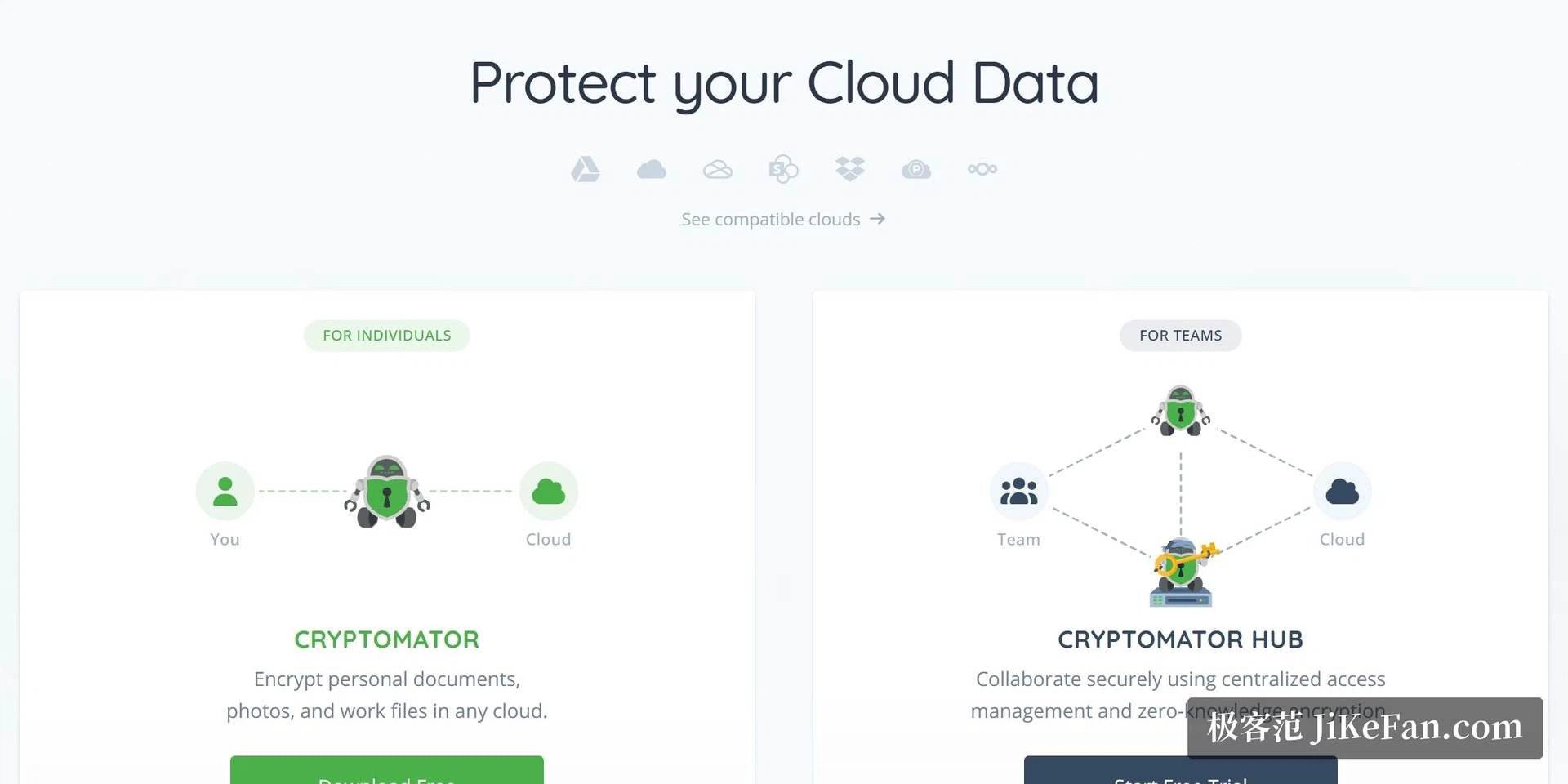
That ordering is the whole idea, and it is worth stating plainly because most cloud encryption offers work the other way round. If the provider holds the key, the provider can read the data, whatever the marketing says. If the key never leaves the local machine, the provider is reduced to storing blocks it cannot interpret.
Zero knowledge, with the password only in your hands
The architecture is described as zero knowledge. Encryption and decryption both happen locally, the vault password never passes through any server, and neither the storage provider nor the network operator nor the developers themselves can decrypt the contents. The cipher is the widely used AES-256, applied to each file separately.
Separate encryption per file has a practical consequence. Sync uploads only the files that changed, so editing a single word does not push the entire vault back up the wire, which is the behaviour that makes the arrangement usable on an ordinary connection. File names and the folder structure are obfuscated as well, so the listing on the other side loses its meaning entirely.
Just a folder, which is the compatibility trick
The other strength is that a vault is an ordinary folder. Placed inside the sync directory of any cloud service, it works, which covers consumer sync drives, WebDAV and network storage without special support from any of them. There is no list of approved providers, because the mechanism does not need one.
The source is published under the GPLv3 on a public repository, the code can be audited, and the project has in the past commissioned penetration testing from a professional security firm. The desktop builds for Windows, macOS and Linux are free of charge, with the current version 1.19.3 released at the end of 2026-06. The mobile apps are paid, complete versions, and that payment is what keeps the work going.
Who it suits
For anyone who wants the convenience of a cloud drive without giving up control of the contents, this is the least demanding combination available. It does not ask you to change provider, change sync habits or change how files are shared. It adds one lock in a place the provider cannot reach.
The cost is a password that must not be lost. With zero knowledge comes zero recovery: nobody can reset it for you, so a forgotten password means a vault that stays shut. That is the honest trade at the centre of the design, and it deserves a backup plan before the first file goes in.
The clever part is that it does not fight the cloud provider. You keep your sync habits and your sharing arrangements, and one lock is quietly added before the files leave. The correct posture for privacy has never been to abandon services, but to make sure that what the provider holds cannot be understood.