
Clonezilla 3.3.3-15: swapping a disk without reinstalling anything
Summary
Clonezilla is an open source disk imaging and cloning program that reads and writes only the blocks in use, so images come out smaller and backups finish sooner. It covers ext4, NTFS, APFS and more, and suits disk swaps as well as bare metal backup.
Recommend- Name
- Clonezilla
- Version
- 3.3.3-15
- Pricing
- Free
- Open source
- Open source
- Operating system
- Windows
- Website
- https://clonezilla.org/
- Updated
- 2026-10-05 13:47
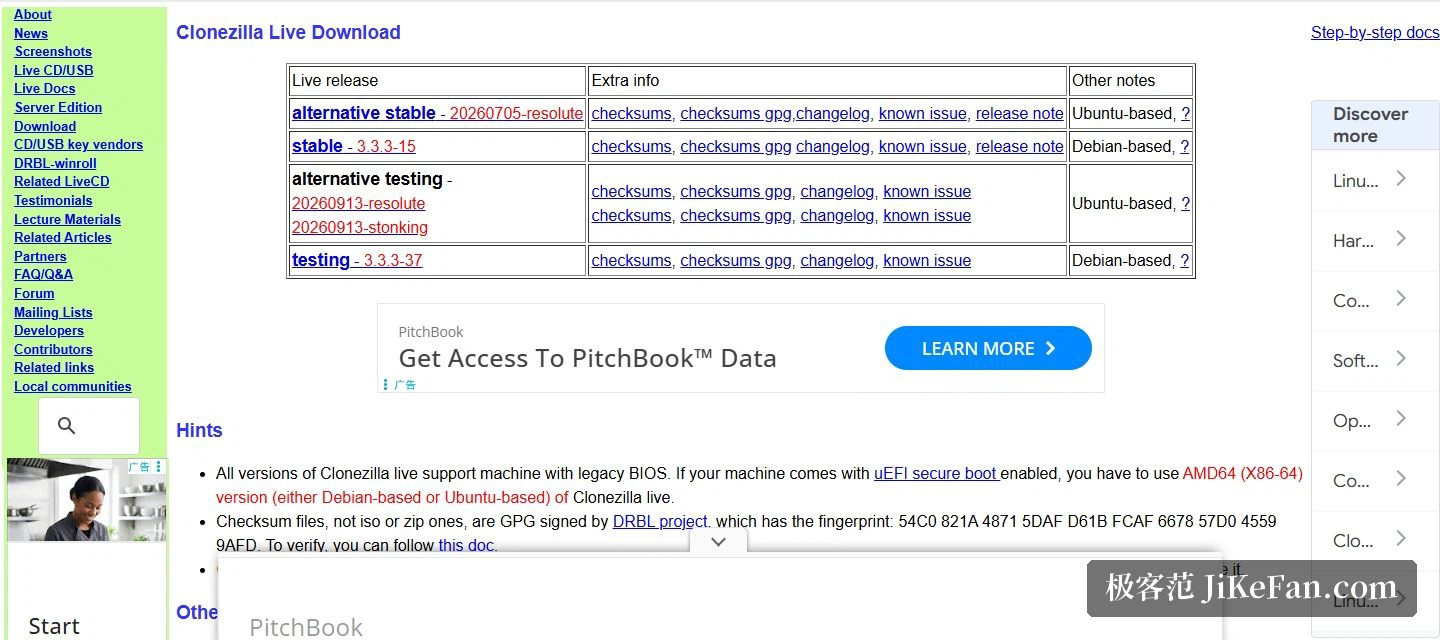
Replacing a hard disk is easier done by moving the whole disk across than by reinstalling the operating system and every application on top of it. Clonezilla does exactly that. The project page defines it as a partition and disk imaging and cloning program, and names system deployment, bare metal backup and recovery as its purpose. The stable release listed on the download page is 3.3.3-15, built on a Linux distribution; a second stable release numbered 20260705-resolute sits on a different distribution base, and the testing branch has already reached 3.3.3-37.
Only the blocks in use travel
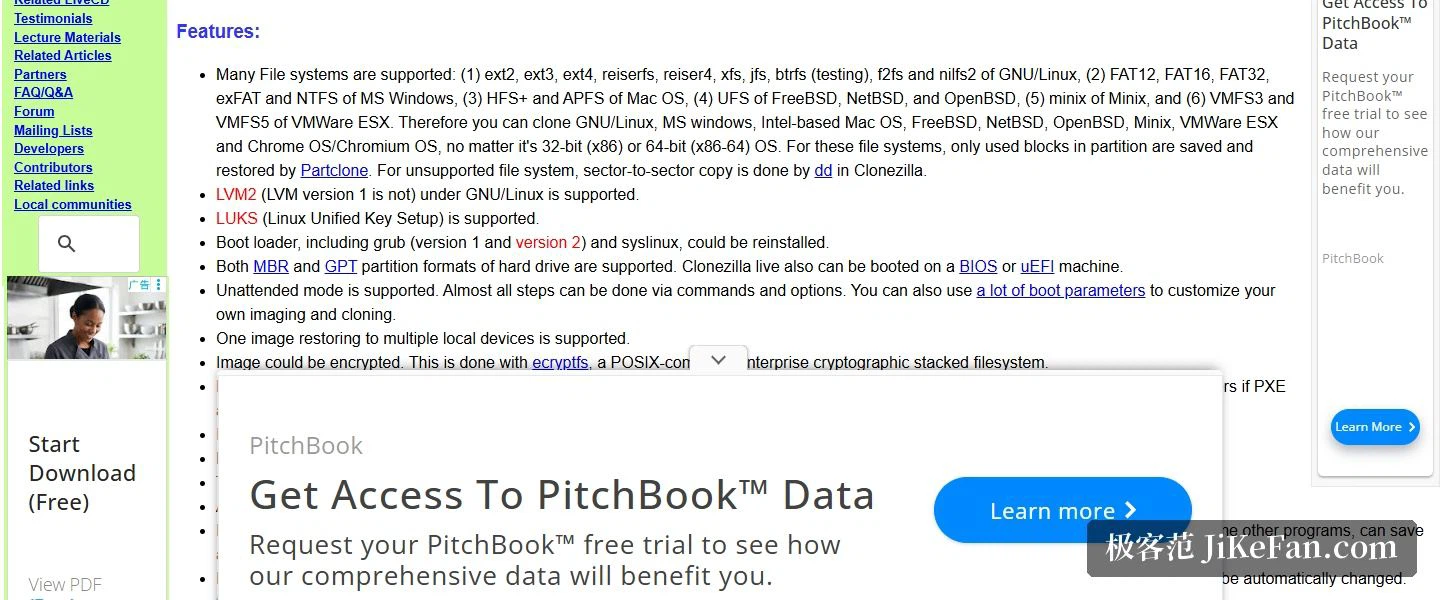
The central design decision is written on the front page: only the blocks in use on the disk are saved and restored. Two benefits follow directly. An image does not carry empty blocks, so it comes out far smaller than a sector-by-sector copy of the whole disk, and the time spent backing up and restoring drops with it. Underneath, partitions are imaged and cloned by a block level tool by default, and for a file system the program does not understand it falls back to a straight sector-by-sector copy.
The difference is easy to feel in practice. A drive that is half full no longer produces an image the size of the drive, so the same network share holds several generations of backups instead of one, and a restore that used to be an afternoon's work fits inside a coffee break. What does not change is the ceiling: whatever is actually stored still has to travel, and compression only buys so much.
File system coverage is the second asset
The list on the project page names ext2, ext3, ext4, reiserfs, reiser4, xfs, jfs, btrfs, f2fs and nilfs2 on the Linux side; FAT12, FAT16, FAT32, exFAT and NTFS on the Windows side; HFS+ and APFS on the Apple side; plus UFS across the BSD family, minix, and VMFS3 and VMFS5 on enterprise virtualisation platforms. LVM2 and LUKS fall inside the supported range as well, both MBR and GPT partitioning schemes work, and boot loaders of the common kinds can be reinstalled afterwards.
That breadth is what separates a cloning tool from a rescue trick. A machine can be captured without first asking which file system shipped on it, and a mixed environment does not need one procedure per platform. Reinstalling the boot loader matters for the same reason: a restored disk that will not start is not a restored disk.
Three editions, two scales
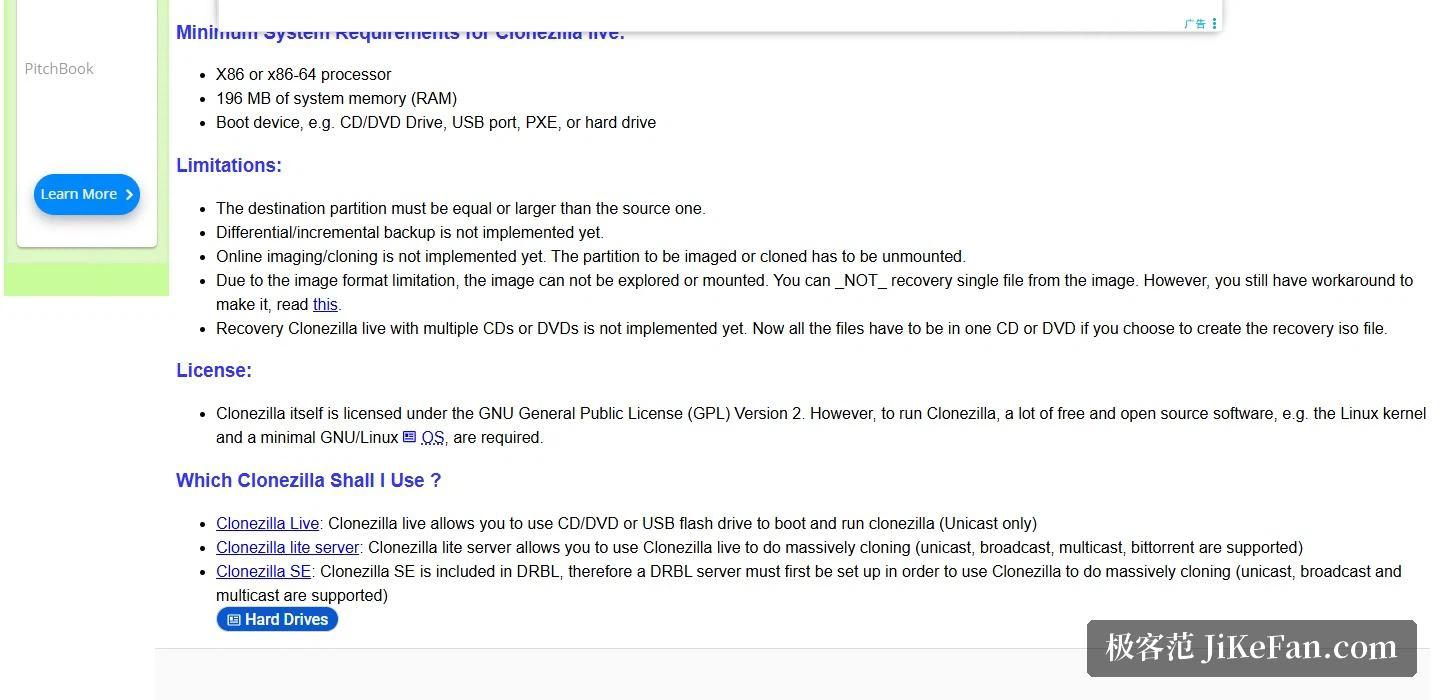
The product splits three ways. Clonezilla live targets a single machine: boot from an optical disc or a USB stick and back up or restore, over unicast. Clonezilla lite server and SE target mass deployment and can clone more than forty computers at the same time, with lite server covering unicast, broadcast, multicast and peer-to-peer distribution, and SE covering unicast, broadcast and multicast. The project page records one measurement: on high-end hardware in a 42-node cluster, the multicast restore rate reached 8GB per minute.
Where the image is kept is just as flexible. It can sit on a local disk, or go straight onto a remote server reached over SSH, a shared folder, NFS or WebDAV. On the security side, the image itself can be encrypted, and the access, storage and transfer of the data can be protected with AES-256.
The entry threshold, and a few limits
The hardware bar is startlingly low. The project page asks for an x86 or x86-64 processor, 196MB of memory, and a single boot device, which may be an optical drive, a USB port, PXE or a hard disk. The licence is the GNU General Public License, version 2.
The limits sit on the same page and are worth reading before anything is plugged in. The target partition has to be equal to or larger than the source. Incremental and differential backups are not implemented. Online imaging and cloning are not implemented either, so the partition being handled has to be unmounted first. Because of the image format, an image cannot be browsed or mounted, which means a single file cannot be pulled out of it. If an optical disc is the restore medium, all files currently have to fit on that one disc. And where a machine boots with UEFI Secure Boot switched on, the AMD64 image is the one to use.
Read together, those limits describe the tool's shape rather than its shortcomings. It works on disks that are standing still, which is why it boots from outside instead of running inside the system it is copying. A tool that cannot reach into an image for one file is also a tool whose image format stays simple enough to restore years later.
Pack a whole disk by the blocks in use, compress it, throw it onto network storage and lay it back down onto a new drive when the day comes. Clonezilla 3.3.3-15 turns that sequence into a string of choices inside a boot medium. Free, open source and almost indifferent to hardware, it remains hard to route around when a disk is being swapped or a bare metal backup is due.