
Clockify keeps timesheets honest without a seat limit
Summary
Clockify puts the useful parts of time tracking into a free plan with no user cap, then carries the record through reports, approval and a PDF invoice without leaving the same tool.
Recommend- Name
- Clockify
- Version
- 20260922
- Pricing
- Free
- Open source
- Proprietary
- Operating system
- WebWindowsmacOSLinuxAndroidiOS
- Website
- https://clockify.me/
- Updated
- 2026-10-06 22:32
The barrier to recording time dropped to nothing
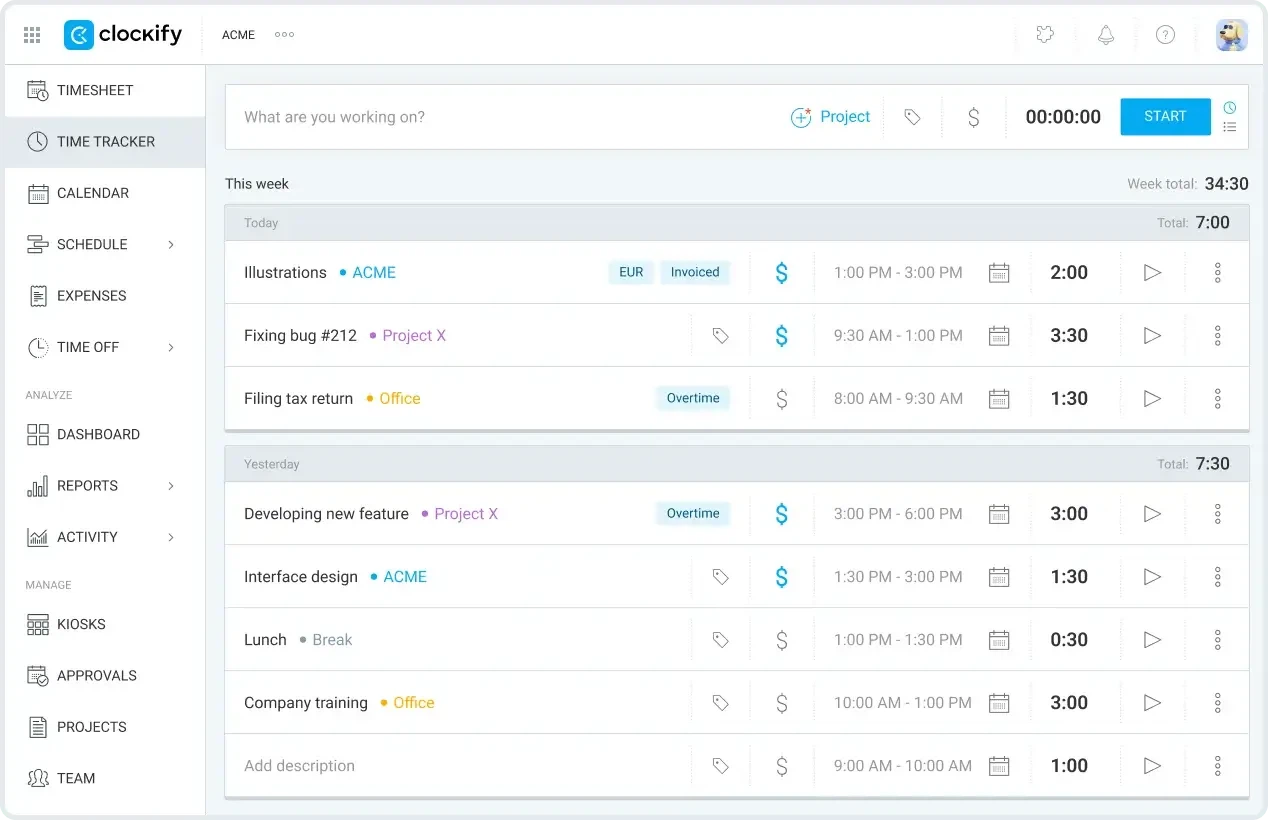
The easiest number to fake in any team is the hour. People fill the sheet from memory at the end of the week, report what sounds reasonable, and by the time a project closes nobody can say with confidence how many hours it actually burned. Clockify attacks that in the bluntest possible way: the best parts of the product sit in the free plan, and the free plan has no limit on the number of people. A timer that starts with one click, a weekly sheet that accepts hours in bulk, project budgets and billable rates visible at any moment. A freelancer and a company of several hundred use the same door, which explains how the user base reached the millions.
Removing the seat limit is not a marketing gesture, it is a structural decision. Time tracking only becomes useful when everybody is in it; one team that keeps its hours in a private spreadsheet is enough to make the report wrong. A product that charges per seat creates a reason to leave people out, and the data quality pays for that reason every single month.
From the timer to the invoice, the chain holds
The genuinely useful half is what happens afterwards. Recording hours is only the start: reports slice the same data by client, by task and by team member, billable hours convert into an invoice in one action, and the result exports as a PDF that can go straight to the person paying. An approval flow gives a manager a defined way to check a timesheet instead of asking for one more email, and that is the difference between a record and a claim.
The 2026 update added the piece that was missing. On the desktop the tool can log how long each application stays in front, and at the end of the day it produces a draft of the timesheet; the job left for the human is to review the draft and assign the categories, which removes nearly all of the manual typing. Some of the intelligent features sit in the paid tier, which is a reasonable place for them. The integration surface is wide as well, with time logs from the main productivity and meeting tools synchronised automatically.
Across devices, and the honest limits
Web, desktop and phone stay in step in real time, a timer starts from the phone in one tap, and a day without a network is not a day without a record: hours can be entered offline and uploaded later. For anyone who works in cafes, trains and client offices, that last detail decides whether the tool survives the second week.
The limitations deserve the same plainness. The free tier keeps report templates and custom fields to a modest set, and deep customisation means moving to a paid plan. More fundamentally, this is a general purpose time tracker: shift planning in manufacturing, or piece rate work on a production line, needs a specialised product rather than a clever configuration. Knowing that in advance saves an evaluation.
There is a second effect that nobody advertises. Once hours are visible per client and per project, the argument about scope changes from opinion into arithmetic: this request adds six hours, the budget has four, and the decision takes a minute instead of a meeting. That is not a management theory, it is what happens when the number is no longer reconstructed from memory.
The habit is what holds it together. A timer started at the wrong moment can be corrected, but a week never recorded cannot be invented later, so the tool succeeds or fails on whether starting it feels like nothing.
Clockify turns recording time from a chore into a habit of two clicks: free without a seat limit, a chain that holds from timer to invoice, and an assistant that fills the gap. Every hour of a project deserves to be accounted for, and this is the ledger that can be opened at any moment.