
CCleaner: the free tier is enough to clear the junk a machine accumulates
Summary
A cleaner that has been at this for more than twenty years: temporary files, logs, thumbnails and browser traces out, startup entries and leftover uninstall debris managed. The free tier covers cleaning, privacy and startup control; the paid tier adds automation.
Recommend- Name
- CCleaner
- Version
- 20260615
- Pricing
- Free
- Open source
- Proprietary
- Operating system
- WindowsmacOSAndroid
- Website
- https://www.ccleaner.com/
- Updated
- 2026-10-24 22:00
A machine does not slow down because it is old. It slows down because nobody ever swept the floor.
The familiar drift
Two years in, the system drive is nearly full for no reason anyone can name, the boot takes long enough to make tea, and the browser still holds search terms and cookies from sessions nobody remembers. Search for a cleaning utility and the results are a minefield: installers that quietly add three other programs, windows that advertise something every time the machine starts, tools that promise a miracle and deliver a progress bar.
Against that background, the value of a boring, long-lived option goes up. This one has been sold since the early two-thousands, which in this category is roughly three generations of competitors, and it defines what most people mean by system cleanup in the first place.

What it actually removes
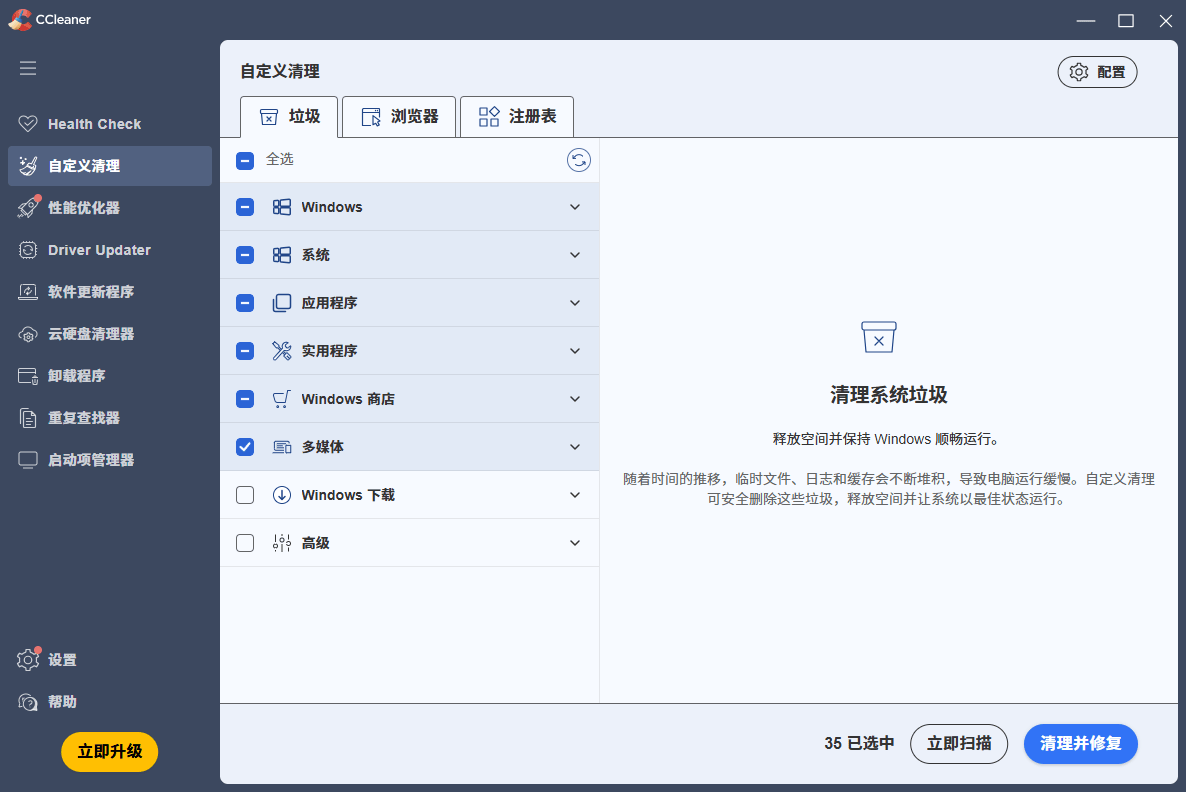
The work divides along four lines. System residue: temporary files, log files, the recycle bin, thumbnail caches, memory dumps — a single scan touches more than a dozen categories. Browser traces: history, cookies, download records, saved form entries across the mainstream browsers, in one pass. The registry: invalid keys are located and removed, which addresses the bloat that accumulates when uninstallers leave half their work undone. And leftovers: folders and registry entries abandoned by removed applications.
Nothing in that list is glamorous, and that is the point. Cleanup is not optimisation in any deep sense; it is hygiene, and hygiene works best when it is boring enough to be repeated without ceremony.
The tools beside the broom
Three auxiliary panels earn their place. Startup management disables the background programs that install themselves into the boot sequence, and — more useful than the switch itself — shows how much each entry costs, so the decision is made on evidence rather than superstition. Uninstall is more thorough than the system's own list of installed programs, because it sweeps for what the vendor's uninstaller left behind. Duplicate finding compares file contents across a drive and surfaces the documents and photographs that were copied three times by accident.
The paid tier adds automation on top: scheduled cleaning, updating of other applications and drivers, a performance component that suspends idle background programs to free processor time and memory, and management of several machines from one place.
Is the free tier enough
For most people, plainly yes. Cleaning, browser privacy, registry tidy-up, startup control and uninstall are all present in the free version, without a cut-down feature list and without a watermark. What the paid version sells is not capability but repetition avoided: it does the same job on a schedule, and it does it on more than one computer.
The honest way to decide is by frequency. If you think about cleaning twice a year, the free tier will outlive your interest. If you administer three laptops belonging to three relatives, the automation is the whole argument.
Two caveats worth stating
The first is historical. In twenty-odd years there was one serious incident: a compromised build shipped with a backdoor planted by an outside attacker, discovered and fixed quickly, with the security posture tightened afterwards and no comparable event since. That is worth knowing and worth keeping in proportion; it is also the reason the vendor now has a security group behind it rather than a two-person studio.
The second concerns the registry. Cleaning it is the least valuable and most hazardous part of the job: modern systems tolerate stale keys far better than folklore suggests, and an over-enthusiastic sweep can break a program that was working. The tool itself is conservative and offers a backup before touching anything — take the backup. If you clean anything regularly, clean temporary files and browser traces, and leave the registry alone unless something is visibly wrong.
Verdict
Twenty years is long enough for a category to fill with noise, and this remains one of the few names in it that behaves like a utility rather than an advertisement. No bundled extras in the installer, no pop-ups, core features intact in the free version — those three properties alone put it ahead of most of what a search engine will offer you.
If a computer has started to feel heavy, the first move is not a new computer and not a tuning ritual. It is to delete the things that should never have been kept, and to recover the half minute the boot sequence was quietly spending on software nobody asked to run.