
Moon+ Reader: the phone reader that opens whatever book you already have
Summary
An Android e-book reader that accepts the formats people actually own — plain text, epub, mobi and dozens more — with chapter detection for novels that have no markup, spoken reading, imported typefaces, vertical layout and instant script switching. The free version is complete; the paid one removes ads.
Recommend- Name
- Moon+ Reader
- Version
- 20260615
- Pricing
- Free
- Open source
- Proprietary
- Operating system
- Android
- Website
- http://www.moondownload.com/
- Updated
- 2026-10-24 22:00
A reader that cannot open the book you already paid for is not a reader. Format support is not a feature list item; it is the front door.
The small humiliations of reading on a phone
The reader that came with the system knows one format. The third-party one opens with an advertisement, keeps a banner at the bottom, and inserts another between chapters, so two pages of text cost three pages of selling. And when the book finally arrives in a format that is not plain text, the polite answer is that this format is not supported, followed by a suggestion to convert it on a computer first and copy it back.
None of that is a reading problem. It is a plumbing problem, and the fix is a reader that treats formats as an entry requirement rather than a marketing tier.

Formats, and what plain text really needs
The list covers what people actually end up with: plain text, epub, mobi, fiction book files, web pages saved as files, compiled help archives, the container archives that were wrapped around a book by whoever shared it, and catalogue feeds for personal libraries. What arrives gets opened, without a conversion step on a desktop machine in between.
Plain text deserves separate mention, because most of the world's long novels live in it and it carries no structure at all. Here the app looks for chapter patterns in the text itself — numbered chapters, the word that introduces a chapter in either language — builds a table of contents from what it finds, and keeps the reading position accurate enough that closing the app does not send you back to page one. Anyone who has lost an evening's place in a two-thousand-page file knows exactly what this is worth.
The details that make reading pleasant
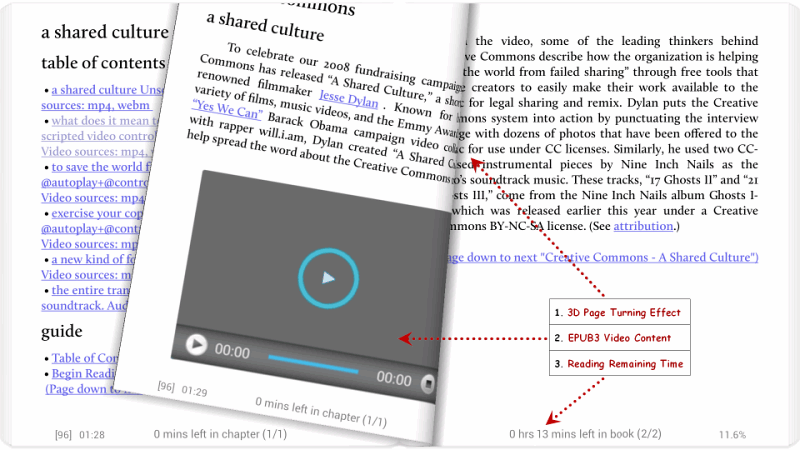
Spoken reading is the one that changes habits: text is read aloud, in Chinese as well as other languages, so a commute or a sink full of dishes becomes reading time and the hands stay free. Typography is handled with more care than a phone app usually bothers with — dozens of text encodings and the line-breaking rules of sixteen languages, which matters the moment you read something that is not English and the hyphens land in the wrong place. Typefaces: more than thirty built in, plus imported files for anyone with a favourite. Vertical layout, which older Chinese books and editions from Hong Kong and Taiwan expect. Instant switching between the two Chinese script variants, without a separate conversion tool. An offline dictionary that answers on a long press, so a foreign novel does not require leaving the page. And gesture mapping: taps, swipes and the volume keys can each be assigned, because hands differ.
Reading from a catalogue as well as from storage
Local files are the base case, but there is also a built-in catalogue spanning novels, newspapers and magazines in quantities that run into the hundreds of thousands, with paged search and keyword lookup, several downloads at once, and no account required. For readers who keep their own collection, the app speaks the standard catalogue protocol, so a personal library server running on a home computer can be reached from the phone wherever you are.
Free version, paid version
The free tier contains the parts that decide whether the app is usable: format support, chapter detection, spoken reading, imported typefaces, the catalogue. The paid version adds annotation and notes on fixed-layout documents, more theme colours, a richer statistics panel, and the removal of advertising.
About that advertising, honestly: it sits at the bottom of the settings and catalogue screens and does not interrupt a page you are reading. That is a lower standard than no advertising at all, and a much higher one than the apps that pause your book to sell you something.
Why it stays installed
This is not an app that wins by stacking features until the list looks impressive. It wins because each item on the list corresponds to a moment when a real reader was annoyed: a novel with no chapters, a book in the wrong format, a translated edition set vertically, a word that needed looking up at nine in the evening with no network. If you are still making do with the reader that shipped with the phone, the difference is not incremental.
The measure of a reading app is how little it makes you think about the app. Formats open, chapters are where they should be, the page holds its place, and the words are the only thing left on the screen.