
Bulk Rename Utility 4.1: free batch renaming for a home machine
Summary
Bulk Rename Utility 4.1.0.1 renames files and folders in batches on Windows, free for private home use while commercial machines need a paid licence; the installer ships both a 32-bit and a 64-bit build.
- Name
- Bulk Rename Utility
- Version
- 4.1.0.1
- Pricing
- Free
- Open source
- Proprietary
- Operating system
- Windows
- Updated
- 2026-10-06 22:20
Renaming files by hand is dull, attritional work. A few dozen photos, a hundred asset files, and you end up opening each one in turn, retyping a name, and quietly hoping you did not overwrite a neighbour along the way. The worst part is not the minutes lost but the drift: half the files end up following one convention and half another, so the folder never quite settles into an order you can trust. Bulk Rename Utility exists for precisely that job. Its own description is plain, file renaming software for Windows, and the tagline is plainer still: a free renaming tool for Windows that changes a whole batch in a single pass. The copyright line on the project reaches back to 2002, which says something about how long this particular wheel has been turning.
Changing a whole batch at once
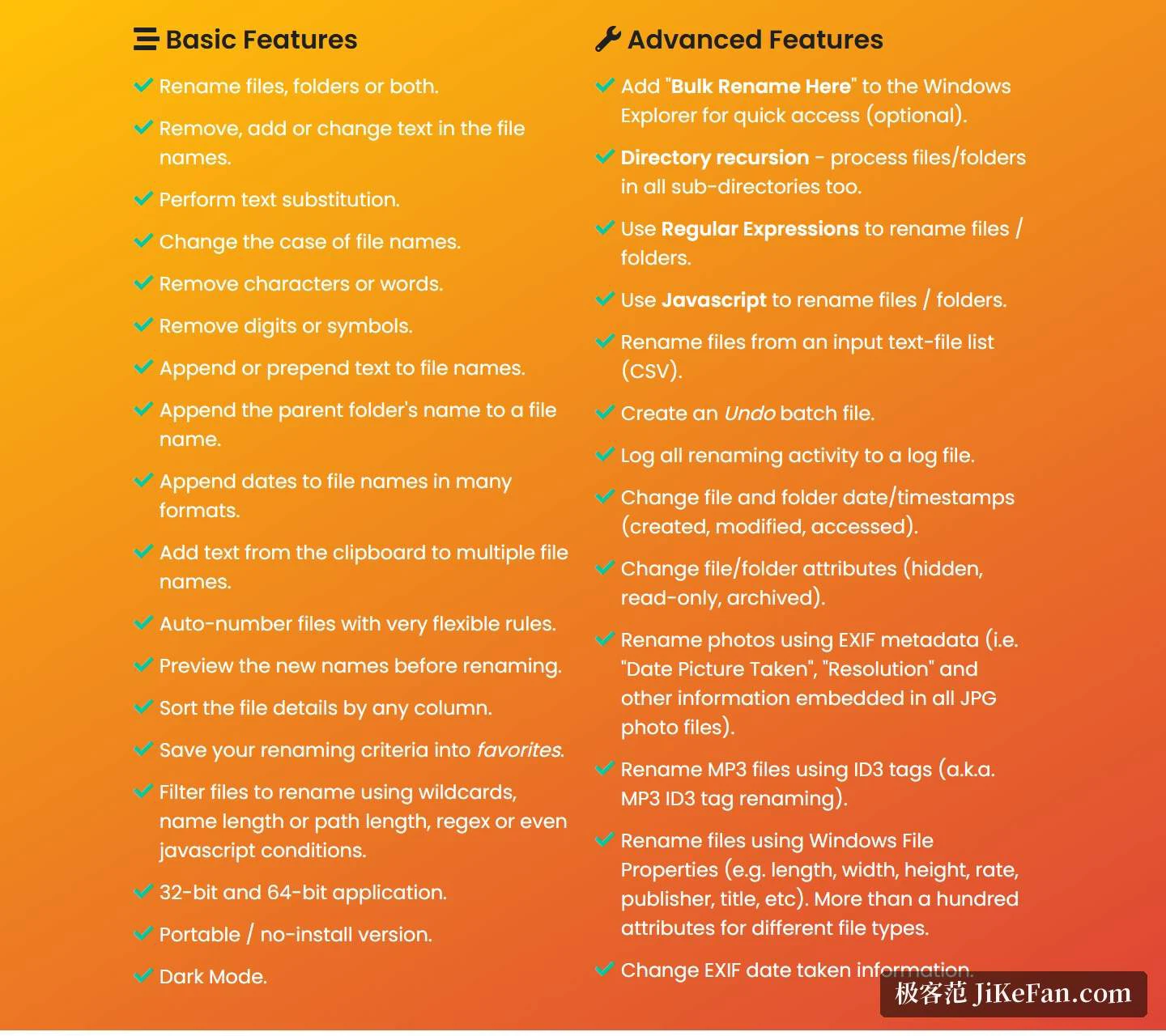
The basics cover the ground most people actually need. You can act on files only, on folders only, or on both at once. Text inside the name can be replaced, removed or inserted; letter case can be flipped in one move; characters, digits and symbols can be stripped away by rule. Prefixes and suffixes can be appended in bulk, the name of the parent folder can be spliced into the filename, dates in several formats can be spliced in as well, and automatic numbering comes with a set of rules flexible enough to cover padding, start values and step sizes.
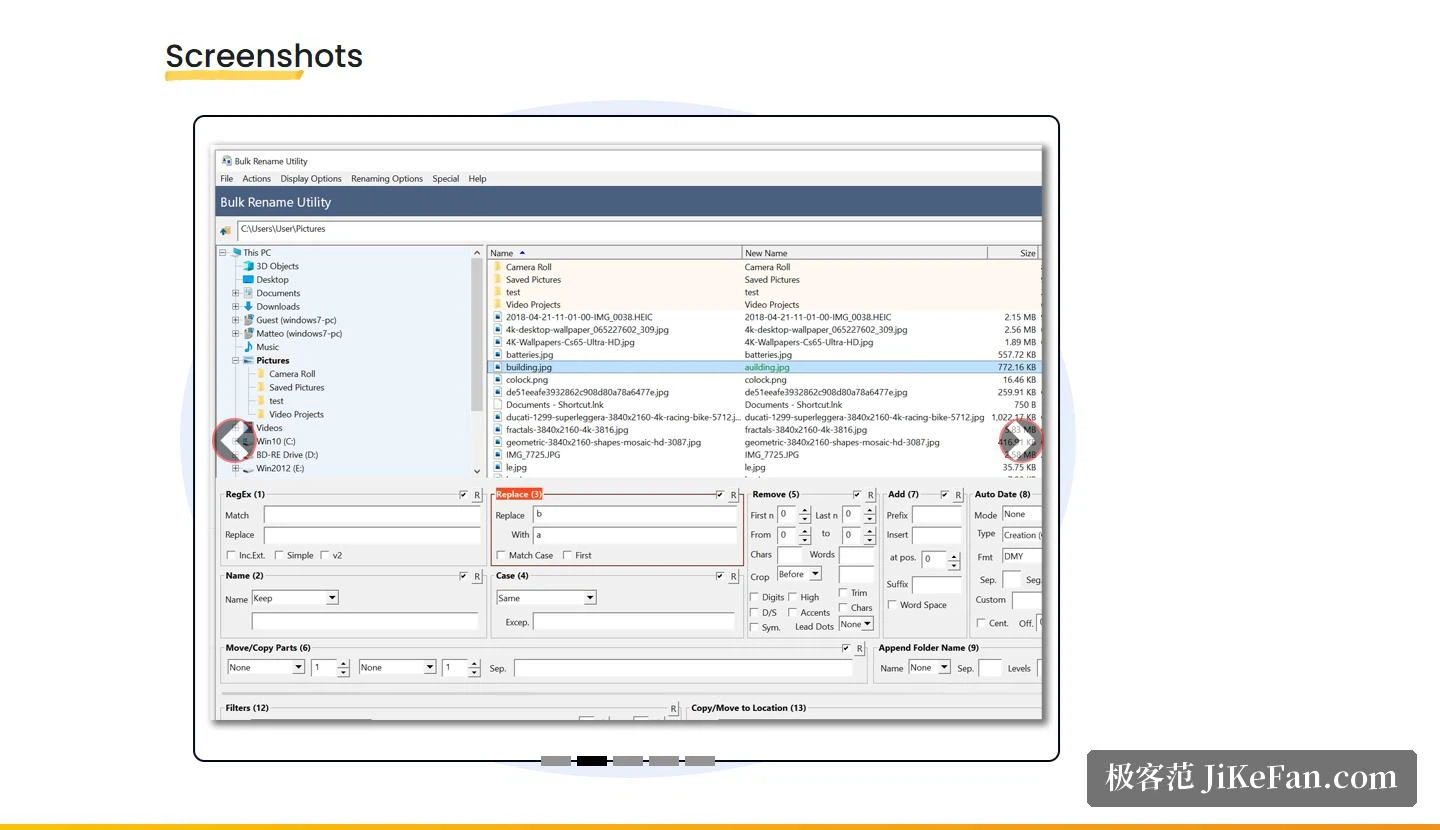
Nothing is committed until you have seen the outcome. The window previews the new names while you are still assembling the rule, the file list can be sorted by any column so that anomalies surface before you pull the trigger, and you only proceed once it looks right. Frequently used rule sets can be saved and recalled next time, which matters when a task comes round monthly rather than daily. When the pile needs narrowing first, you can filter by wildcard, by name length, by path length, or by a regular expression or a JavaScript condition, so that only the intended files enter the batch.
Beyond the basics: patterns, scripts, metadata
The advanced side is where this tool separates itself from the rename box in a file manager. Regular expressions can drive the rename directly, with capture groups doing the heavy lifting; JavaScript can carry the logic when a pattern alone will not express it. If the rules already live in a spreadsheet, a CSV list can be applied row by row, one target name per line. Mistakes have a way back, which is the part that makes the rest usable: the program writes an undo batch file you can run afterwards, and the whole session is written to a log so you can see what changed.
Media files get two dedicated routes. Photos can be renamed from EXIF metadata, picking up capture date, resolution and the other fields the camera recorded, which is how a camera dump becomes a dated archive. Audio files can be renamed from ID3 tags, so artist and title take the place of track numbers. A broader route reads Windows file properties, more than a hundred of them, covering length, width and height, bitrate, publisher and title, with the available fields shifting from one file type to the next. Timestamps on files and folders, along with attributes such as hidden, read-only and archive, can be adjusted in the same pass rather than in a second tool.
Version, compatibility, licensing
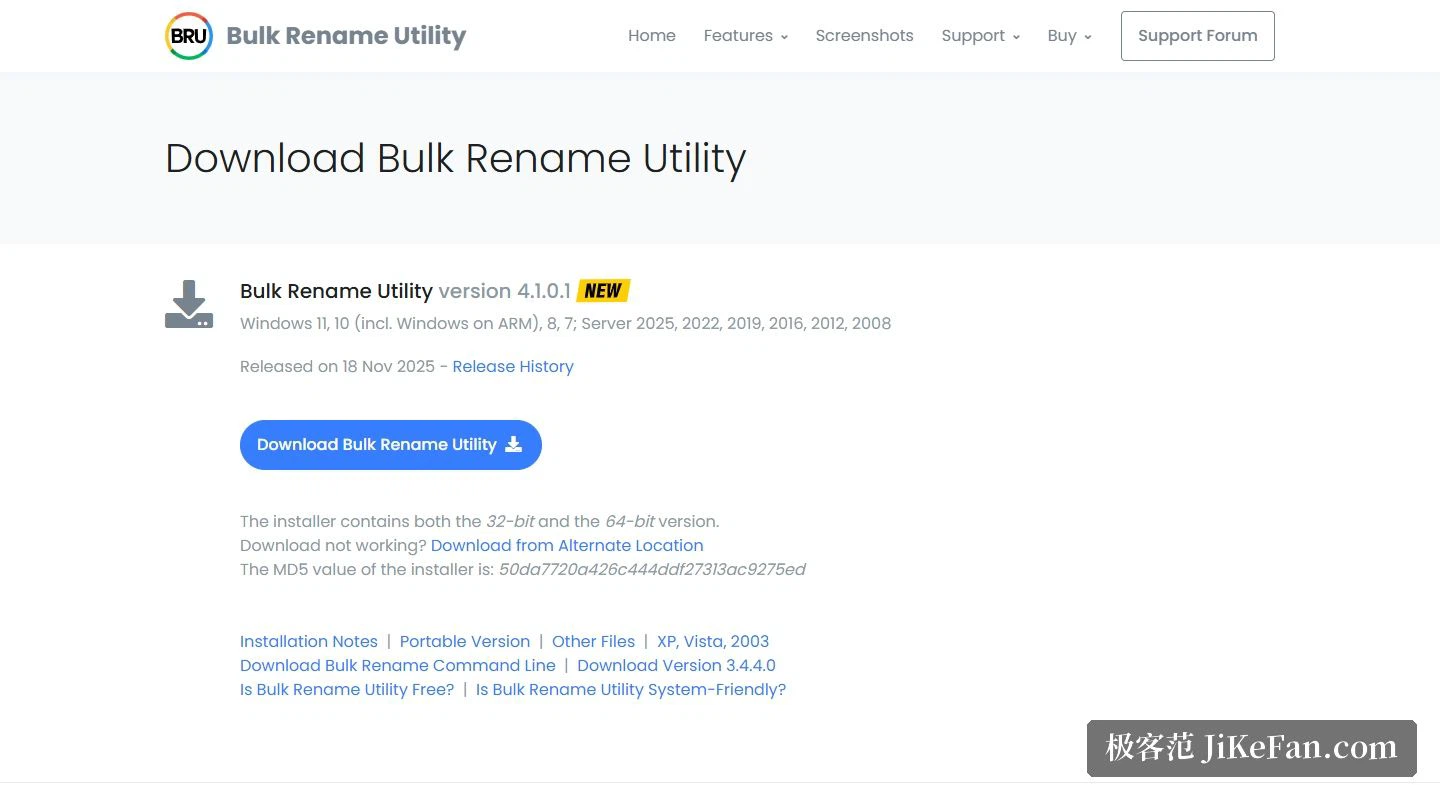
The current release is 4.1.0.1, dated 2025-11-18. The installer carries both a 32-bit and a 64-bit build, so an older machine and a current one can be served from the same download. If you would rather not install anything at all, a portable archive is offered separately and runs straight after unpacking, which suits locked-down machines where you have no install rights. A separate command-line companion is free as well and can be paired with scheduled tasks, so a nightly tidy-up needs no one sitting in front of the screen. Compatibility is stated generously: Windows 11, 10 including the ARM build, 8 and 7 are all listed, and the server editions run from 2025 back to 2008. Worth knowing before you plan a rollout: the final release that still supported the older XP, Vista and 2003 systems shipped only as a portable archive, with no installer at all.
The licence needs reading rather than skimming. Private use at home costs nothing. Put the program on a machine owned by a company, used in a commercial setting, or sitting in a government office, and a commercial licence is required for every machine that has it installed, not merely for the person who runs it. Schools and academic use sit in their own tier, and both the home and the academic licences unlock everything rather than holding features back. Two assistant panels are offered as well, the second of which can draft a JavaScript snippet or a regular expression with help from an AI when the syntax will not come. Dark mode, a right-click entry inside Explorer, and recursive handling of subfolders are all switches you turn on when the work calls for them.
The strength here is not a handsome interface. It is that renaming has been taken apart into small enough pieces: patterns, scripts, metadata, CSV lists, undo and logging are all present, and none of them feels bolted on. Home use is free, and anyone who regularly processes photo dumps or asset folders should keep a copy within reach.