
Advanced Renamer 4.25: batch renaming on Windows and macOS
Summary
Advanced Renamer 4.25 renames files and folders in batches on Windows and macOS, pulling name parts from photo EXIF, music ID3 tags and video properties; private use costs nothing.
- Name
- Advanced Renamer
- Version
- 4.25
- Pricing
- Free
- Open source
- Proprietary
- Operating system
- WindowsmacOS
- Website
- https://www.advancedrenamer.com/
- Updated
- 2026-10-06 20:38
Once photos, music and working files reach a certain volume, renaming stops being housekeeping and turns into manual labour. The job is always the same and never quite finishes: pull a date out of a picture, pull an artist out of a track, put both where a filename can carry them. Advanced Renamer is built around that chore. Its own definition is plain, a batch file renaming utility, with builds for both Windows and macOS, able to work on a whole set of files and folders in one pass. The copyright line on the project runs from 2001 through 2026, which is long enough for the tool to have grown beyond simple find-and-replace.
One batch, methods stacked on top of each other
A rename is assembled out of what the program calls methods rather than typed into a single box. The list covers new names and tags, case conversion, deleting or replacing segments, inserting text, moving a segment elsewhere in the name, renaming from a prepared list, trimming the filename, renumbering, swapping two parts, and writing the logic in JavaScript. Several methods can be stacked inside one batch, so a job that would otherwise take three passes finishes in one, and each method only touches what it was told to touch. Batch mode goes past renaming: it will also copy or move files to a new location and build the folder tree from information inside the files themselves. When the work has to happen on a schedule, a command-line batch runner takes over.
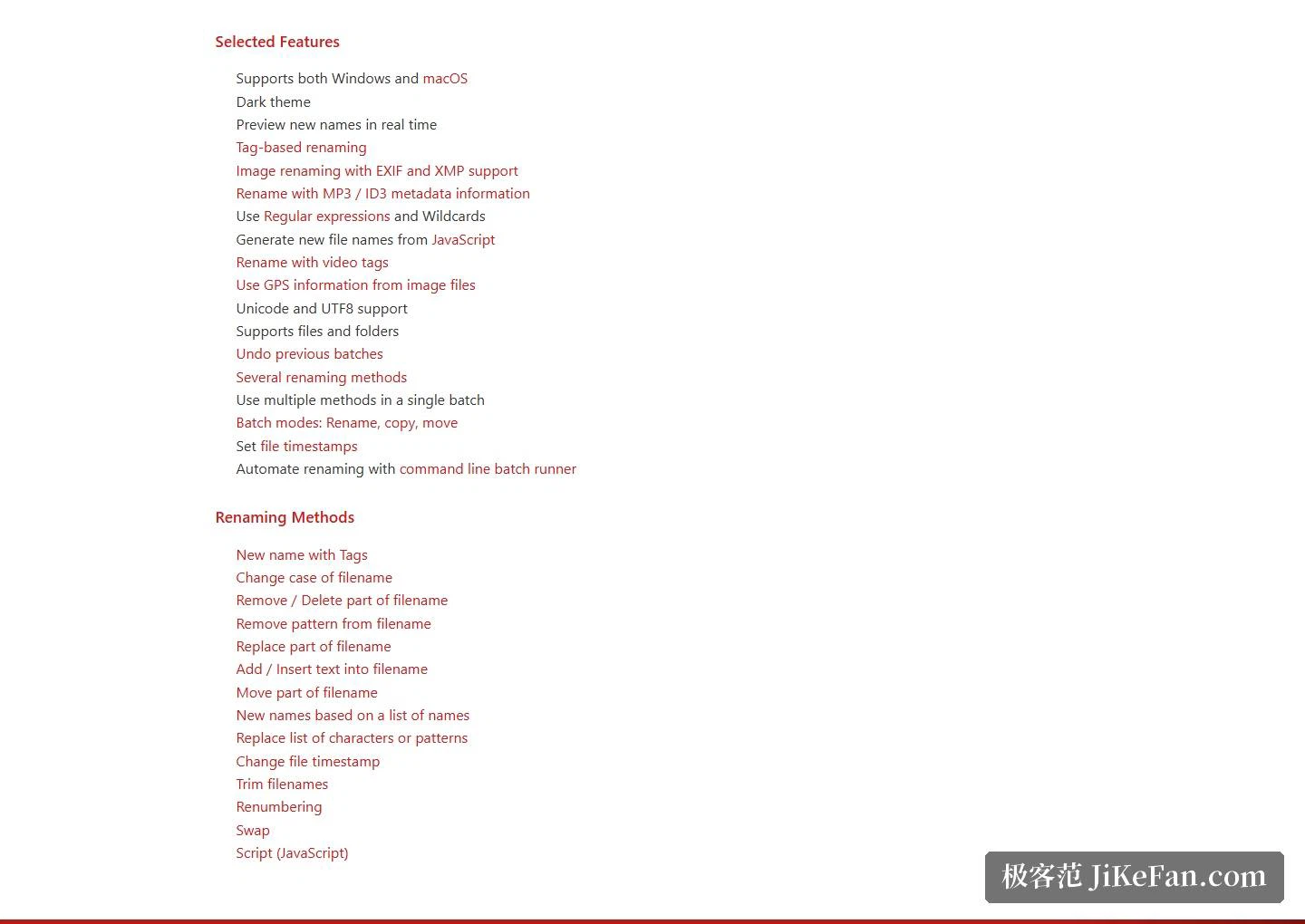
Nothing is committed before you have seen it. New names preview live while the method list is still being assembled, and the run happens only once the preview looks right. If it turns out wrong, the whole batch can be undone in one move rather than repaired file by file. A finished recipe can be saved as a preset for next time, or handed to somebody else so that two people end up with the same naming convention.
Sorting photos, music and video by their metadata
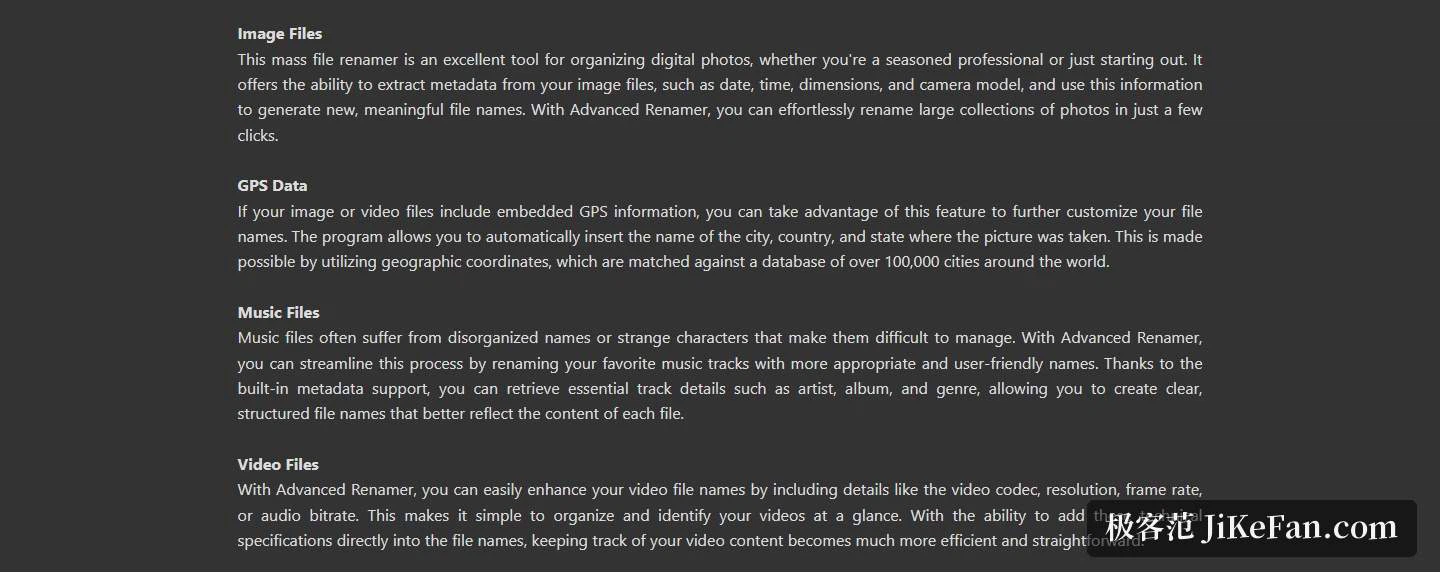
Images are read through EXIF and XMP. Capture date, time, dimensions and camera model can all be pulled out and spliced into the new filename, which is how a card dump becomes an archive that sorts itself. Where a photo carries GPS coordinates, the numbers can be turned into the city, country and state of the place it was taken; the comparison database behind that covers more than 100,000 cities.
Music files are read through ID3 tags, so artist, album and genre become building blocks for a filename that actually says something. Video files go the other way and let technical parameters into the name: codec, resolution, frame rate, audio bitrate. Beyond EXIF and ID3, the documentation also lists XMP, IPTC and other common metadata families, and the file types covered across images, video, audio and documents add up to well over a hundred.
The supported formats are grouped rather than listed flat. On the image side there is JPEG, PNG, TIFF, WebP, HEIC and the various camera RAW formats; video covers MP4, MKV, MOV and WebM; audio covers MP3, FLAC, M4A and OGG; documents reach PDF, DOCX, XLSX and EPUB. A further set of formats can only be read with the help of an external tool, which the program is honest about. A dark theme is offered as well, and preview, undo and presets together form a workflow that holds up under repeated use rather than only on the first try.
Two platforms, and the licence
The current release is 4.25, dated 2026-09-01. On Windows it asks for Windows 10 or newer and a 64-bit system only, with ARM machines running it through emulation; both an installer and a portable ZIP are offered. On the Mac side it asks for macOS 11 or newer and ships as two separate packages, one per chip family. The interface is translated into roughly thirty languages, Simplified and Traditional Chinese among them. Tag-based renaming is the core mechanism rather than a bonus, and regular expressions with wildcards, plus Unicode and UTF8 handling, come with it.
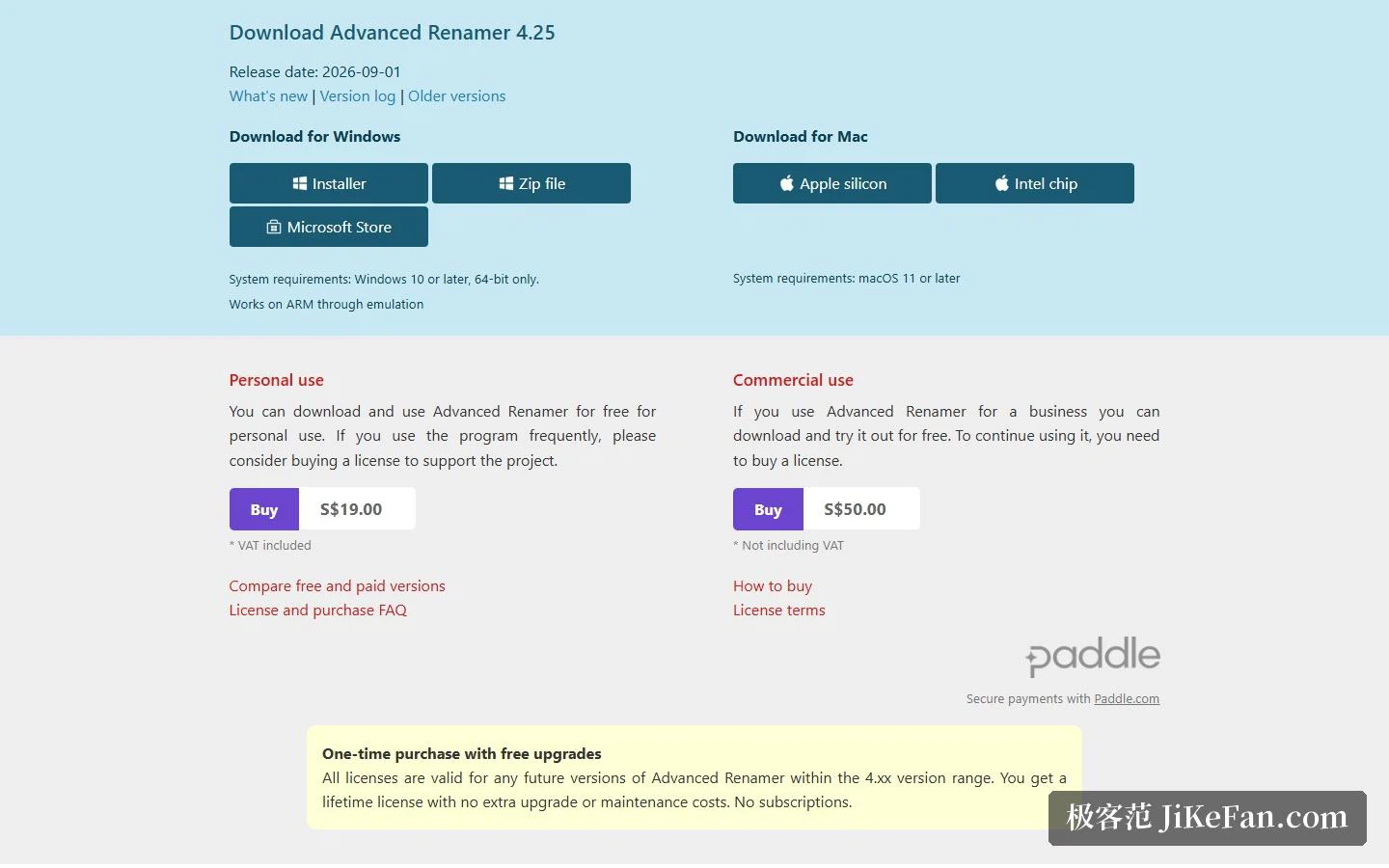
The licence is drawn fairly clearly. Private use is free; the project suggests that people who use it often buy a licence to support the work, and a personal licence is listed at 19 US dollars including tax. Professional use inside a company, or use by a non-profit, can be tried free first and then needs a licence counted by the number of users who can reach the software. The licence is bought once and stays valid for future releases within the 4.xx range, and the documentation states outright that there is no subscription and no extra maintenance fee.
What Advanced Renamer does is take renaming apart into a set of stackable methods and then feed metadata in as raw material: EXIF and GPS for photos, ID3 for music, codec parameters for video. It runs on both Windows and macOS, private use is free, and for sorting a pile of working files it is remarkably quick to reach for.