
Bulk Crap Uninstaller 6.3: ten sources of software, one removal queue
Summary
It hunts down software that other uninstallers never list, from portable programs to packages and store apps, then removes any number of them in one batch. The licence asks nothing, not even for company use.
Recommend- Name
- Bulk Crap Uninstaller
- Version
- 6.3
- Pricing
- Free
- Open source
- Open source
- Operating system
- Windows
- Website
- https://www.bcuninstaller.com/
- Updated
- 2026-10-05 22:28
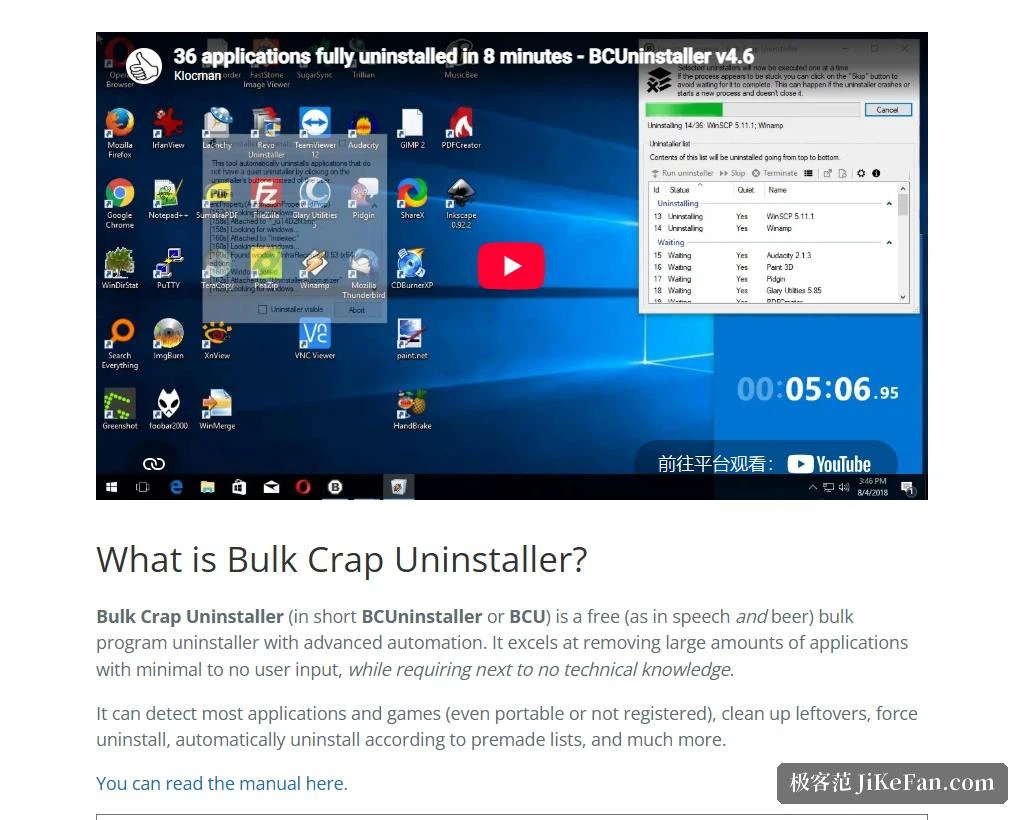
In system maintenance there is one chore that eats time like nothing else: removing a dozen or several dozen applications at once. Click uninstall, watch a progress bar, click next in a dialog, over and over. This tool is built for exactly that, and its own description calls it a free batch program uninstaller with advanced automation, good at removing large numbers of applications with almost no input from the user. It is run as an open-source project under a permissive licence, and the page states plainly that it may be used free of charge in private and in commercial settings alike, with no obligation attached. The repository has passed twenty thousand stars, and the current version is 6.3.
Ten sources, handled alike
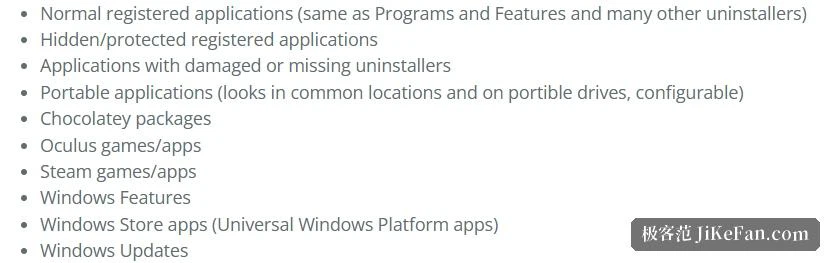
The first hurdle for an uninstaller is never removal but finding everything. The page lists the detectable range clearly: ordinary registered applications, the ones visible in the control panel; registered applications that are hidden or protected; applications whose uninstaller is broken or simply missing; portable applications, looked for in common places and on removable drives, with configurable paths; packages installed by a command-line package manager; games and applications from a virtual-reality store; games and applications from a game distribution service; system features; store applications, meaning those built on the universal platform; and system updates. The vendor stresses that applications from all these channels are treated identically inside the program, all of them filterable, exportable and removable automatically, with no different treatment for store apps or for games.
What matters in that list is coverage. Most uninstallers handle only the programs registered in the registry, while portable software, packages pulled in by a package manager and games inside a launcher often appear nowhere on that list, so they pile up until the only way left is to go through folders by hand. Bringing those categories into the scan puts the invisible software on the table.
Call the built-in uninstaller first, not delete files
The usual trap in automated removal is speed at the cost of correctness, namely deleting files and registry entries directly. That looks clean and in fact leaves context-menu entries, services or scheduled tasks that were never deregistered. The page says of its own approach that it always prefers to call the uninstaller an application brings, to avoid the problems that blind file deletion in the name of automation creates.
On that foundation the batch and automation work is broken into concrete abilities: any number of applications in a single batch; almost no input required during removal; several entries handled at once for speed, with conflict avoidance; a console interface that removes by condition with nobody present; a quiet path for installers that never supported unattended removal; handling for applications that have no uninstaller at all; and removal located by window, shortcut or directory. That last one is especially useful, because when a piece of software has left nothing but a shortcut in the start menu and cannot be found in the registry, dragging the shortcut in is enough.
What 6.3 changed
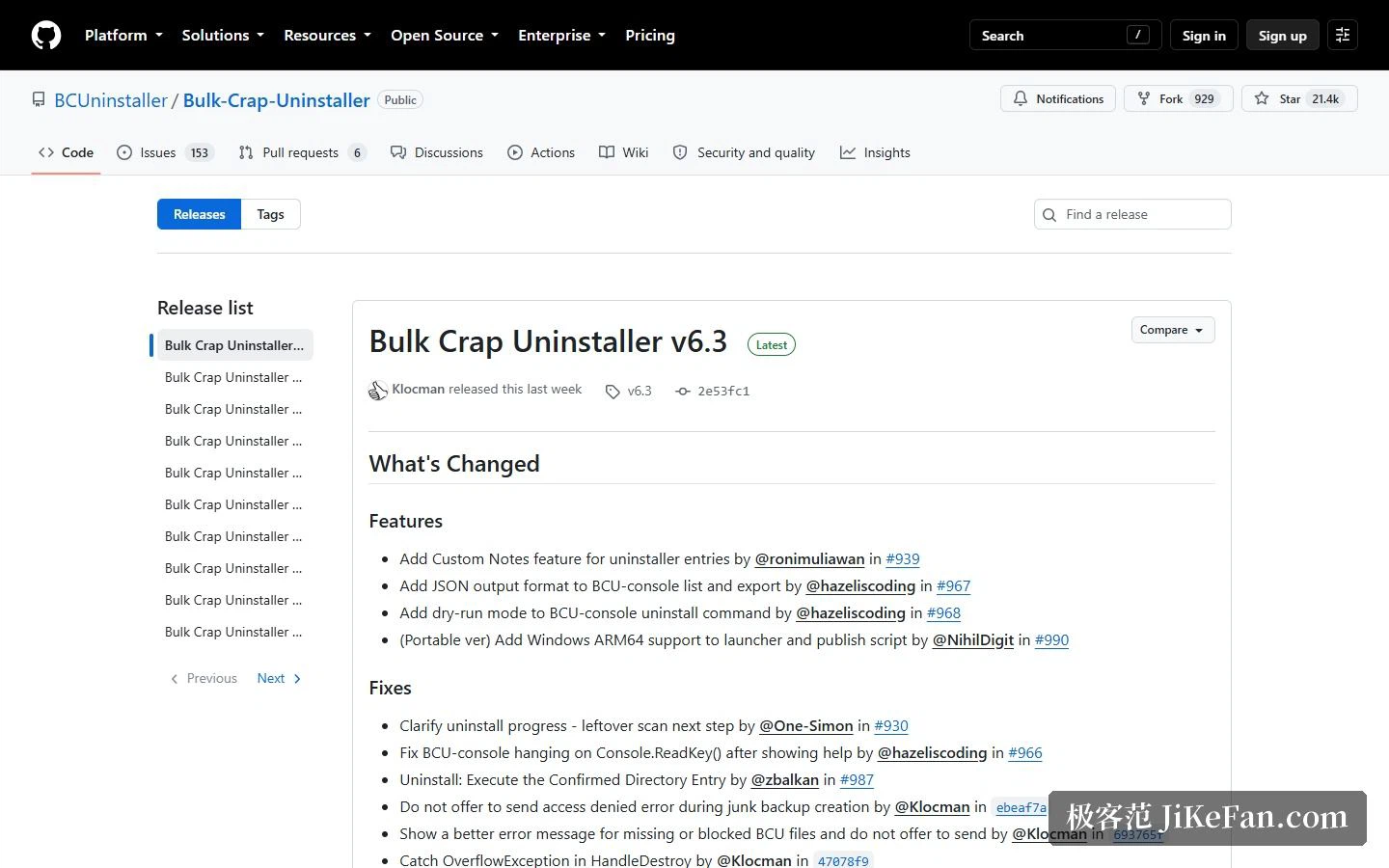
Four items on the feature side: custom notes on uninstaller entries; JSON output for the console list and export commands; a dry-run mode for the console removal command; and Windows on ARM64 support in the portable installer and release scripts. The first three all strengthen the same thread, since notes make a large list easier to mark up, JSON lets scan results feed other scripts, and a rehearsal shows what a batch will do before it happens.
The fixes are equally practical: a clearer progress prompt that names the leftover scan as the next step; a console that no longer hangs waiting for a key press after showing help; corrected execution logic for directory entries; and hardening of several error messages and exception handlers. On languages this release refreshed the Simplified Chinese translation and added Ukrainian.
A low bar, and fully portable
The requirements are described generously, in the vendor's own words roughly that if a machine boots this will probably run. Specifically, Windows Vista or newer is recommended, XP and Server 2003 work with reduced features and possible defects, 32-bit and 64-bit are both supported; .NET 4.0 or newer is advised, with 3.5 running in reduced form; about 300 MB of memory should be free; more than 50 MB of disk space; and the processor hardly matters, though a mechanical drive makes scanning noticeably slower.
Another trait is easily overlooked: it is fully portable, with settings kept in a single file. Copy the whole directory onto a memory stick, configure it on one machine, and it opens on the next with the same configuration, with no reinstallation and no readjusting. For anyone repeating the same operation across several machines, that is worth more than a few extra features.
Where it fits
The classic case is a new machine, where a manufacturer's preinstalled games, trial software and toolbars often number in the dozens, and removing them one at a time costs an afternoon while a batch takes one round of ticking boxes. Next is an inventory before reinstalling the system, scanning everything installed and exporting the list before deciding what to keep. Third are development and test machines, where runtimes, development kits and debugging tools accumulate quickly and memory alone cannot keep up, so conditional removal from the console can become a scheduled job.
One thing should be said clearly: it does not try to replace the system's own removal feature, it turns removal from one at a time into one batch at a time and finds the software that could not be found. The permissive licence, free for commercial use with no obligation, also means no licensing worry inside a company. As for the cost, the vendor admits that scan speed depends on the drive, and a mechanical disk makes it slower, which is worth expecting before a full scan on an old machine.
Batch removal is not really about saving clicks. It is about admitting that a machine accumulates software faster than anyone can track it, and then giving that accumulation a list, a filter and a way to export it. The value lies less in the removing than in finally seeing what is on the machine.