
BilldDesk Remote Desktop Takes Control Into the Browser
Summary
Remote control that runs on the browser as well as on the desktop, built on WebRTC. Share a screen, move files, operate the other machine and talk a colleague through a problem, with the connection encrypted and no client to install on the visiting side.
Recommend- Name
- BilldDesk Remote Desktop
- Version
- 20260422
- Pricing
- Free
- Open source
- Open source
- Operating system
- WindowsmacOSWebAndroid
- Website
- https://desk.hsslive.cn/
- Updated
- 2026-10-14 22:00
The friction is usually the installation
Remote support keeps failing at the same place. The person who needs help is the person least able to install software: they may not have the rights, they may not trust the download, and they may be describing the problem over the phone while unable to see their own screen clearly. Any tool that begins with a setup step has already lost part of the audience. BilldDesk starts from the other end, using a browser-based connection built on WebRTC, so the visiting side can arrive without preparing anything first.
WebRTC as the foundation, not a footnote
WebRTC is the set of protocols browsers already use for real time audio and video. Building on it means the media path is the one browsers were designed to negotiate, and it means a browser tab can be a full participant rather than a viewer of a stream produced elsewhere. For remote desktop work that matters, because latency is the difference between an interface that feels usable and one that feels like watching someone else work through a window. The same foundation carries the input events in the other direction, which is what turns a shared picture into a controlled machine.
What the session actually contains
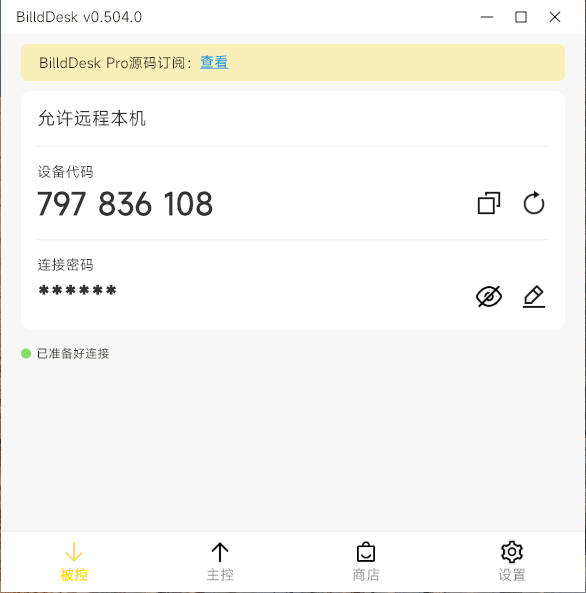
Inside a session the pieces are the ones the job requires. The screen is shared, so the person on the other side sees the same thing rather than a description of it. Files move in both directions, which removes the detour through messaging applications and cloud folders. The remote machine can be operated directly, so an application can be opened, a setting found and a problem reproduced instead of explained. And because it is a conversation as much as a connection, the collaboration happens while the work is happening.
Encryption as a default, not an option
A remote desktop tool carries everything: documents, messages, credentials typed into forms, whatever happens to be open. That makes transport security the first requirement rather than a feature to list later. BilldDesk encrypts the connection so that the traffic is not readable in transit, which is the baseline anyone should expect before allowing a stranger or a colleague to see their screen. It is worth being clear that this is table stakes, not a differentiator: a remote tool without it would not be worth discussing.
Reaching the other machine from wherever you are
The applications exist for Windows and macOS, there is a browser route that needs no installation, and there is an Android client for the case where the person holding the problem is on a phone or a tablet. That spread matches how support actually happens. The person asking for help is often not at a desk. The person giving it usually is, but may be on a different operating system entirely. Being able to meet in the middle without a conversion step is most of the value.
Three situations it was built for
Working away from the office is the first. Someone needs a file that lives on the machine at home, or needs to run something that only exists there, and a remote session is faster than any arrangement involving copies. Technical support is the second and the one that benefits most from the browser entry point, because the person being helped does not have to install anything to be helped. Teaching is the third: an instructor can show a procedure on a real screen, watch the student repeat it, and correct the step that went wrong, which is a different activity from presenting slides.
Open source, and what that changes
The project is open source, which for a tool of this kind answers a question users should be asking. A remote desktop application asks for the most intimate access a program can request, and being able to inspect how the connection is established is a reasonable thing to want. It also means the tool can be run for an organisation that prefers to host its own infrastructure rather than route sessions through someone else's servers.
Where it fits and where it does not
It suits teams that need occasional remote help, individuals who administer a machine they are not sitting in front of, and support staff who spend part of the day walking people through problems. It is not a managed fleet tool with inventory and policy, and it does not claim to be one. For the everyday case, the one that arrives without warning and needs to be solved in ten minutes, the short path from a link to a working session is the whole argument.
What to check before relying on it
Anyone adopting a remote tool should confirm three things for themselves: that the encryption covers what they assume it covers, that permissions are explicit enough that nobody gains control by accident, and that the session ends cleanly when either side closes it. Those are the questions that matter more than a feature list, and they are the ones a tool of this shape has to answer well to be trusted with a screen.