
Thirteen apps under one launcher: ArtCraft rewrites the creative toolkit in pure Rust
Summary
Crafting Apps from ArtCraft is thirteen native applications written in pure Rust, covering photo editing, video, layout, spreadsheets and CAD, all open source, all running locally, installed and updated from a single launcher.
Recommend- Name
- ArtCraft
- Version
- 0.11.1
- Pricing
- Free
- Open source
- Open source
- Operating system
- WindowsmacOSLinux
- Website
- https://getartcraft.com
- Updated
- 2026-11-01 11:28
One launcher, thirteen applications, all of them written in Rust, and they go to work on your own machine the moment they are installed.
A suite that holds thirteen jobs
Two things sit under the name ArtCraft: a studio for AI images and video, and a set of native applications called Crafting Apps. The second is the interesting part. Thirteen separate programs, one each for image editing, vector illustration, video cutting, photo library work with RAW development, PDF handling, motion graphics and effects, page layout, interface design and prototyping, word processing, digital audio, presentations, computer aided drafting, and spreadsheets with data analysis.
Thirteen programs with thirteen repositories, thirteen installers and thirteen version numbers sounds scattered, and the vendor gives the whole thing one entrance to hold it together: ArtCraft Launcher.
The launcher is where the convenience lives
What the launcher does is plain. It lists all thirteen with the current version, whether a newer one exists and whether it is installed, in one pass. Installation is a single click, and it works out for itself which package your system and processor type need. New versions raise a notification. Before installing it checks a SHA-256 hash, so the file you get is the file that was published.
The interface ships with Simplified Chinese and switches across eleven languages including English, French, German, Japanese and Korean. For a set of tools spread over thirteen repositories, that console decides whether you stay far more than any single application does: nobody wants to visit thirteen pages every month to see what has been updated.
Pure Rust, without a browser shell
The vendor reduces the approach to four words: open source, native, familiar workflows, local files. Native gets the heaviest emphasis, meaning real desktop programs rather than a web page wrapped in Electron or a WebView. Binaries that Rust compiles are small, sit lightly in memory and start quickly, which is noticeable in software that stays open for hours chewing through material.
The other half is the browser. Twelve of the thirteen compile to WebAssembly and run directly in a tab; only the video editor has no web version. When a file has to be handled on somebody else's computer and nothing can be installed there, that route is enough.
What the thirteen do
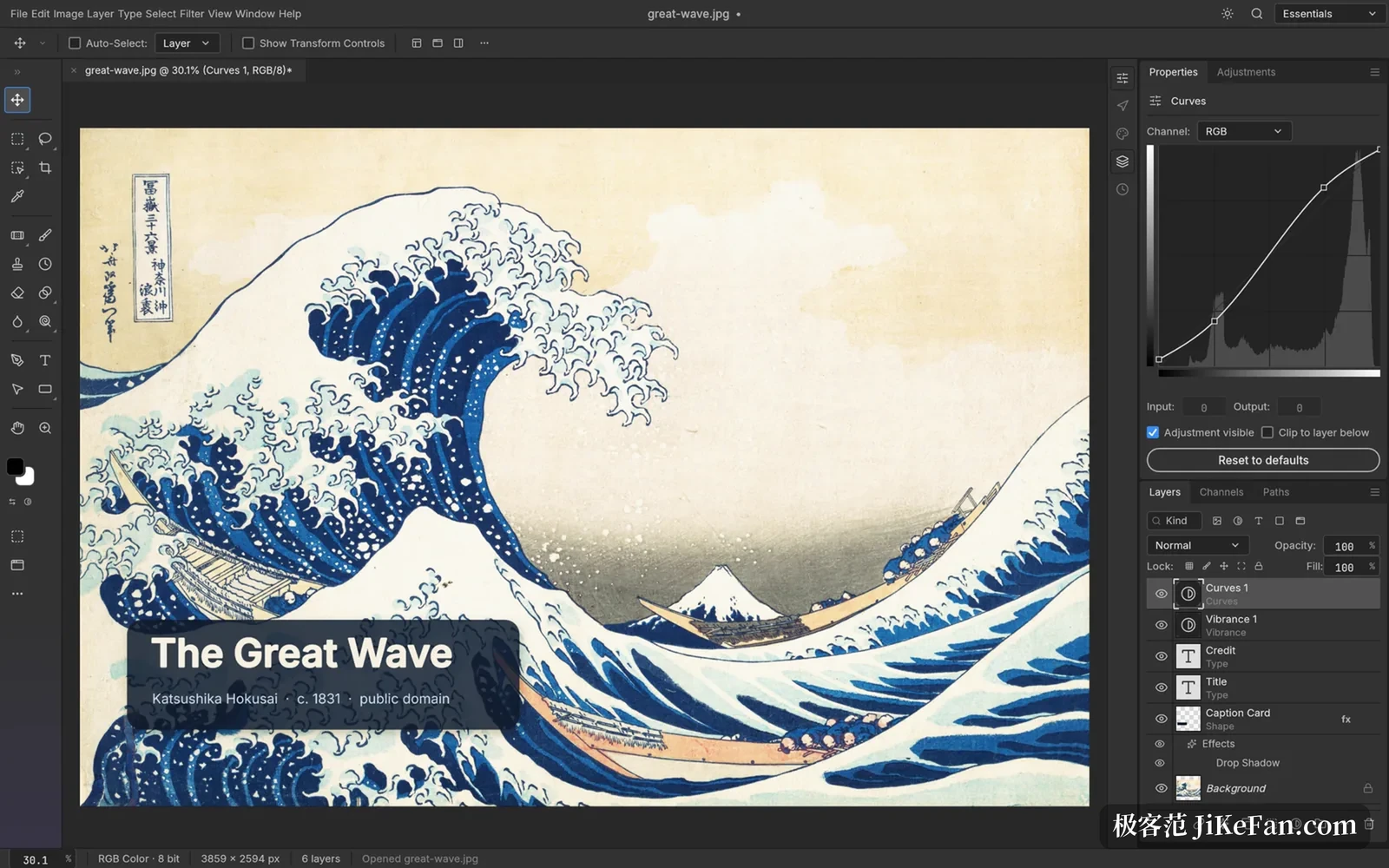
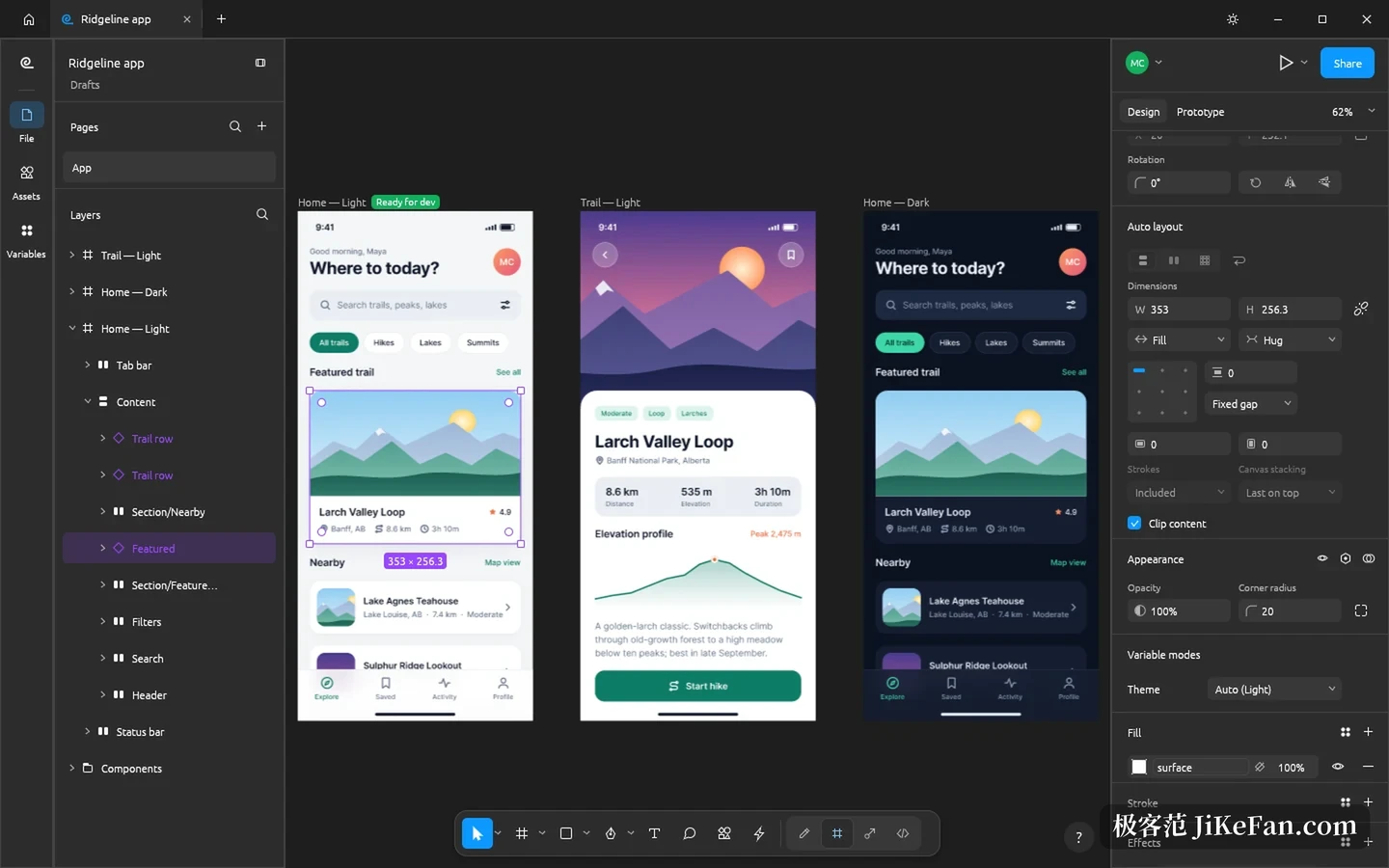
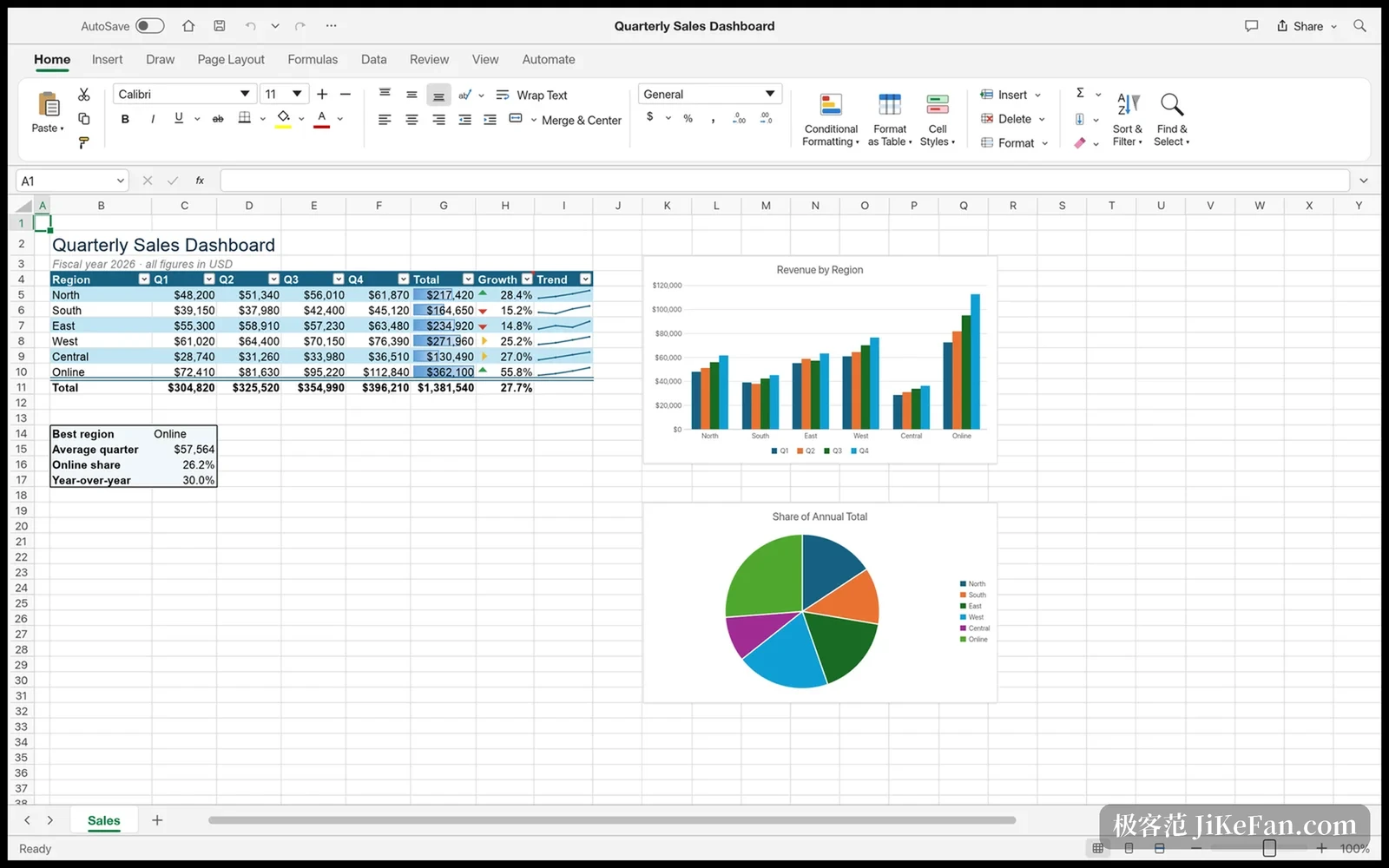
PhotoCraft handles layered image editing, with layers, masks, adjustments and smart objects arriving piece by piece. VectorCraft draws vector illustration, working with paths, anchor points and SVG exchange. FilmCraft cuts video on a timeline and is the one without a web build. LightCraft manages a photo library and develops RAW files. PdfCraft reads, merges, splits, reorders and encrypts PDFs. EffectCraft makes motion graphics and visual effects. DesignCraft sets pages and builds publications. FigCraft designs interfaces and prototypes, with components and automatic layout. WordCraft processes text, reads and writes DOCX, and exports PDF. SoundCraft is a digital audio workstation with multi-track recording, MIDI and mixing. DeckCraft builds presentations and reads and writes PPTX. CADCraft does computer aided design and drafting and supports DXF. GridCraft works with spreadsheets and data analysis, reading and writing XLSX.
Files stay on your own machine
The whole set runs locally and reads and writes files on your own disk. Nothing passes through a cloud relay and no account is needed. For anyone handling sensitive material, or simply unwilling to send work files to somebody else's server, that single point carries the pitch.
There is also a less common trait: every application can be driven through a command line, a JSON control channel and an MCP server. A script or an AI assistant can call them for batch work without opening an interface and walking through menus with a mouse. Creative software willing to open its control surface that far is rare.
Open source, and still young
All thirteen are open source, with repositories under Apache-2.0 or MIT, so the code can be read, changed and built. Use is free and needs no account.
The honest part: most of this is early. Image editing, PDF handling and interface design are marked early alpha, and the other ten say in development. On the project's own roadmap, the item called genuinely usable for work stands at a bit over forty percent, while feature breadth is past seventy; the shortfall sits in stability and format compatibility, where complex files open but operations stutter and some professional formats do not yet survive a round trip.
So its place right now is closer to a direction worth watching than to a workflow you move over tomorrow. Installers exist for all of them, they run, and they finish part of a real job. That is the actual water level today.
Thirteen applications, one launcher, one set of local files: ArtCraft breaks the idea of a single team building a whole creative toolkit into pieces you can inspect one at a time. It is nowhere near replacing the software currently on your machine, but the direction is stated plainly, native, open and with the files kept by their owner. Anyone willing to wait can install it now and watch it grow.