
Editing, scoring and writing all moved: what changed in the November Apple Creator Studio update
Summary
The November update to Apple Creator Studio builds MotionVFX into Final Cut Pro, gives Logic Pro a new look and a rebuilt browser, and adds AI assistants plus MCP support to Keynote, Pages and Numbers.
Recommend- Name
- Apple Creator Studio
- Version
- 20261101
- Pricing
- Paid
- Open source
- Proprietary
- Operating system
- macOSiPadOS
- Updated
- 2026-11-01 15:51
The November update to Apple Creator Studio is not a single button and out the door. Editing, scoring and document writing all moved in the same release. Some of it brings resources that used to cost extra inside the tent; some of it opens the door to external AI agents.
First, what the thing actually is
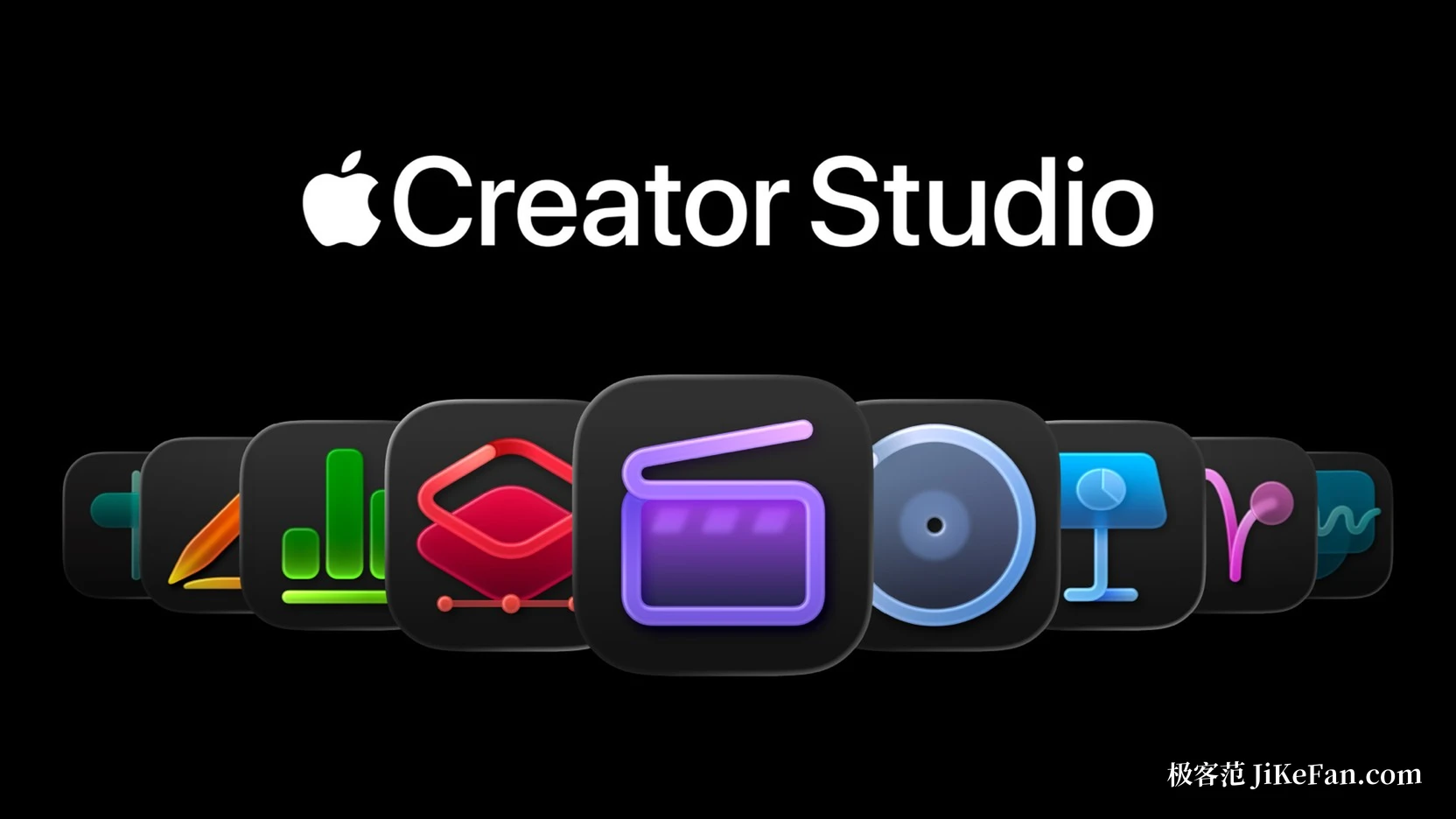
Apple Creator Studio is not one application but a subscription collection of creation tools. On the video side sit Final Cut Pro, Motion and Compressor; audio brings Logic Pro and MainStage; images get Pixelmator Pro; and below that are Keynote, Pages and Numbers, the office trio, along with Freeform. One subscription covers all of them and family sharing applies.
The November release is officially a free update, pushed through the App Store to existing subscribers at no extra charge. The changes gather in three places: where the effects in the edit bay come from, how the music workstation is operated, and how the office trio connects to tools outside Apple.
Editing: effects resources moved into the cutting room
MotionVFX used to be third-party content, obtained separately and then called up one item at a time back inside the editor. Now it is integrated directly into Final Cut Pro, where thousands of elements can be pulled up: themed templates, graphics, title lettering and transitions, along with the more technical tools such as rotoscoping, tracking and colour grading.
The content library is wired in as well. When a clip needs something underneath it, stock video, photographs and backgrounds curated by Apple can be taken without leaving the timeline. The step across applications is open too: any image on the timeline can go straight into Pixelmator Pro for a change and is saved back into the project automatically, with no export and reimport.
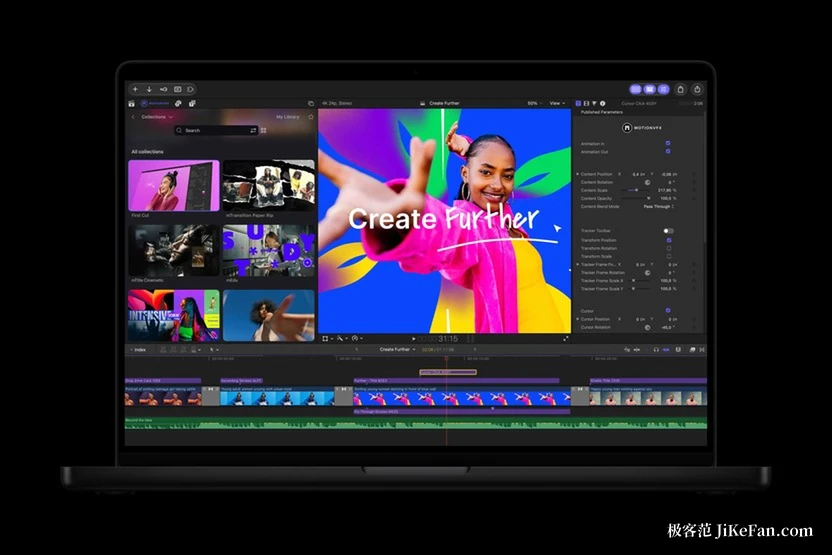
Two details were added that shape the feel of cutting more than they sound. Keyframes have more adjustment options, so animation curves can be squeezed finer. And a clip can be disconnected from the primary storyline and placed anywhere on the timeline, instead of being coerced into position with gaps and layers.
Scoring: the interface changed, and so did finding a sound
Logic Pro on Mac and iPad takes on the Liquid Glass look: translucent panels, higher contrast, waveforms and tracks that stand further forward. What really affects the working day is the browser, where loops, instruments and patches used to be scattered and are now consolidated in one place.
Consolidation also brought a layer of ability. With audio analysis running on the device, Logic Pro tags the sounds you add by itself, so a description such as warm bass can be searched directly, or a loop can be dragged in and the software suggests other sounds that fit. The stem splitter can now isolate drum parts on its own, so drums can be replaced or rebalanced even without separate tracks in hand. A producer pack from the Grammy winner Sergio George arrives with it, holding piano sounds plus Latin jazz and salsa loops.
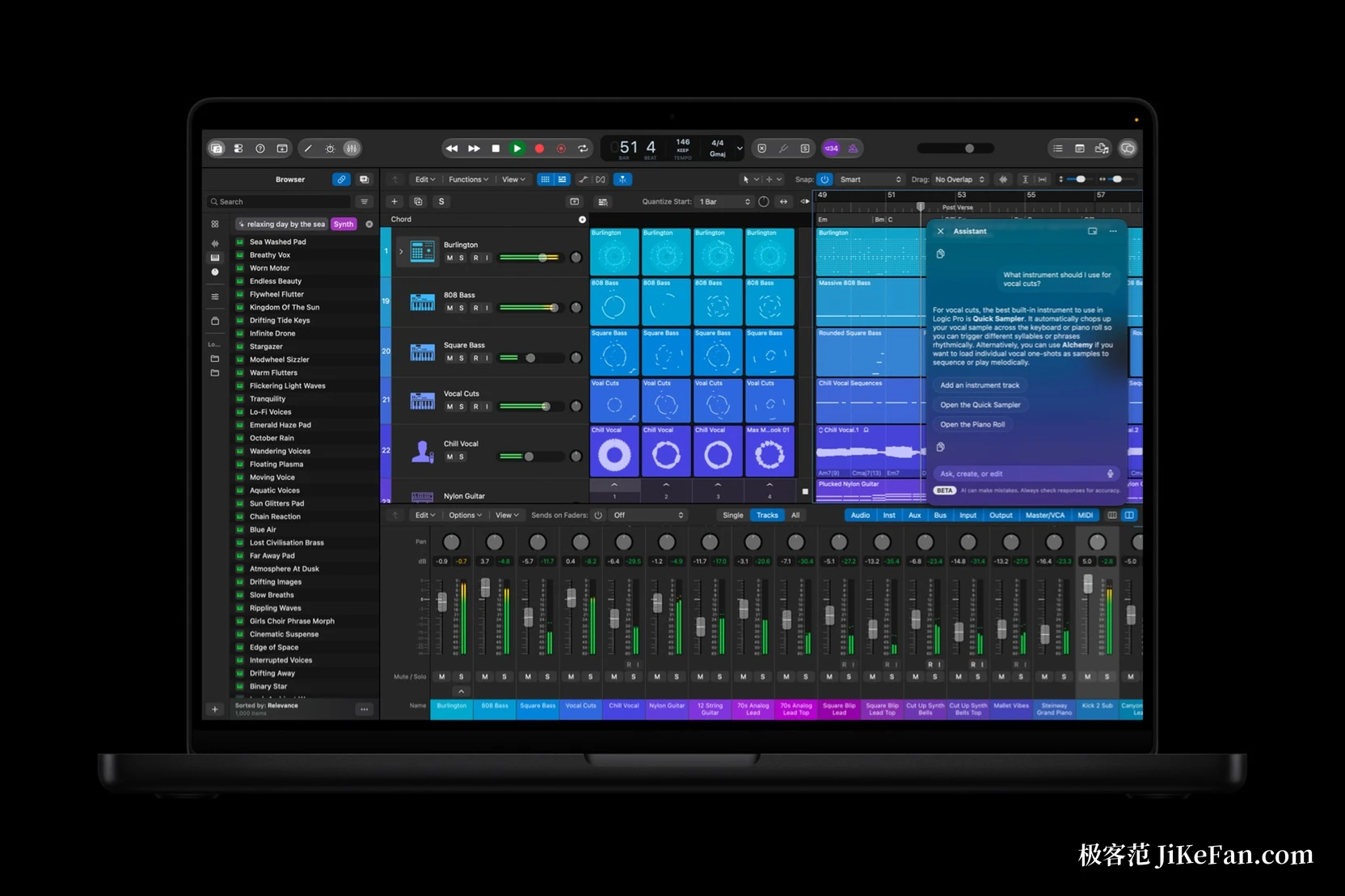
An assistant panel sits on the right of the interface and takes conversation as a way to build tracks, open projects and try arrangement ideas. According to what has been published so far, features of this kind ship as a beta, come with requirements on device and system version, and are not yet available in every language.
Documents: the office trio reaches external AI for the first time
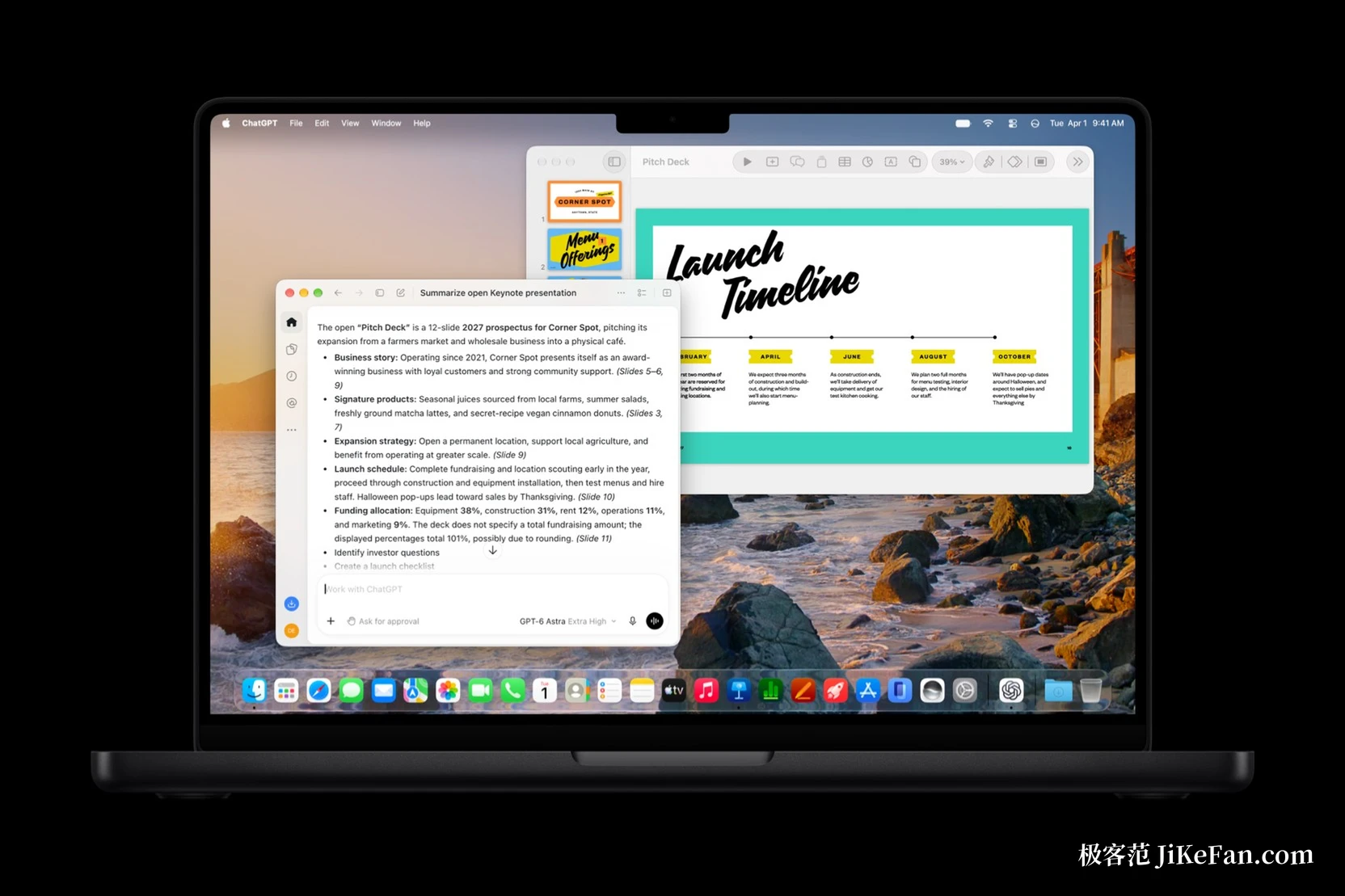
Keynote, Pages and Numbers each gain an AI assistant beta, and the division of labour is clear. The presentation app helps lay out slides, add animation and reword text. The writing app drafts, restructures paragraphs and polishes sentences. The spreadsheet app counts and tidies, and also suggests chart types with a preview of the result.
MCP matters more than the assistants. The three applications begin to support the Model Context Protocol, which lets external AI agents and tools read document content, perform edits and run automation directly, without shuttling text back and forth through a chat window. The prerequisite is a new enough system: this needs macOS 27 or later, and on the first day only the Mac can do it.
A door opened on the format side as well. Keynote adds the Keynote Interchange Format, an open package format based on JSON that external tools, developer pipelines and AI agents can read. For anyone building automation, a presentation stops being a black box that only a human can edit by hand. All three applications also pick up stock video in their content libraries, and templates and themes were refreshed.
What it costs, and what it demands
A subscription is 38 yuan a month or 380 yuan a year, with a free month for new subscribers; university students and staff pay 18 yuan a month or 180 yuan a year. Buying outright is the other route: Final Cut Pro at 1998 yuan, Logic Pro at 1298 yuan, and Pixelmator Pro, Motion and Compressor at 328 yuan each. There are extra thresholds on top. MCP needs macOS 27 or newer, and the intelligent features need a device that supports Apple Intelligence, currently in beta.
Who should care about this update
Anyone already subscribed has nothing to weigh up: after updating there is visibly more to use, especially the effects resources that used to be a separate purchase. For people who package with Final Cut Pro, or who have long been worn down by the loop of find material, install a plug-in, come back and cut, this release saves time in the most direct way.
Anyone still watching should settle two things. The first is the long-term cost of a subscription, because if only one or two of the applications gets used, buying those outright may work out better. The second is the threshold on the new abilities, since MCP and the assistants both sit on the newest system version and hardware, and an older device will miss exactly the part that matters most.
There is no showing off in this update. It does three practical things: it moves external resources into the cutting room, gathers scattered sounds into one browser, and hands read and write access on office documents to outside AI. Whether this collection is worth paying for continuously is a separate question, but after November the walls between Apple's creation tools are genuinely a little thinner than they were.