
Glary Utilities 6.49: empty folder scanning and startup handling get a tune-up
Version 6.49.0.53
Summary
Glary Utilities 6.49 rearranges the uninstall manager, lifts empty folder detection accuracy by 5 percent and steadies the startup algorithm, while the twenty-odd Windows maintenance tools still run in one pass.
Recommend- Name
- Glary Utilities
- Version
- 6.49.0.53
- Open source
- Proprietary
- Operating system
- Windows
- Website
- https://www.glarysoft.com
- Updated
- 2026-11-01 11:26
A Windows maintenance suite with more than twenty tools inside, running from junk cleanup and registry repair to the management of what starts with the system, and all of it crammed into one window.
Glary Utilities is a software with history. Glarysoft has been at this for 19 years, and the product does not behave like something that gets renamed every other year and told a new story. It behaves like a frame that keeps receiving parts. Version 6.49, pushed out on October 19, 2026 and numbered 6.49.0.53, follows that pattern: no fanfare about new features, just another round of detail work on three old modules.
Only three places changed in 6.49
The official changelog is restrained, four lines in total. The uninstall manager has a rearranged interface layout, and the reason given is plain: it should be smoother to use. The empty folder finder has a new exclusion algorithm, and the vendor puts the gain at 5 percent more accuracy. The startup manager has an adjusted startup algorithm, aimed at stability rather than speed. The remaining two lines are familiar faces, minor interface fixes and a handful of bug fixes.
Taken together, the three changes point at one thing: these modules have been in use for many years, and only the edges are left to move. For a long-term user the value of such an update is not in what was added but in what stops going wrong. Empty folder scanning used to misjudge certain system directories now and then; move the exclusion algorithm and the risk of deleting the wrong thing drops a notch. Startup work touches the boot sequence, so a steadier algorithm means one less chance of sitting in front of a spinning cursor.
One pass at the button, plus a room full of tools
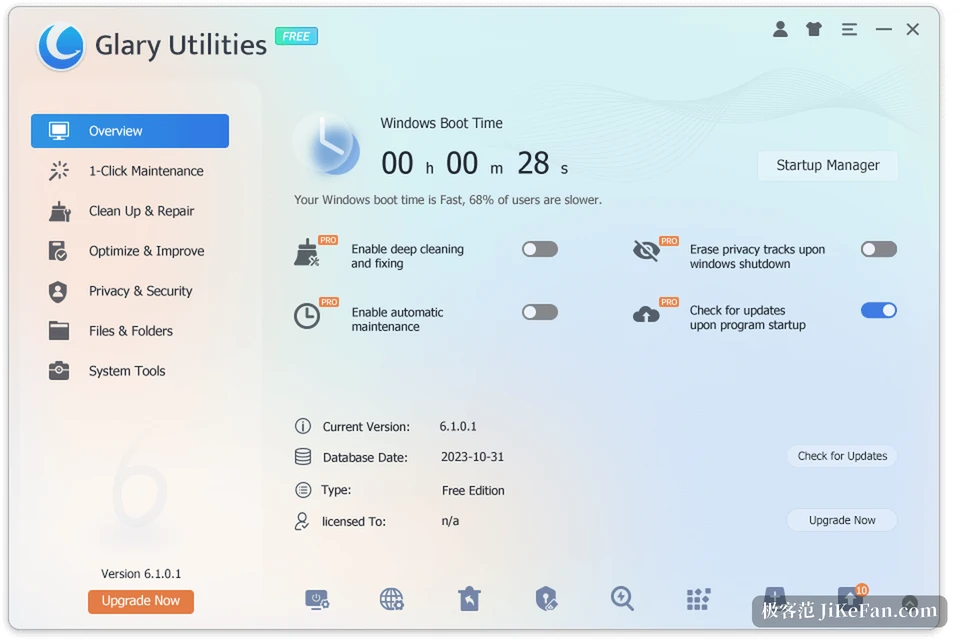
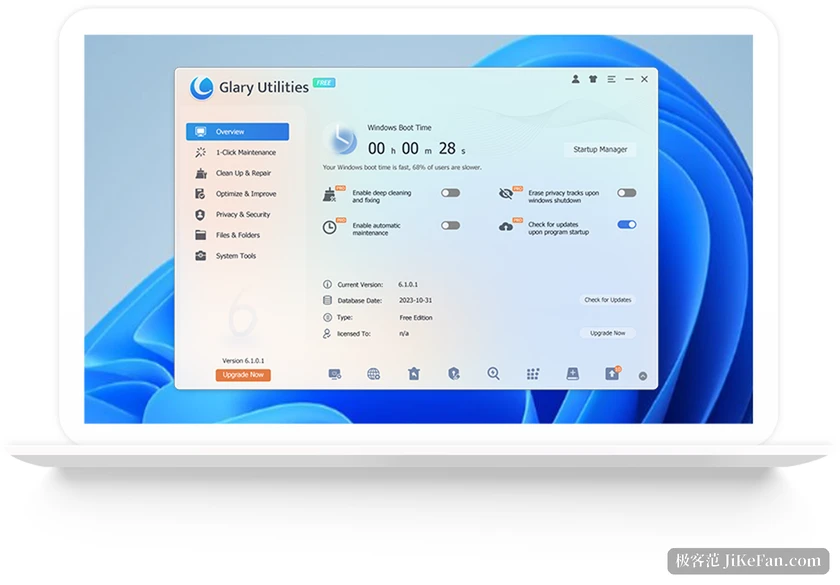
The first screen is a status page, and the most prominent spot in the middle belongs to the single maintenance pass. Tick the items to run, scan, repair, and it is over in three steps. Temporary file cleanup, registry checks, shortcut repair, startup tidying and the erasing of privacy traces are all strung into the same scan. The sensible habit is to run it once a week; it takes a few minutes and you never have to remember what each module is called.
A single maintenance pass covers the daily case, but the row of advanced tools underneath is where the real distance shows. Clean and repair, optimise and improve, privacy and security, files and folders, system tools: more than twenty modules hang under those five groups, and you pick the one you need. Disk cleanup, duplicate file finding, disk space analysis, file shredding, recovery of deleted files, memory optimisation, context menu management and process management are all in there. The count is there for a reason, but most people use five or six and keep the rest in reserve.
What the three repaired modules each solve
The startup manager lists, item by item, the programs, scheduled tasks, services and plug-ins that come up with the system, and marks roughly how much each one slows the boot. That information beats a bare on-off switch, because before disabling something you have to know which one to touch. It also supports delayed loading, pushing the items that can wait further back so the system brings its own pieces up first. What 6.49 adjusted is exactly this startup algorithm, and the direction is stability rather than speed.
The uninstall manager deals with what the uninstaller built into Windows leaves behind. It lists installed programs, sorts them by size or by install date to surface the big items nobody has opened since the day they arrived, and after an uninstall it clears the leftover directories and registry entries. This time the interface layout was redone, which moves the operating path rather than the feature set.
The empty folder finder is a quiet module that earns its place. A hard disk used for years accumulates empty directories, nested layer after layer, and finding them by eye is not realistic; it scans once and lists them all. A 5 percent accuracy gain sounds small until you remember the base it applies to: one directory less misjudged is one less recovery afterwards.
How far the free version goes
The free version is not a trial. There is no time limit, and the core of cleaning, registry, startup and disk tools is all inside, which is enough for a full manual maintenance run. The line is drawn at automation: scheduled automatic maintenance, automatic updates, driver updates and software update scanning belong to the professional edition. That edition costs 39.95 US dollars a year, and one licence covers three computers. The free version carries upgrade prompts, which is one of the few uncomfortable things about it.
If you clean manually every so often, the free version holds up. If more than one machine is in your hands, or you know perfectly well that you will forget to maintain anything by hand, the scheduled tasks are where the paid edition starts to be worth its price.
The specifications, plainly
The current build is 6.49.0.53, released on October 19, 2026, and the installer weighs 27.18 MB. It runs on Windows 11, Windows 10, Windows 8, Windows 7, Vista and XP, in both 32-bit and 64-bit form. The interface is available in 44 languages, the tool count is stated as 20 or more, and the product comes as a free edition, a professional edition and a portable build that needs no installation.
Who it suits
If the machine runs Windows, boots more slowly than it used to, has a system disk running low, a context menu that keeps growing, and you do not want a separate program for each small chore, this is the right shape. The reverse also holds: if all you want is a light tool that clears junk, it feels heavy, and if you expect it to solve security problems along the way, it does not do that, nor does the vendor market it as security software.
One detail deserves its own paragraph: the registry cleaner takes an automatic backup before it touches anything, and a restore centre comes with it. The thing to fear with tools of this kind is a careless click that damages the system, and with a restore step the cost of trying something is much lower. Nineteen years on the same job probably buys exactly that kind of unshowy reliability.
In one sentence: not software that makes you exclaim, but an old tool you install once and open every few weeks to wipe away the small, hard-to-name complaints of Windows. The three changes in 6.49 are no surprise, but they sharpen the places that needed sharpening.