
Alacritty review: a terminal that refuses to do anything but go fast
Summary
No tabs, no splits, no settings dialog. One window, GPU rendering and a single TOML file, on the theory that a terminal should do one thing perfectly and hand everything else to better tools.
Recommend- Name
- Alacritty
- Version
- 0.17
- Pricing
- Free
- Open source
- Open source
- Operating system
- WindowsmacOSLinux
- Website
- https://alacritty.org/
- Updated
- 2026-10-08 16:45
Making speed into a belief
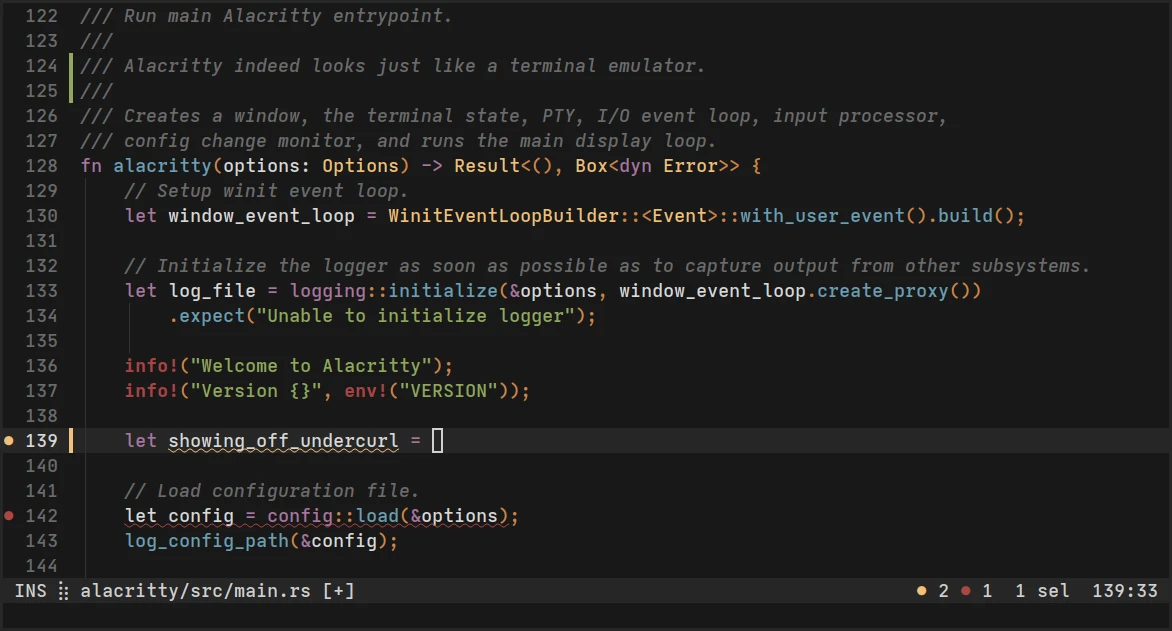
A terminal is the window a developer keeps open for ten hours a day, so its feel determines the texture of the work. Alacritty's founding intention was a single sentence: build a terminal that is fast enough. Written in Rust and rendered through the graphics card, it survives a flood of output without dropped frames, keeps keyboard latency below the threshold where a human notices, and scrolls a large log file as smoothly as a short one. The difference is not dramatic in a demonstration and is immediately obvious when you switch back to an ordinary terminal afterwards and feel it hesitate.
That margin exists because of a decision most terminal projects make the other way. Instead of drawing characters into a window with the CPU and adding features on top, this one treats the display as a graphics problem: text is prepared once and rendered in batches by the GPU, so the cost per line is nearly flat regardless of how much is on screen. A build log with two hundred thousand lines does not become slower to scroll than one with two hundred.
Restraint as a feature
The most controversial and most intelligent choice is what it does not include: no splits, no tabs, no scrollback search interface, no settings dialog. Those jobs belong to a window manager and a terminal multiplexer, which do them better and are already part of the workflow of the people this tool is aimed at. What remains is a very small core that is hard to break, a configuration that is one TOML file rather than a tree of menus, and almost no mental maintenance.
The configuration being a file is worth more than it sounds. It goes into version control, it survives a reinstall, it moves to a new machine by copying one document, and it makes a setup reviewable rather than remembered. Fonts, colours, padding, key bindings, cursor behaviour and window opacity are all in there, and the same file works across the three desktop platforms, which is unusual in this category and quietly valuable.
Paired with a tiling window manager, it becomes one piece of a workflow where the compositor handles layout and the multiplexer handles sessions. Used alone, on a laptop where you just want a fast shell, the speed alone justifies the install. Both cases work because the tool declines to have an opinion about how you organise your windows.
What you give up, honestly
There is no built-in selection of features that many people expect: no tabs means you need a multiplexer or a window manager that tiles, no scrollback search means learning the multiplexer's copy mode, and no GUI settings means editing a file and reloading. For someone who wants a terminal that simply works out of the box with everything included, this is the wrong shape of tool, and no amount of speed compensates.
Font rendering and international text have improved greatly over the years but remain the area where complaints cluster, particularly with unusual scripts or ligature-heavy programming fonts. Platform integration is also minimal by design, so things like opening a file from the terminal with the system application may need a small script rather than a menu item.
This project taught the tooling world something: subtraction is harder than addition. Every decision not to build something is a statement about what the core experience is worth protecting.
How to adopt it. Start with the default configuration and change one thing at a time, beginning with the font, since that is where most of the perceived quality lives. Bring your configuration into a repository on day one, so a new machine takes minutes rather than an evening. Pair it with a multiplexer for sessions and splits, and learn its copy mode, because that is the one thing users miss. And keep a second terminal installed for the rare case where you need a graphical file picker or a feature this one deliberately omits.
A final observation about the category: terminals are the most conservative software most developers use, and yet this one changed expectations for the whole field. That is what a clear constraint can do, and it is a better argument for minimalism than any essay.