
AdBlock Plus 4.44: the veteran blocker, and the setting to switch off first
Summary
AdBlock Plus stops advertising requests before they load, and its one surprise is a whitelist that is on by default and has to be turned off by hand.
Recommend- Name
- AdBlock Plus
- Version
- 4.44
- Pricing
- Free
- Open source
- Proprietary
- Operating system
- WindowsmacOSLinux
- Website
- https://adblockplus.org/
- Updated
- 2026-10-06 13:37
An extension with a very large install base
AdBlock Plus, usually shortened to ABP, is a browser extension that blocks advertising, and it installs on all the mainstream browsers. The mechanism is not mysterious: the extension keeps a subscribable list of filter rules, and any advertising request that matches a rule is stopped at the loading stage. Pages come out cleaner, and because fewer requests are made, traffic and rendering work drop a little as well.
That last part is worth noticing, because it is the difference between an extension that hides things and one that prevents them. Hiding an advertisement leaves the request, the script and the tracking intact and only removes the box from the screen; blocking it stops the work before it starts, which on a heavy page is felt on an old machine.
The acceptable-ads question
One of the things that separates it from other blockers is a whitelist that is on by default: a portion of advertising is let through, provided it meets requirements about size, placement and how intrusive it is. The reasoning behind that is to leave content sites some room for revenue, and it is a defensible position, but anyone who wants a page completely clean has to go into the settings and turn that option off, or subscribe only to stricter rule lists.
This is the first thing to check after installing, and it is easy to miss because nothing on the surface announces it. The list is also where second-order effects live: a site whose advertising is allowed through will look different from one whose advertising is not, so two people running the same extension can be looking at two different pages and neither of them is wrong.
Rules, and the parts you adjust yourself
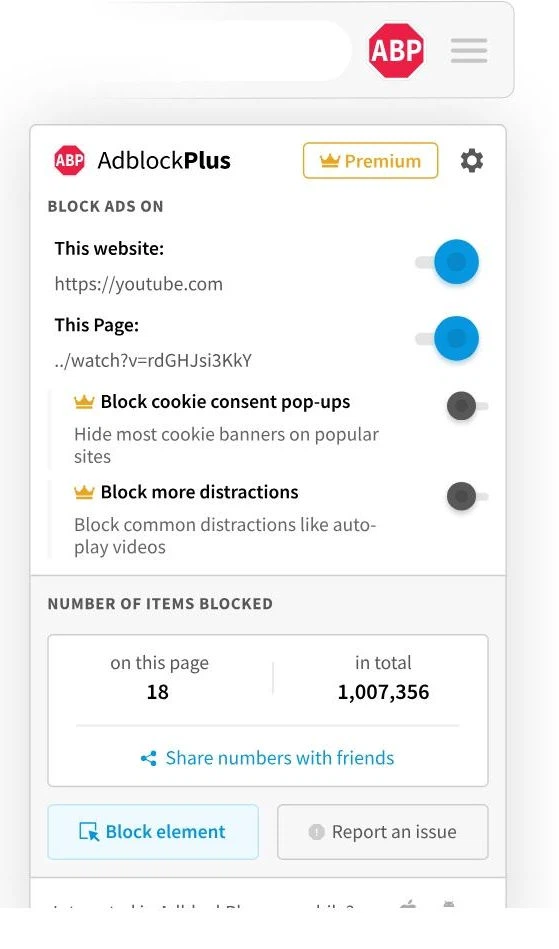
The rule system is the foundation of the whole thing. Third-party maintained lists can be subscribed to, elements can be hidden by hand, and a site can be allowed through when something breaks. For the common case of over-blocking that mangles a page, there is a per-site switch, which is usually faster than editing rules by hand. Filter lists aimed at tracking are available as well, and they strip analytics scripts out of the page automatically.
The extension itself is not large, and the same set of settings can be carried across several devices, which matters more than it sounds once the list has been tuned over a couple of years.

Version, and a limit worth knowing
As of 2026 the extension has reached the 4.44 series and is still maintained. What deserves a mention is not the version number but the constraint around it: browser makers have been tightening what extensions are permitted to do, and that directly affects how thoroughly blocking can work, so the same extension behaves differently from one browser to the next. Where more complete blocking is wanted, it can be paired with other rule lists, or the settings can be adjusted more finely.
One more piece of honesty: the benefit of blocking is easy to overstate. When advertising stops, pages load lighter and go quiet, but not every mechanism that learns what happened here disappears with it, which is exactly why tracking lists are added separately. Advertising and measurement do not always live in the same place.
What to do with the acceptable-ads list is a question of position rather than technique: leave it for sites financed by content, or switch it off for the quiet of your own screen. The important part is knowing which side the default sits on before choosing, instead of following it without knowing.
For a basic layer of blocking in the browser, AdBlock Plus is one of the less troublesome choices: it works once installed, lists can be subscribed to, and over-blocking can be released site by site. The one thing to deal with first is the acceptable-ads list — if advertising on the page is the problem, the setting is where the answer is.