
EasyUEFI: boot entries, the EFI partition and a rescue stick, without going into the firmware setup
Summary
Almost every machine now boots through UEFI, and the setup screen in the firmware is still a poor place to work. This tool moves creating, deleting, reordering and disabling boot entries into a graphical window, and can set a boot that applies once and then restores the old order. The EFI system partition can be backed up, restored, rebuilt or moved to another disk, and a rescue stick can be made for the day the machine will not start. Entry management is free for personal use.
Recommend- Name
- EasyUEFI
- Version
- 6.4
- Pricing
- Free
- Open source
- Proprietary
- Operating system
- Windows
- Website
- https://www.easyuefi.com
- Updated
- 2026-10-06 11:48
The screen you have to reach when the boot entries go wrong
Almost every machine sold now starts through UEFI, and anyone who has run two systems side by side, or has spent an evening on a boot loader, knows the two messages that spoil a day: the boot entries are gone, or their order has been scrambled. The place where that is supposed to be fixed is the setup screen inside the firmware, and that screen is still a poor place to work: a keyboard, a page of abbreviations, and no way to see what the change will do before you commit to it. EasyUEFI comes from a maker in China and puts the whole business inside the running system instead. Managing entries is free for personal use, and the current version 6.4 arrived in May 2026 with support for machines built on ARM64.
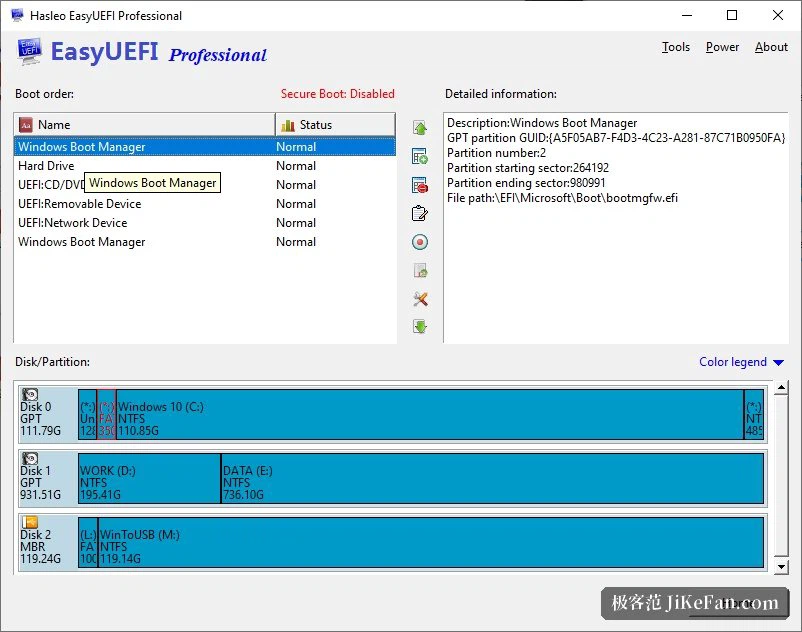
Booting is managed without leaving the desk
The core of it is the ordinary editing of UEFI entries: create one, delete one, edit the path, change the order, switch an entry off for a while without losing it. It also does something the firmware generally cannot, which is a boot that applies once: the machine restarts into a chosen device or a chosen system, and the next start returns to the order you had, which is exactly what is wanted while a new system is being installed. The entries that Windows keeps for itself fall under the same roof, and the default entry and the timeout can both be set from the same window. Everything is done with the mouse, and there is a shortcut for restarting straight into the firmware setup when the job still has to be finished there.
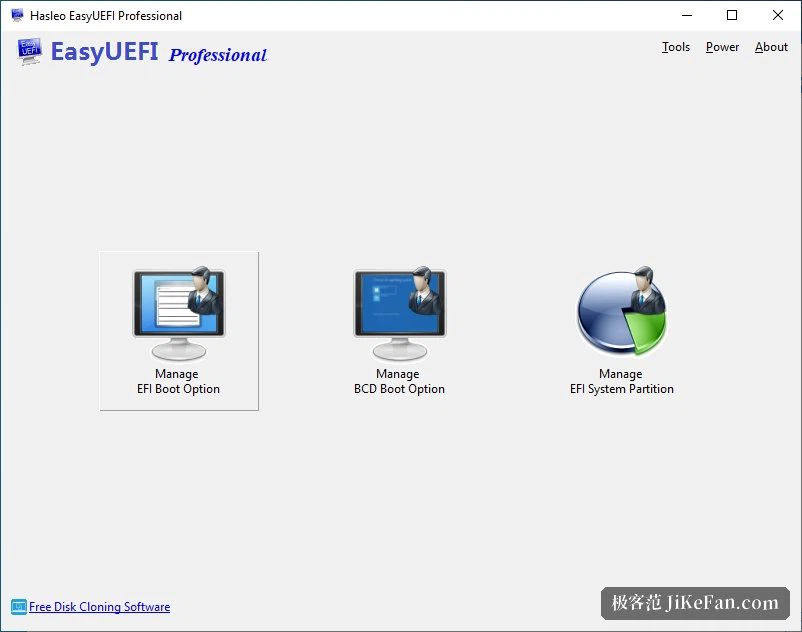
Backing up and repairing the partition that holds the boot files
Under UEFI the files that start the system sit in a hidden EFI system partition, and when that partition is damaged nothing starts at all. The program can back it up, put a backup back, rebuild it, and even move it to another disk, which answers the question of what to do when a disk is replaced or added and the boot is lost. Together with the built-in maker of a Windows PE rescue disk, it also covers the case where the system no longer starts: a rescue stick boots into a repair environment and the boot can be dealt with from there. Used before a reinstallation, or before a disk is swapped, that backup is the difference between an evening of work and an evening of panic.
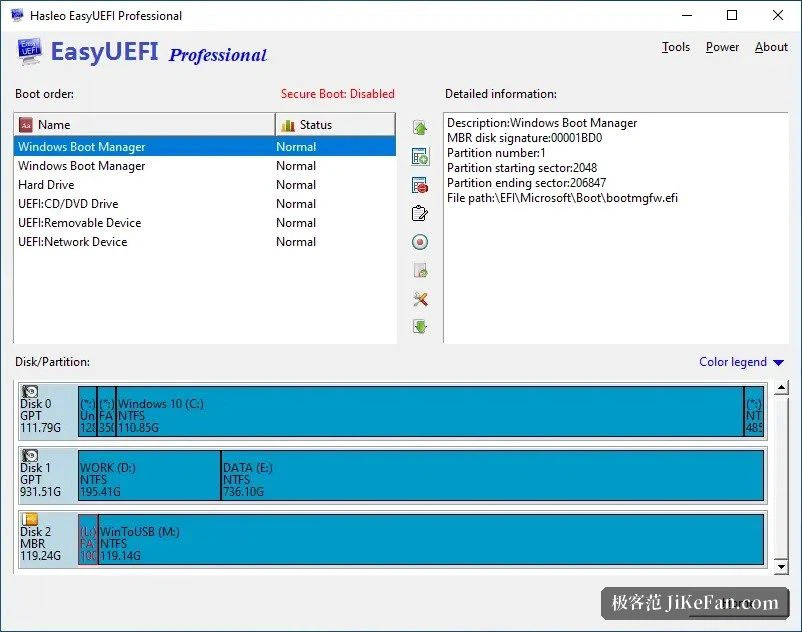
How it is actually used
A few situations come up again and again. Windows is installed first and Linux after it, and the Windows entry has been pushed down the list: move it back to the top and the machine behaves as it did. An old disk that once held a system is taken out, and the machine complains at every start: delete the stale entry and the complaint stops. A new solid state disk is going in: back the EFI partition up as an image first, and if the boot misbehaves after the migration, restore it. For anyone who installs systems for other people, the rescue disk closes the loop, and between them the two cover nearly every way a machine can fail to start.
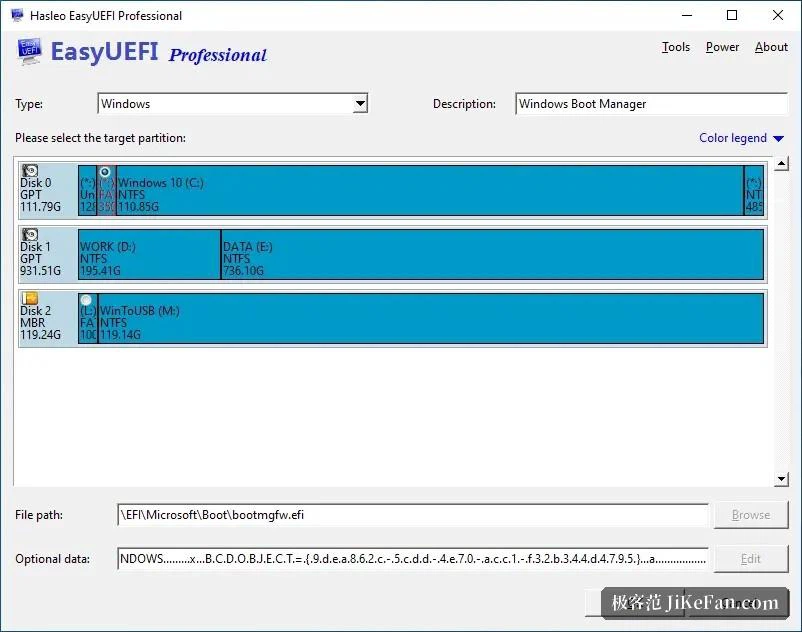
Free is enough, and at home in Chinese, and friendly in Chinese
The free edition covers the everyday work on entries and is enough for a person at home; the full power over the EFI partition and the command line interface belong to an edition the maker sells to businesses, and the smaller version upgrades are free. The program speaks Chinese natively, the window is plain, and the repair runs as a sequence of steps a beginner can follow. One thing is worth saying before starting: it works only on machines that boot through UEFI, so an old machine with a legacy firmware is out of reach. And before changing an entry, take a backup first, which is advice worth following whatever tool is in your hand.