
Xftp Review: Two Panes Between Server and Desktop
Summary
Xftp puts the local disk on one side and the server on the other: drag across, queue the rest, resume after a drop. Encrypted throughout, and free for home and school use.
Recommend- Name
- Xftp
- Version
- 20260923
- Pricing
- Free
- Open source
- Proprietary
- Operating system
- Windows
- Website
- https://www.xshell.com/zh/xftp/
- Updated
- 2026-10-07 21:20
One drag between two worlds
Looking after a server always comes back to moving files: an edited configuration has to go up, a log has to come down, a package has to be replaced. Xftp reduces that to the most direct gesture available on a desktop. The window is split, the local disk on one side and the remote directory on the other, and moving a file means selecting it and dragging it across. Nothing about that sounds impressive, which is the point: the tool that gets out of the way is the one that survives on a work machine for years.
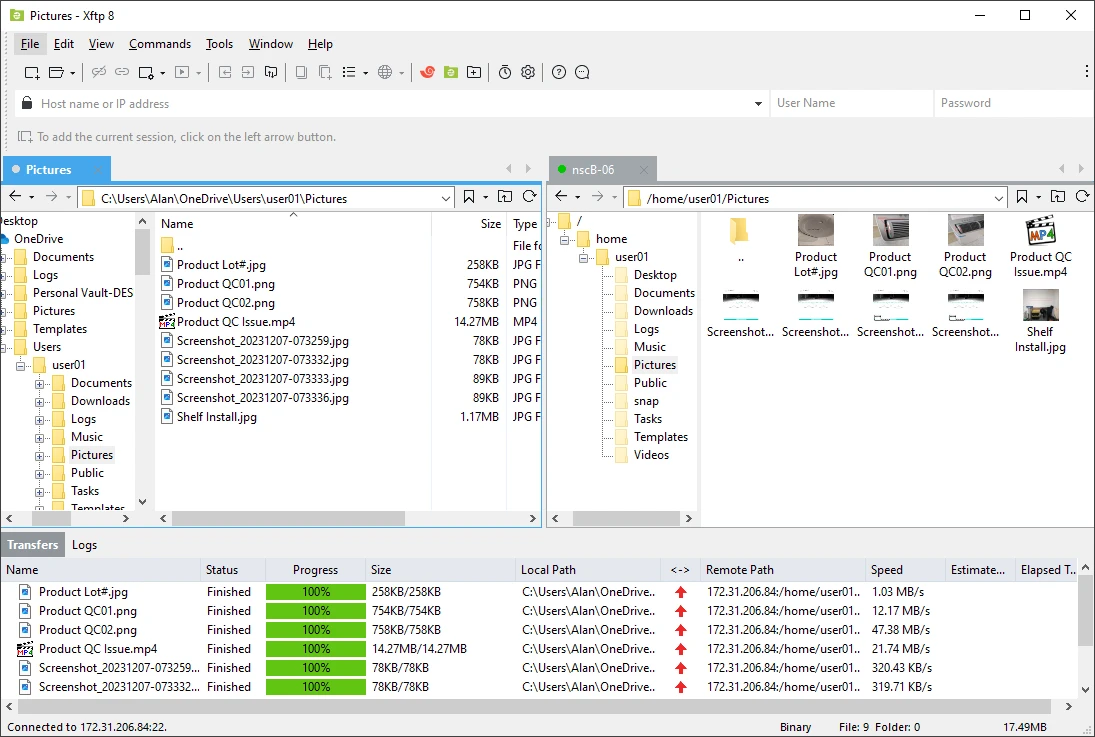
What makes it usable at scale is what sits behind the simple gesture. Tabs let several servers stay connected at once without interfering with one another, so production, staging and a colleague test box can all be open and clearly separated by colour. Transfers go into a queue rather than starting all at once, which keeps a slow link from collapsing under a folder of small files, and an interrupted job resumes from where it stopped instead of starting again. Everything on the wire is encrypted, so credentials and payload are not travelling in clear text across a public network.
Better together with its sibling
The feature that earns its place in daily work is the shared session store. The companion terminal client from the same publisher reads the same set of saved connections, so opening a file from a shell session launches the transfer window with the right host and path already filled in, and saving sends the change back without a manual upload step. Anyone who has edited a remote file by downloading it, changing it locally and pushing it back will recognise how much of that sequence disappears.
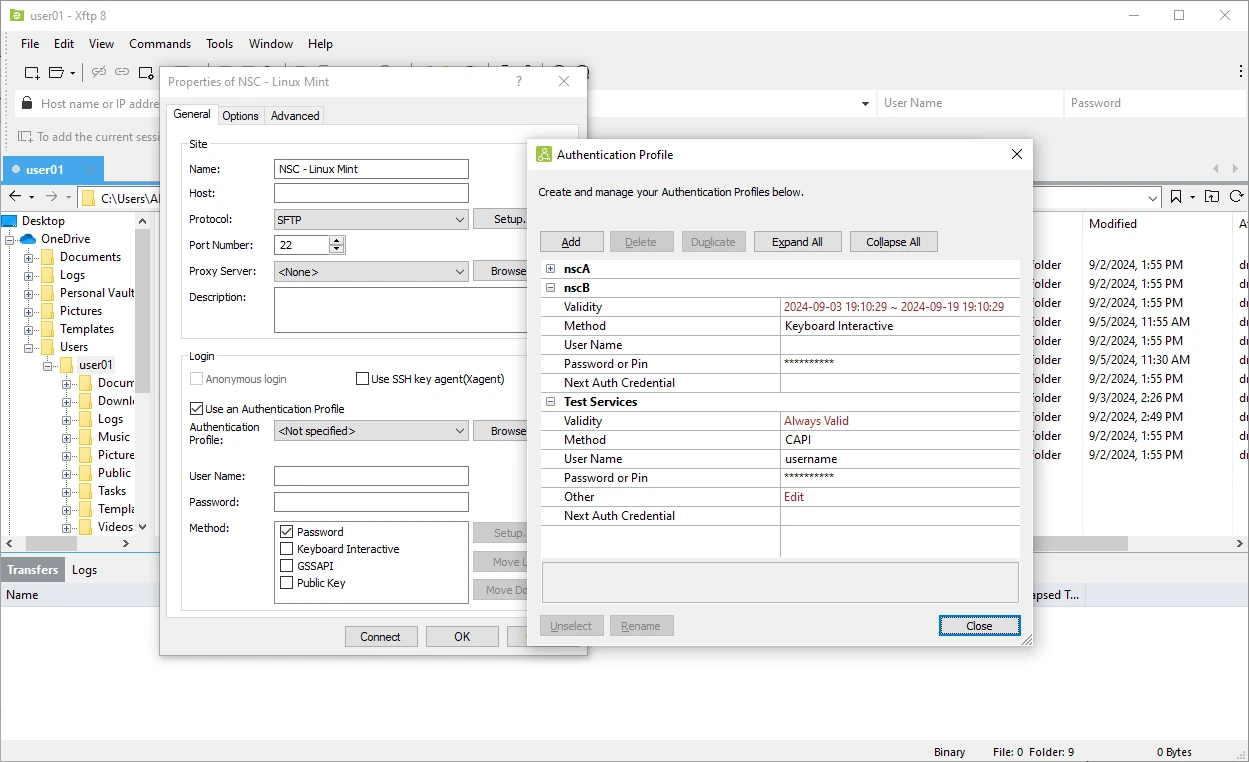
Directory synchronisation covers deployment style work, where a local folder and a remote folder should be made to match, and remote editing removes the classic three step shuffle. The interface is available in Chinese, the documentation is thorough, and the learning curve is short enough that the first useful transfer happens within minutes of opening the program. Home and school use is licensed free of charge, which covers a large share of the people who need this kind of tool only occasionally.
One more practical detail is worth setting up early: file permissions. Uploading a web asset that lands with the wrong mode is a classic way to break a site while every transfer reports success, and the client exposes the permission bits for both the file and the directory it goes into. Take a minute to look at the remote column after the first upload, confirm that what arrived behaves like what was there before, and the surprise moves from a production box to a test one.
The measure of Xftp is how little attention it demands: files cross between the panes, and the tool itself barely makes its presence felt. A transfer is a small thing and should be this unobtrusive.
Habits that prevent the classic mistake
The obvious danger in a two pane window is putting a file on the wrong server. Grouping saved sessions by purpose and colouring the tabs so that production and test never look alike is the cheapest insurance available, and it takes one minute to set up. Cleaning the transfer queue history now and then is worth doing for the same reason, since an old entry is a wrong destination waiting to be double clicked.
Personal users should register for the free home and school licence rather than run an evaluation copy indefinitely, because the terms are generous and the registration removes the nagging doubt about whether the use is legitimate. Turn on the option to verify after transfer for anything that matters, and prefer the encrypted protocol over the plain one wherever the server supports it. None of this is complicated, and together it turns a convenience tool into one you can trust with production files.