
Visual Studio Code 1.139: A Free Editor That Stays Out of the Way
Summary
Visual Studio Code is a free, open-source editor from Microsoft for Windows, Mac and Linux, with syntax highlighting, completion, custom keybindings, side-by-side comparison and an extension marketplace.
Recommend- Name
- Visual Studio Code
- Version
- 1.139
- Pricing
- Free
- Open source
- Open source
- Website
- https://code.visualstudio.com/
- Updated
- 2026-10-05 12:29
An editor that is content to be an editor
Visual Studio Code is a free, open-source code editor from Microsoft that runs on Windows, Mac and Linux. The version described here is 1.139. The word that decides whether it suits you is the last one: editor. It opens a folder and edits files in it. It does not insist on owning the project, generating a solution file, or redefining how the code is built.
That restraint is why it spread across languages it was never designed for. A compiler toolchain, a shell script, a configuration file and a stylesheet can all be worked on in the same window, with the same habits, because the program is not trying to be the authority on any of them.
The four things you notice first
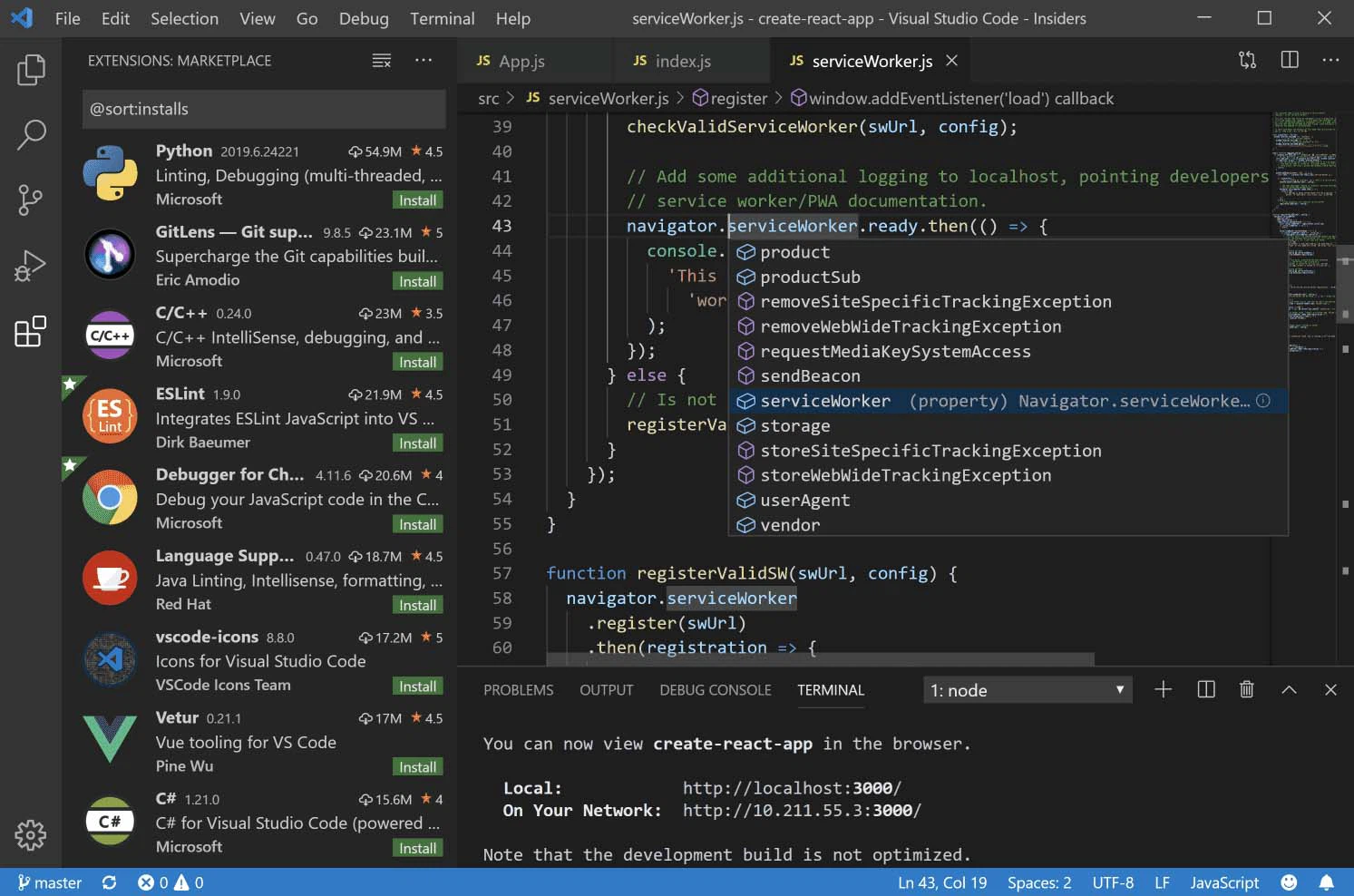
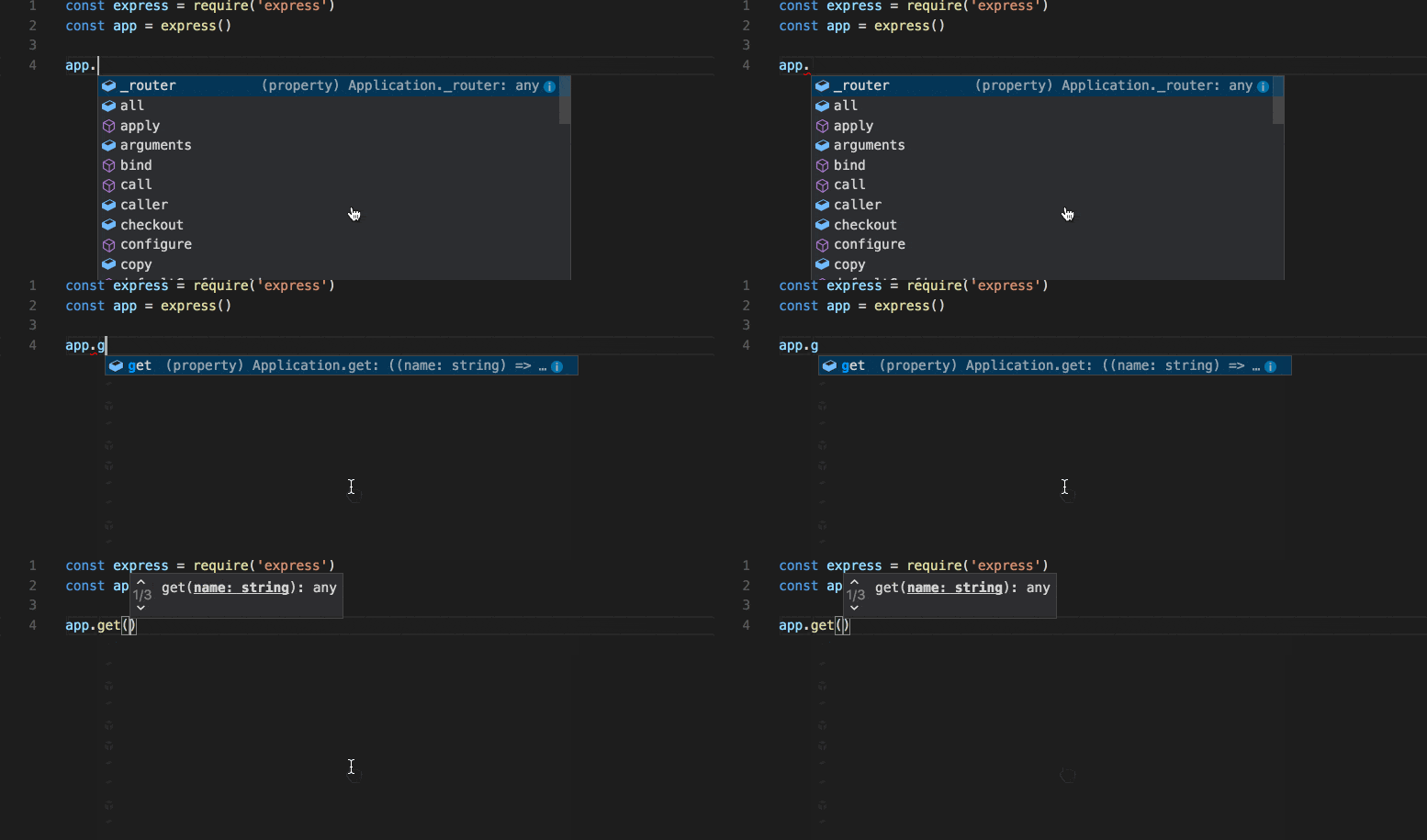
Syntax highlighting is the entry point: structure becomes visible before it is read, and a missing bracket stops being a puzzle. Completion is the second — not only names that exist, but signatures and short explanations, which shortens the loop between remembering something and using it.
Custom keybindings are the third, and they are the feature people underestimate before they use it and depend on afterwards. Every editor has shortcuts; the useful question is whether the ones you already have in your fingers can be mapped onto it, so that switching editors does not mean relearning typing.
Comparison is the fourth, and the least decorative. Two files, or two versions of one file, shown side by side with the differences marked, is the fastest way to answer the only question that matters after a change: what exactly did I just do.
Extensions are the answer to everything else
What the editor does not do itself arrives as an extension, through a marketplace built into the program. Language support for something obscure, a linter, a debugger adapter, a theme, a formatter — the base install is deliberately thin, and the extensions are what turn it into a working environment for a specific stack.
The trade-off is honest and worth naming: a thin editor plus fifteen extensions is not the same program as a thin editor, and the startup time and the noise both grow with the list. The habit that keeps it pleasant is to install what is used this month and remove what was used last year.
One detail about the interface language
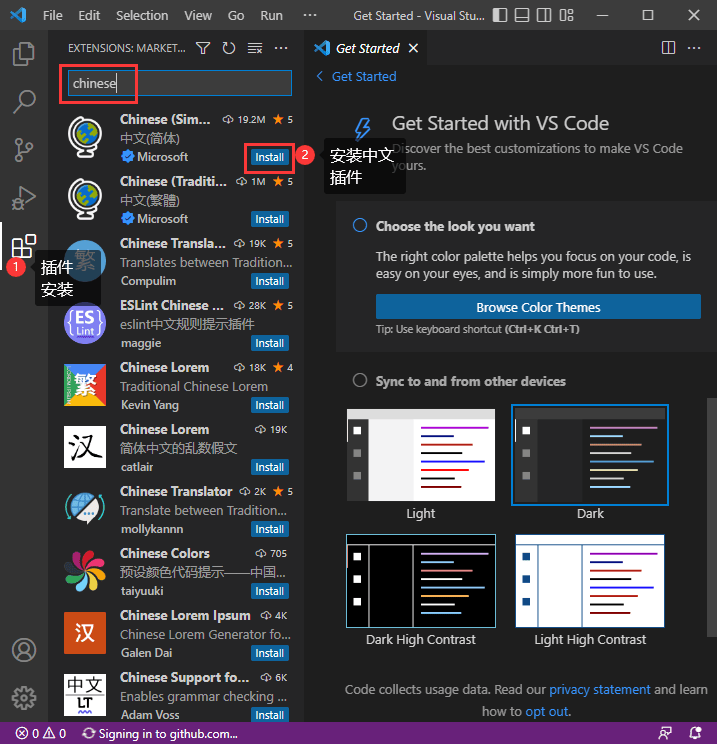
The interface is English by default, and other languages are provided as language pack extensions rather than being built in. That is a deliberate design choice with a practical consequence: the editor does not carry the translation of every language it might ever be used in, and a team can standardise on one interface language independently of the operating system each member happens to run.
Where the editor ends and the IDE begins
The honest summary is that this is an editor with a very good extension system, not an integrated development environment in the older sense. It will not manage a build graph, a database migration or a deployment by itself, and it is not where a large solution's structure is defined. What it does is make the file in front of you easier to change, on any of the three platforms, without asking for an account and without requiring the rest of the team to agree on anything.
For most work that is the whole requirement, which is exactly why it ended up being the default answer to the question of what to open a file with.