
JSCompress: A Batch Compressor for Front-End Scripts and Styles
Summary
JSCompress compresses and merges JavaScript and CSS in batches without an editor: pick a folder, choose the depth and the file types, and it runs the YUI Compressor for styles and the Closure Compiler for scripts.
Recommend- Name
- JSCompress
- Version
- 20221028
- Pricing
- Free
- Open source
- Proprietary
- Website
- https://www.jscompress.cn/
- Updated
- 2026-10-06 12:46
A compressor that works on folders, not on files
JSCompress is a free utility that compresses, obfuscates and merges front-end assets in batches. The interesting word in that sentence is batches. Compressing one file is a solved problem with a dozen solutions; keeping three hundred files compressed, consistently, after every change, is the part that actually goes wrong on a real project.
The program runs standalone and does not attach itself to an editor or a build file. That is a deliberate position: a folder of scripts and styles can be compressed on a machine that has no development environment at all, which is often the machine where the release build is assembled.

Two engines under one interface
For styles it uses the YUI Compressor for .Net; for scripts it uses the Google Closure Compiler. Two engines rather than one is not indecision — the two languages need different treatment. Compressing CSS is mostly about whitespace, comments and redundancy, and the result has to remain a stylesheet a browser can parse. Compressing JavaScript is a different problem: beyond whitespace, identifiers can be shortened, unreachable code can be dropped, and the result must still behave exactly as before, which is a much stronger requirement than it looks.
Using established engines is also how the program avoids the usual failure of hand-rolled minifiers: a tool that only removes line breaks is easy to write and ruins the first regular expression it meets.

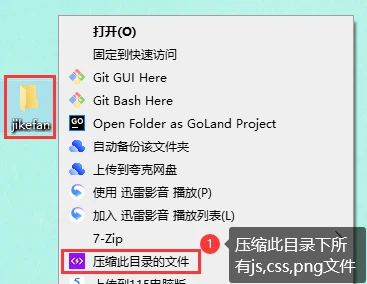
The workflow is four decisions
Settings are chosen once per file type, in a dialog: which compression mode applies to scripts, to styles, to images and to the preprocessor sheets. Then the work is done from a folder: right-click it and choose to compress the files of that directory.
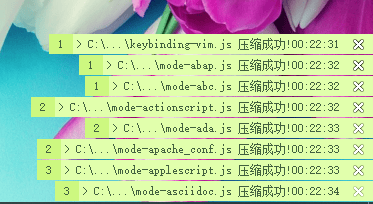
Two more questions remain, and both matter. The first is depth — only the files directly in the folder, or everything below it as well. The second is which file types to include in this run. Then the compression starts, and a folder that would have taken an afternoon of individual saves is finished in the time it takes to read the log.


Encodings, which is where batch tools break
Anything that rewrites source files has to know how they were written. A folder assembled over years contains files in several encodings, and a compressor that assumes one of them will corrupt every string in the others. Detection is unglamorous and it is the difference between a batch run that can be trusted and one that has to be checked file by file afterwards.
The same concern applies to the merge step: joining several scripts into one file only works if the last line of one and the first line of the next do not combine into something neither of them said.

When it reports a failure, it is usually right
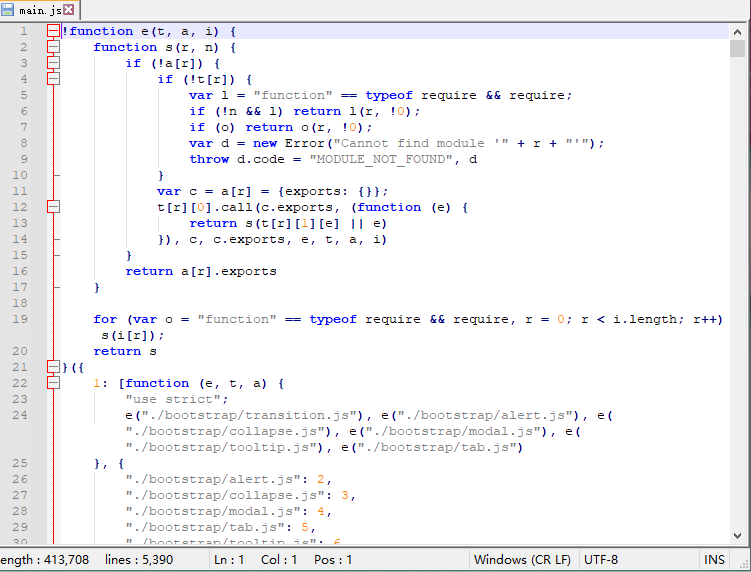
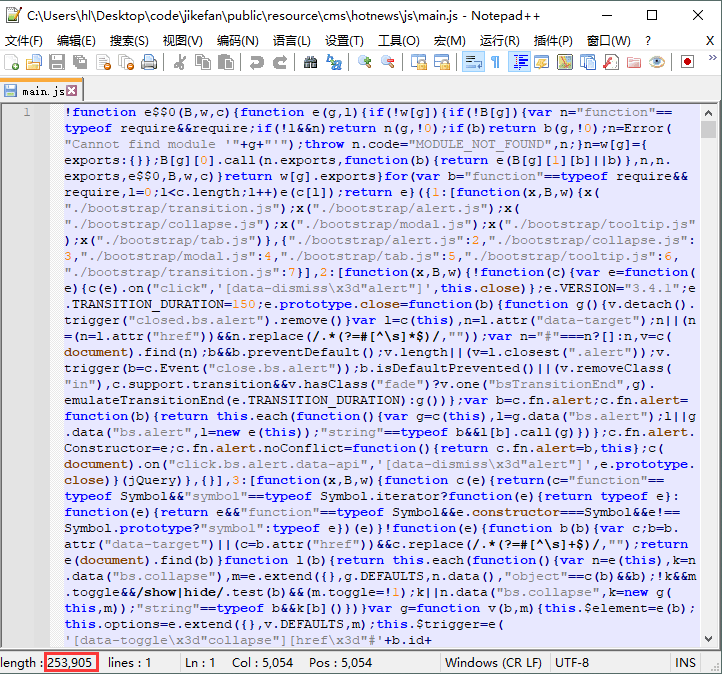
Compressing a file that has already been compressed may end in an error rather than a smaller file. That is not a bug to work around: minified code is no longer the source the engine expects, and running the same transformation twice can change behaviour or produce output that no longer parses.
The practical rule is the one the tool is built around — keep the sources, compress into a separate place, and treat the compressed output as a product rather than as something to be edited.
Where it fits
JSCompress is for the case where the front-end is assembled by hand, or by a build that somebody else maintains and nobody wants to touch. It is a batch tool with a window, not a build system: it does not watch files, does not resolve dependencies and does not replace a task runner. What it does is take a directory and give back a smaller one, with a log that says what happened, which is often the whole requirement.