
Thorium: a Chromium build with parallel downloads, full addresses and privacy defaults
Summary
Thorium keeps the Chromium engine but changes how it is compiled, ships per instruction set, and turns on parallel downloads, full addresses and privacy defaults.
Recommend- Name
- Thorium
- Version
- 138.0.7204.303
- Pricing
- Free
- Open source
- Open source
- Operating system
- WindowsmacOSLinux
- Website
- https://thorium.rocks/
- Updated
- 2026-10-05 23:58
A different build, not a different engine
Thorium is an open-source browser fork built on Chromium, and the first thing to understand is what it does not do: it does not rewrite the rendering engine. The work sits in how the browser is compiled — link-time optimisation and profile-guided optimisation are switched on — and in the packaging, where separate builds are produced for different instruction sets such as SSE3, SSE4, AVX and AVX2, so a processor that understands the newer instructions can run the matching package and feel a little smoother. Everything above the engine stays familiar: extensions, synchronisation and the developer tools work as they normally do.
That framing sets the expectation correctly. Because the engine is the same, pages render the same and nothing has to be relearned; because the change is in the compilation, the gain is measured in percent rather than in kind. Someone hoping for a fundamentally faster browser will be disappointed; someone annoyed by the small frictions of the stock interface will notice the difference immediately.
Patches beyond the compiler
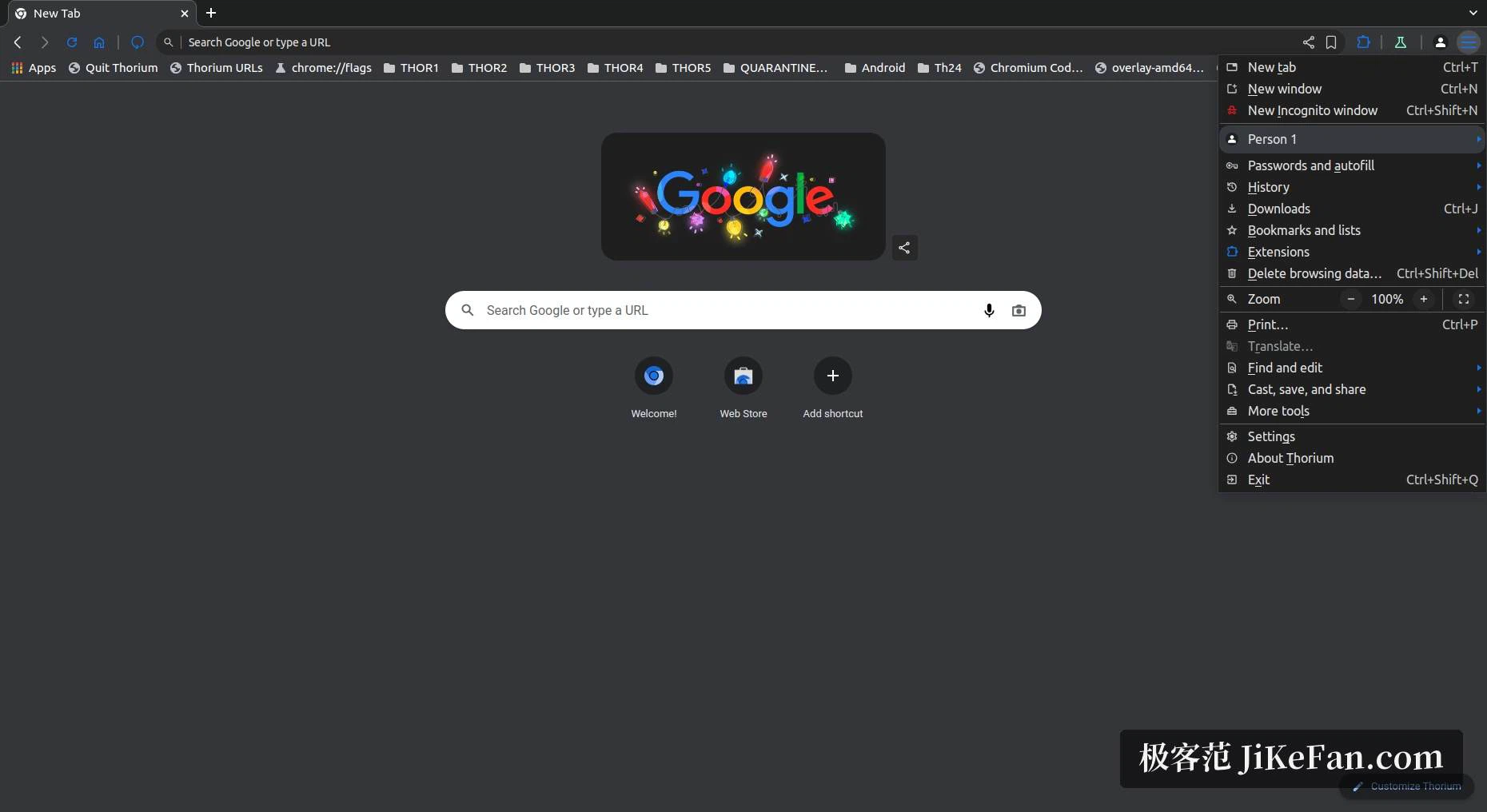
A set of patches travels with the build. Downloads run in parallel by default, the earlier download bar comes back instead of the newer list, the address bar shows the full address by default rather than trimming it to the domain, and both the do-not-track request and the global privacy control are enabled out of the box. The search engine list gains a few privacy-minded entries that the stock build does not offer, and the interface keeps a look closer to an older version of the browser, which is precisely what people who miss that layout are looking for.
Of these, the full address in the bar is the one with real substance: a truncated address makes a deceptive domain harder to spot, and showing all of it costs nothing. The privacy toggles deserve a more careful reading — a do-not-track request is a request, and sites are free to ignore it, so it is a default rather than a protection.
Which package to take
The distribution is the part that trips people up. Packages for Windows, macOS, the Raspberry Pi and Android are placed in different release repositories, while the project's front page points at the Linux build and at the repository addresses. Windows users choose by processor instruction set, and if that is not known, the SSE4 package or the generic build is the safe guess. A separate branch exists for old Windows XP, Vista and 7 systems, for machines that cannot be moved to a newer system at all.

Version and one caution
The project follows the major version cadence of Chromium, and the Windows build line has reached 138. The caution is structural rather than accidental: a derivative browser depends on its author following upstream, so security fixes usually arrive a little later than in the official browser. For online banking, payments and anything else where a delay in patching matters, the official browser remains the right place to do that work, and Thorium is better kept for everything else.
One practical note about the packages: the split by instruction set is not a ranking. A newer set does not make an old machine faster, and a package the processor does not understand simply fails to start. The generic build is the answer when nothing is known about the machine, and it is also the one to hand to someone else without a conversation about hardware.
For a Chromium that leans towards performance out of the box, without a pile of extensions to install first, Thorium is worth trying: compilation optimisations, packages split by instruction set, and privacy defaults already set. Two things to remember before starting — take the package from the release repository that matches the platform, and keep the sensitive work in the official browser.