
TestDisk and PhotoRec 7.3-WIP: carved files from a formatted partition, and what the settings do
Summary
A closer look at the recovery pair: TestDisk restores partitions and keeps file names, while PhotoRec ignores the file system and carves data by signature, so a formatted partition can still give files back. This covers the 7.3 development line and the options that change the result.
Recommend- Name
- TestDisk & PhotoRec
- Version
- 7.3-wip
- Pricing
- Free
- Open source
- Open source
- Operating system
- WindowsmacOSLinux
- Website
- https://www.cgsecurity.org
- Updated
- 2026-10-06 17:40
A follow-up, not a repeat
An earlier piece here covered the stable release of this recovery pair. This one is about the development line, because as of 2026-09 the official site offers a 7.3 work-in-progress build beside the stable 7.2, and says plainly that those builds roll forward with development. The basic partition repair procedure will not be repeated; the space is better spent on how the carving tool actually works, and on what the state of a development build means for somebody with a broken disk in front of them.
What a rolling development build means
Both programs are maintained by CGSecurity under an open licence, free for anyone to use. The stable rhythm is slow, with 7.2 sitting still since 2024-02, while the source repository keeps receiving commits; the 7.3 build is simply the window through which those commits come out. The download page puts the release notes preview and the version history side by side, which is the honest way to present software that changes between one week and the next.
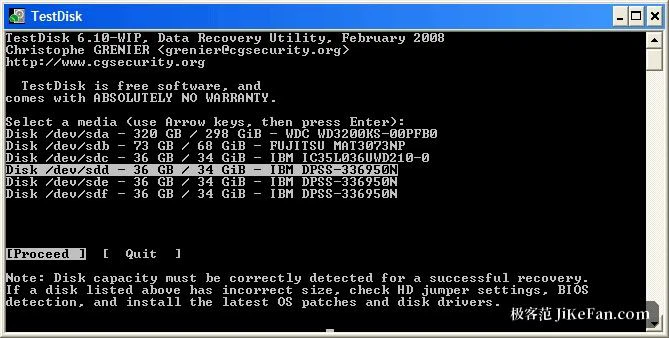
Two practical rules follow from that. First, note the date of the build being used, because the package downloaded today is not the package available next week, and a recovery that behaves oddly should be compared against a recorded version rather than a memory. Second, recovery work has very little tolerance for error, so if the disk holds something that exists nowhere else, try the development build to see whether the problem is solved by it, and keep a copy of the stable 7.2 as a second opinion. Windows from Vista onwards, macOS and Linux are all supported, along with an old DOS build, and the archive needs no installation.
How carving works, and why it survives a format
The division of labour inside the pair is what makes it worth understanding. TestDisk repairs partition tables and boot sectors and can recover the original names, because it works with the file system rather than against it. The other program takes the opposite route: it ignores the file system entirely and scans the medium block by block looking for the signatures that mark the beginning of known file types. Format a partition, damage its structures beyond recognition, and the raw blocks are still there until something overwrites them, which is exactly the condition this method is built for. The built-in library covers more than 480 extensions across roughly 300 file families, from photographs and archives to documents, video and portable document formats.
The sequence is worth following. Block size is detected first, read from the superblock or the volume boot record when the file system still answers, or inferred by scanning the first ten files when it does not. Then every block is compared against the signature database: with a photograph, a particular byte sequence at the start of a block identifies the beginning of an image. Once a file has been recovered, the fragments skipped earlier are revisited, so files broken into pieces can sometimes be stitched back together.
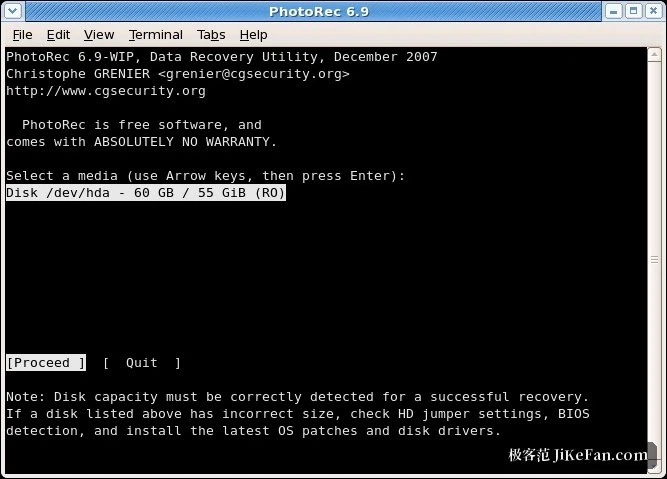
The price of carving is stated plainly by the method itself. Recovered files keep their extension and their original timestamps, but the name and the directory structure are gone, because those lived in the file system that was destroyed. Output lands in numbered folders instead, one after another, which is tidy but impersonal: a thousand photographs come back as a thousand photographs with no idea which trip they came from.
Two menus that decide the quality of the result
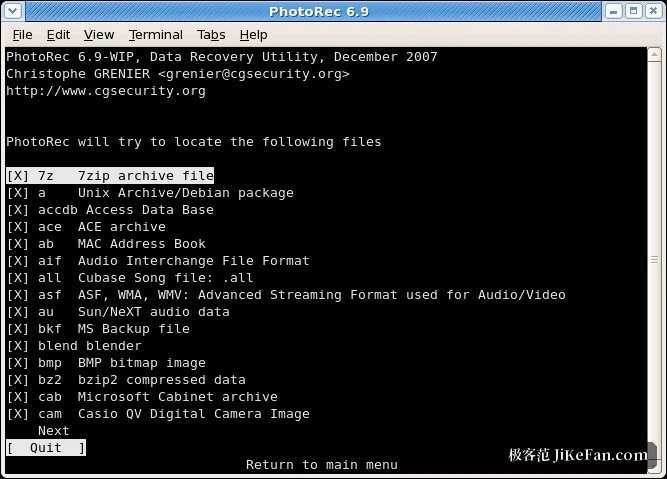
Almost all of the useful adjustment sits in two places. The file type list allows the search to be narrowed: if only photographs were lost, leaving the photograph families enabled and turning the rest off makes the scan faster and the output far less noisy. The options menu holds the switches that matter. A paranoid check, on by default, validates each recovered file and discards the ones that fail. A brute force mode helps with badly fragmented photographs at a heavy computing cost, so it is a last resort. Keeping corrupted files is the opposite trade: useful when losing anything is worse than keeping rubbish, since a broken fragment can still be handed to another tool. Expert mode allows block size and offset to be set by hand, which is the way in when a completely reformatted disk yields almost nothing, by pushing the block size down to a single sector.
One fork in the road is easy to miss. After a partition has been chosen, the program can be told to scan the whole partition or only the unallocated space. The second option recovers deleted files only, runs faster and carries less noise, which suits an accidental deletion; when the file system itself is damaged, the whole partition is the right answer.
Discipline: keeping the data alive until it is recovered
Whether carving succeeds depends half on the tool and half on what happens after the accident is noticed. The program reads the failing medium without writing to it, which is safe, but it cannot rescue a block that has already been overwritten. So from the moment a deletion or a format is discovered: write nothing further to that disk or card, put the output directory on a different physical drive, and for a camera card, take the card out and use a reader rather than putting it back to shoot another picture.
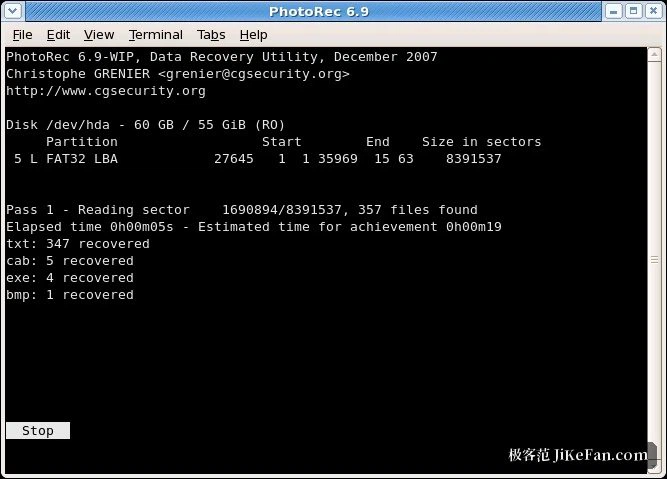
Administrator rights are needed on Windows, and root on macOS and Linux, where the program asks for the escalation itself. Disk images can be carved directly as well, both raw images and the forensic container format used by investigators, which is the sensible order in a case that matters: make an image once, then work on the copy rather than touching the original repeatedly.
Documentation, and which tool for which failure
The supporting material is better than most projects manage: a manual running past 60 pages, step-by-step guides with pictures, a FAQ, and a complete list of recoverable formats organised by extension. The forum carries a large number of real cases, and there is an online check that takes a sample file and reports whether the signature is recognised at all, which is worth trying before starting.
The division of labour summarises neatly. A lost partition table, a vanished partition or a damaged boot sector belongs to TestDisk, which can keep the names and the folder structure. A formatted or badly damaged file system that TestDisk cannot make sense of belongs to the carving tool, at the cost of names but with the data blocks still recoverable. The 7.3 development build is an extra option beside the stable release, and the two habits worth more than any setting are these: keep a copy of anything irreplaceable, and send recovered output to a different disk.