
SwitchHosts: managing host entries as schemes instead of overwriting a file
Summary
A small open source tool that turns the host file into a set of named schemes you tick on and off, with syntax highlighting, wildcard-free merging, remote schemes that refresh themselves, and hundreds of automatic backups.
Recommend- Name
- SwitchHosts
- Version
- 5.0.1
- Pricing
- Free
- Open source
- Open source
- Operating system
- WindowsmacOSLinux
- Updated
- 2026-10-06 15:39
For anyone who builds or tests websites, the host file is the most-used debugging tool there is. Point a test domain at the local machine, or temporarily redirect it to a staging server, and a whole class of problems disappears. The file itself, unfortunately, was designed in an era when nobody expected to edit it daily: plain text, no colour, no notion of a configuration you might want to return to, and no undo beyond your own memory of what the line looked like before.
SwitchHosts is a small open source answer to that, published under the second version of the Apache licence and available on Windows, macOS and Linux. Rather than acting as a text editor with a save button, it reframes the whole thing: the host entries become named schemes that are enabled or disabled by ticking a box, and the file is written from whichever schemes are currently active.
Schemes instead of overwriting
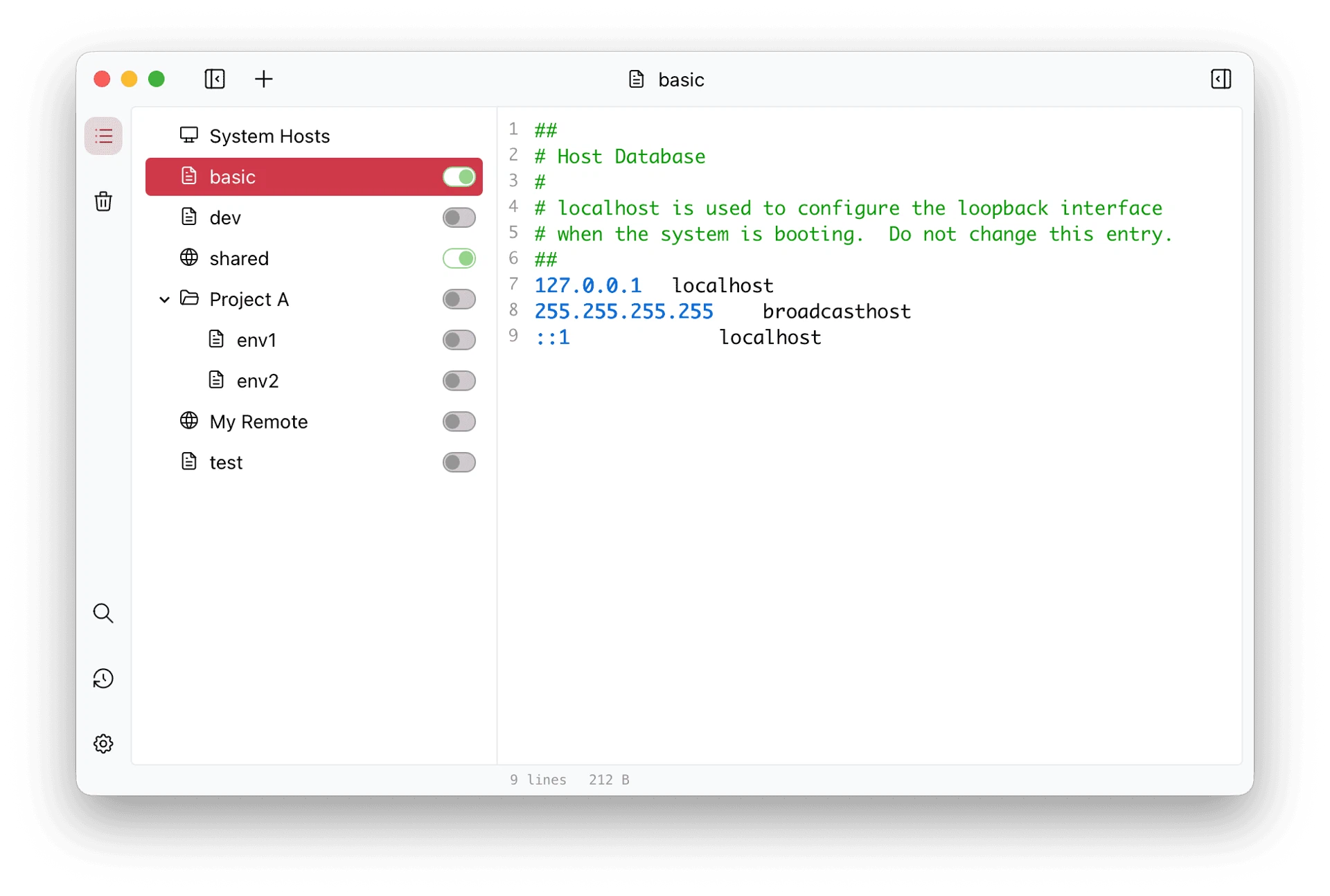
This is the central idea and the reason the tool is worth installing. Separate schemes for local development, the testing environment, pre-release verification, and a production debugging session can coexist, each holding only the entries that belong to it. Switching environments becomes a tick and an untick rather than a copy, a paste and a nervous check that the old contents were not lost.
Schemes can also be combined. Several can be active at once, and their entries merge into the resulting file, so a base set of rules and a project-specific set can be layered without duplicating the shared lines in both. Because the merged result is what gets written, a change to the base set propagates to every combination that includes it.
They come in four types – local, remote, group and folder – which sounds like more structure than necessary until a collection of rules grows past a dozen and organising by project or by environment starts to matter.
Editing that respects the format
The editor understands what it is editing. Addresses, domain names and comments are distinguished by colour, so which lines are live and which are disabled is visible without reading each one. A comment can be toggled by clicking the line number or pressing a keyboard shortcut, which is how a rule gets parked and brought back a week later.
Find and replace work across the whole scheme, so a change that affects dozens of entries – a server address that moved, a domain that was renamed – is one operation instead of a careful sequence of manual edits.
Remote schemes, which is where teams come in
The remote scheme is the collaborative part. A rules file is hosted anywhere reachable – a repository, an internal server, a shared drive with a URL – and added as a remote scheme with a refresh interval: hourly, daily, or at every start. One person maintains the shared configuration, everyone else receives it automatically, and the round of messages asking colleagues to update their host entries simply stops happening.
Tray, backups and export
A resident tray icon allows switching schemes from a right-click menu, without opening the main window, which matters when the switch happens a dozen times an hour. Before every write the current state is backed up automatically, and hundreds of historical versions are kept, so a mistake is a rollback rather than a reconstruction.
Scheme data exports as JSON, which makes configurations shareable between team members and storable in the same place as the rest of a project's setup.
The narrow tool that earns its place
It solves one problem and does not pretend to solve others. There is no DNS server, no proxy management, no network diagnostics suite. What it does is remove the small, repeated, error-prone friction of editing a system file by hand several times a day – and for a tool that gets used that often, that is enough to make it permanent.