
GrClean 2.3.1 grades your disk before it deletes
Summary
GrClean 2.3.1 is a free Windows cleaner that scores a drive on eleven factors, splits chat-app cache into four tiers and sends deletions to the Recycle Bin.
Recommend- Name
- GrClean
- Version
- 2.3.1
- Pricing
- Free
- Open source
- Proprietary
- Operating system
- Windows
- Website
- https://gr.graent.cn/grclean
- Updated
- 2026-11-13 23:00
GrClean is a free cleanup and tuning tool for Windows 10 and 11, and release 2.3.1 landed at the end of October 2026. Where most utilities of this kind open with how much they can find, this one opens with a number that describes the state of the machine and then keeps every deletion on a path you can walk back. The order matters. A cleaner that reports four gigabytes removed is only useful if you can still say which four gigabytes they were.
A score first, then a delete queue that ends in the Recycle Bin instead of in nothing at all.
A score before a single byte goes
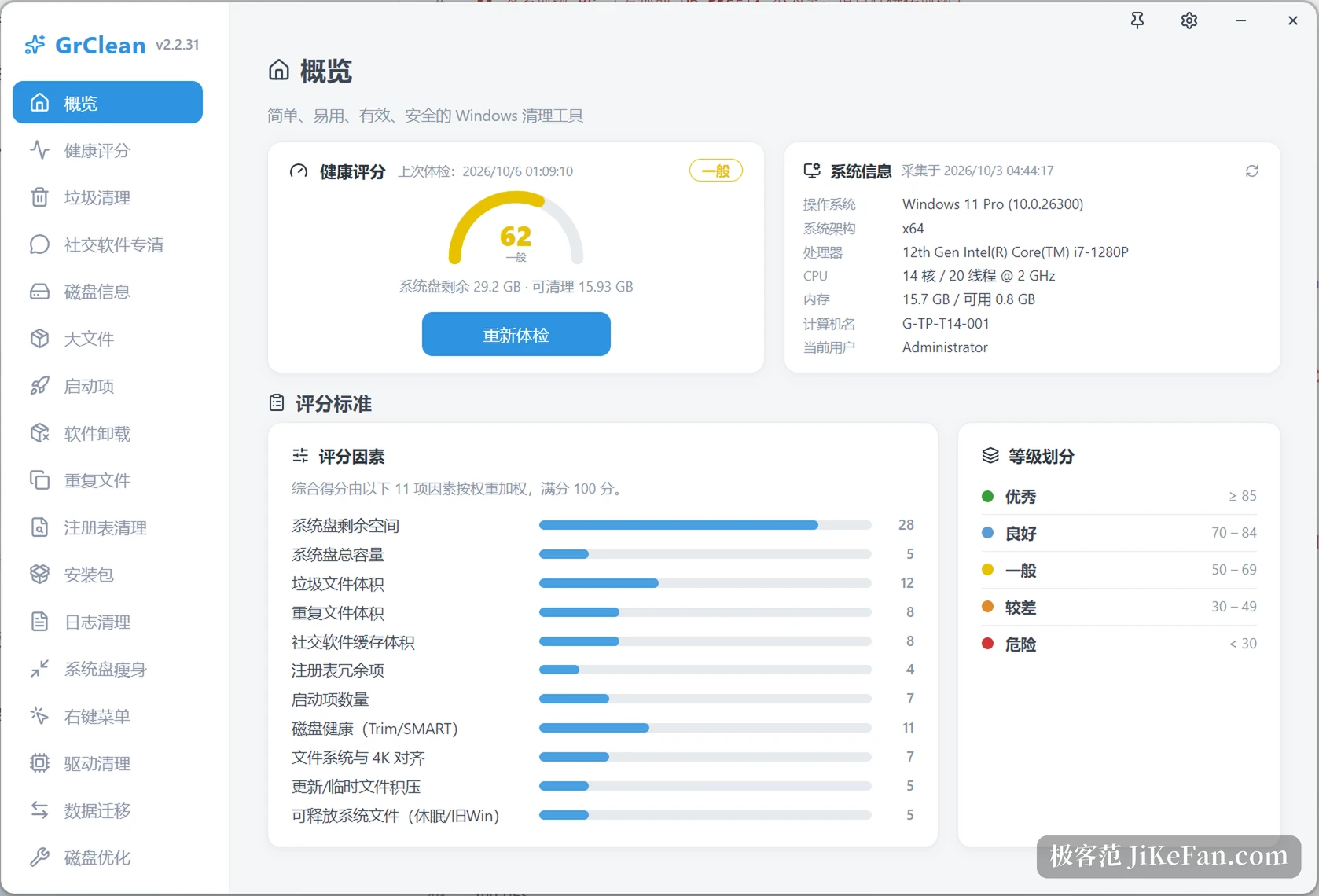
The home screen is an overview. A column on the left holds about twenty modules, the top right holds a health dial with a score and a grade, and a line underneath reports how much room the system drive has left against how much could be reclaimed. A card beside it reads the OS build and the processor straight off the machine. A score in the low sixties lands in the average band, which is where a working laptop usually sits.
None of those numbers are decoration. Eleven factors carry weights: free space on the system drive counts 28, the volume of junk files 12, disk health drawn from Trim and SMART 11, duplicate files 8 and chat-app cache 8, startup entries 7 and 4K alignment 7, then total capacity, update and temporary backlog, and releasable system files at 5 each. Five bands translate the total: 85 and above is good, 70 to 84 is fine, 50 to 69 is average, 30 to 49 is poor, and anything under 30 is flagged as dangerous. The weighting leans on how much room is actually left rather than on how much rubbish could be swept up, which is the honest way round: swept-up totals inflate easily, free space does not.
Chat data, and the parts it will not touch
The chat cleanup is the most distinctive piece. Ten clients are covered, and the tool hunts down their data folders by itself, including installs that sit on a drive other than the system one. Cache is split into four levels. Rebuildable cache and temporary folders come first and are ticked by default. Pictures and video cache come next and are also ticked. Received files are not ticked and need a deliberate confirmation before they move. The last level is the message database itself: those files are shown read-only, and the interface offers no delete control for them at all.
One condition sits above all four levels. Close the client before cleaning, or the files stay locked by a running process and the figure the tool reports will not match what actually leaves the disk. The separation is the point: deletable and non-deletable material lives in the same directory tree, and splitting it means each level carries its own risk instead of all of them sharing one.
Duplicates get three passes
Duplicate detection runs in stages. Files are grouped by size first, so anything unique drops out without being read. Each survivor then gets a hash over its first and last four kilobytes, which collapses the candidates into a much smaller bucket. Only inside that bucket does a full SHA-256 run decide what counts as identical. One copy per group is kept, the rest go to the Recycle Bin, and the original is checked once more immediately before the move: files that changed in the meantime, or that turned out to be hard links, are skipped.
Large-file analysis follows a different rule. It sorts by size, reports, and deletes nothing on its own, watching the documents, downloads, video and desktop folders. Installer cleanup picks up setup files in the downloads folder once they are past a given age and over a size threshold. Leftover scanning looks through the program folders, the per-user application data and the registry for remnants of software that is already gone, and stays unticked by default. Log cleanup leaves system logs alone and only touches application and temporary records, so the trail you would want while troubleshooting survives.
The rest of the column
Below those sit disk information, startup entries, uninstall, registry cleaning, system-drive slimming, the context menu, driver leftovers, data migration and disk optimisation. Startup entries are disabled rather than removed, so they can come back. Registry cleaning exports a backup file before it writes anything and stays with rules that only match clear redundancy. Driver cleanup releases old versions once no device is using them. Data migration points a large folder at another drive through a symbolic link and rolls the whole step back if it fails partway, which is the only way that operation is worth offering. Slimming covers the switches that free several gigabytes at once, such as the hibernation file and the previous system backup, and the backup case gets its own warning because it cannot be undone after the retention window closes.
Eight palettes, nine languages
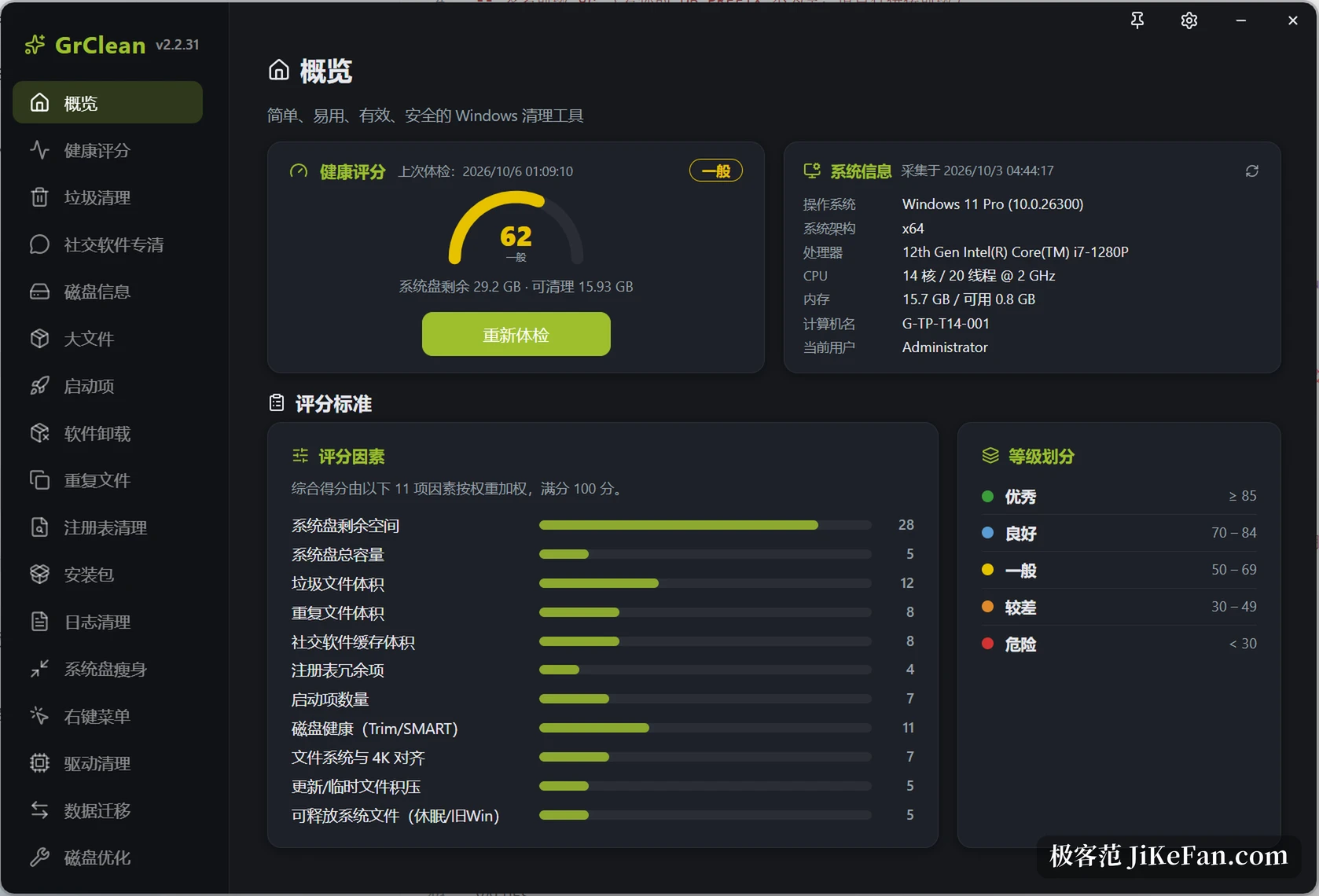
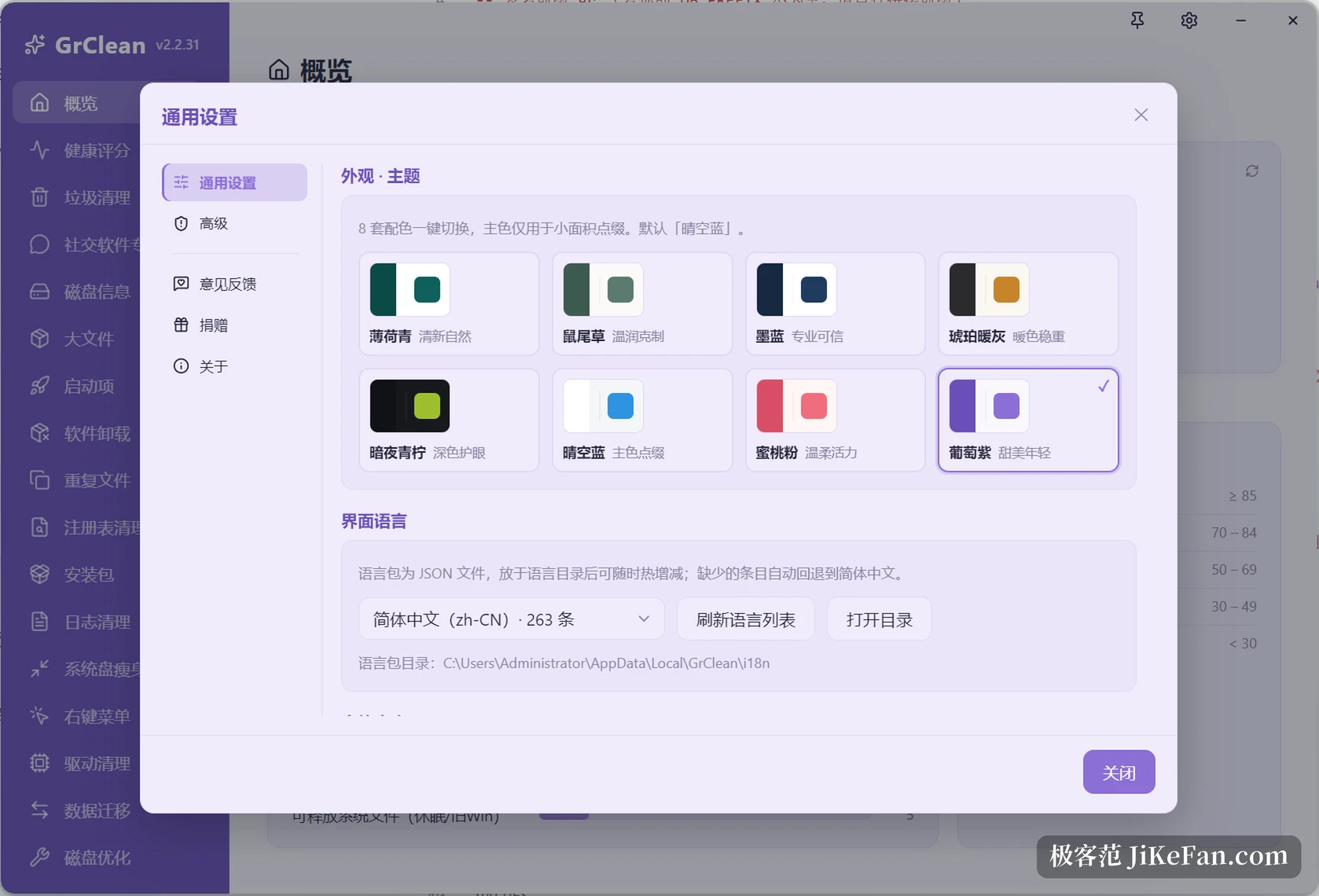
The interface ships eight colour schemes, from mint and sage through ink blue and amber grey to a dark lime, a clear sky blue, peach and grape. The accent is used in small areas only, and the light and dark modes are configured separately. Language packs are plain JSON files in the program folder, so entries can be added, removed or rewritten at any time; a missing key falls back to Simplified Chinese, and nine languages are built in.
Conservative defaults, reversible steps
Collected together, the design keeps repeating one position: deletions go to the Recycle Bin, protected paths cannot be ticked at all, every removal writes an audit line, the registry is backed up first, and the program checks its own integrity. Those are not features to advertise, they are the conditions that make cleaning acceptable in the first place.
The 2.3.1 release concentrates on large-file analysis. A traversal of the system drive root that ran empty and produced a scan finishing in seconds with zero results is fixed. File sizes are now read by a separate concurrent module that inserts each result at the right place by size while the scan is still running, instead of waiting for the whole drive to finish before showing a table. Batch deletion and select-all were added. The version moved by one digit, and everything in it addresses the kind of fault that makes people suspect the software has broken.
What it will not do
GrClean runs on 64-bit Windows 10 and 11 and nowhere else. The licence covers personal, educational and security-research use, while commercial deployment needs a separate arrangement with the author. Anyone who wants every last trace of junk gone in a single sweep will be disappointed, because the default scope is narrow enough that a first scan usually reports a modest number. For readers who care more about being able to explain what left the disk and whether it can come back, the narrow default is the most valuable part of the tool.