
Rockstar Games Launcher review: the shelf your games actually live on
Summary
It is not optional if you play these games on PC, and it is not bad either: purchases collected on one shelf, updates handled quietly, saves that follow you and a repair button that has saved many evenings.
Recommend- Name
- Rockstar Games Launcher
- Version
- 20260923
- Pricing
- Free
- Open source
- Proprietary
- Operating system
- Windows
- Updated
- 2026-10-08 16:29
The single door into a very small number of very large games
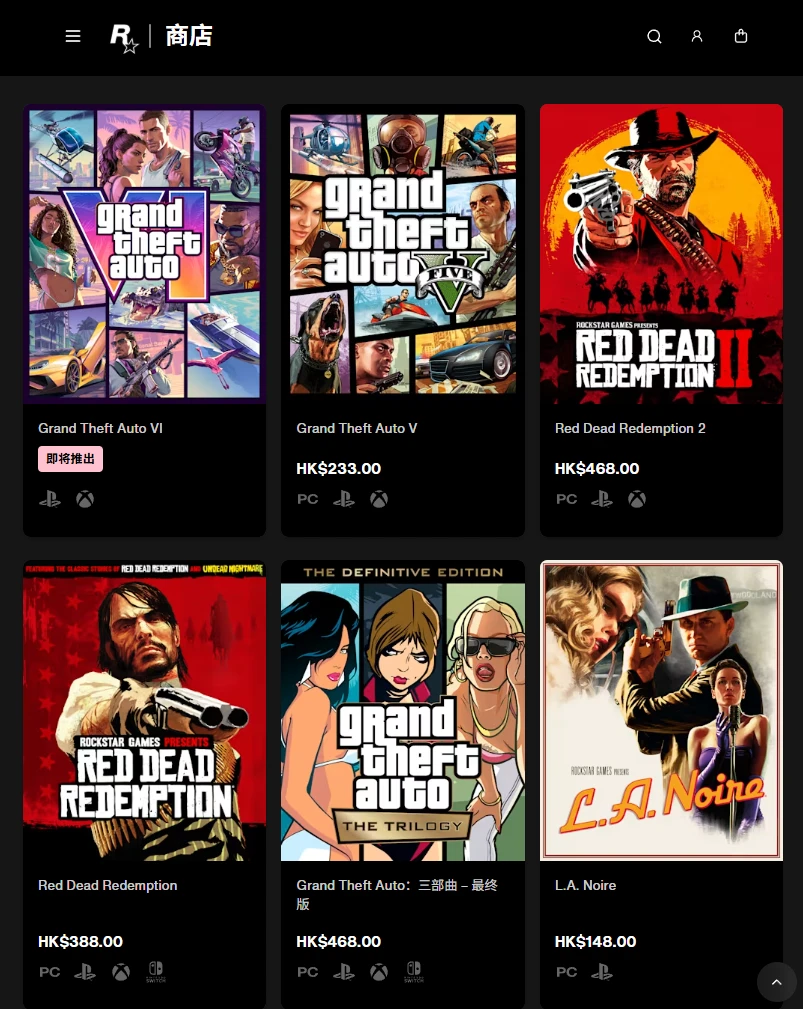
Anyone who has played the open-world crime saga or the western on a PC has met this launcher, because there is no way around it. It is the publisher's own client, the only official route to those titles, and its job is narrow and clear: hold the games you own, keep them updated, keep your progress, and get out of the way once the game has started.
That narrowness is a virtue. There is no feed, no recommendation carousel, no daily reward loop and no attempt to sell you a subscription. You open it, you see a shelf of purchases going back years, you press play. For a client that exists mostly because a publisher wanted control of its own distribution, the restraint is more than you might expect.
The housekeeping details that matter after the first year
Updates are the part everyone notices eventually. Patches for games of this size arrive as tens of gigabytes, and the client handles them in the background, resumable, without requiring you to babysit a progress bar. Scheduling a large download overnight is the sensible habit, and the client supports it, which is worth knowing before the evening you want to play and discover a forty gigabyte queue.
Cloud saves are the other quiet benefit. Progress follows the account rather than the machine, so a reinstall, a new laptop or a trip to another computer does not cost you a completed campaign. It is the kind of feature nobody praises and everybody misses the one time it is absent.
File verification is the one that earns genuine affection. When a game refuses to launch, stutters on a specific mission or crashes at the same point, the cause is often a corrupted file rather than anything dramatic, and the repair function compares the installation against the manifest and re-downloads only what is wrong. Without it, the alternative is re-downloading the entire installation, which on a slow connection is an entire evening.
Where it is thin, and where it is honest
It is not a social platform. Friend activity, achievements and messaging exist in a basic form, and they work, but nobody would choose this client for the community features. Library management is similarly plain: there is no tagging, no smart collection, no way to hide the games you bounced off after twenty minutes.
Resource use is modest, which for a background client is the correct ambition. It sits in the tray, it does not fight the game for memory, and it does not surprise you with a window during a cutscene, provided you have told it not to. That last clause is the honest caveat: the defaults are tuned for engagement rather than for silence, so the first ten minutes of configuration are worth spending on notifications and on start-up behaviour.
The value of a publisher client is the floor it provides. A game bought ten years ago is still playable as long as the service is maintained, and that certainty is the actual product being sold as a licence.
Practical advice. Turn on cloud sync in the settings before your first session rather than after the first crash. Schedule big updates for the night, and let the client finish before launching, because interrupting a patch is how installations get into the state that requires verification. Keep the repair function for actual symptoms instead of running it routinely, since it is slow and usually unnecessary. And keep the account details somewhere you will find them, because the whole library is behind that login.
One expectation to set correctly: this is a storefront and a launcher, not a platform for modding, and the games themselves have their own communities elsewhere. Understanding that boundary saves you from hoping for features that will never arrive, and lets you judge the client on what it actually does, which it does reasonably well.