
PyCharm review: the Python IDE, now free for personal work
Summary
A lightweight editor is fine until a project grows interpreters, breakpoints and tests. PyCharm manages environments out of the box, makes the debugger visual, and is now free for non-commercial use.
Recommend- Name
- PyCharm
- Version
- 20260923
- Pricing
- Free
- Open source
- Proprietary
- Operating system
- WindowsmacOSLinux
- Updated
- 2026-10-08 16:26
The step after a text editor
A light editor is genuinely pleasant for scripts: fast to open, nothing in the way, and a terminal next door for everything else. Then a project grows. There are two interpreters and only one of them has the right packages installed, a bug appears only on the third call of a function, the tests need to run in a specific order, and the terminal stops being an assistant and becomes a second job. This is the boundary where a real integrated environment starts paying for itself, and Python's default answer to that need has been PyCharm for a very long time.
What it does at that boundary is unglamorous and useful. Interpreters and virtual environments are managed from the interface rather than from three terminal commands and a hope, so switching a project between Python versions is a dropdown instead of a debugging session. Completion understands type annotations and the project structure, which means it suggests the method that exists rather than a plausible word. Renaming a function across forty files happens as one verified operation instead of a search and replace with crossed fingers.
A debugger you can see
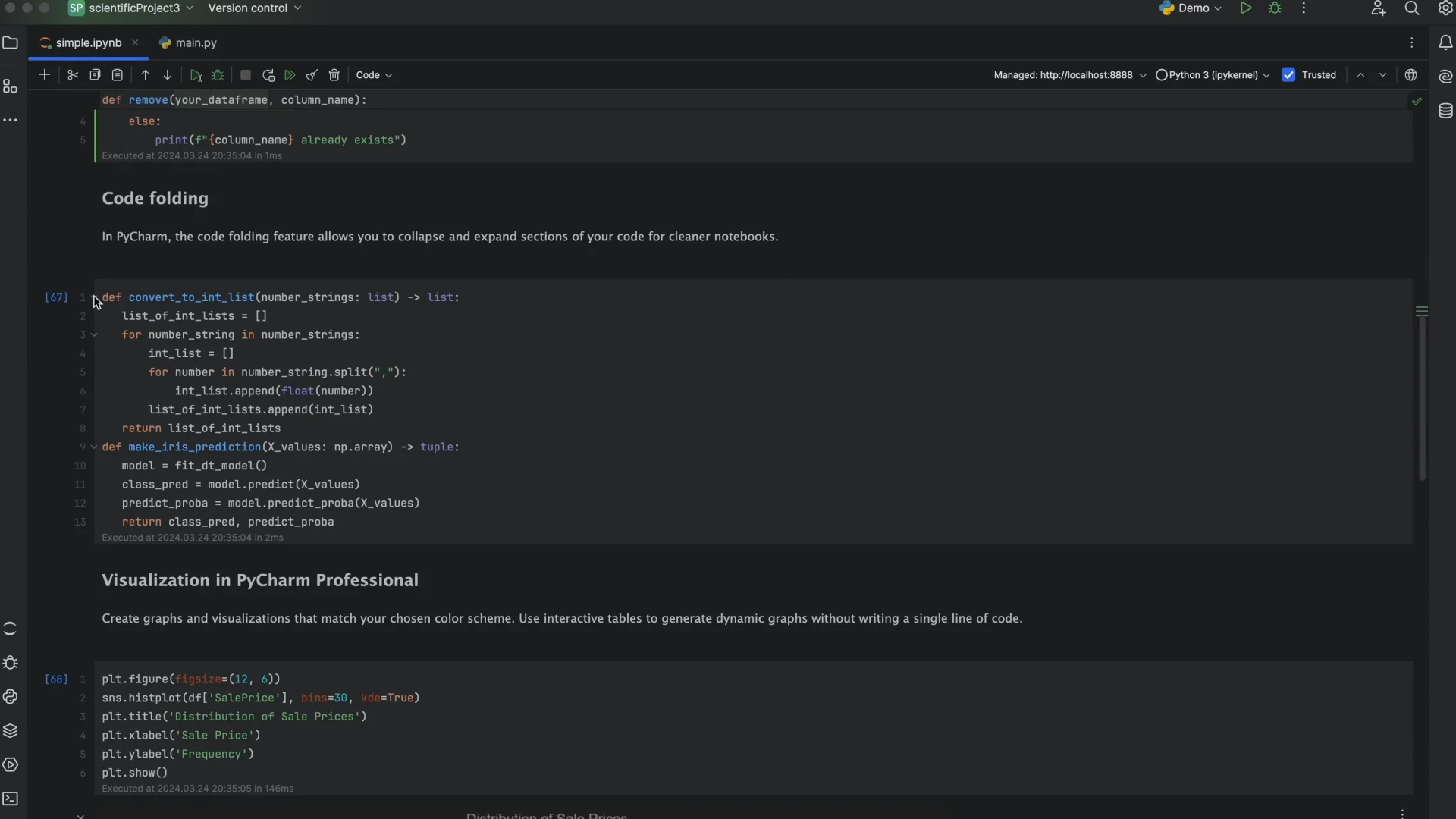
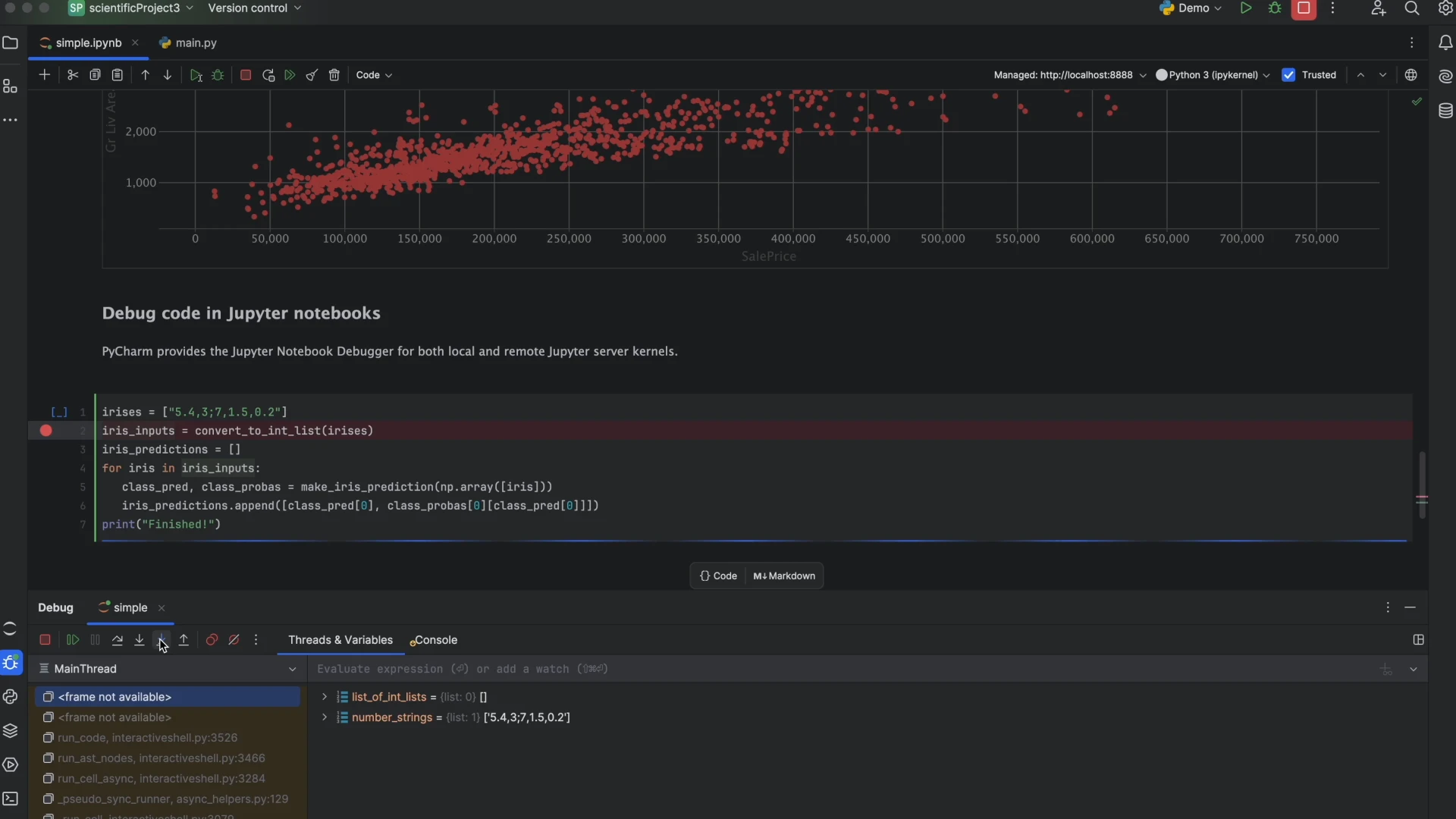
The visual debugger is the part that changes habits. Breakpoints sit in the gutter, the call stack and variable values are panels rather than printed lines, and an expression can be evaluated in the middle of a paused frame without editing the source. Anyone who has spent an evening adding and removing print statements to find out which branch actually ran will recognise the value immediately: the question is answered in seconds, and the file is left exactly as it was.
Around that core sit the tools that make a project manageable: test runners with per-test results, a database panel that connects to the same servers the application talks to, version control integration that shows which lines changed and by whom, and profiling when something is slow for reasons that are not obvious.
The licensing change is the news that matters most for new users. Personal, non-commercial use is now free, and students and teachers were already covered. Professional work still requires the paid edition, which is where the web framework support, the database tooling and the scientific extras live. For learning, open source projects and personal utilities, the flagship experience now costs nothing, which removes the objection that used to end most conversations about it.
Where it is too much tool
For a two-hundred-line script that runs once a week, this is a heavy answer to a small question. Start-up is slower than an editor, memory use is higher, and indexing a large project takes a minute on first open. People who work mostly in a terminal with a modal editor will find the whole arrangement foreign, and forcing it on them is a mistake rather than a training opportunity.
There is also a subtle risk in good tooling: it can hide the layer underneath. Someone who has only used a graphical environment may not know what a virtual environment actually is, and then struggles the first time a deployment script behaves differently from the IDE. Learning the two commands that create and activate an environment is worth ten minutes even if the interface does it for you.
The moat here is twenty years of obsession with developer experience. Almost every action you can imagine has a path already paved, and that is what maturity in an IDE actually means.
Getting started sensibly. Configure the interpreter and the virtual environment before writing anything, because a project that starts correctly rarely has to be untangled later. Use breakpoints instead of print statements, and learn the three shortcuts for stepping, over and out, since they carry most of the value. Connect the style checker and a pre-commit hook early. And treat the IDE as something to learn rather than a fancy notepad; the features that save hours are exactly the ones nobody discovers by accident.
One practical note for teams: the free personal licence and the paid commercial licence are different products for different situations, and it is worth being clear about which one applies to a given machine rather than discovering it during an audit.