
RelayCraft Puts an AI Inside the Packet Capture Tool
Summary
An open-source traffic debugging tool with an AI inside the loop: a local proxy captures and decrypts HTTP traffic, and a built-in MCP server lets an assistant read the requests, analyse them and rewrite them.
Recommend- Name
- RelayCraft
- Version
- 20260612
- Pricing
- Free
- Open source
- Open source
- Operating system
- WindowsmacOSLinux
- Website
- https://relaycraft.dev
- Updated
- 2026-10-19 22:00
The workflow nobody modernised
Traffic interception tools have barely changed in a decade, and the workflow they impose is the reason. Start the proxy, capture what goes past, look at the request with your own eyes, decide what is wrong, and then edit it by hand — again, and again, for every variation you want to try. The tools are good at the capture part and leave the reasoning entirely to the person. It is not a small amount of reasoning: reading a header, comparing a response body against what the documentation promised, and reconstructing the sequence that produced the failure is where the actual time goes.
RelayCraft starts from the observation that an AI is now quite good at exactly that part and completely unable to reach it, because the traffic exists inside an application it cannot see. The fix is to expose the traffic through a standard interface so the assistant can work on the same data the human is looking at.
What the assistant can actually do
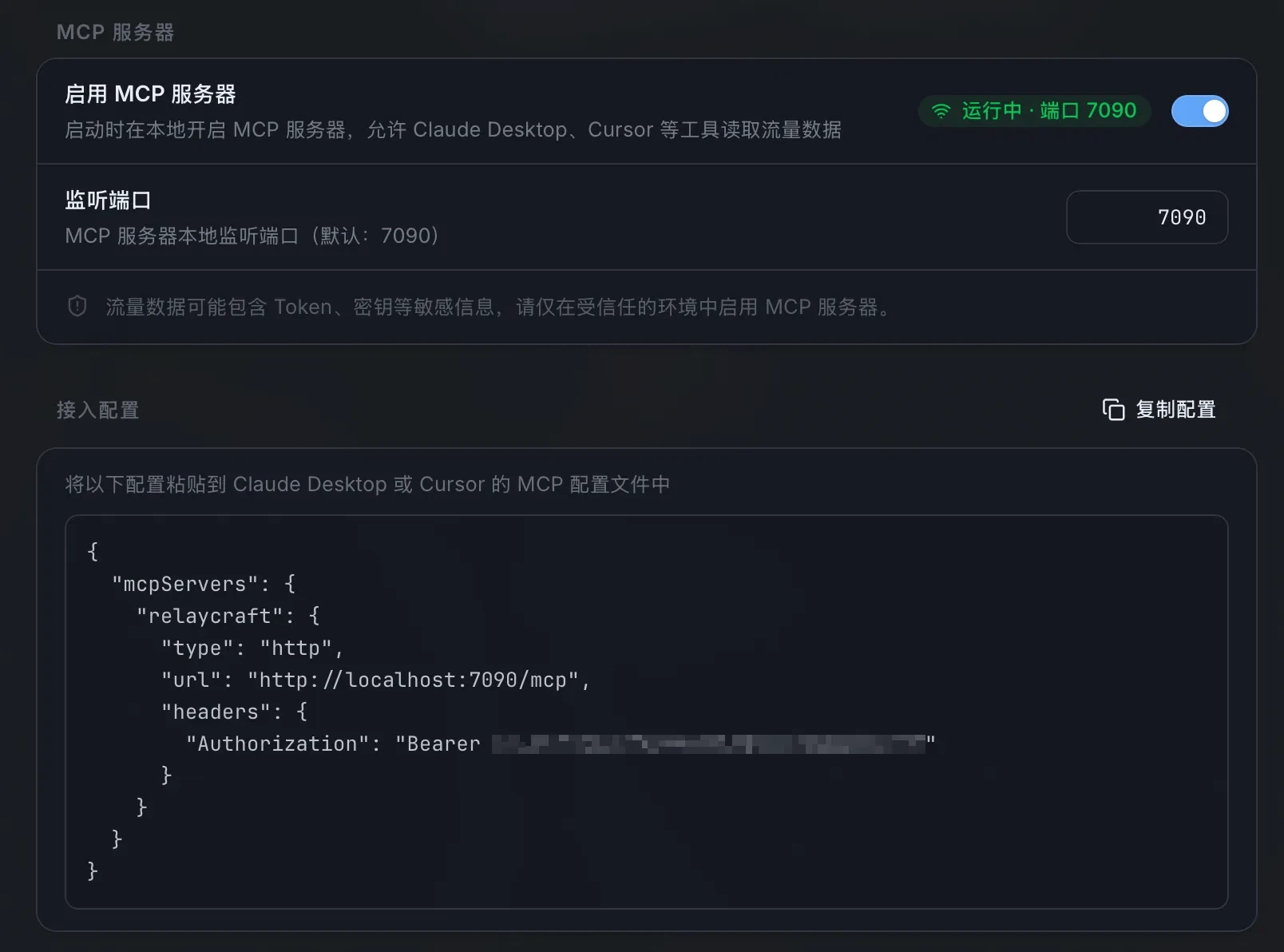
The tool runs a local proxy and an MCP server — an open protocol for handing tools and data to an AI client. Connect an assistant to it and the assistant can read the requests and responses currently captured, work out which of them is failing and why, rewrite parameters or replace a response body, and run a set of cases in sequence rather than one at a time. The human still decides; the difference is that the deciding happens on the same object as the doing.
This changes the shape of integration work rather than merely speeding it up. Instead of capturing a request, reading it, opening an editor and changing a value, you describe the outcome and inspect the result — and when the result is wrong, the previous version is one step away instead of gone. The same property makes interface testing and traffic analysis less tedious: describing a case in words and having it executed against the captured stream is a different activity from writing a script for it.
A compiled core rather than a wrapped web page
The engineering choice matters more than the marketing usually admits. Plenty of desktop tools in this category are a web interface inside a bundled browser engine, which is why they start slowly and sit in memory at a size that has nothing to do with the work they perform. This one uses the web view the operating system already provides and puts the proxy engine in a compiled core written in Rust, so the heavy work — interception, decryption, rewriting — happens in native code while the interface stays modern.
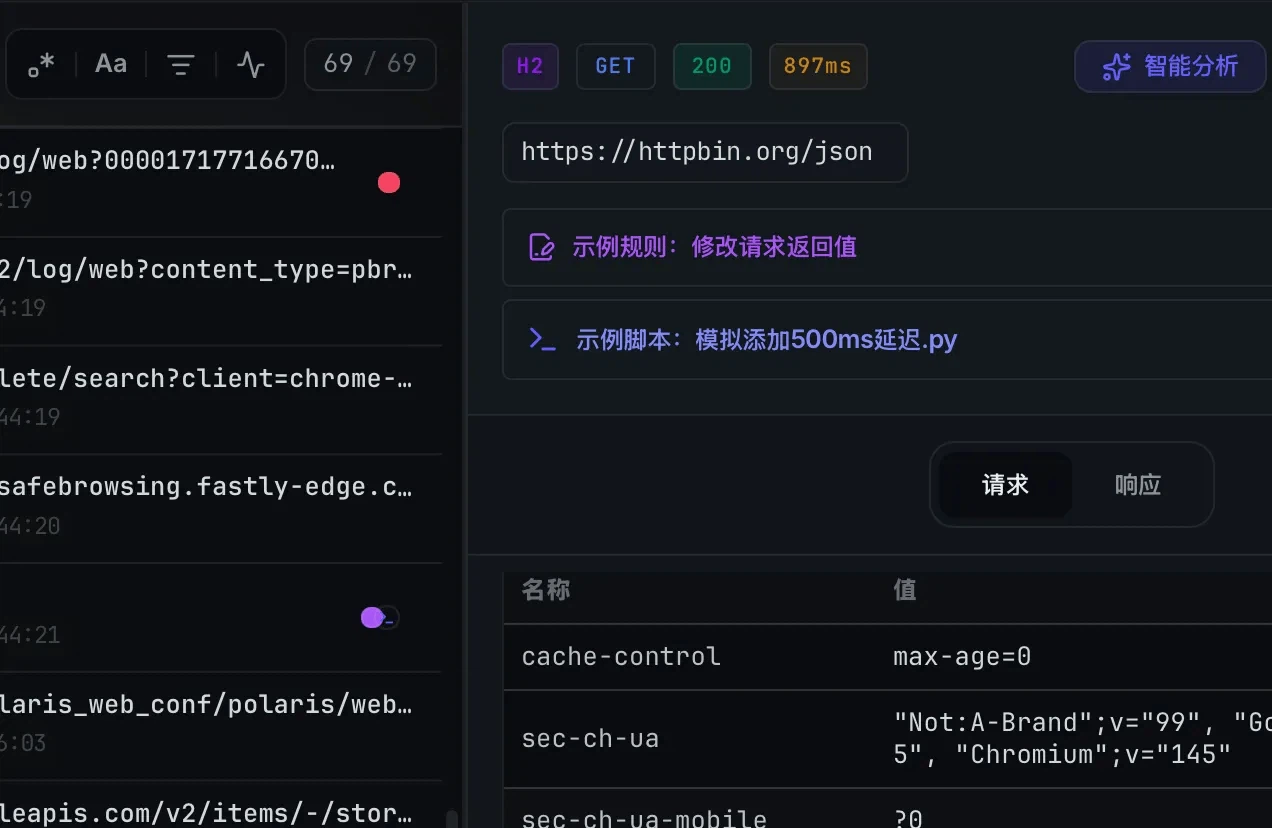
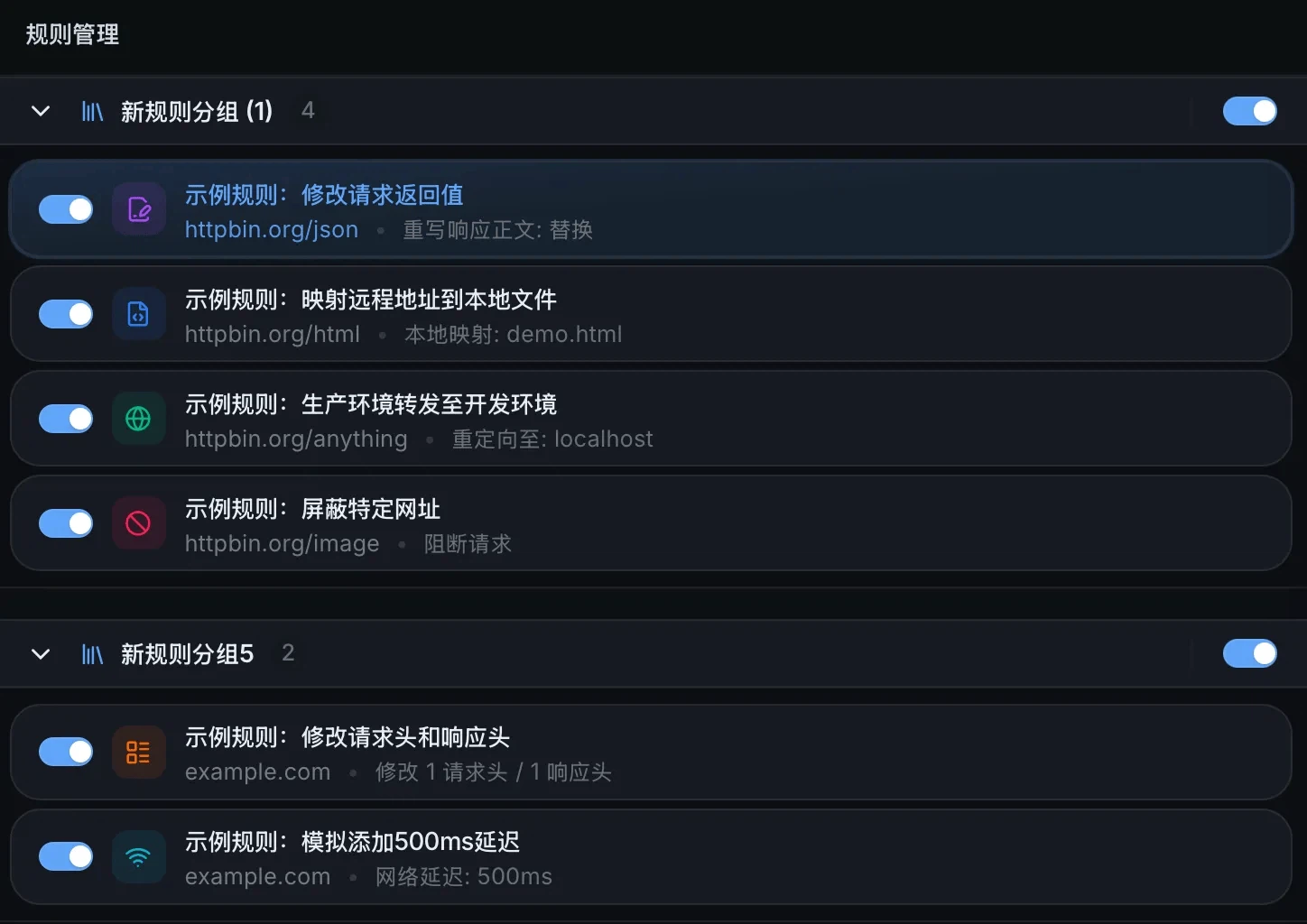
The functional floor is where it needs to be for anyone who does this for a living: HTTPS decryption, breakpoints on requests, replay, and rule-based replacement. Those are not differentiators, they are the minimum, and a tool that gets them wrong is not usable no matter how good its assistant is. The claim worth testing is that the combination — a native engine and an AI that can reach it — is more than the sum of the two parts.
Local, which here is not a slogan
Traffic captured from a work application routinely contains session tokens, internal hostnames and payloads that should not leave the building. The design keeps the data local: capture, decryption and rewriting all happen on the machine, and nothing is uploaded. The AI connection is made through the local protocol to a client you already run, which means the requests never travel to the tool's own servers — there are none to travel to.
That distinction deserves stating precisely, because it is the difference between a privacy claim and a privacy posture. Your requests do reach whichever model your assistant uses, exactly as they would if you pasted them into a chat window; what does not happen is an additional copy going to the tool's vendor. For internal interfaces and anything carrying credentials, that is the arrangement people actually need, and it is worth understanding rather than trusting.
Built by one person, with an AI, in months
The origin is the part that dates the project. A single developer built it from nothing in a few months, working with AI assistance throughout — the style of development that has become common enough to have a name. It is a genuinely interesting data point about how quickly a competent person can now produce a tool of this kind, and it is also the honest explanation for both the pace of the project and the rough edges you will find.
It is fully open source, which means the code can be read, changed, extended and rebuilt; the community has already contributed plugins and feature requests and integrated it into its own workflows. For a tool that handles credentials, being able to read the source is not a philosophical preference but the only way to know what happens to them.
Who it is for
Developers joining a front end to a back end, where the work is a loop of capture, compare, adjust and retry, and where an assistant that can perform the adjustment removes most of the friction. People testing interfaces who would rather describe a case than script it. Security researchers working through decrypted traffic, for whom pointing an assistant at a suspicious sequence is faster than reading it line by line. And anyone who has been doing this with a decade-old tool because nothing better arrived.
The proposition is narrow and clear: give the capture tool a brain. It stops being a matter of staring at traffic and guessing and becomes a matter of describing the problem and watching it get changed. For developers whose day consists of this work, half an hour of trying it is a reasonable investment, and the local processing and open source make the privacy question answerable instead of merely reassuring.
The honest summary
What is new here is the connection, not the components: proxies exist, MCP exists, assistants exist, and the contribution is putting them in the same loop. The engineering underneath is sound — a compiled core, a native engine, the functional floor covered — and the limits are the ones that come with a young project built quickly by one person: rough edges, a feature set still filling in, and a long-term shape that is not yet determined. None of that changes the argument. If your work is traffic, an assistant that can read and rewrite it is a different kind of tool from one that only shows it to you.