
qutebrowser: browsing without lifting your hands off the keys
Summary
The mouse is the default accessory of a browser, and for people who live on the keyboard, reaching for it is itself an interruption. qutebrowser turns navigation into typed commands: press a key, every link gets a label, type the label.
Recommend- Name
- qutebrowser
- Version
- 3.7
- Pricing
- Free
- Open source
- Open source
- Operating system
- WindowsmacOSLinux
- Website
- https://qutebrowser.org/
- Updated
- 2026-10-07 18:34
Reaching for the mouse is the interruption
Every browser ships with the same assumption: the pointer is how you choose things, and the keyboard is a shortcut for typing into fields. For most people that is fine. For anyone whose day is spent in a terminal or an editor, it is a small constant tax, because the hand has to leave the home row, find a target on a two-dimensional surface, and come back. Do that a hundred times before lunch and the tax is the afternoon.
qutebrowser reorganises the whole activity around typed input. Press the hint key and every link on the page grows a short label; type the label and you are there, without hunting for a rectangle of pixels. Scrolling is a keypress, the top and bottom of a document are single keystrokes, and tabs are created, closed and switched with the same muscle memory anyone who has used a modal editor already owns. Navigation becomes a language you speak rather than a surface you aim at.
The modal design matters more than it first appears. Ordinary browsing and text entry live in separate modes, so a keystroke that scrolls in one mode types a letter in the other, and neither interferes with the other. Once the grammar is learned, the speed difference is not subtle. It is the difference between doing something and waiting to do it.
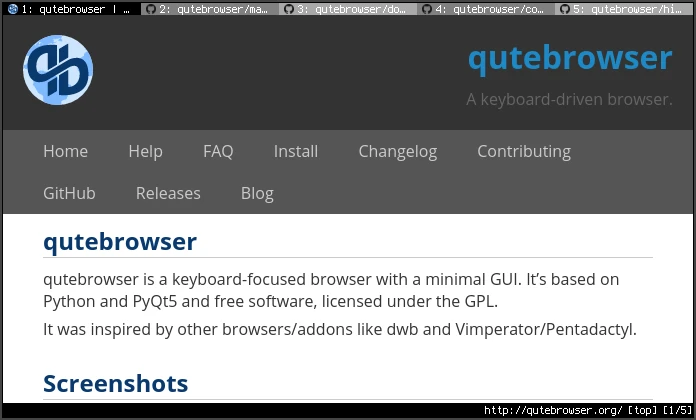
Configuration is code, and that is the point
Customisation does not go through a settings panel. The configuration file is Python: key bindings, the start page, search engines and download behaviour are declared line by line, and reloading applies them immediately. That choice is divisive and it is also the reason the program can be made to fit one person exactly. The file can live in a version repository, so a new machine is a clone away from feeling like the old one.
The privacy posture is equally explicit. The design collects no telemetry, and the built-in blocking means browsing traces are yours to decide about rather than something to negotiate with a vendor. It is open source and free, covers the three desktop platforms, and the community documentation plus the keyboard cheat sheet are complete enough that the learning curve, while steep, is at least marked.
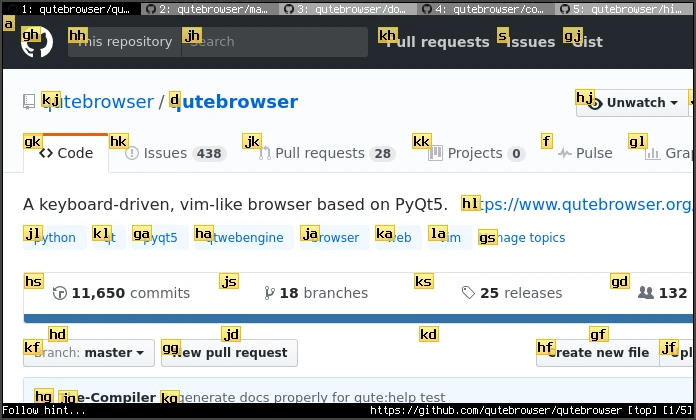
It belongs to a minority and serves that minority seriously: it turns browsing into an input language, and once you are fluent the mouse becomes the spare part instead of the primary tool.
Getting fluent without a wasted week
Learn four keys first: the hint mode, the two scroll directions, and the close-tab key. Two days of forcing yourself through them is enough to build the reflex, and after that the rest of the vocabulary attaches itself naturally. Trying to memorise the full cheat sheet on day one is the reliable way to give up on day three.
Start the configuration from the example file rather than from an empty document. Writing Python from scratch to get a browser running is a poor use of an evening, while editing something that already works teaches you the syntax in the right order. Keep the file in a repository from the first day; the history is the documentation of your own preferences.
It is also worth being honest about the boundary. Heavy web applications, video conferencing and anything that depends on a rich extension ecosystem are better served by a mainstream browser, and there is no contradiction in keeping both. Use this one for reading, searching and documentation, the places where the keyboard advantage compounds, and let the other one handle the sites that assume a pointer. Specialisation, applied to browsers, is a reasonable habit rather than a defeat.