
Quark browser puts an AI workbench behind the address bar
Version 7.2
Summary
Quark rebuilt its PC browser around a large model instead of extensions: search, questions and summaries share one box, a sidebar assistant stays open, and a floating ball works outside the window.
Recommend- Name
- Quark
- Version
- 7.2
- Pricing
- Free
- Open source
- Proprietary
- Operating system
- WindowsmacOSAndroidiOS
- Website
- https://www.quark.cn/
- Updated
- 2026-10-06 09:54
The browser market looked settled, so Quark changed the subject
For years the browser argument was about engines and extensions: who renders faster, whose add on catalogue is larger, whose developer tools go deeper. Quark took a third route and skipped that contest entirely. It does not compete on rendering, and it does not court the extension ecosystem. It builds a large model into the base of the browser instead, and lets the rest of the product follow from there.
The lineage explains the design. Quark started as a deliberately minimal mobile browser from Alibaba, and the PC version went through a rebuild around AI in 2025-11, arriving under the name Quark AI Browser. The home page search box is wired to the Qwen model, so a question, a search and a summary happen in the same field rather than three different places. Version 7.2 is the current build, and by now the AI layer is not a feature bolted on; it is the structure.
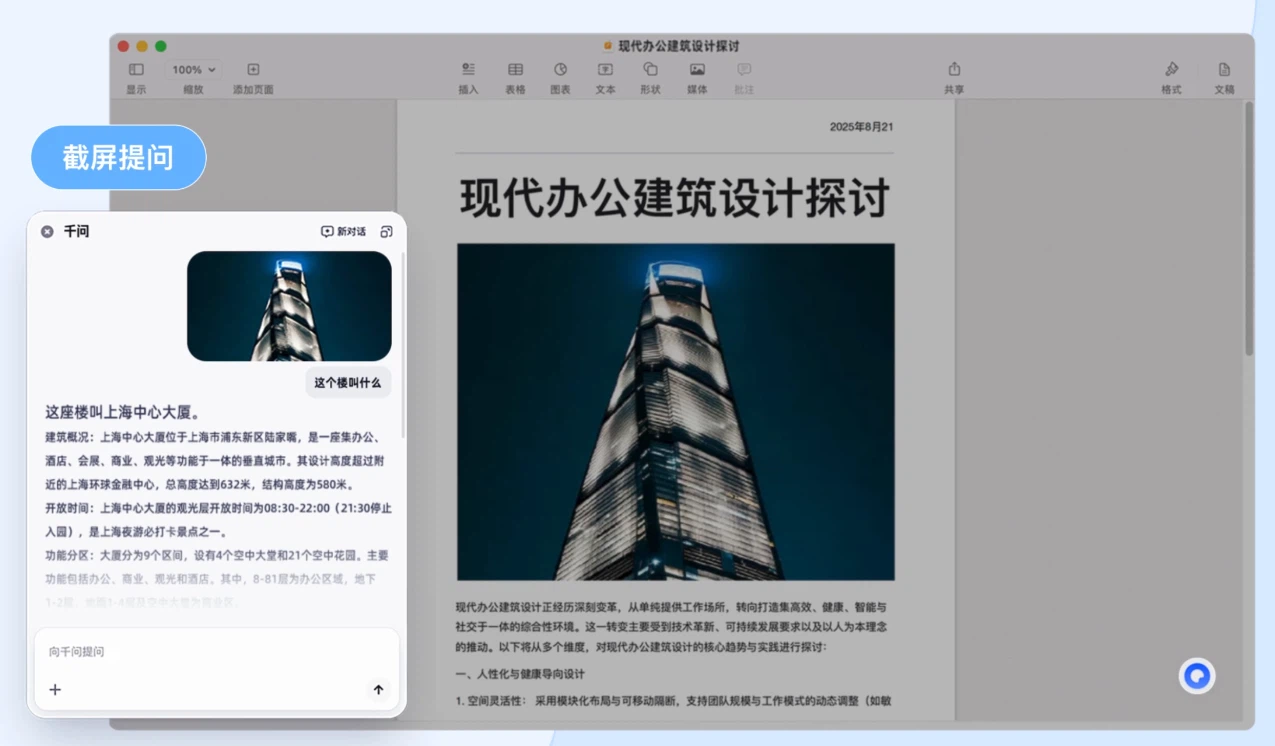
Three places the assistant shows up
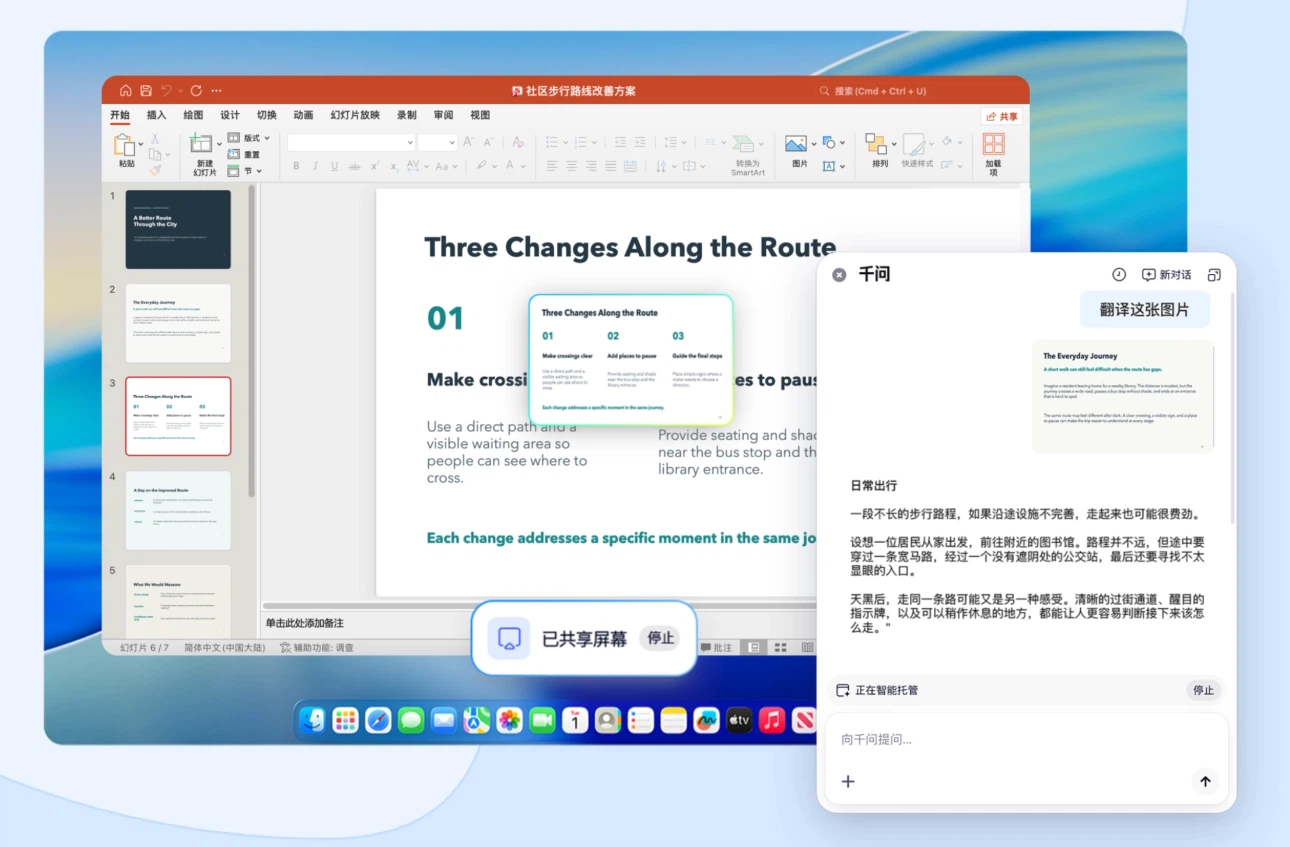
The first is a sidebar assistant that stays open while you read. A long article can be summarised in one action, and selecting a word or a sentence brings up a question box for explanation or translation without leaving the page. The second is a floating ball on the desktop: it can be called from anywhere, so a question does not require the browser window to be in front. The third hides inside the search box, where modes switch between screenshot search, deeper reasoning and academic lookup.
Video gets the same treatment. The built in player supports playback up to five times normal speed and generates subtitles automatically, which changes what a recorded lecture costs in time. And the storage integration closes the loop: a file found on a page can be saved to the Quark cloud drive in one action, then picked up on a phone or another computer, so material does not get stranded on the device where it was found.
What it is good at, and where it stops
As a browser it keeps the reputation the mobile version earned. The interface is clean, default notifications are restrained, and ordinary browsing, online courses and light office work all run without complaint. That restraint is worth naming, because browsers with an AI layer often become noisy; this one mostly stays out of the way until asked.
The limits follow from the design. Extension support and deep debugging do not match a professional browser, and heavy development work still belongs in an established tool. Anyone who needs a specific add on, a particular proxy configuration or a stack of developer panels will find the ceiling quickly. For the far larger group whose work is read, search and organise, the ceiling is not reachable in a normal day.
That is why the interesting part is not the feature list. When finding information moves from typing keywords to asking questions, the browser as an entrance has to grow the answering layer inside itself. Quark is an early version of what that looks like, and it happens to be a comfortable place to study.
What the sidebar changes is not the feature count but the habit. A long report opens in a tab, the assistant reads the whole page, and the question turns from hunting for the bold sentence into what the document actually claims. Selecting a paragraph and asking for a translation keeps the reading position intact. None of this is new in principle; what is new is doing it without three extensions and without remembering which one summarises.
Quark is a sample of a transition more than a list of functions: AI baked into the entrance to the web rather than attached to it. It may not be the only browser someone uses, but it is the one that turns reading into notes the fastest.