
QoderWork Does the Job Instead of Describing It
Summary
A desktop agent that takes a goal in plain language, plans the steps itself, runs them and reports back: tidying folders, analysing spreadsheets, assembling documents, with folder-level permissions and local execution.
Recommend- Name
- QoderWork
- Version
- 20260612
- Pricing
- Paid
- Open source
- Proprietary
- Operating system
- WindowsmacOS
- Website
- https://qoder.com/zh/qoderwork
- Updated
- 2026-10-18 22:00
The chat window answered; nothing got done
The first reflex when asking an AI for help is to open a chat window, describe the job, and then copy the answer out in pieces. That works while the deliverable is text. It stops working the moment the job involves files, because a chat assistant asked to tidy up a desktop will explain a procedure rather than perform one. The gap is not intelligence. It is the absence of hands.
QoderWork is an agent that runs on your machine. You state the goal in ordinary language; it works out the steps, executes them, checks its own output, and hands over the result. The instruction is a sentence and the supervision is optional rather than required — which is the whole difference between a tool you drive and a tool you delegate to.
What that looks like in practice
Three families of work show the shape of it. Point it at a folder that has accumulated a year of disorder and say that you want things sorted by type with duplicates reduced to one copy: it scans, groups, moves, and writes a short report of what it changed. Hand it a spreadsheet and ask for sales totalled by month with a trend chart: it reads the data, writes the analysis it needs, produces the chart, and leaves the result on disk. Give it several documents and ask for a project brief built from them: it extracts the points that matter, orders them, and produces a file you can open in an editor.
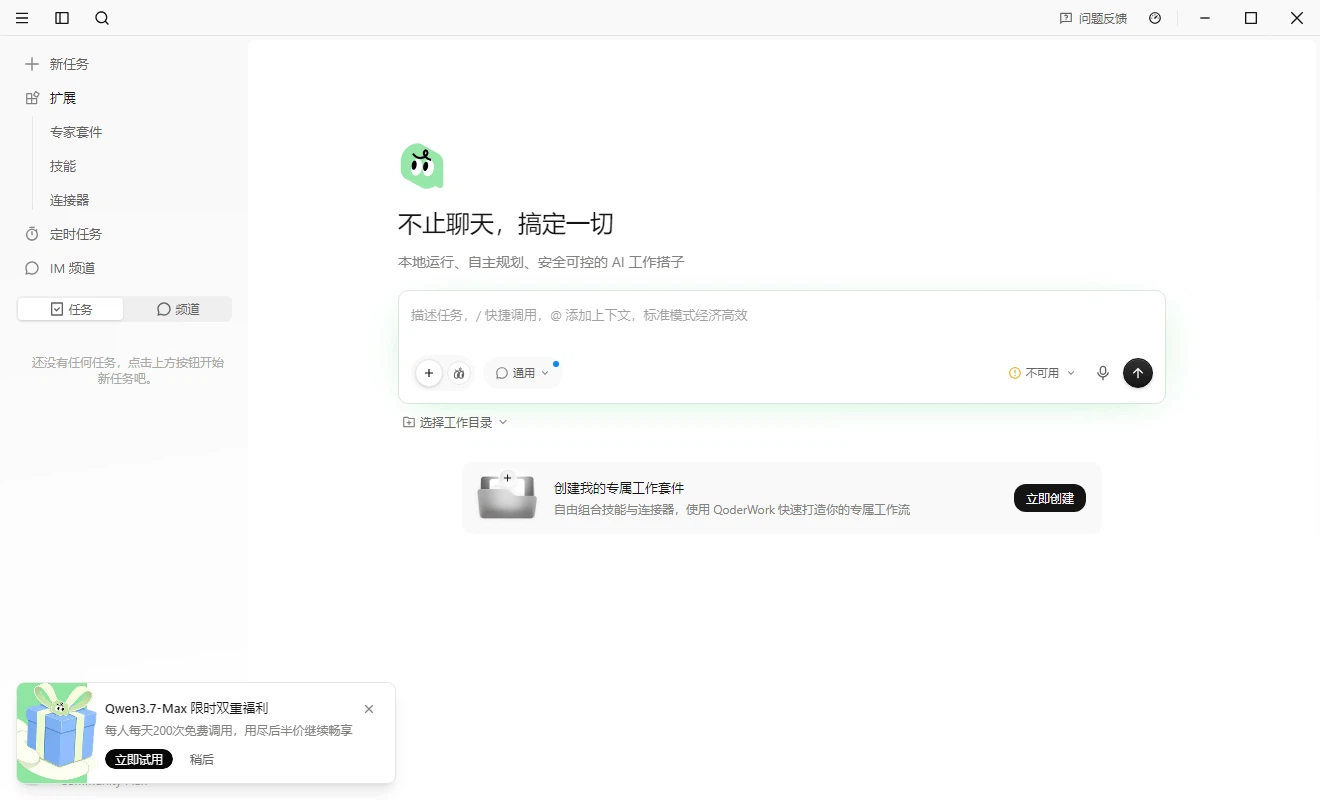
What separates this from a chat session is not only that it acts, but that it acts in sequence without being re-prompted between steps. A panel shows the progress while it works — which step is running, which has finished, where it has stalled. That visibility matters more than it sounds: the reason people do not delegate to software is usually that they cannot see what it is doing, and a stalled chat has nothing to show at all.
The permission question, which is the real one
Letting an AI touch files on your own computer raises the obvious objection before anything else, and it deserves a specific answer rather than reassurance. Execution is local: the work happens on the machine and the documents themselves are not uploaded for processing. Text does pass through a model interface in order to be understood, and that distinction is worth stating plainly, because it is the honest boundary of the promise. The files stay here; the sentences describing what is in them go out to be read.
Authorisation is set per folder. You decide which directories it may reach and which kinds of file it may touch, and everything outside that is simply out of range — not discouraged, out of range. Actions that reach into other applications, opening a browser or sending mail, ask first and wait for an answer. The arrangement is not airtight, and it would be dishonest to present it as such: text content does go through a cloud model, so for material that genuinely cannot leave the room, the sensible approach is to narrow the permissions until the tool can only see what it is allowed to see.
Capabilities that are meant to be extended
The tool layer is built on an open protocol for calling external tools, which means a search engine, a database or a design tool can be attached as a service instead of being hand-coded into the product one at a time. A set of standard skills ships with it — file operations, data analysis, web search — the community contributes more, and anyone comfortable writing code can add their own. The consequence is that the toolset is not frozen at the version you happen to have; it grows while the product stays the same.
Adviser versus executor
The comparison people reach for is a chat assistant, and the distinction is worth making precisely because the two look similar on the surface. A chat assistant is an adviser: you ask, it answers, information moves, and execution stays with you. This is an executor: a requirement goes in, a plan and a set of actions come out, questions are asked when something is genuinely ambiguous, but step-by-step commanding is not the model. The old analogy holds — a chef who writes you a recipe versus one who cooks the meal. Both are useful, and only one ends with dinner on the table.
Who it is for
People whose weeks contain repetitive chores of the file-and-spreadsheet kind, who would rather describe the outcome once than perform the same sequence of moves a hundred times. People who assemble reports out of several sources, where the work is not the writing but the extraction and the ordering. And people who want the benefit without learning a command line: what this asks of them is a window, a sentence and a progress panel, which is a much lower bar than the scripting that normally does this kind of work.
The move from an AI that talks to an AI that works is the whole point here: state the goal, let it plan and execute, read the result. What makes that acceptable rather than alarming is the local execution and the folder-level permissions, and what makes it useful beyond one task is a tool layer that can keep growing. Neither of those is decoration; they are the two things that decide whether a tool like this gets used twice.
The honest summary
The interesting part is not the model but the loop around it: plan, act, inspect, report, which is what turns a text generator into something that finishes work. The limits should be named with equal clarity. Text passes through a cloud model, so the privacy claim is about files rather than about content. Delegation is only as good as the description of the goal; a vague instruction produces a confident wrong result. And a product in this category competes on the quality of its tool layer, which changes month by month — the protocol is open, so the real question is not whether capabilities can be added but whether they will be, and by whom.