
Portmaster review: a network gate you can actually see
Summary
Portmaster is an open source application firewall from Safing that shows every outbound connection in real time and lets you allow or block it in one click, with encrypted DNS and built in filter lists under the GPLv3.
Recommend- Name
- Portmaster
- Version
- 2.2.3
- Pricing
- Free
- Open source
- Open source
- Operating system
- WindowsLinux
- Website
- https://safing.io/
- Updated
- 2026-10-06 21:56
What keeps connecting from your machine without asking
Install a note taking tool that advertises itself as offline, then open the network panel and watch. Within a minute it has reached out to an update server, a telemetry endpoint and a font library hosted on a domain you have never heard of. Ask the firewall built into Windows to explain this and you get a list of rules nobody can read, plus no answer at all to the simple question of which program is talking to which site. The system does record connections, but it never presents them in a form a normal person can act on.
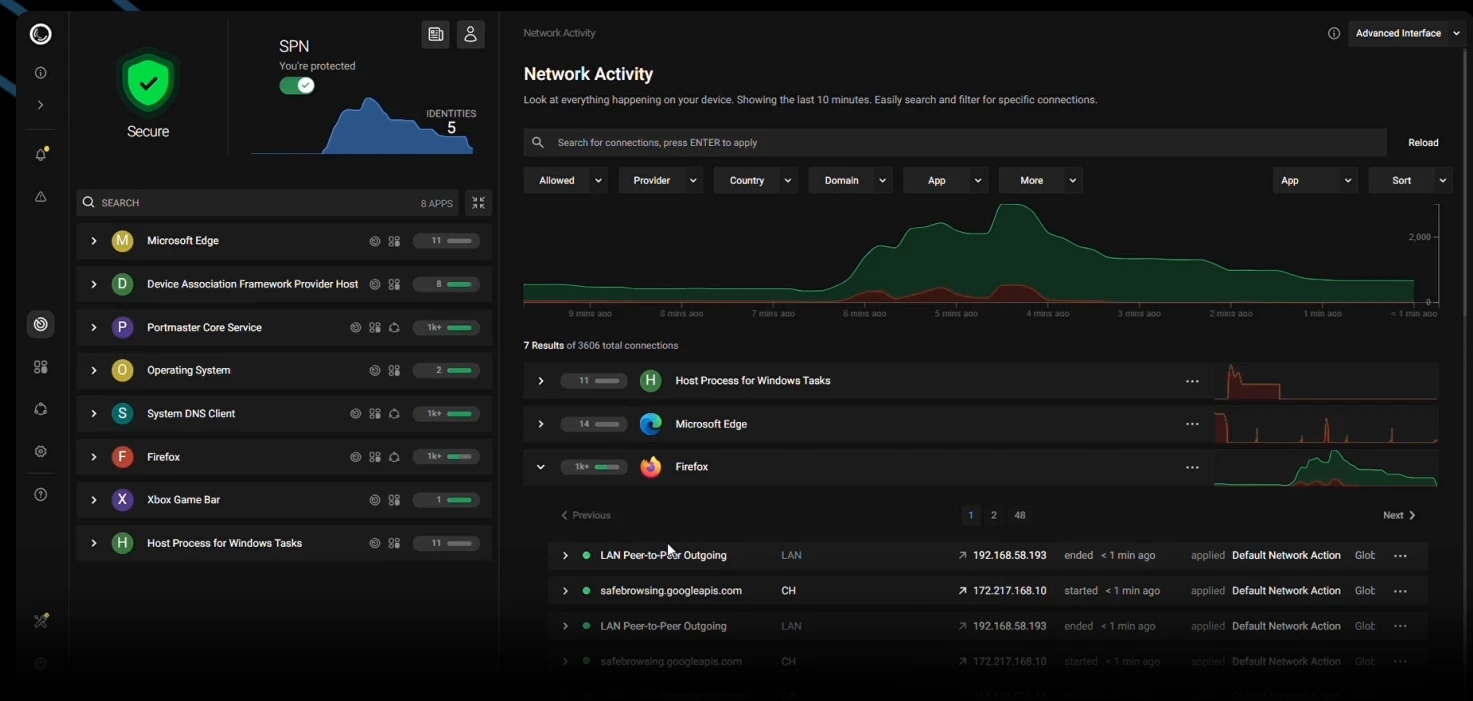
Portmaster takes that question and makes it visible. It is built by Safing, a privacy company based in Germany, and released under the GPLv3, so anyone who wants to check the claims can read the source instead of trusting a marketing page. After installation every application that opens a connection appears in a live view: the domain it is contacting, who owns that domain, how much data is moving and how often. A single click allows or blocks. No rule syntax, no port numbers, no afternoon spent in a manual.
A privacy baseline that is already switched on
The defaults deserve attention, because most tools ship permissive and leave the hardening work to the user. Portmaster sends all domain lookups on the system through an encrypted channel by default, which means the internet provider can see that traffic exists but not which names were requested. A maintained filter list blocks the well known advertising and tracking domains before the connection leaves the machine, and it applies to every application rather than to a single browser. Rules are set per application, so an offline utility can be cut off completely while a download client is allowed to reach servers in one specific region.
Architecturally it runs as a background service that starts with the system, with the interface running on the local machine. There is no account, no cloud dashboard and no subscription needed for the core. That last point matters more than it sounds. A firewall that first ships your connection list to a vendor in order to decide what you may reach has moved the trust problem around rather than solved it.
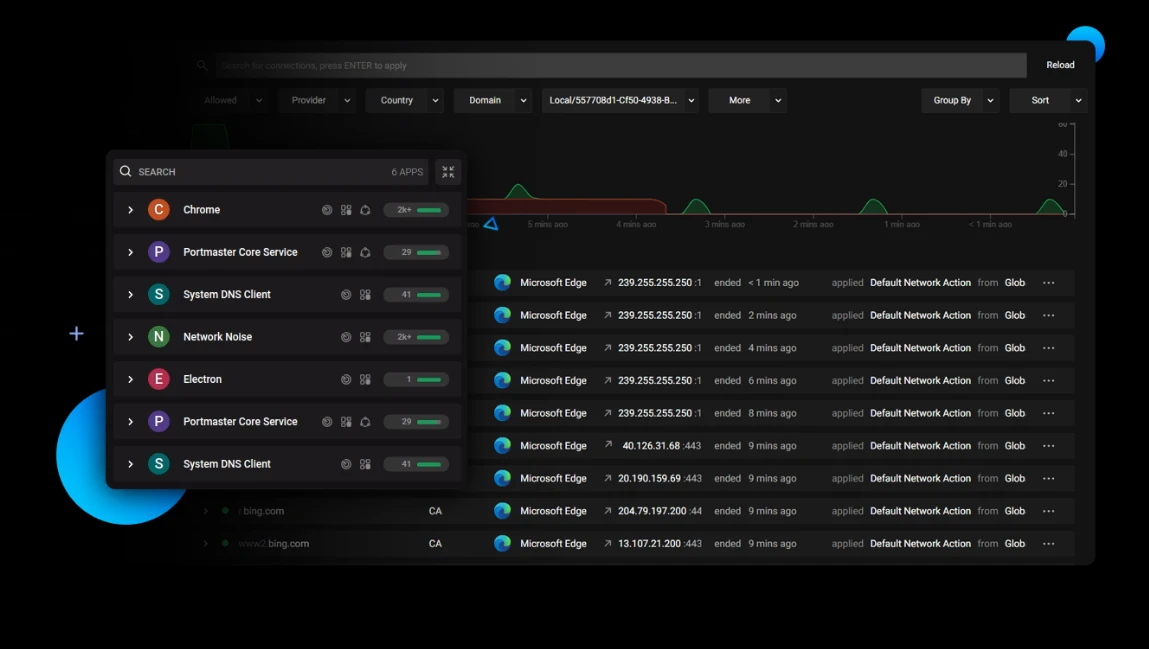
The point of Portmaster is visibility. Privacy stops being a slogan once it turns into a list of concrete connections with timestamps and byte counts attached. Once you can see exactly where each piece of data goes, control returns to the person sitting at the keyboard.
What it costs you in practice
Version 2.2.3 is the current release and maintenance is active. Windows and Linux support are mature; macOS is not offered at all, which rules it out for a fair number of people. The honest caveat is weight. This is a heavier tool than the firewall shipped with the operating system, and the first session is mostly decisions about what each program actually needs. Block something a program depends on and a feature will quietly stop working until you find the rule and allow it again. Expect one evening of tuning, then very little attention afterwards.
The business model is worth stating plainly. The core firewall, the encrypted resolution and the filter lists are free permanently. A paid subscription adds multi hop privacy routing, which sends traffic through several relays so that no single operator sees both ends of a conversation. If what you want is to know what leaves the computer and stop the parts you dislike, the free tier covers it completely.
Where does that leave the comparison with the alternatives? Most firewalls ask you to describe traffic in the abstract, by port and protocol, before you have any idea what is actually happening. This one inverts the order: observe first, decide second. That reversal is the whole product, and it is why the tool is easier to recommend to someone who has never written a rule in their life than to a network engineer who already has a mental model of every flow.