
Padloc: passwords that live on your own server, open source and zero knowledge
Summary
Almost every password manager is a commercial service with the passwords on somebody else's machine, and asking to run the server yourself usually gets nowhere. This one, published under the AGPL, keeps both roads open: the official cloud is free for one person, or the whole thing can be deployed on your own hardware so that the data really stays with you. Client and server code are both public, and every platform behaves the same.
Recommend- Name
- Padloc
- Version
- 5
- Open source
- Open source
- Operating system
- WindowsmacOSLinuxAndroidiOS
- Website
- https://padloc.app/
- Updated
- 2026-10-05 13:57
A manager that can be taken home
Nearly every password manager on the market is a commercial service first and a piece of software second: the vault sits on the vendor's machines, the client is a window onto it, and the idea of running the server yourself is not on the menu at all. Padloc is the other arrangement. It is open source, published under the AGPL, with the code for both the clients and the server sitting in the open repository, and it offers two roads to the same program: use the official cloud, which costs nothing for one person, or put the whole service on hardware you control so that the passwords never leave the house. Windows, macOS, Linux, iOS, Android and the extensions for the main browsers are all covered, and they behave the same way, which is rarer than it sounds.
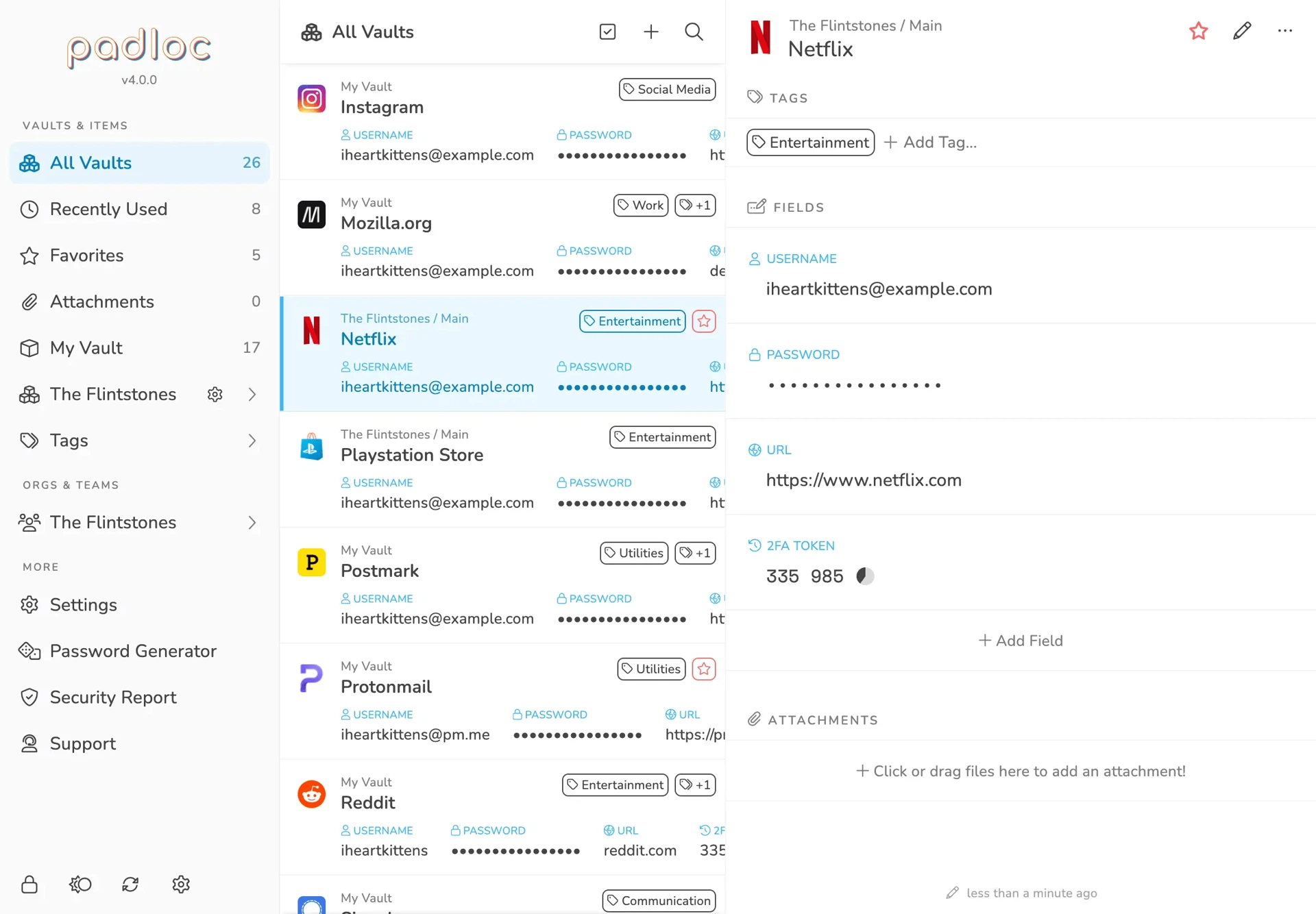
The basics are not cut down
On the ordinary work it is solid. The number of entries in the vault has no limit, the data is encrypted with AES-256, and the design is zero knowledge, meaning the server holds nothing but ciphertext and the operator of that server, whoever it is, cannot read a single item. Each entry carries more than a user name and a password: custom fields can be added, documents attached and notes written, and secure notes and card details are kept in the same place with their own categories. Filling, generating, checking a password against known leaks and a second factor for signing in are all present. For groups there are shared vaults with permissions worked out down to the individual, which is enough for a family or a small team without ceremony.
What a normal day is like
The extension puts a prompt on the login page by itself, the phone opens with a face or a fingerprint, and once the master password has been entered on a device the session keeps itself in step across the others. Each entry keeps its older passwords, so a change made by mistake can be undone. Weak and repeated passwords are gathered on one page of the security check and can be raised one by one from there. The local cache still works with no network at all, changes go up when the connection returns, and a conflict is settled entry by entry rather than by throwing one side away, which is the difference between a small annoyance and losing something.
What being open actually buys
Choosing a manager is really choosing whom to trust with everything. A commercial product asks for that trust on the strength of a privacy policy and a reputation; an open one puts the cards on the table, since the way encryption is implemented, the way devices are kept in step and the way data is stored can all be read, and a researcher can look whenever they like without asking permission. The phone applications go through the usual stores and the desktop versions are ordinary installers, so what is installed corresponds to what has been published. And for anyone who wants the last step, the server can be run in a container on their own machine, with the client pointed at their own address, at which point the data is entirely their own problem, in the good sense.
Hosting it yourself is not a project
The documentation covers the whole of it and the deployment is containerised, so anyone who has run a Linux server before can go from an empty machine to a client that signs in, in about an hour. For those who would rather not, the hosted service is free for one person, with some of the collaboration features paid for. Moving in is looked after too: the usual managers export in a form this one reads, and both plain tables and encrypted backups are recognised. As of September 2026 the project is still being worked on and the community is lively, with questions usually answered quickly. For anyone who minds about privacy enough to want the passwords to leave the house only when they say so, this is the shape of the answer.