
OpenTrace: Reading a Route as a Path Instead of a Column of Addresses
Summary
OpenTrace is a cross-platform front end for a command-line route-tracing engine: it draws the path as a map or a node graph, keeps latency and loss per hop, and can watch a route continuously.
Recommend- Name
- OpenTrace
- Version
- 1.4.4
- Pricing
- Free
- Open source
- Open source
- Updated
- 2026-10-06 18:46
A route is a shape, and a terminal shows it as a list
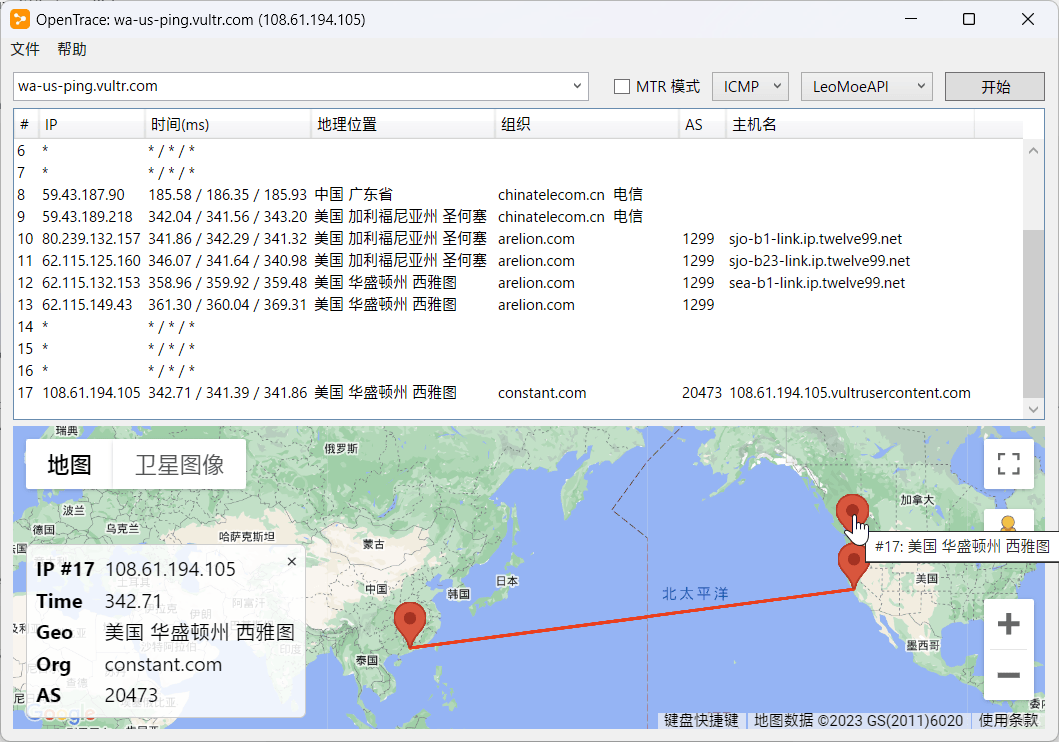
OpenTrace is a cross-platform graphical front end for a command-line route-tracing engine, available on Windows, macOS and Linux, and its contribution is presentational before it is technical. A route trace produces a column of addresses with three latency figures each, and that column contains a path: a sequence of networks, often crossing borders, sometimes leaving a city and coming back. Reading the shape out of the column is work the reader does in their head, and it is exactly the work a drawing can do instead. Showing the hops on a map is not decoration; it is the reason a person who already knows how to run a trace would open a window to look at one.
The program does not replace the engine underneath it, and it is honest about that: the measurement comes from the command-line tool, the window is a front end that drives it and draws what comes back. That division is worth stating because it tells you where to look when a number seems wrong, and because a front end that pretended to be the whole thing would be claiming an accuracy it does not own.
Latency and loss, and which of those numbers to believe
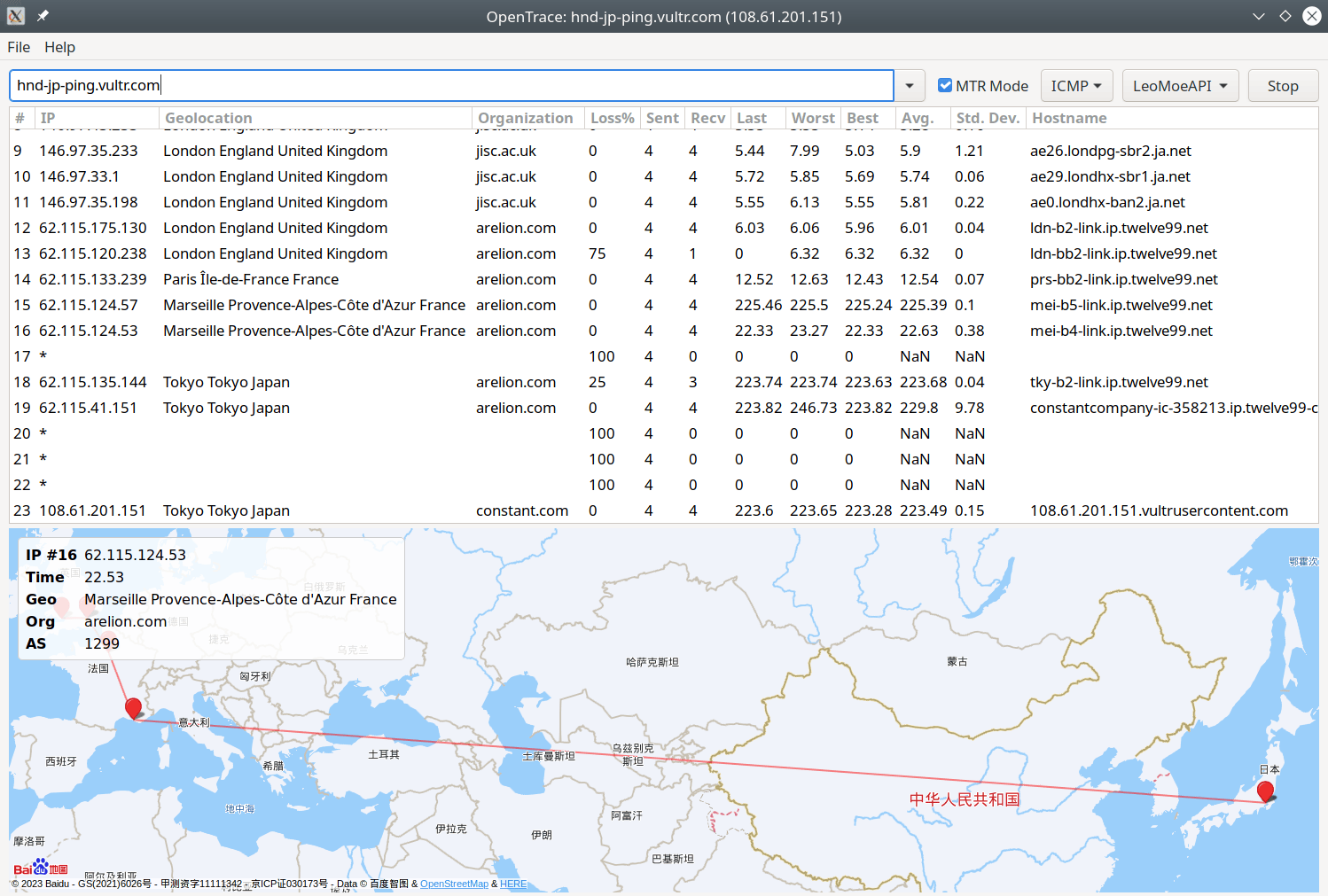
Each hop reports a delay and a loss percentage, and the most useful thing a reader can bring to those numbers is scepticism about the middle of the path. Routers are busy forwarding packets, and answering the probe that a trace sends is a low priority task: many of them rate-limit those replies or drop them entirely. The result is a hop that shows heavy loss while the hops after it are perfectly healthy, which reads as a problem in the middle of the network and is actually a router declining to be measured.
The rule that follows is the one professionals apply without thinking: trust the last hop, treat the middle of the path as indicative, and never diagnose a fault from a single intermediate hop. A trace where loss appears at hop seven and continues through hop twelve is a fault. A trace where loss appears only at hop seven and vanishes afterwards is a router with a rate limit and a good story to tell about how busy it is.
Why a continuous mode is more useful than a snapshot
The program supports a mode that repeats the measurement rather than running once, which is the difference between a photograph and a recording. Intermittent network problems are the norm rather than the exception — a link that degrades under load, a route that changes and changes back, a wifi channel that is fine until a microwave runs — and a single trace taken at a random moment will usually show a healthy path and prove nothing. Watching for a minute, or ten, is what turns a complaint into a description.
This is also where the visual form earns its place twice. A repeated measurement produces a table of numbers over time, which is difficult to read and easy to skim past; the same data drawn as a line per hop shows the moment something changed, and the moment is usually the entire question.
Where the addresses get resolved, and why that is a setting
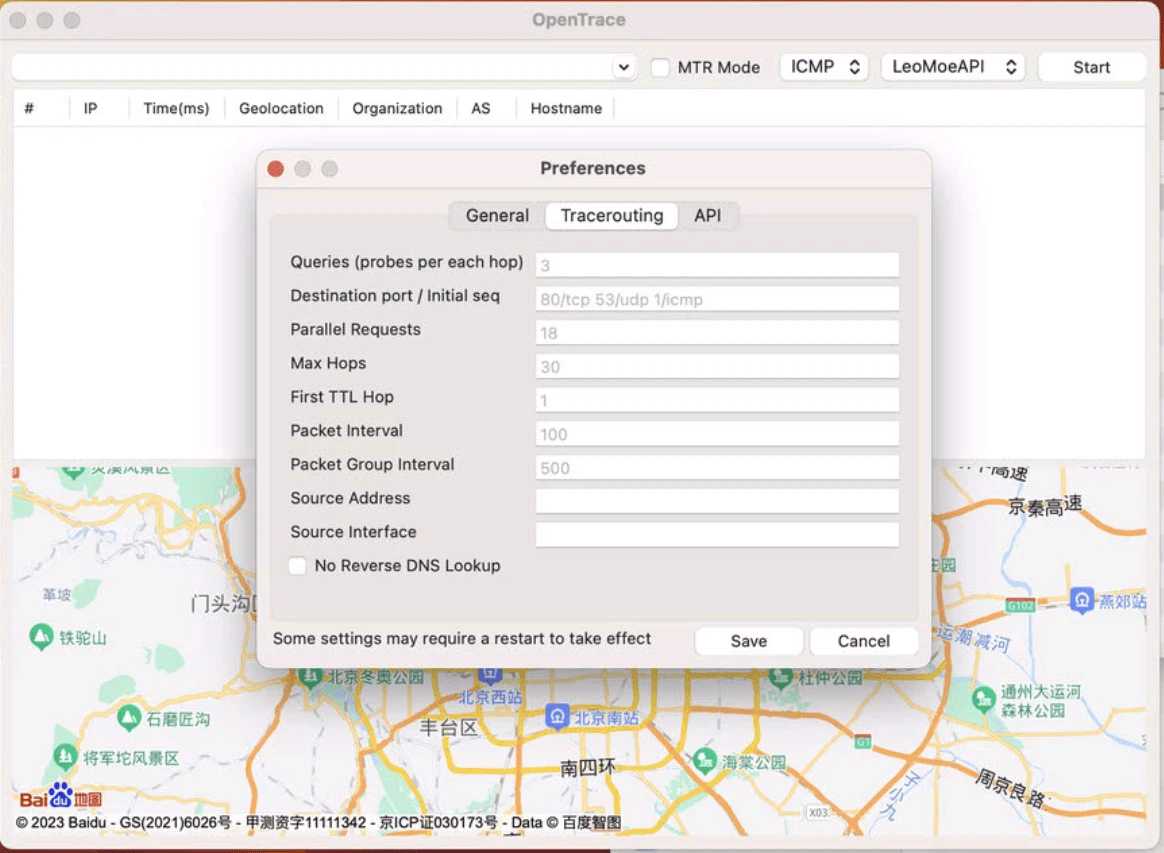
Turning addresses into names requires a resolver, and the choice of resolver is not neutral: it changes what gets asked, who gets asked, and sometimes what answer comes back. The program offers the ordinary system resolver and an encrypted resolver over HTTPS, and the second exists for two reasons that are worth separating. One is privacy — a plaintext DNS query tells the network which names you are looking up, and a trace of a dozen hops reveals a good deal about where you are going. The other is consistency: an encrypted resolver reached directly is less likely to be intercepted or rewritten by whatever is sitting on the local network, which matters when the diagnosis itself is about that network.
The location database, and the limits of knowing where an address is
An address database in a standard binary format is bundled, so a hop can be labelled with a country, a city and a network operator without a lookup against an online service. That last part is the important one: the answer arrives without telling anyone which addresses you are curious about. The limitation is inherent to the data rather than to the program. Geolocation of an address is an inference from registration records, and it is frequently right at the country level, usually approximately right at the city level, and occasionally confidently wrong when a network operator routes traffic through a facility in a different place from where the records say. A map is a good way to see a route's shape and a poor way to conclude that a server is in a particular building.
Blurring addresses is a feature that reveals what the tool is used for
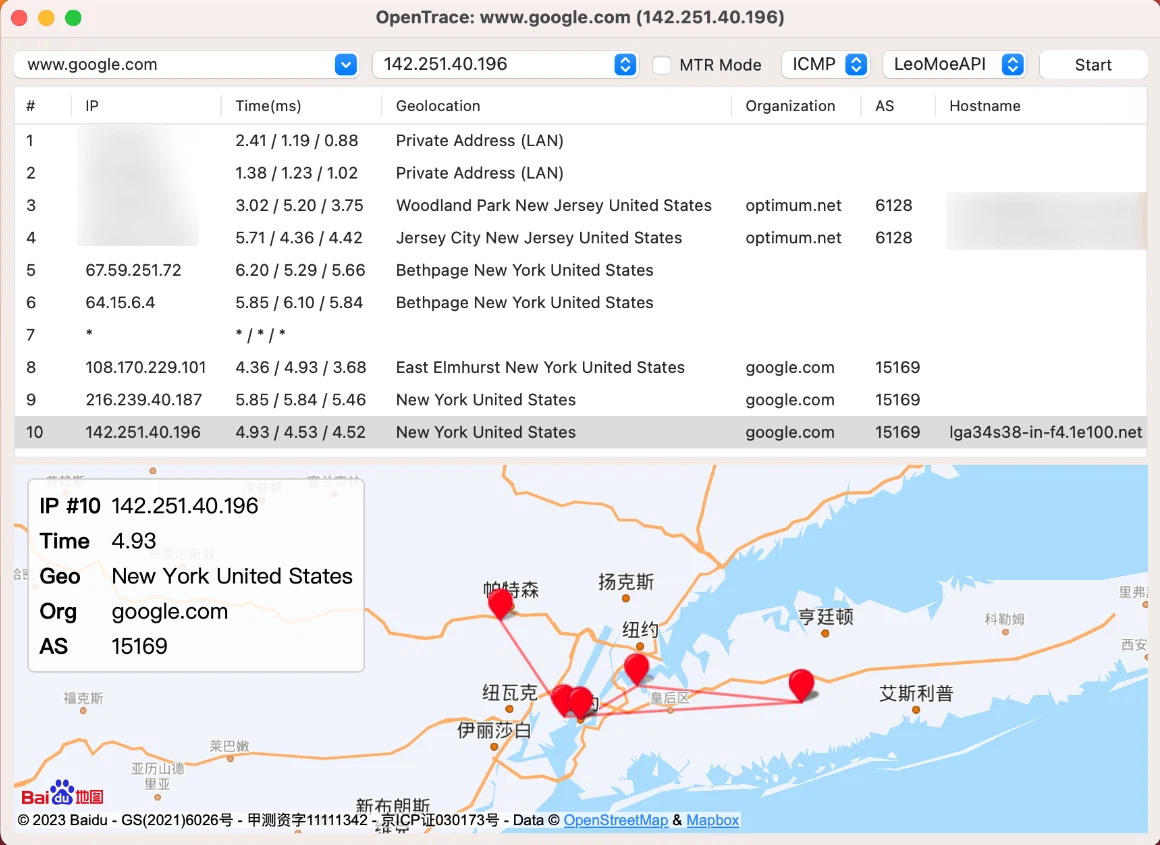
The program can mask part of an address, and the existence of that option says something about how network diagnostics actually happens: in screenshots, pasted into a ticket, shown to a colleague, posted in a support forum. An address in a trace is not a secret in the way a password is, but it is a piece of infrastructure that identifies a network and sometimes a customer, and a support conversation does not need it in full to be useful. A redaction feature built into the tool is a small admission that the output is meant to be shared.
Native interfaces, and what that costs
Using each platform's own interface toolkit rather than one cross-platform layer is a choice with a visible trade: the program behaves like the system it runs on, and the cost is that the same screen is implemented more than once. For a diagnostic tool this is a reasonable place to spend the effort, because the window sits next to a terminal and a browser and a chat client, and a window that looks foreign in that company is a window that gets closed. It also means the tool can reach for things the platform does well, such as the map rendering, instead of approximating them.
Who it is for, and what it cannot tell you
For an operations engineer who is asked why a site is slow from one office and fine from another, and who needs to show the answer rather than describe it. For someone running a game or a call who wants to know whether the problem is the last mile, the middle of the network, or the server. For a person with no networking background who has a complaint and would like a picture of it.
What it cannot do is equally worth saying. It measures the path from one machine to one destination at one moment; it cannot see the path from someone else's machine, and a route is not a bandwidth test — a healthy trace says nothing about how much can be pushed through the link. And it diagnoses the network, not the application: the server that answers slowly and the database behind it look identical from here, which is why the picture is the beginning of a diagnosis and not the end of one.