
Open Science Desktop 0.7.3 keeps each figure's script
Summary
Open Science Desktop 0.7.3 puts search, experiment code, figures and writing in one local workspace, and each output carries the script that made it.
Recommend- Name
- Open Science Desktop
- Version
- 0.7.3
- Pricing
- Free
- Open source
- Open source
- Operating system
- macOSWindowsLinux
- Updated
- 2026-11-19 16:42
The hardest stretch of research is usually not the computation. It is explaining the result six months later, when a figure comes back and nobody remembers which folder held the script, which version of the data it read, or what was installed at the time. Open Science Desktop is a research tool for macOS, Windows and Linux that puts the agent, notebooks, files and figures into one local workspace, so every output carries the code, input and environment behind it. Version 0.7.3 arrived on 2026-11-16, with changes aimed at stability on slow machines and flaky networks.
Figure, script and data in one panel
Open the workbench and the left side holds projects and sessions, the middle shows the artifact you are reading, and the right explains where it came from. Select a figure and the Code tab hands over the few lines of Python that rendered it, with the two input table filenames listed beside them and one click to jump into the data itself. The next column is the conversation turn that produced it, so a request to change the palette, and the revision it landed in, can be traced back. The same record covers tables, reports, notebooks and run output.
What holds this up is an append-only log inside the workspace. Each time a version is saved, the program snapshots the Python version, interpreter path, operating system and architecture, the dependency list and the hardware. Dependencies live in a content-hash store, so a package installed twice does not take space twice. Entries go into .openscience/provenance.jsonl with a limit of 100 KB per entry, the program skips a broken line instead of taking the history down with it, and every write has to land inside the workspace.
Search, experiment and writing are separate skills
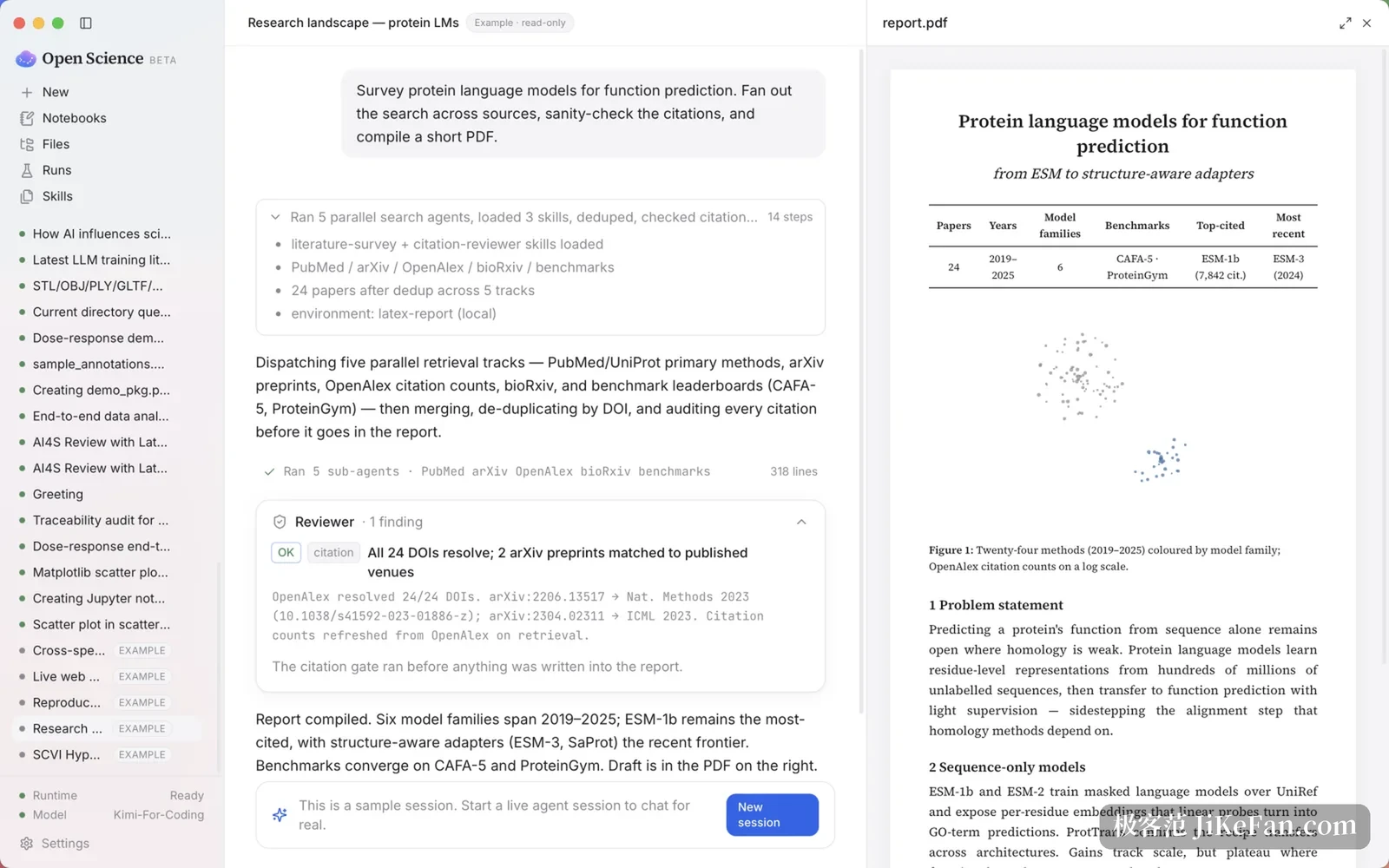
The workflow is split into skills that can be called on their own. A meta skill, ai4s-agent, chains them in order: narrow a broad direction into a concrete question, write the literature review, build an experiment package and get results, then produce the draft. The literature stage queries arXiv, PubMed and Crossref in one pass, renders the draft as a PDF, and runs a citation review before submission that resolves each DOI and flags claims with no source attached and figures that do not match their text.
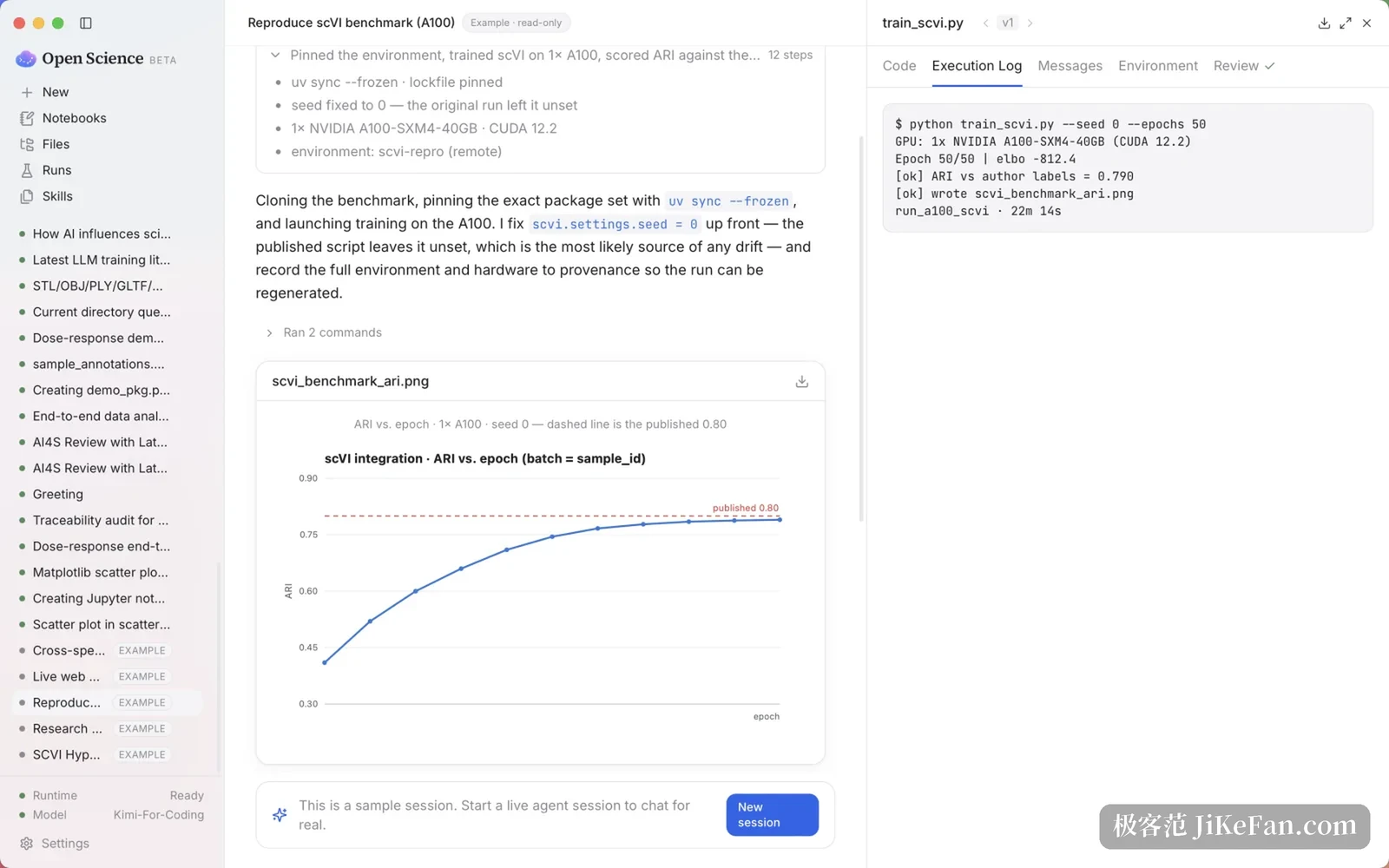
Real files come out of the experiment stage: a design document, code that runs, a provenance JSON with the results, figures and a report. The writing skill produces a PDF of eight to fourteen pages carrying four to eight figures. Every run leaves a record too, whether it happened on the local machine, on a server you connected, or on a scheduling system, and the command and its output can be read back later.
Several lines of work can sit side by side on one screen. Sessions tile into columns, each column can hold a different model, a long conversation is compressed automatically as it nears the context window, and named projects keep one research thread together. Remote machines are registered in local configuration; probing, submitting a job, watching progress and cancelling all happen inside the app, with no second terminal window and no guessing from log files.
Slow networks and remote machines still have to finish
Version 0.7.3 adds no new panel; the work went into reliability. Tasks keep running while the backend is busy, the loading spinner stops by itself after an unexpected backend exit, a message carrying images gets enough time to arrive and is sent once, and a failed send can be retried or rewritten. CJK text in the terminal, file history and several Windows problems were fixed in the same pass.
Remote work is the other half of the tool. The same command brings the whole workbench up on a machine with no display, with the workspace, the runtime and the web interface all starting from one directory. To glance at a finished figure on a phone, the built-in gateway serves the interface to a browser on the local network; it listens on the loopback address by default, opening it to the network is a deliberate step, and model keys never cross the wire.
Data stays local by default. Running a command, installing a dependency, deleting a file and going online each trigger a question before the agent acts. Model keys live in the application's own runtime configuration rather than in the workspace, so they do not travel with an exported file. Settings also hold a plain-language note on data flow, spelling out what gets sent to the model provider you picked, which saves a lot of guessing.
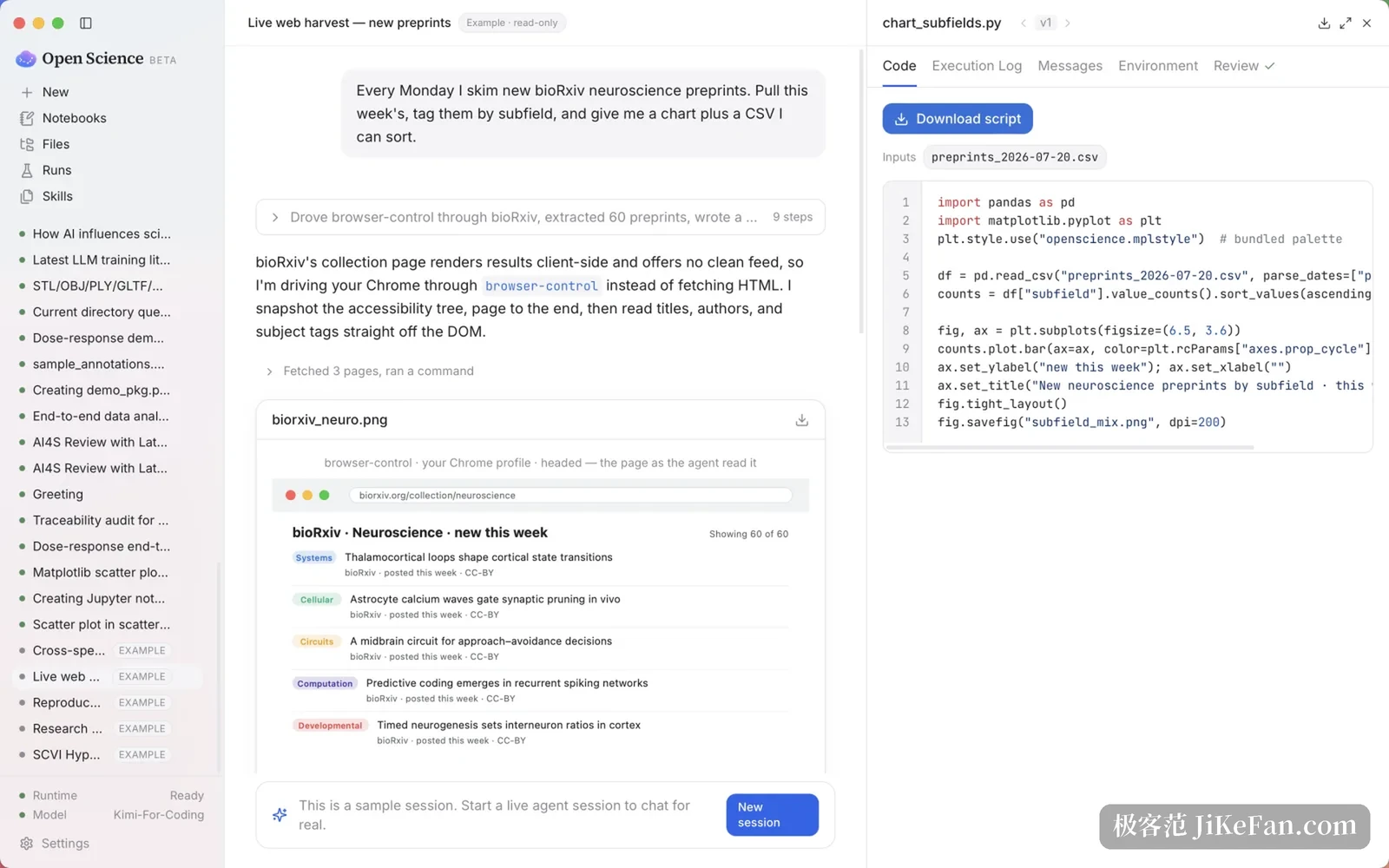
It will not invent your topic. It makes sure that every step you did think through leaves evidence: a figure traces back to the script that made it, and a conclusion traces back to that run.