
Koodo Reader: an open source reader that opens fifteen kinds of ebook files
Summary
An open source reader for six platforms that opens more than fifteen ebook and comic formats, keeps everything local by default, and adds cloud sync, four annotation styles, translation and read-aloud for people who want to read rather than manage a library.
Recommend- Name
- Koodo Reader
- Version
- 2.4.2
- Open source
- Open source
- Operating system
- WindowsmacOSLinuxAndroidiOS
- Website
- https://koodoreader.com
- Updated
- 2026-10-06 19:00
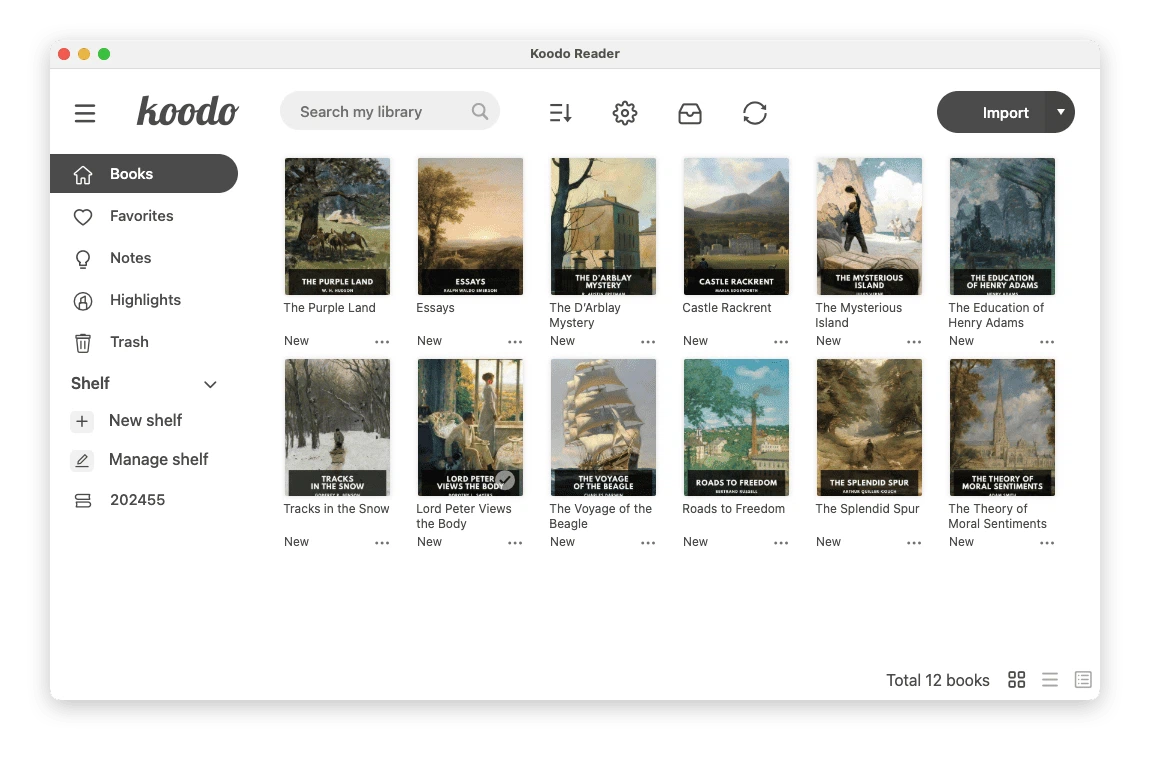
There is a stubborn gap between owning ebook files and actually reading them on a computer. A library manager is powerful but heavy, built around catalogues, conversion queues and metadata repair, and opening a book in it feels like using a database to read a novel. The reading function bundled with the operating system handles a couple of formats and little else. The desktop companion of a commercial bookstore only recognises the files that bookstore sold you. A file you bought elsewhere, or assembled yourself, ends up with nowhere comfortable to be opened.
Koodo Reader fits exactly into that space. It is open source under the third version of the Affero licence, it runs on Windows, macOS, Linux, Android and iOS as well as in a browser, and it opens more than fifteen formats: the standard reflowable book format, fixed-layout documents, the older Mobipocket and its successor used by one large store, plain text, the Russian fiction format, comic archives in both common container types, Markdown, word processor documents and HTML. Between them that covers nearly every ebook file that circulates.
Local by default, synced on request
The design decision worth noting is that nothing leaves the machine unless you ask. Books, reading positions, bookmarks, highlights and notes are all stored locally, which is the right default for a personal library and also the only honest one for a program that cannot afford servers for everyone.
Sync is an optional upgrade. Connect a cloud drive you already pay for, or a file transfer or network sharing protocol on your own hardware, and the shelf, the current page, the bookmarks and the annotations follow you between devices. Halfway through a chapter on a laptop, pick up a phone and the same page is waiting. Because the storage belongs to you rather than to the program's publisher, the arrangement keeps working as long as the account does.
Built for reading, not for managing
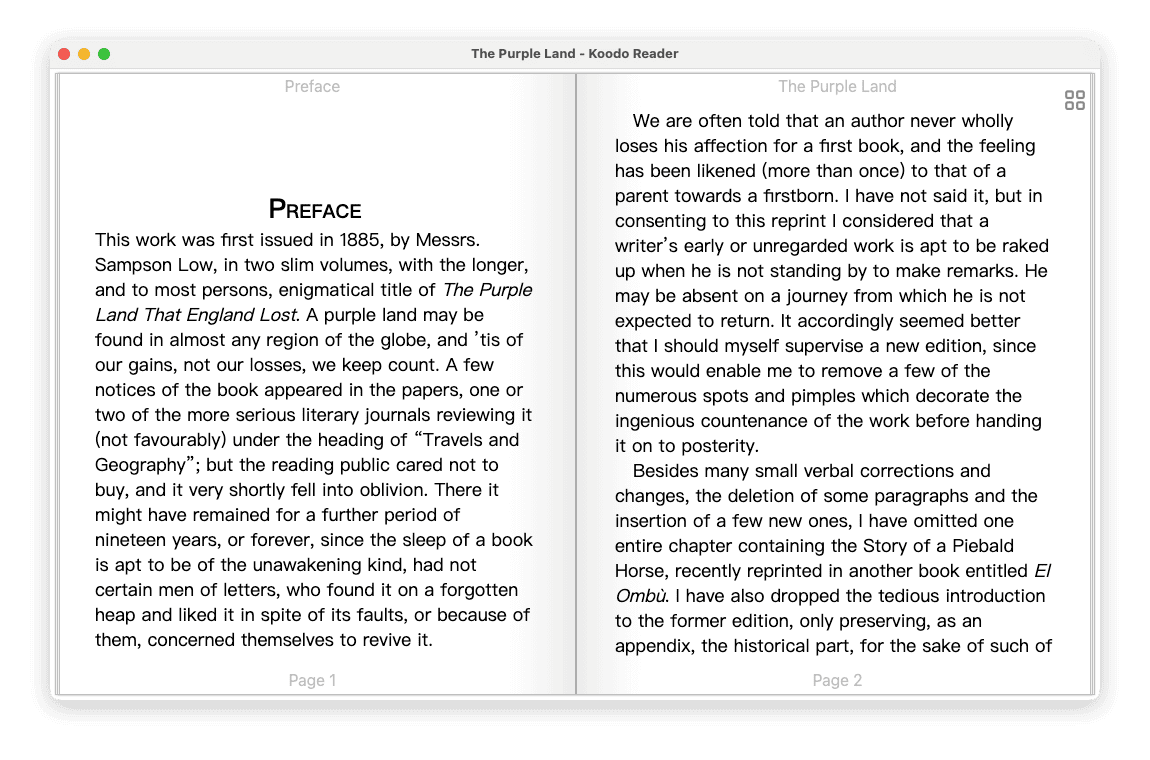
The reading view offers single page, two pages and continuous scrolling, and each is a genuine mode rather than a checkbox. Typeface, size, weight, line spacing, margins, brightness and background colour are all adjustable, which matters more than it sounds: the difference between a page that can be read for two hours and one that cannot is usually a few points of line spacing.
A night mode and a handful of theme colours cover the rest. On a touchscreen the pages turn with gestures; at a desk the keyboard shortcuts do the same job, so the reading does not depend on which device you happen to be using.
Annotations that stay useful
Four styles are available for marking a passage – highlight, underline, bold and italic – plus free notes attached to a location. The important part is not the marking but the collection: every annotation is gathered automatically, per book and across books, so reviewing what was worth keeping does not mean flipping back through the pages where you think it was. The whole set exports, which is what makes reading notes usable in a document or a report later.
Translation and read-aloud
Selected text can be translated on the spot into twenty-five languages, which turns a foreign-language book from an exercise into ordinary reading. Read-aloud converts the page to speech, useful for the obvious reason and also for the less obvious one: hearing a sentence is often the fastest way to notice that you have been skimming it.
What it deliberately does not do
There is no format conversion, no metadata editing and no attempt to reorganise a collection. Those belong to the heavy library tools, which do them well and will keep doing them. Koodo Reader's ambition is narrower and, for most people, more useful: open the file, make the page comfortable, remember where you were, and stay out of the way.
The base version is free, the extra convenience of synchronisation and the advanced features sit behind a paid tier, and paying is a choice rather than a requirement for reading. For anyone who has a folder of ebook files and no pleasant way to open them, that is a reasonable arrangement.