
iZip: opening ZIP and RAR archives on an iPhone without going back to a computer
Summary
iZip opens ZIP, RAR and 7z archives on iPhone and iPad, handles password-protected ones, takes archives straight from mail attachments or cloud drives, and does the work on the device rather than on somebody else's server.
Recommend- Name
- iZip
- Version
- 26.31
- Pricing
- Paid
- Open source
- Proprietary
- Operating system
- iOS
- Updated
- 2026-10-06 11:41
The archive is a small problem that only exists on a phone
On a desktop, a compressed archive is a non-event: double-click, look inside, take what you need. On a phone or a tablet the same file becomes an errand, because the system offers no obvious way in. Receive a ZIP attachment and the usual answer is to move it to a computer first, which means the phone was able to receive the file but not to read it.
iZip fills exactly that gap. It brings the common extraction abilities into iOS and iPadOS, so an archive can be opened on the device, its contents listed, and a decision made about which part to take out — without the round trip through a desktop.
Formats, and the password case
It opens the formats people actually receive: ZIP, RAR, 7z and the usual neighbours. It also handles archives that are protected by a password, which means entering the passphrase and letting the contents unfold. That sounds like a small addition and covers a real situation: encrypted material arrives, an encrypted distribution package arrives, and the alternative would be installing a desktop program to deal with one file.
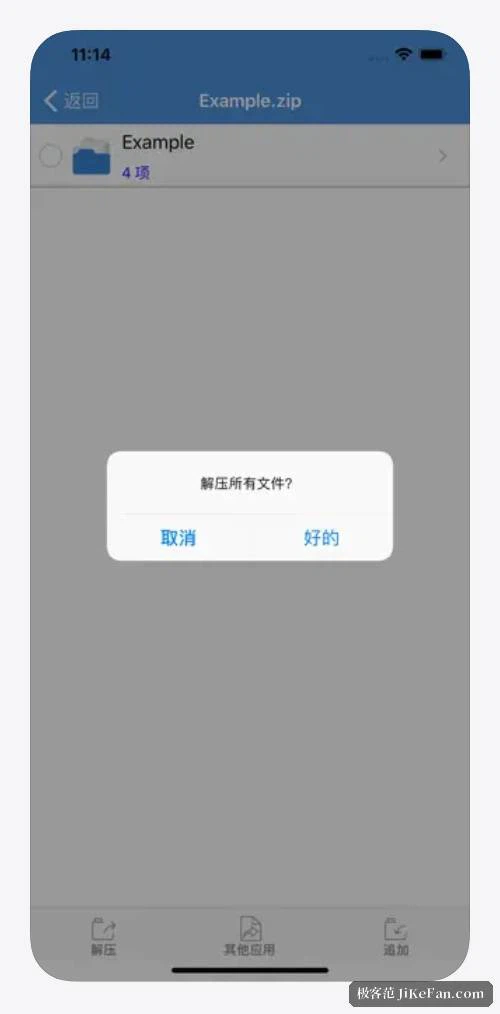
Once an archive is open, the contents can be previewed on the spot — documents, images, plain text — and then saved to a chosen location if they turn out to be worth keeping. The order matters: look first, extract second, because most archives contain one file you wanted and nine you did not.
Arriving from somewhere, leaving for somewhere
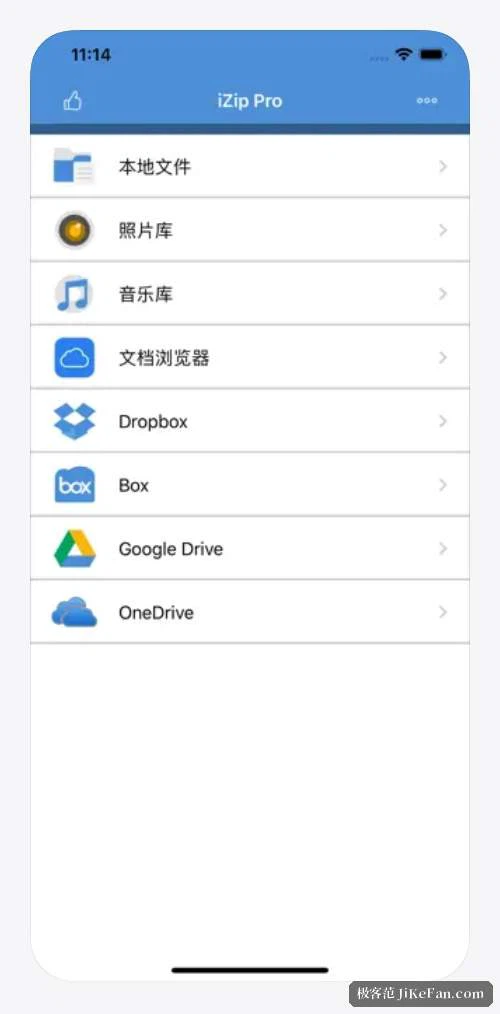
Archives can come in from a mail attachment, from a cloud drive, or from the share sheet of another app. What comes out can go to the photo library, to the files area, or back out through the share sheet again. On an iPad the app can sit alongside others in a multi-window arrangement, which is the difference between a tool and a detour when you are reading a document that refers to an attachment.
The processing happens on the device. Nothing is uploaded to a third-party server to be unpacked and downloaded again, which is the part worth noticing: an archive that contains private material is exactly the kind of file you would rather not hand to a service in the middle. Local processing is not a marketing detail here, it is the reason the tool is usable for that content at all.

What to keep in mind
The basic abilities are free, and some advanced ones need to be unlocked by payment, with the details given inside the app rather than in a fixed list that ages badly. That arrangement is ordinary for this category, and it is worth knowing before assuming everything is open.
One caution belongs here, and it is not about this app in particular. Unpacking a file of unknown origin is itself a risk, and the risk is highest for executables and scripts. A phone can open fewer categories of file than a desktop, which narrows the surface, but narrowing is not closing: the sensible rule is to unpack archives you have a reason to trust, and to be more careful, not less, when the archive arrived unsolicited.
It also helps to be clear about what the app is. It is a waypoint in the flow of files — something receives an archive, looks inside, hands a file onward — rather than a complete file manager, and judging it as the latter would be judging it for a job it was not built to do.
iZip fills a capability that mobile systems have long left out: no need to walk back to a computer to see what is inside an archive. Treat it as a transfer point in the movement of files rather than as a full file manager, and it does its job without asking for more.