
Iris review: colour temperature, dimming and breaks in one place
Summary
Most sunset filters only warm the screen. Iris also goes below the hardware brightness floor, removes flicker and schedules breaks, which is the part that actually helps after eight hours in front of a monitor.
Recommend- Name
- Iris
- Version
- 20260923
- Pricing
- Free
- Open source
- Proprietary
- Operating system
- WindowsmacOSLinuxAndroidiOS
- Website
- https://iristech.co/
- Updated
- 2026-10-08 16:22
Your eyes need more maintenance than the monitor does
Eight hours of screen time a day is ordinary now, and dry, aching eyes have become the standard outcome. Iris attacks the causes rather than the symptom. In the evening it lowers the colour temperature so the blue end of the spectrum stops dominating, and it can dim below the lowest level the hardware allows, which matters because most laptops bottom out at a brightness that is still too bright in a dark room. Software dimming also removes the flicker that comes from pulse width modulation, the technique screens use to fake low brightness.
The second half of the product is scheduling. At a set interval it asks you to look away for a while, and the break can be a full stop or a nudge, depending on how strict you want it. Adding a rhythm to the day does more for tired eyes than any single filter, because the problem is rarely one bad evening but the absence of any pause across a month.
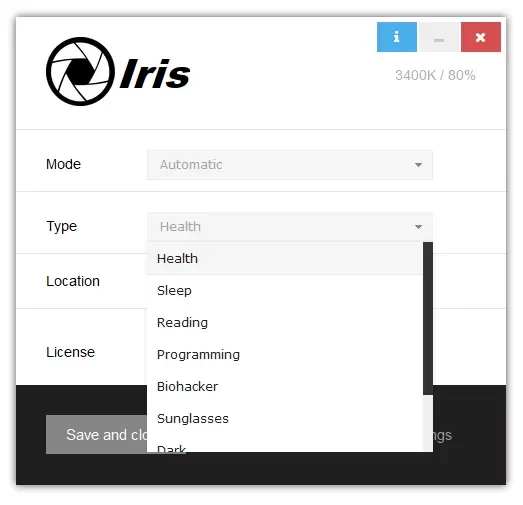
Settings deep enough to be a textbook
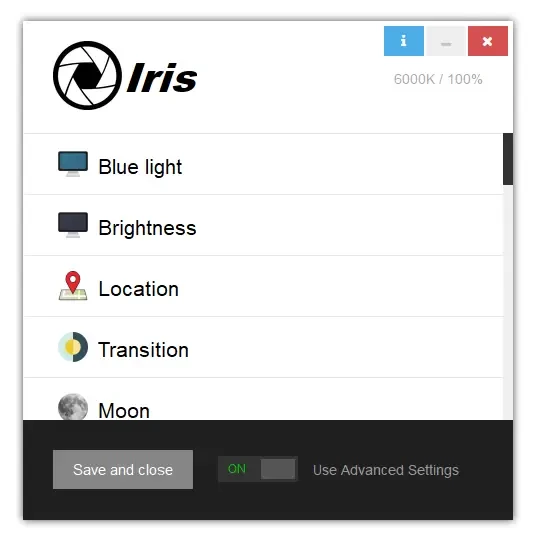
The reason this tool attracts people who like to tune things is the number of exposed controls: a colour temperature curve that follows the time of day, several dimming methods, invert colours, a break schedule with its own durations, keyboard shortcuts for each and profiles that switch automatically between work and evening. The free tier covers the daily core, and the paid tier adds the exotic combinations.
All that choice has a cost. A first-time user can spend an hour adjusting and end up with a screen that is worse than before, which is why the sensible order is to install it, accept the defaults for two weeks, and only then start changing one thing at a time. The defaults are close to what an ophthalmologist would suggest anyway: warm and dimmer in the evening, a pause every so often, back to neutral in the morning.
Consistency across devices is the quiet advantage. The same settings apply on the desktop at home, the machine at the office and the phone, so the rhythm does not break when you move. For anyone who works across two or three screens in a day, that uniformity is worth more than an extra slider.
What it cannot do
No software fixes posture, an uncorrected prescription, or a room lit by a single bulb behind the monitor. Dimming the screen helps with evening strain but it does not replace a lamp, and a break reminder that you dismiss without standing up has no effect at all. The tool provides discipline; the discipline is still yours to keep.
There is also a small honesty issue in the category: warm screens look calmer, which makes them feel healthier, and that feeling is not the same as measured improvement. The evidence for blue light reduction helping sleep is reasonable, the evidence for it preventing eye damage is weaker, and the part with the strongest support is the boring one, which is taking breaks and looking at something far away.
There is no magic in eye comfort. What this tool offers is an executable discipline: a gentler screen and a more regular pause. Do that for a year and your eyes will notice.
Suggestions drawn from using it. Start with the defaults and resist going fully amber on day one, because a screen that looks wrong gets turned off within a week. Actually leave the desk when the break appears, and look out of a window rather than at a phone. The last hour before sleep is the break most worth protecting. And if the schedule keeps firing during meetings, set a profile rather than disabling the reminder entirely, since the reminder is the part doing the work.
One more practical note: keep the brightness keys working. The most common failure with any dimming tool is a user who dims in software, forgets, and then wonders why the display looks grey in daylight the next morning. Two minutes spent learning the shortcuts prevents that entirely.