
Ghostery: see which company is following you, and answer the cookie prompt with no
Summary
An open-source privacy extension that has been running for more than a decade. It blocks ads and trackers, swaps personal identifiers in requests for random values, and answers cookie consent prompts with a refusal on your behalf. Every page shows how many trackers it carried and which companies they belong to.
Recommend- Name
- Ghostery
- Version
- 10.5.56
- Pricing
- Free
- Open source
- Open source
- Operating system
- WindowsmacOSLinuxAndroid
- Website
- https://www.ghostery.com
- Updated
- 2026-10-06 21:31
Making the invisible audience visible
Open an ordinary web page and a few dozen third parties may be watching. Most of them are not visible anywhere on the screen: scripts that record what you read, how long you stayed, what you searched for before you arrived, and what you hovered over. They collect quietly and hand the result to whoever pays for it. Ghostery is a privacy extension that has been running for more than a decade, and the idea behind it is that this audience should at least be counted out loud. Every visit, the icon in the toolbar reports how many trackers the page carried. Open the panel and you get the names of the companies attempting the collection, the category each one belongs to, and whether the block actually held. As of September 2026 the extension had reached version 10.5.56, and its cumulative downloads worldwide had passed a hundred million.
Advertising, trackers and prompts in one place
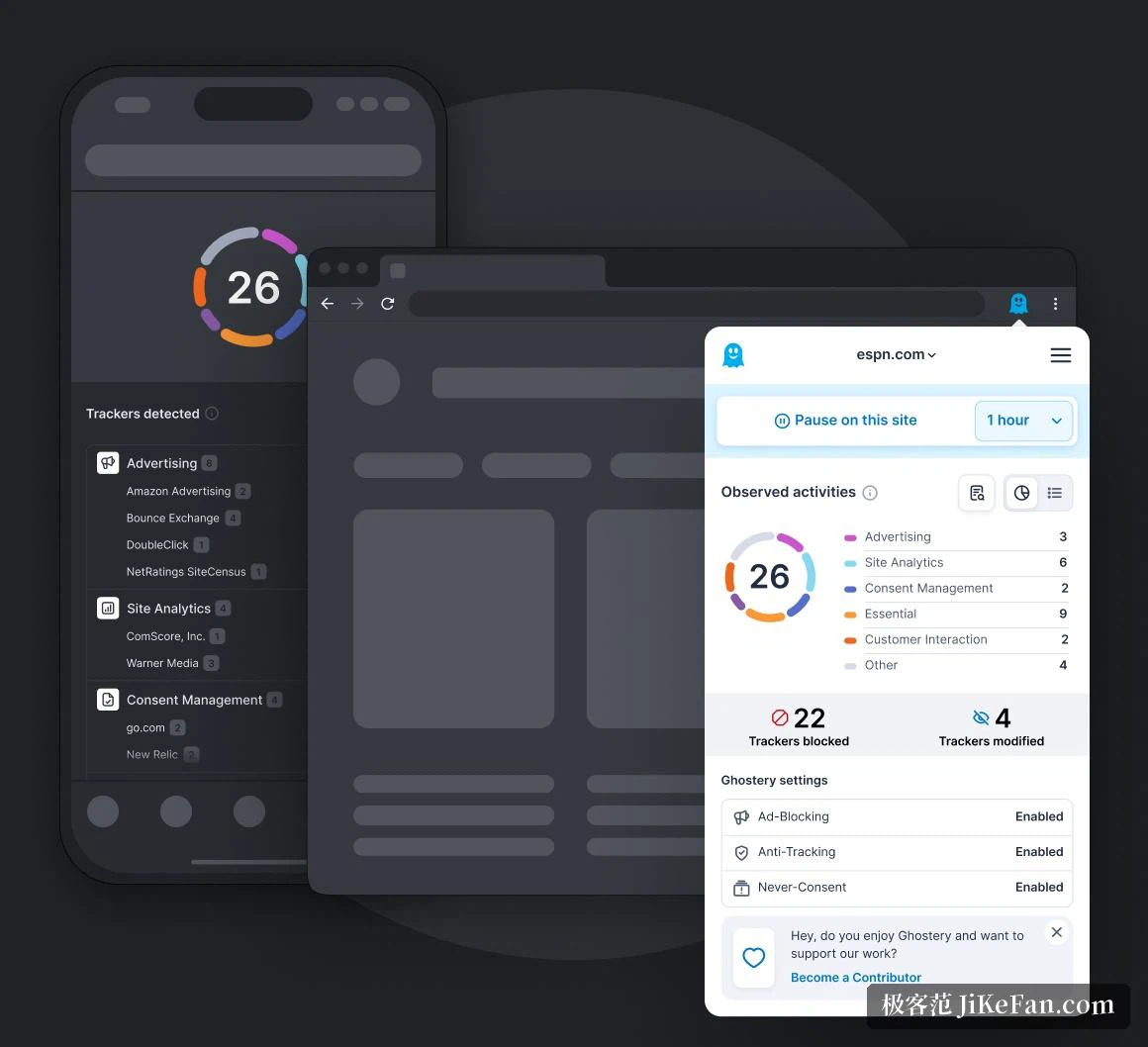
The basic capability is ad blocking, and it is applied before the page is built. Banners, video advertising, pop-ups and sponsored blocks are removed rather than hidden, so what arrives is a lighter page that scrolls more easily and appears sooner. Tracking protection goes one step further than deletion. Instead of only cutting the tracking scripts loose, the extension also replaces the personal identifiers carried in requests with random values. A collector that insists on asking still receives an answer; the answer is simply meaningless. Since the same visitor appears to be a different person on every page, a profile cannot be assembled out of the pieces.
The cookie prompt, answered with no
Anyone who reads sites published abroad knows the dialog: a wall asking whether all cookies may be accepted, with the refusal tucked into a smaller link somewhere below. The automatic answer handles it. By default it declines the non-essential tracking cookies and sends the opt-out signal on your behalf, and the dialog is gone before the wording has been read. For sites you actually trust, a whitelist relaxes the policy so nothing is touched. The filter rules can subscribe to remote lists and accept custom entries as well, which leaves advanced users plenty of room to tune the behaviour to their own taste.
A transparent archive of the tracking industry
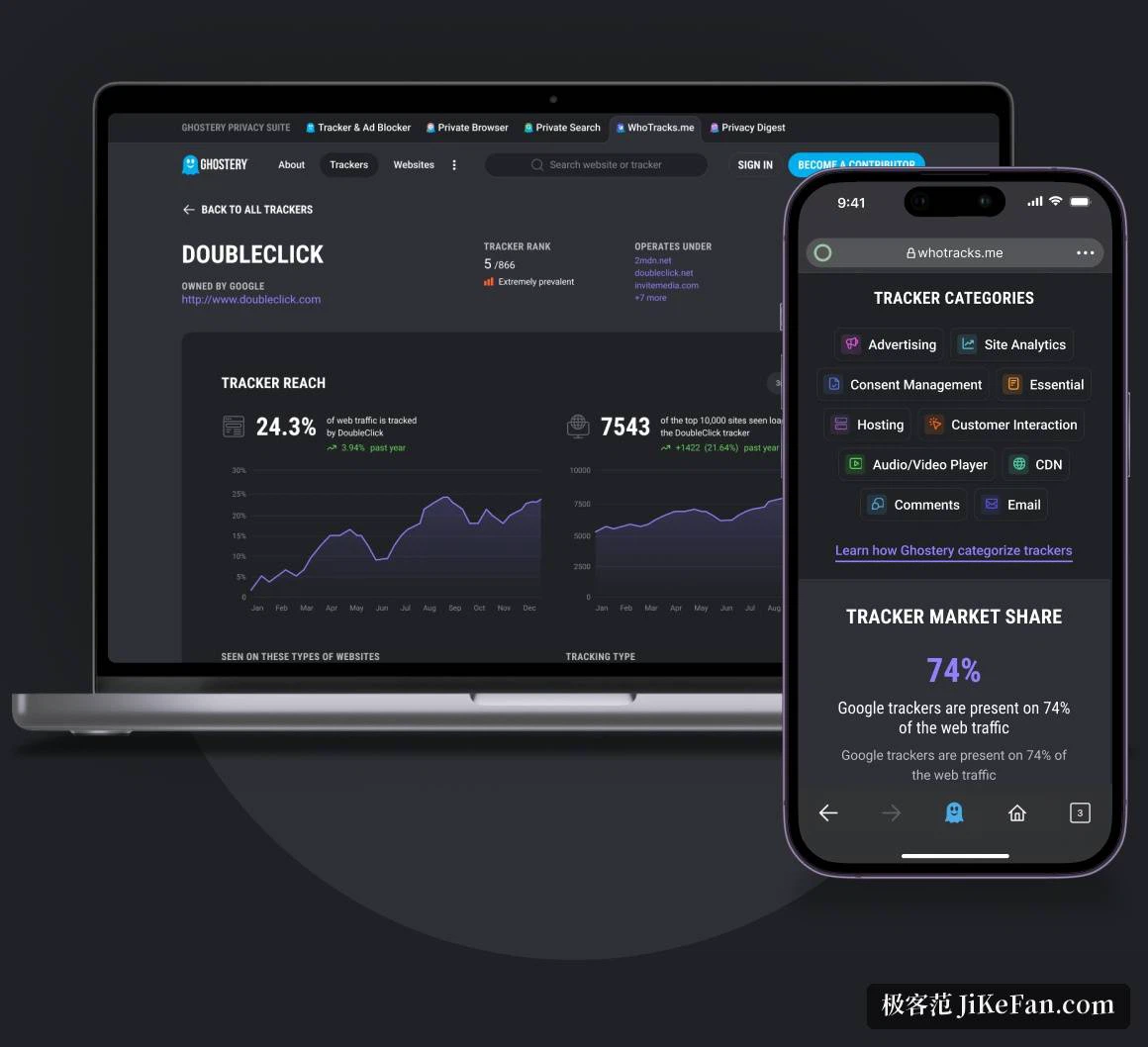
The extension also carries a database of the tracking industry, built by aggregating continuous measurements of tracking behaviour across the web. How many sites a given data company operates on, and which other companies it shares information with, are both questions the archive answers with background rather than a guess. Search result pages go further and annotate the listings with a tracker preview, so a site's habits are known before the link is clicked rather than after.
Everywhere the browser goes

The first week with it installed
Leave the extension in place for a week and the numbers start to feel familiar. A news site that reports three trackers, a shop that reports twenty, a search results page that reports eleven before the first link is clicked. None of that changes the page visually, which is the point: the audience was always there, and the only difference now is that it has been counted. The icon in the toolbar becomes a habit, glanced at the way one glances at a clock.
Everywhere the browser goes
The extension is available for the mainstream desktop browsers, and on phones there is a companion browser application, so the policy that governs a laptop also governs the device in a pocket. The project is published under an open licence, which means the code can be read and audited by outsiders rather than taken on trust. It carries no advertising of its own and does not make money by selling what it learns about its users, which is a distinction worth stating plainly in a category where the opposite is common. For anyone who cares about being tracked but has no appetite for configuration, installing one extension is enough to hand the whole matter over.