
Free Download Manager: segmented transfers and torrents in one window
Summary
A browser download bar loses everything when the line drops and never fills the pipe. Free Download Manager splits a file into parallel streams, resumes where it stopped, and carries a full torrent engine in the same list.
Recommend- Name
- Free Download Manager
- Version
- 6.35
- Pricing
- Free
- Open source
- Open source
- Operating system
- WindowsmacOSLinuxAndroid
- Updated
- 2026-10-07 20:11
Handing downloads to one window
The download bar in a browser has one famous failure mode, and it appears exactly when a file is worth keeping. The connection drops at eighty percent, the transfer restarts from zero, and the only evidence left behind is a broken entry in a list nobody reads. There is a second problem that is less visible: a single stream rarely fills the line, so a large file takes two or three times longer than the connection would allow. And a third: a torrent link does not belong in a browser at all, so a separate client has to be installed and maintained for the few occasions it is needed.
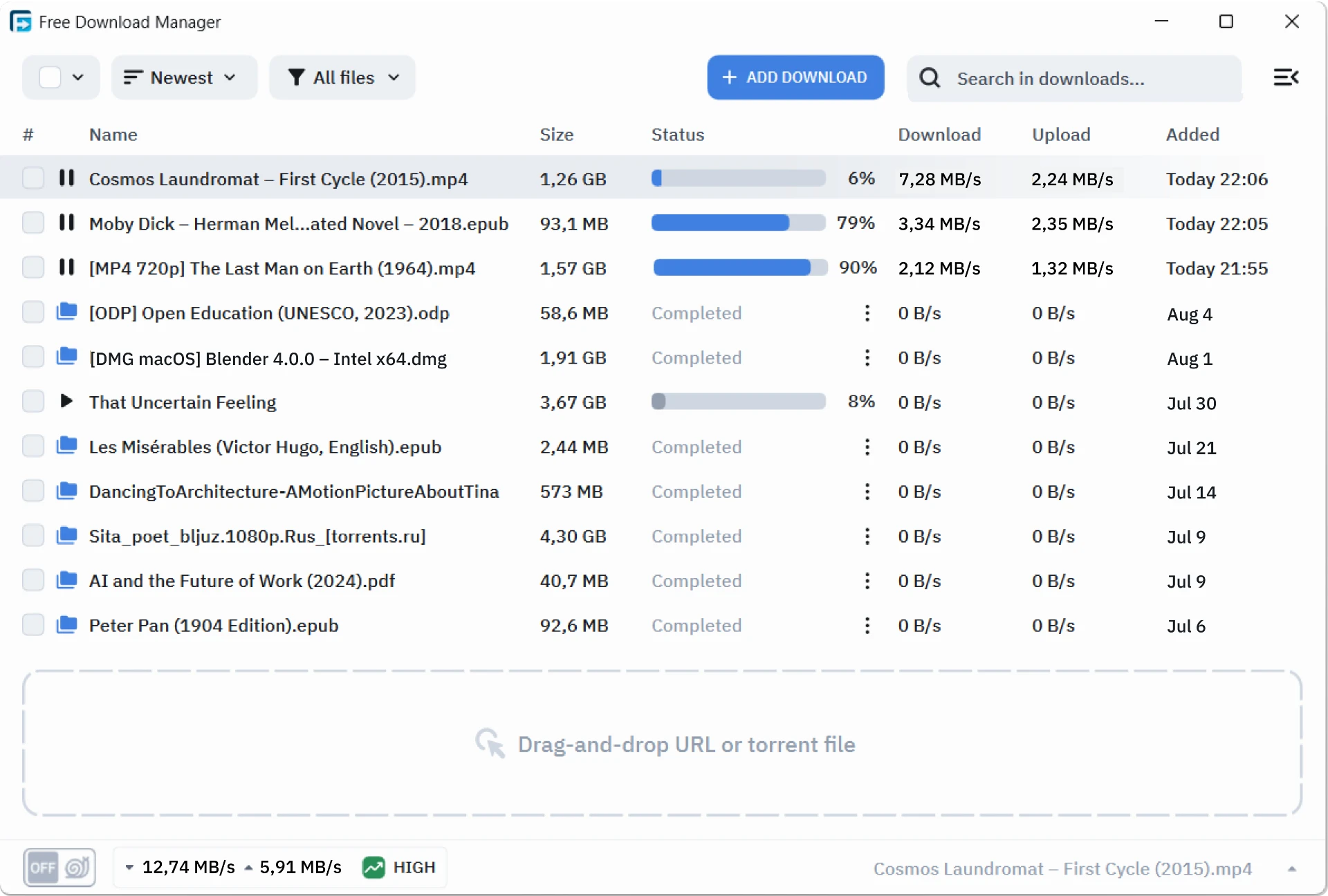
Free Download Manager collects those three jobs into one window. A plain link pasted into the list is split into several parallel streams, with the segment count adjustable, and a resumed session continues from the byte where it stopped rather than from the beginning. Magnet links and torrent files land in the same list, handled by a full engine with the rate limits and seeding controls that implies. Media and files on a page can be picked up by site inspection, which removes even the step of copying a link out of the page.
Small manners, four platforms
The measure of a downloader is not the peak number it can print but how little it interferes. Speed limits can be set per task, so daytime work keeps the line and a queue started at midnight takes all of it. Traffic accounting answers the question that matters on a metered connection, which is how much this month has actually cost. The queue accepts scheduled windows, so a task begins and pauses on a timetable rather than because a person remembered.
Native builds exist for Windows, macOS, Linux and Android, which is unusual and genuinely useful: one task list seen from four places, so a file queued on a desktop can be checked from a phone on the way home. The project is open source, the interface stays quiet, updates arrive regularly, and nothing in the feature set is held back behind a payment. For a program that will sit in the background for years, those properties matter more than any single headline feature.
FDM shows that a free tool can be capable and restrained at once: splitting a transfer into streams is engineering, and keeping an interface clean is a decision. Speed and good manners were never in conflict.
Getting the most from it
Let the program take over large files, because resumption is worth nothing on a file that finishes in twenty seconds and a great deal on one that takes an hour. When seeding, set an upload limit deliberately; a client that saturates the uplink makes every other device on the network unhappy, and the neighbours in that sentence are the people in the same flat. Raising the segment count helps on a fast line and hurts against a weak server, so change one thing at a time and watch the reported rate rather than assuming.
One setting deserves a minute of attention at the start: browser integration. With the extension installed, links are handed over automatically and the download bar stops being part of the workflow. Without it, the habit of copying a link and pasting it into the list survives about a week before it becomes a chore. That is the only configuration this program really needs.
The honest limit is that all of it matters only when the file is worth the trouble. For a two megabyte document the browser is fine and a second program is a loss. For a multi gigabyte installer, a disk image, a video, or anything that will be interrupted, the difference between a downloader and a download bar is the difference between finishing and starting again.